

Key takeaways
- Pick your platform from the lists below. Each links to a step-by-step guide.
- Dynamic videos in bulk means one snippet personalizes a different video for every lead on your list.
- Personalized videos at scale means you pair pre-recorded videos with your contacts.
- Quick share means pasting a thumbnail into a single email from your own inbox or marketing tool.
- Your platform needs HTML editing for the snippet to render correctly.
- No guide for your platform? The snippet works anywhere HTML editing does, and you can request a platform.
Send dynamic videos in bulk
One snippet, a different video for every lead. Start with creating a dynamic video campaign, then follow your platform’s guide:- ActiveCampaign
- Amplemarket
- Apollo
- Brevo
- Close
- Constant Contact
- ConvertKit
- Go High Level
- Grinfi
- HighLevel (GHL), from any trigger
- HubSpot marketing emails
- HubSpot sales sequences
- Instantly
- Klaviyo, or auto-send to new lists
- La Growth Machine
- LeadConnector
- Lemlist
- Mailchimp
- Mailshake
- Mixmax
- Outreach
- Pipedrive, or set up the integration first
- QuickMail
- Reply
- Salesforce
- Salesloft, or trigger from Salesloft and send via Apollo sequences
- SendGrid
- SharpSpring
- Smartlead, or with Clay
- Snov.io, by custom field or template
- Woodpecker
- Zoho
- ZoomInfo Engage
Send personalized videos at scale
Pair videos you’ve already recorded with the contacts in your platform:- ActiveCampaign
- Apollo
- Aweber
- Constant Contact
- ConvertKit
- Expandi
- Go High Level
- Growth-X
- HighLevel (GHL)
- HubSpot Sales Hub
- Instantly
- Klaviyo
- Klenty
- Lemlist
- Mailchimp
- MailerLite
- Mailshake
- Marketo
- Mixmax
- Outreach
- Platformly
- Reply
- Salesforce
- Salesloft
- Sendfox
- Skylead
- Smartlead
- Snov.io
- VBOUT
- Woodpecker
- Zendesk
- Zoho
- ZoomInfo Engage, or ZoomInfo personalized video emails
Quick share from your own inbox
Paste a video thumbnail into a single email:- Apple Mail
- Campaign Monitor
- Constant Contact, as image links or with custom code
- Customer.io
- Giveffect
- Gmail
- HubSpot, embedded as images or as Marketing Hub static videos
- Intercom
- Klaviyo
- Mailchimp
- Outlook
- Pipedrive
- Thunderbird
Sending through LinkedIn instead? Those platforms have their own guides. Start with LinkedIn automation platform compatibility.
How to embed a Sendspark thumbnail in an email
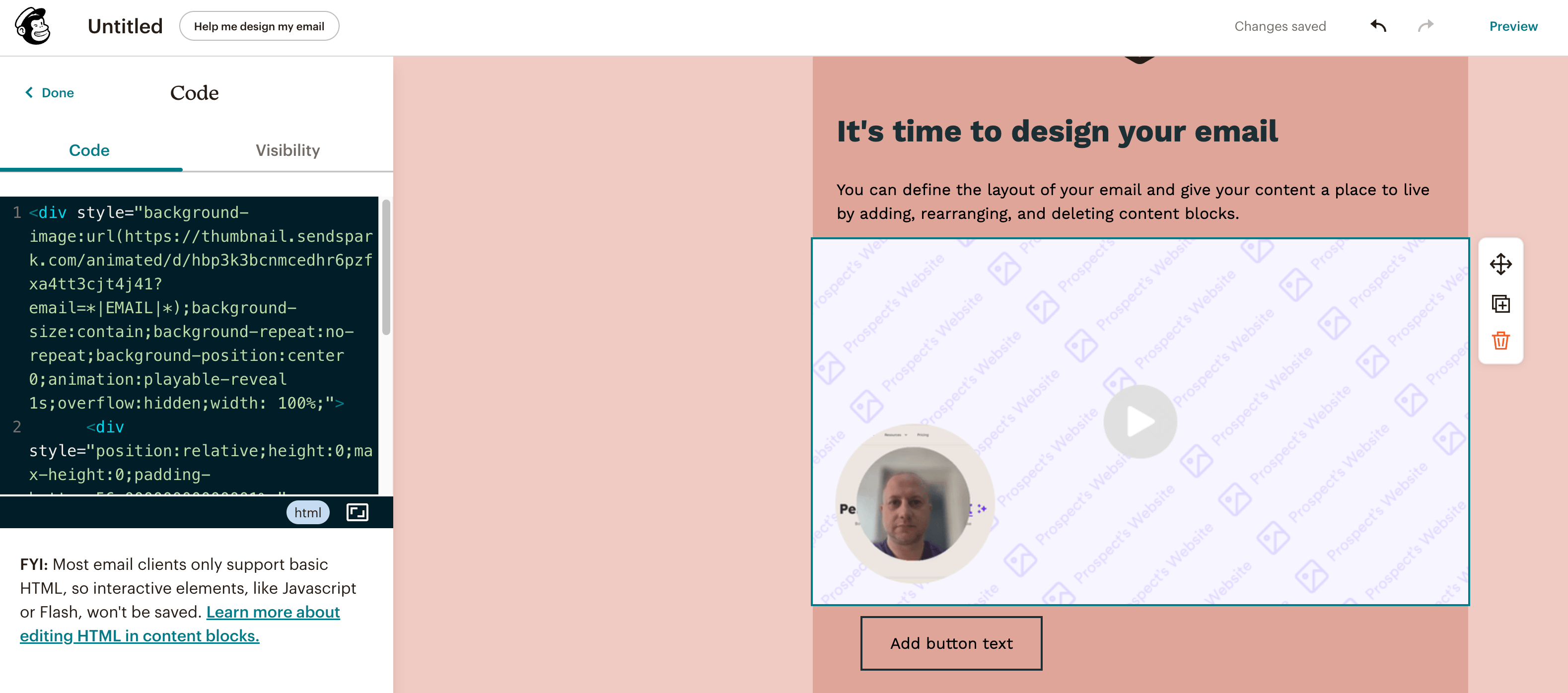
The steps are the same on every platform:- Create your video or campaign in Sendspark.
- Copy the snippet code once the video is ready.
- Paste the snippet into the HTML editing section of your email.
Frequently asked questions
Where can I see which platforms are supported?
Where can I see which platforms are supported?
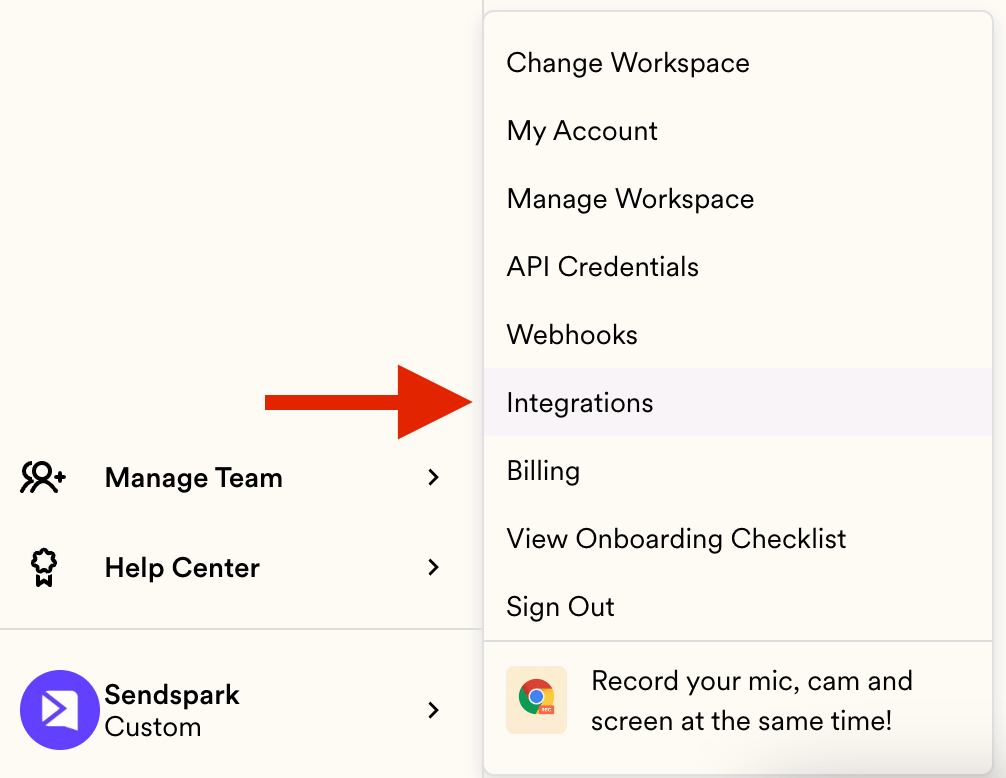
The lists on this page cover every platform with a written guide. For the live product list, see sendspark.com/integrations, or Settings → Integrations if you’re already a member.
My platform isn't listed. Can I still send Sendspark videos?
My platform isn't listed. Can I still send Sendspark videos?
Usually yes. The snippet works in any platform that supports HTML editing, so a missing guide means nobody has written one rather than that the platform won’t work. You can also request a platform and the team will review it.
What if I don't use a CRM or email tool at all?
What if I don't use a CRM or email tool at all?
You can still send dynamic videos in bulk. See sharing dynamic videos without sales email tools, which covers getting the videos out using the campaign’s own export rather than an integration.
Does Sendspark send the emails itself?
Does Sendspark send the emails itself?
No. Sendspark creates and personalizes the videos, and you send them from your own email tool, which is why HTML editing matters. See can you send emails from Sendspark.
HubSpot is warning me that my module can contain HubL code. Is that a problem?
HubSpot is warning me that my module can contain HubL code. Is that a problem?
No, it’s a false positive from HubSpot’s default behaviour rather than anything wrong with the Sendspark snippet. See removing HubSpot’s HubL code warning.
What's the difference between dynamic and personalized videos?
What's the difference between dynamic and personalized videos?
A dynamic video campaign generates a separate video for each lead, so one snippet personalizes across your whole list. Personalized videos at scale pair videos you recorded in advance with your contacts. Dynamic suits cold outreach to a large list; personalized suits a smaller set you want to speak to directly.
Why does my platform need to support HTML editing?
Why does my platform need to support HTML editing?
HTML editing lets you paste Sendspark’s snippet code into your email. That snippet is what powers AI voice cloning, text variables, and the correct dynamic background, so the video thumbnail displays properly.
How do I embed a Sendspark thumbnail in an email?
How do I embed a Sendspark thumbnail in an email?
Create your video or campaign, copy the provided snippet code, then paste it into the HTML editing section of your email. When recipients click the thumbnail, they’re directed to your video and you collect viewer analytics.