

Key takeaways
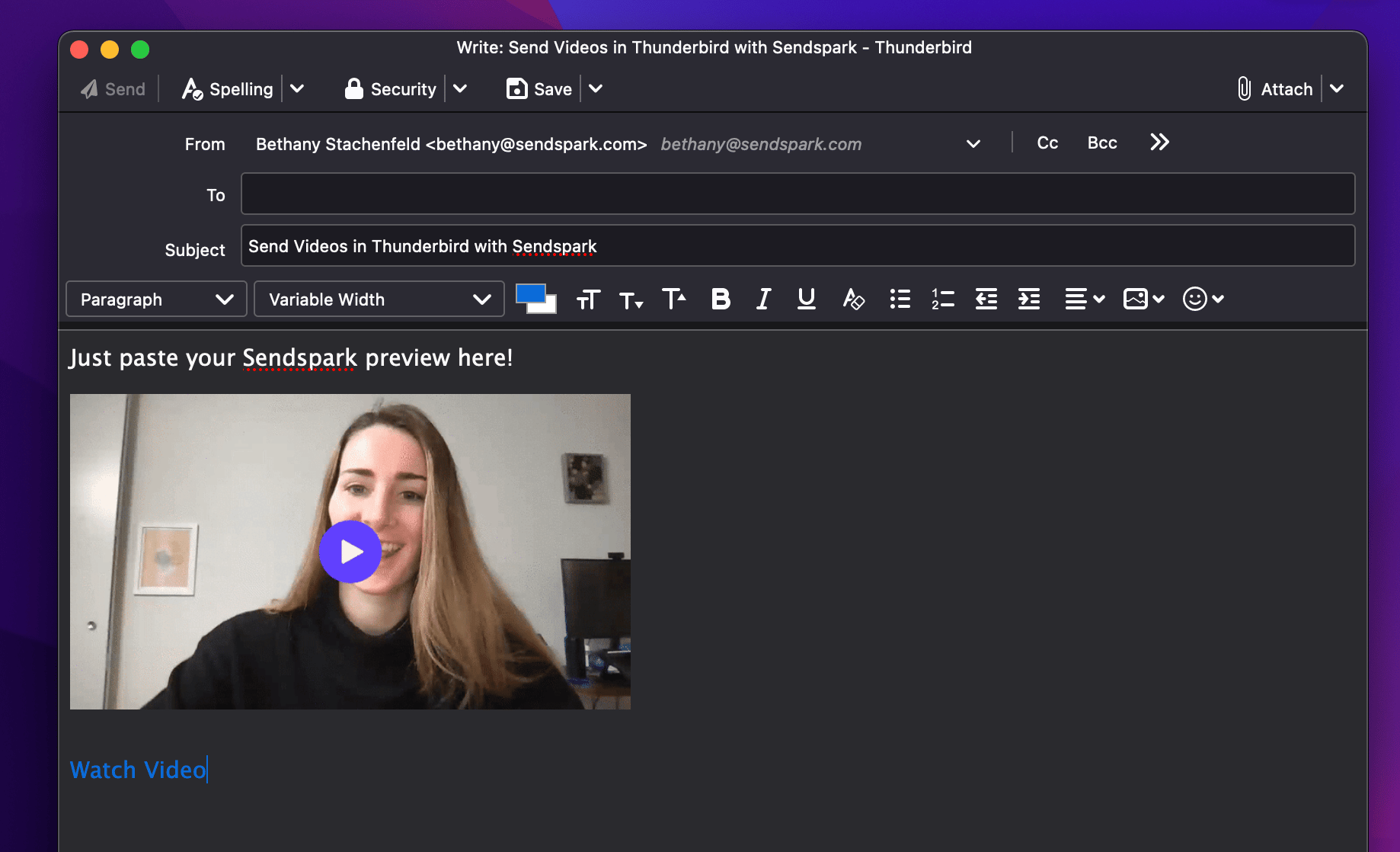
- Send videos in Thunderbird with Copy Linked GIF: record in Sendspark, click Share Video, click Copy Linked GIF, and paste into your Thunderbird draft.
- Recipients see a preview in their inbox and can click to watch the full video in their browser.
- Thunderbird can’t embed videos that play in-email because that requires editing the email’s HTML; email marketing platforms like Mailchimp, HubSpot, and ActiveCampaign support that instead.
- Installing the Sendspark Chrome Extension is suggested for a better recording experience.
How to Send Videos in Thunderbird
- Record your video in Sendspark. (We suggest installing our Chrome Extension for a better recording experience).
- Click Share Video

- Under Share, click Copy Linked GIF

- Paste in your email draft in Thunderbird
Commonly Asked Questions about Sending Videos in Thunderbird
How do videos sent through Thunderbird render for recipients?
Your recipients will see a preview in their inbox, and they will be able to click to watch the full video in their browser.Can I embed videos in Thunderbird so they play in-email?
No. To embed videos so they play in-email, you need to be able to edit the HTML of your email. Many email marketing platforms (like Mailchimp, HubSpot, and ActiveCampaign) let you do this. Check out our resources for embedding videos in email using an email marketing platform if you’d like to do this!More questions about sending videos in Thunderbird?
Let us know and we’re happy to help!Frequently asked questions
How do I send a video in Thunderbird?
How do I send a video in Thunderbird?
Record your video in Sendspark, click Share Video, under Share click Copy Linked GIF, then paste it into your email draft in Thunderbird.
How do videos render for recipients in Thunderbird?
How do videos render for recipients in Thunderbird?
Your recipients see a preview in their inbox, and they can click to watch the full video in their browser.
Can I embed videos in Thunderbird so they play in-email?
Can I embed videos in Thunderbird so they play in-email?
No. Embedding videos so they play in-email requires being able to edit the HTML of your email. Many email marketing platforms — like Mailchimp, HubSpot, and ActiveCampaign — let you do this instead.