

Key takeaways
- Sending a video as an image + link gives you better tracking (clicks and plays), a consistent preview across Gmail, Outlook, and other clients, and a call-to-action on the landing page to drive conversions.
- The tradeoff versus embedding the video in-line is engagement versus ability to track: linking adds slight friction but captures more data.
- The setup is: record/upload in Sendspark → download the thumbnail → add it to a HubSpot image block → link the thumbnail to the Sendspark video URL.
- If you prefer the video to play in-line instead, Sendspark also supports embedding it directly in HubSpot emails.
Image + link vs. in-line embed
There are 2 ways to send videos in email:
- With the actual video embedded in the email.
- With a preview image of the video + a link to your video.
- Better insight - you can track how viewers are engaging video videos
- Consistency - recipients will have the same experience no matter which email client they use, as the preview images will look the same on Gmail, Outlook, etc.
- Conversions - you can add a call-to-action on your video landing page to funnel viewers into taking the next step in the customer journey immediately after watching your video.
How to send a video through HubSpot as an image
- Record, request, or upload your video in Sendspark.

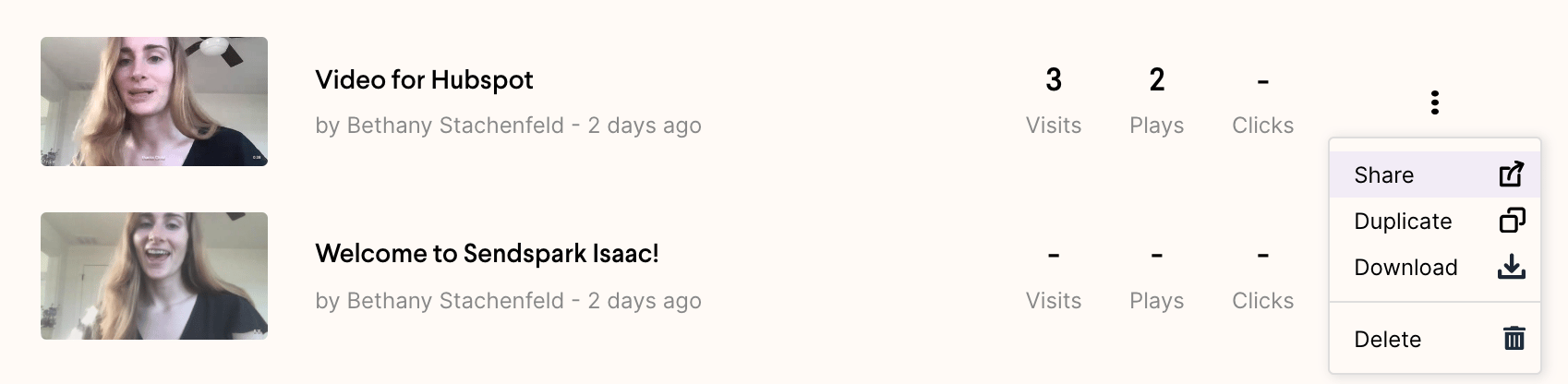
- Click “share”
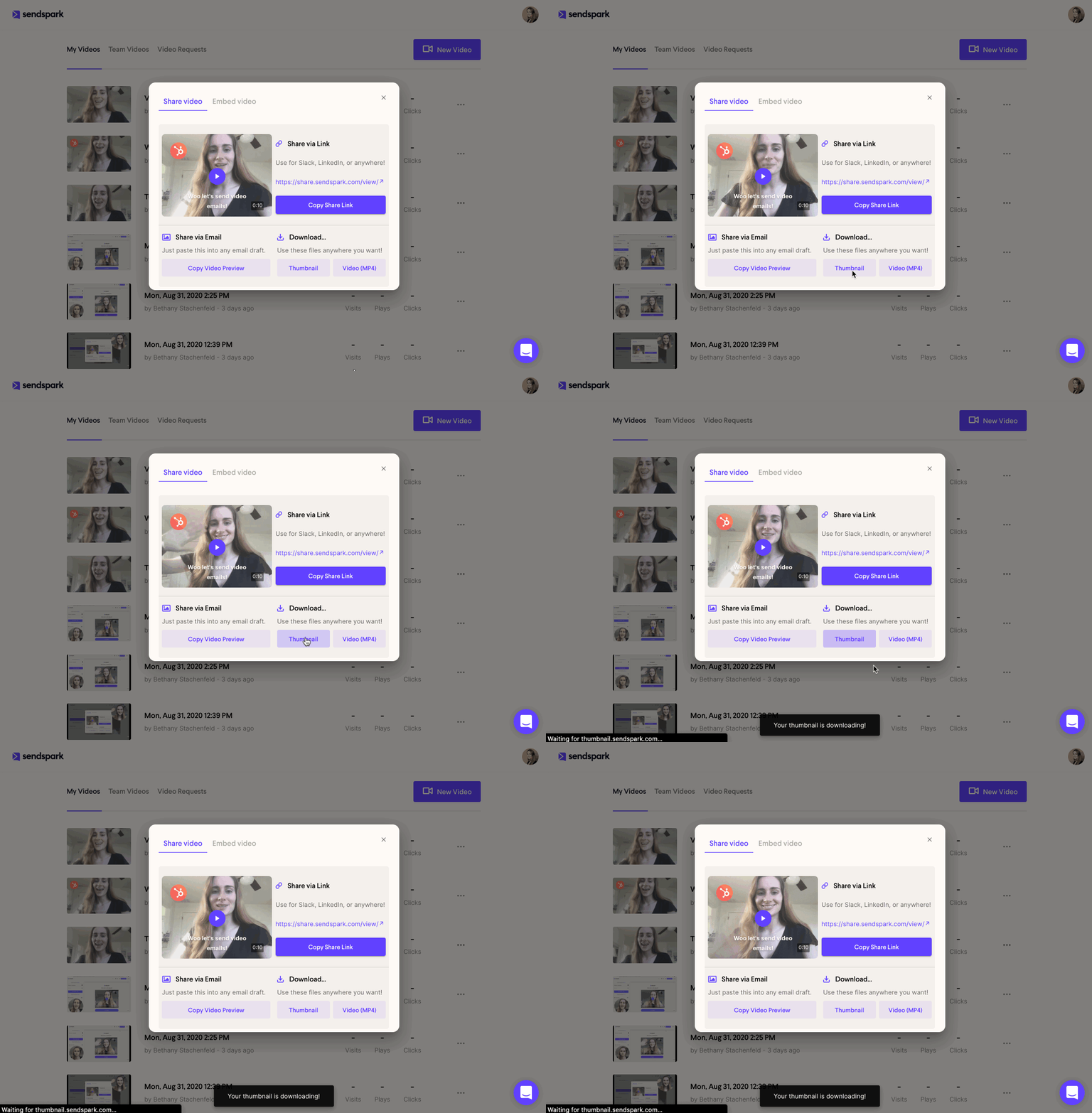
- Download your video thumbnail
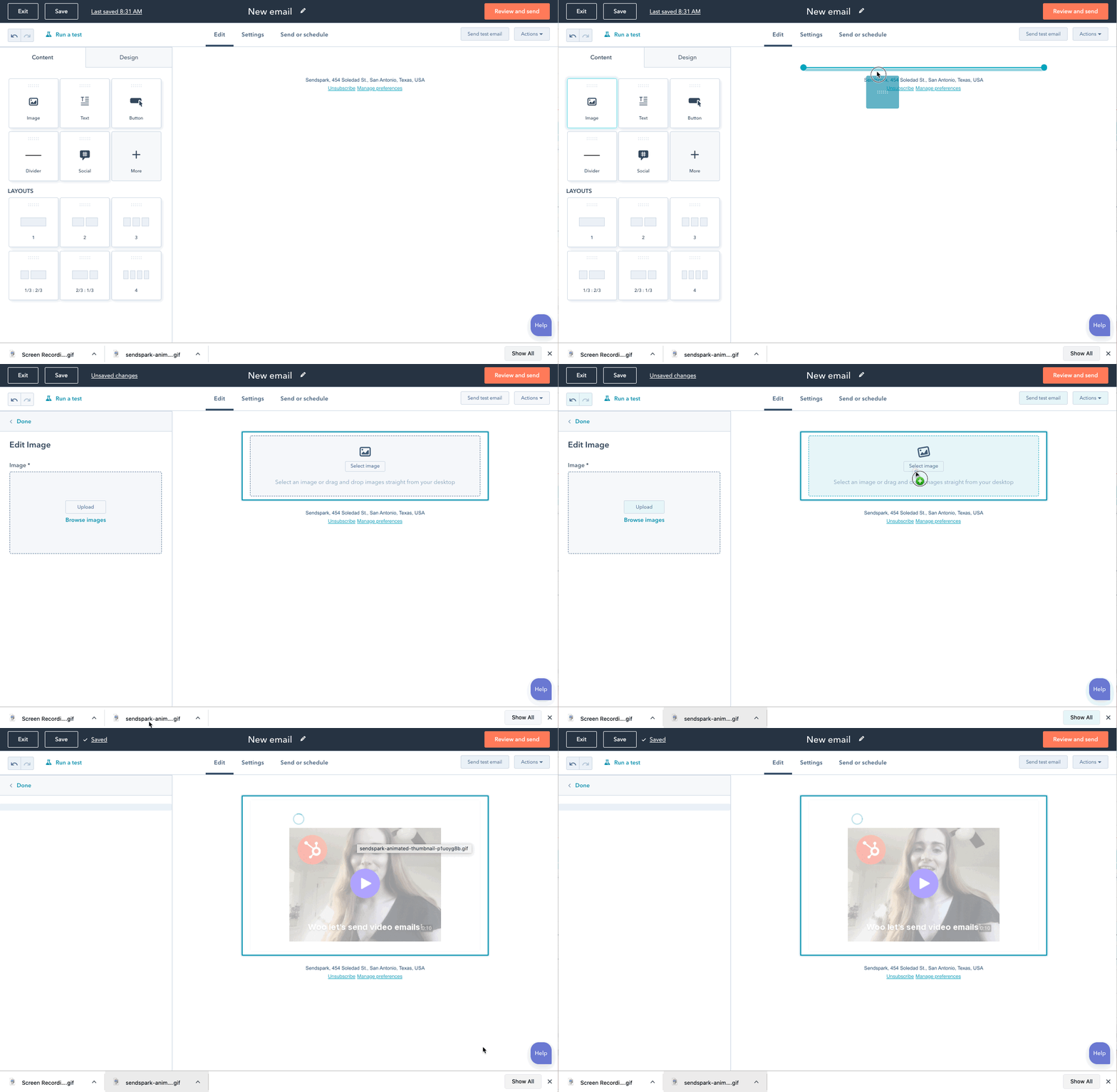
- Make a new email on HubSpot

- Upload the video thumbnail to HubSpot in an image block
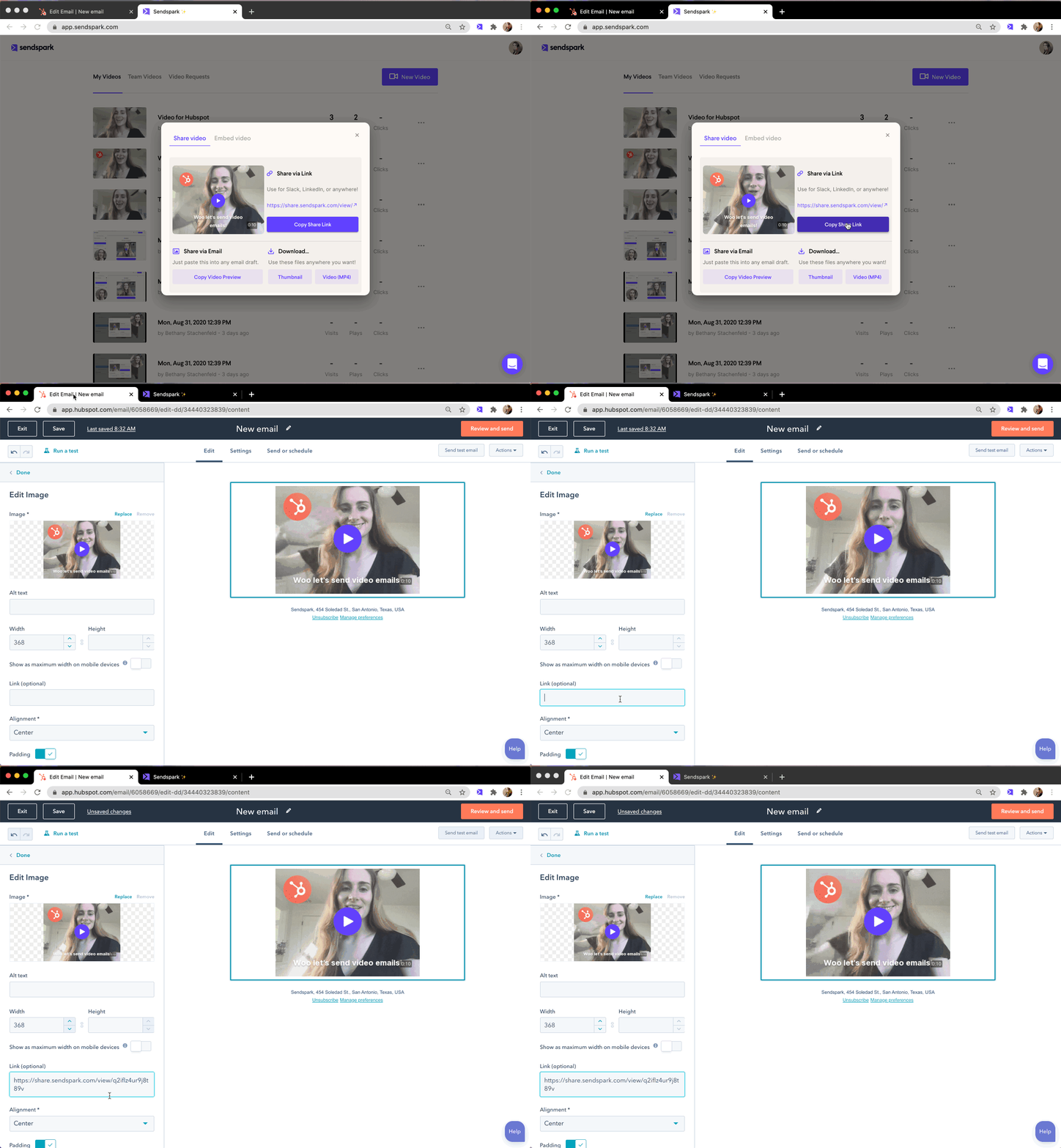
- Click Copy Share Link in Sendspark & link it to the video thumbnail in HubSpot
- That’s it! You’re all set to send your video email

Frequently asked questions
How do I add a video to a HubSpot email as an image?
How do I add a video to a HubSpot email as an image?
Record, request, or upload your video in Sendspark, click “share”, and download the video thumbnail. In HubSpot, create a new email, upload the thumbnail into an image block, then copy the video URL from Sendspark and link it to that thumbnail image.
Should I embed the video in-line or send it as an image + link?
Should I embed the video in-line or send it as an image + link?
It’s a tradeoff between engagement and tracking. An image + link adds slight friction but lets you track clicks and plays, keeps the preview consistent across email clients, and lets you add a call-to-action on the landing page. Embedding plays in-line but gives you less data. Testing both against a real goal like signups or meetings is a good way to decide.
Why does sending a video as an image look the same in every email client?
Why does sending a video as an image look the same in every email client?
Because recipients see a static preview image rather than an embedded player, the video looks the same whether they open it in Gmail, Outlook, or another client, so you get a consistent experience regardless of email client support.
Can I make the video play in-line in a HubSpot email instead?
Can I make the video play in-line in a HubSpot email instead?
Yes. Sendspark supports embedding a video so it plays in-line in HubSpot emails. See the guide on embedding a static video in HubSpot marketing emails.