

Key takeaways
- Sendspark lets you embed videos in Klaviyo so they play in-email, as long as the recipient’s email client supports video.
- Where video isn’t supported (like Gmail and Outlook), viewers see a preview image and can click to watch in their browser, so the experience stays intact across clients.
- The workflow: create a Klaviyo email template, add a text block, edit its Source, then paste Sendspark’s embed code and save.
- You get the embed code in Sendspark via Share Video → Embed Video → Copy Code.
What happens if video is not supported in an email client?
Sendspark provides a great fallback option for when the video is not able to play in email. In email clients such as Gmail and Outlook, where video tags are not supported, your viewers will see a preview image of the video, and be able to click to watch it in their browser. By following the steps below, you can easily embed videos in Klaviyo emails, and feel comfortable that your recipients will have great viewing experiences across all email clients and devices.How to embed videos in Klaviyo with Sendspark:
- Click Create Template in Klaviyo

- Drag a Text block into your email
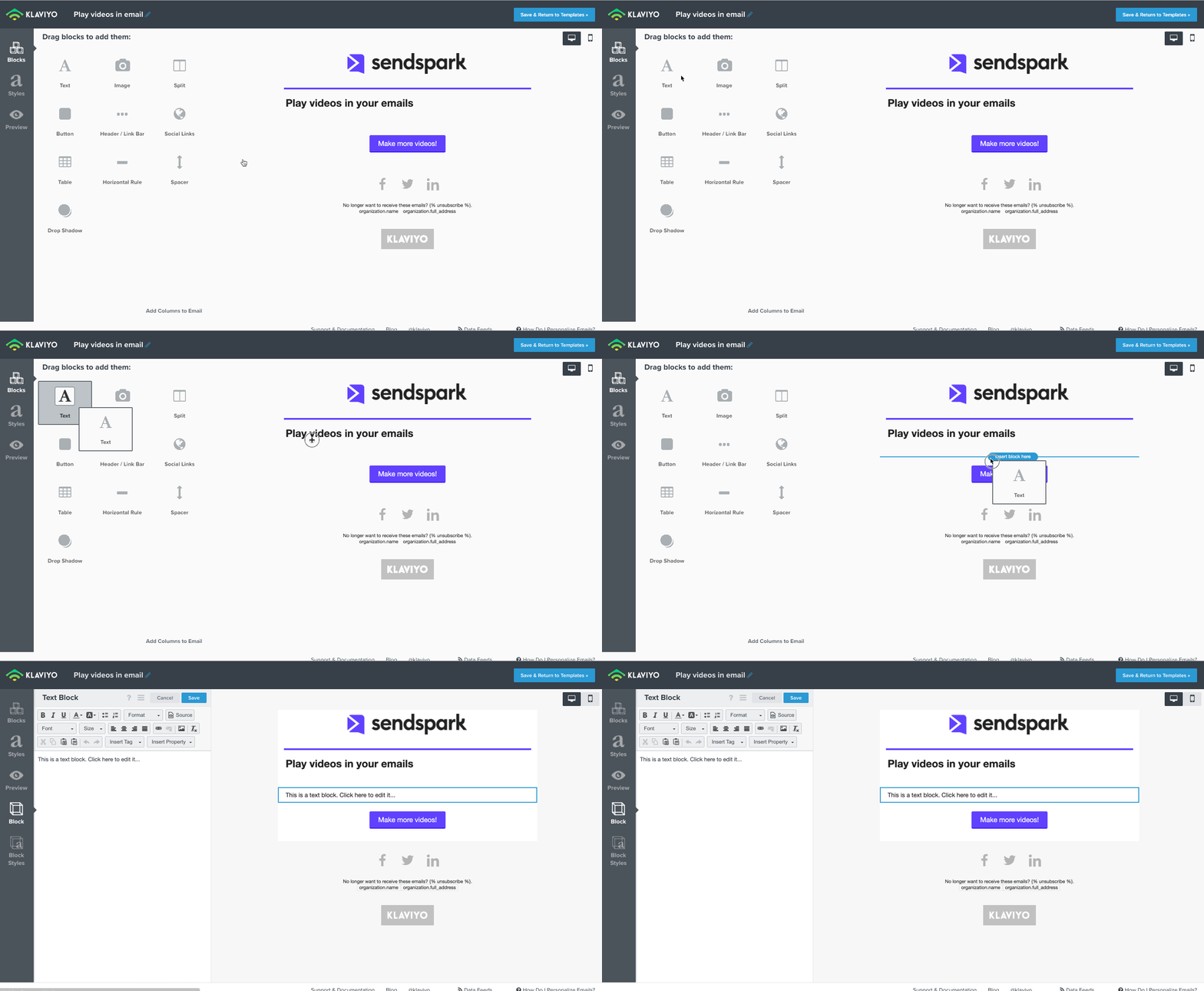
- Click to edit the Source

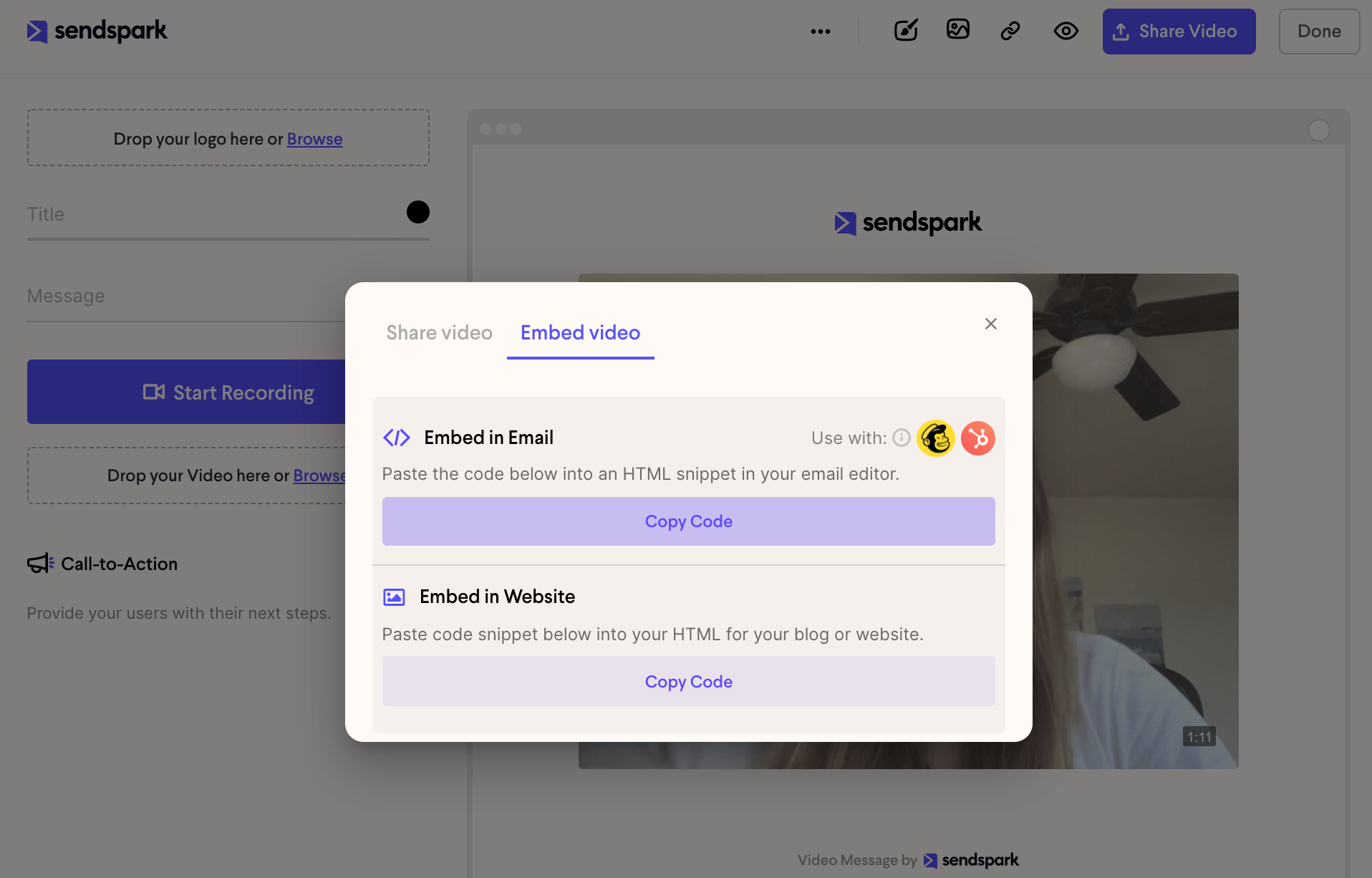
- Make your video in Sendspark. Either record, upload, or request a video in the platform to send out.

- Click Share Video, then under Embed Video, Copy Code
- Paste your code into the Source section in Klaviyo and click save
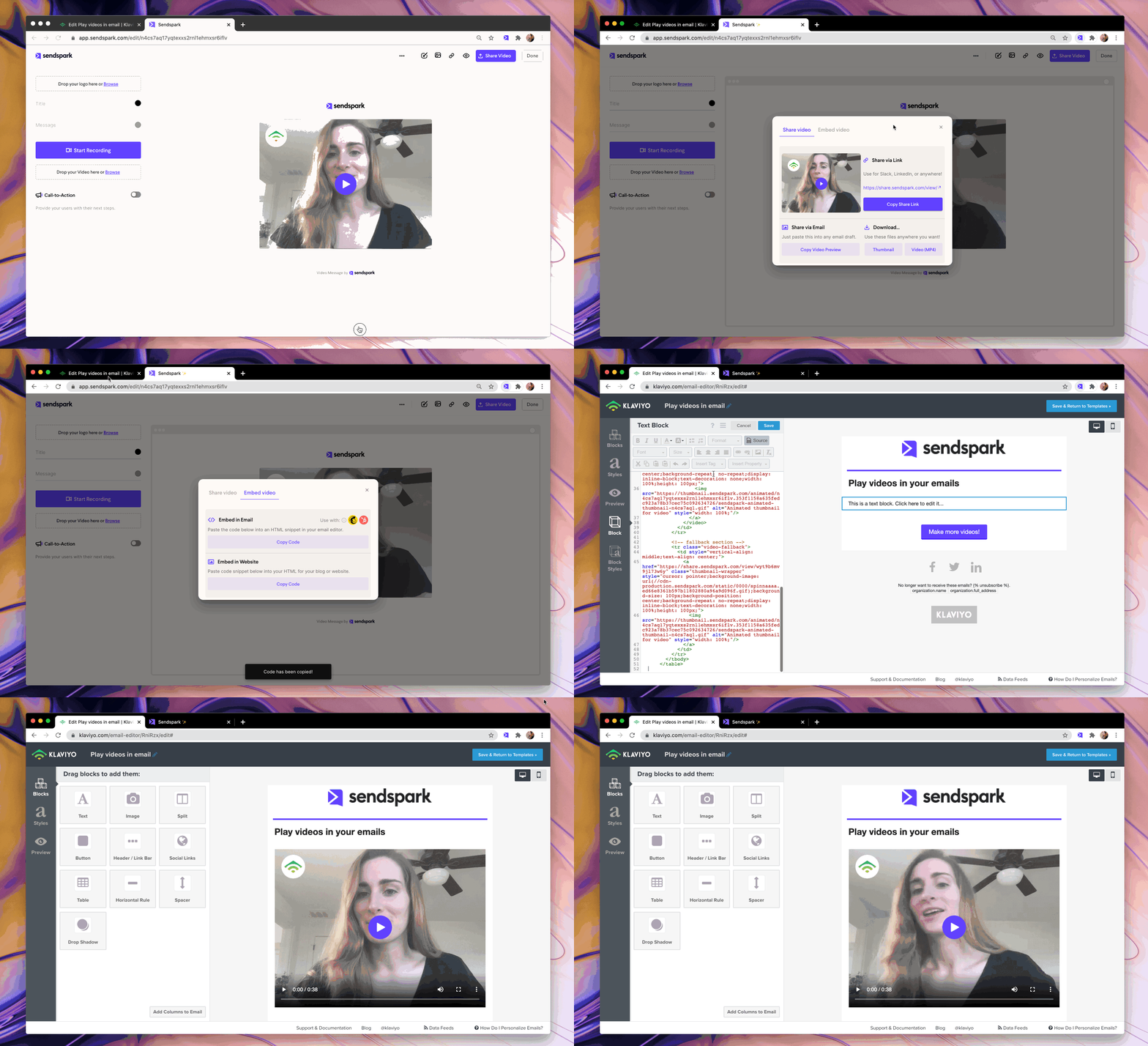
- You’re all ready to send your video email in Klaviyo!
Have any questions about sending video emails in Klaviyo?
Please shoot us an email at support@sendspark.com or message us through the chat in our application. We’re happy to help!Frequently asked questions
Can videos play directly inside a Klaviyo email?
Can videos play directly inside a Klaviyo email?
Yes, Sendspark embeds the video so it plays in-email for recipients whose email client supports embedded video. Where the client doesn’t support it, they see a preview image and can click to watch in their browser.
What happens if the recipient's email client doesn't support video?
What happens if the recipient's email client doesn't support video?
Sendspark provides a fallback. In clients such as Gmail and Outlook, where video tags aren’t supported, viewers see a preview image of the video and can click to watch it in their browser, so everyone gets a good experience across clients and devices.
Where do I get the embed code for Klaviyo?
Where do I get the embed code for Klaviyo?
Make your video in Sendspark (record, upload, or request one), click Share Video, and under Embed Video click Copy Code. Then paste that code into the Source of a text block in your Klaviyo email template.
Why do I paste the code into the text block's Source?
Why do I paste the code into the text block's Source?
The embed code is HTML, and Klaviyo’s text block Source view is where you insert HTML. Pasting there lets Klaviyo render the Sendspark video (or its fallback preview) correctly when the email sends.