

Key takeaways
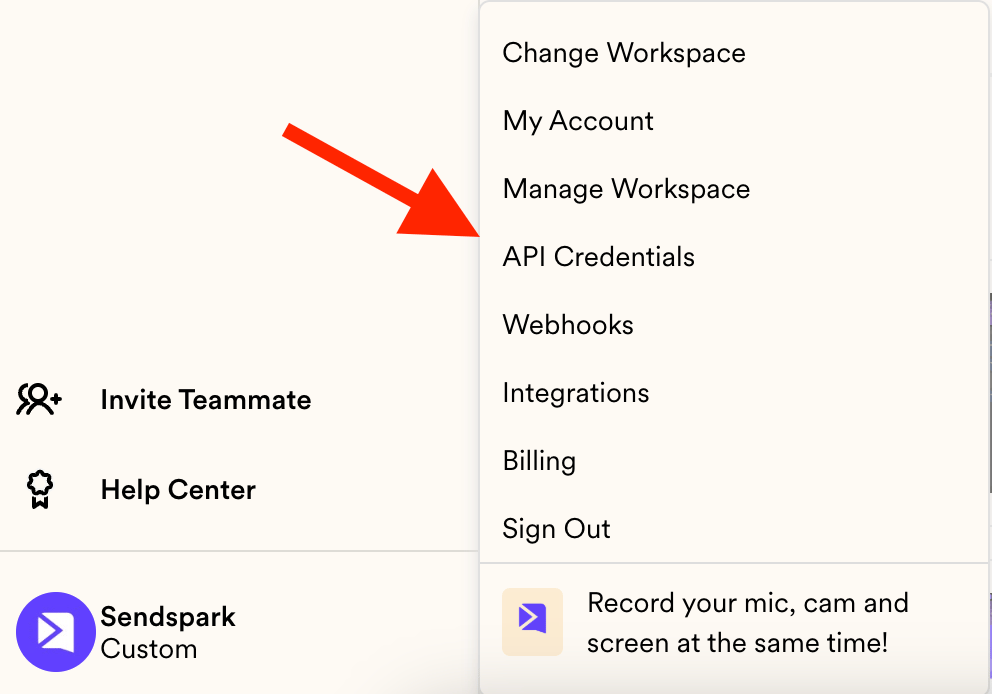
- Find your keys under API Credentials in your account menu, or go directly to sendspark.com/settings/api-credentials.
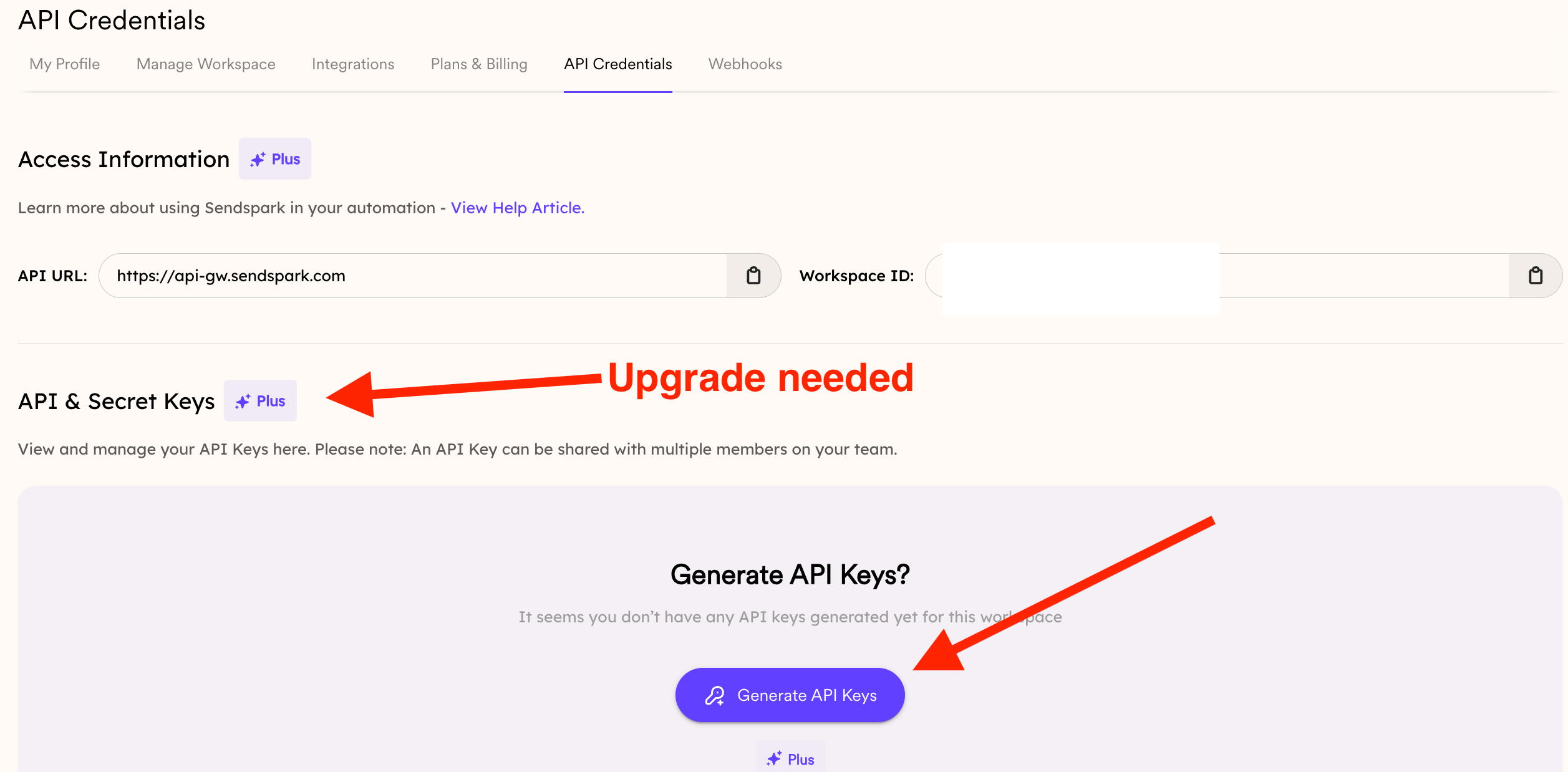
- Click GENERATE KEYS to create a new key.
- A badge next to a feature’s title means an upgrade is required to use it.
- API keys authenticate requests to the Sendspark API, which you can use to automatically create dynamic videos.
Frequently asked questions
Where do I find my API keys?
Where do I find my API keys?
Open API Credentials from your account menu, or go directly to sendspark.com/settings/api-credentials.
How do I create a new API key?
How do I create a new API key?
On the API Credentials page, click the GENERATE KEYS button to create a new key.
Why is there a badge next to API Keys?
Why is there a badge next to API Keys?
A badge next to a feature’s title means an upgrade is required to use it. If your plan doesn’t include API Keys, you’ll need to upgrade to access them.
What can I do with an API key?
What can I do with an API key?
API keys authenticate your requests to the Sendspark API. For example, you can use them to automatically create dynamic, AI-personalized videos via the API.
My plan doesn't include API Keys and the next tier isn't a fit — what are my options?
My plan doesn't include API Keys and the next tier isn't a fit — what are my options?
Reach out to us and we can discuss a more tailored option for your needs.