

Key takeaways
- The Agentic Workflow lets you create a video from GoHighLevel easily, without having to set up webhooks.
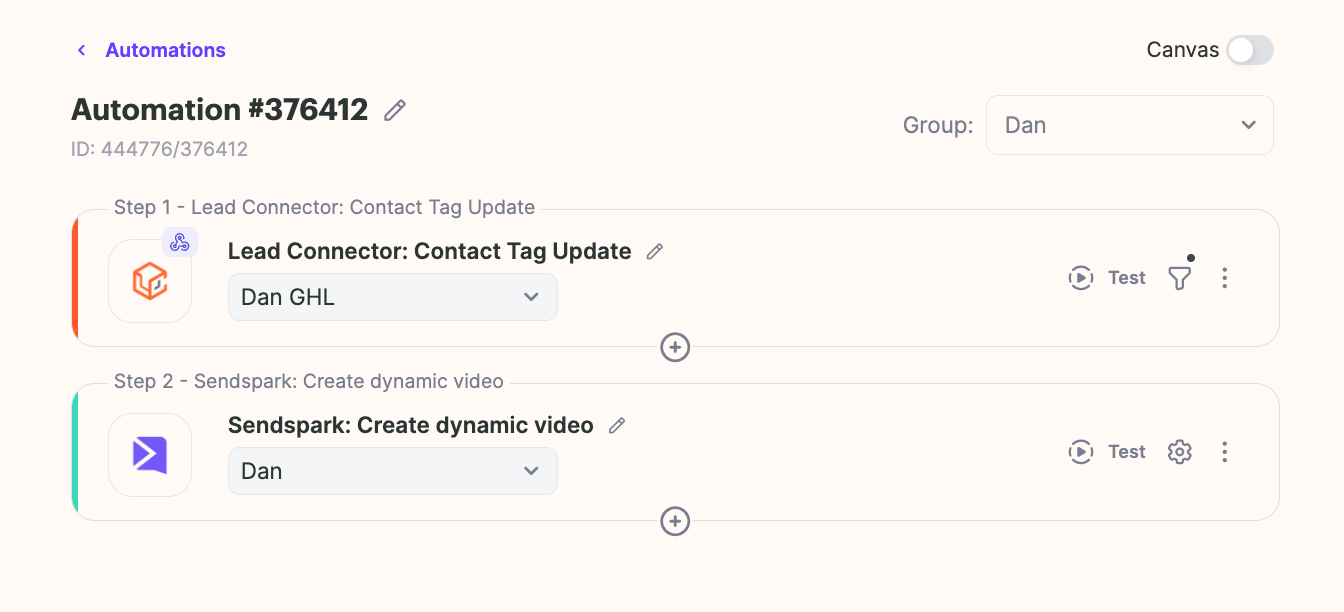
- Use the LeadConnector Contact Tag Update trigger to start any Sendspark action.
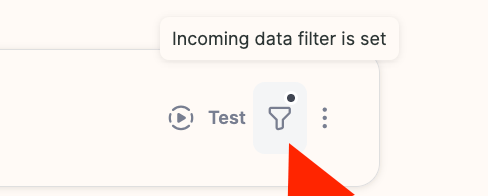
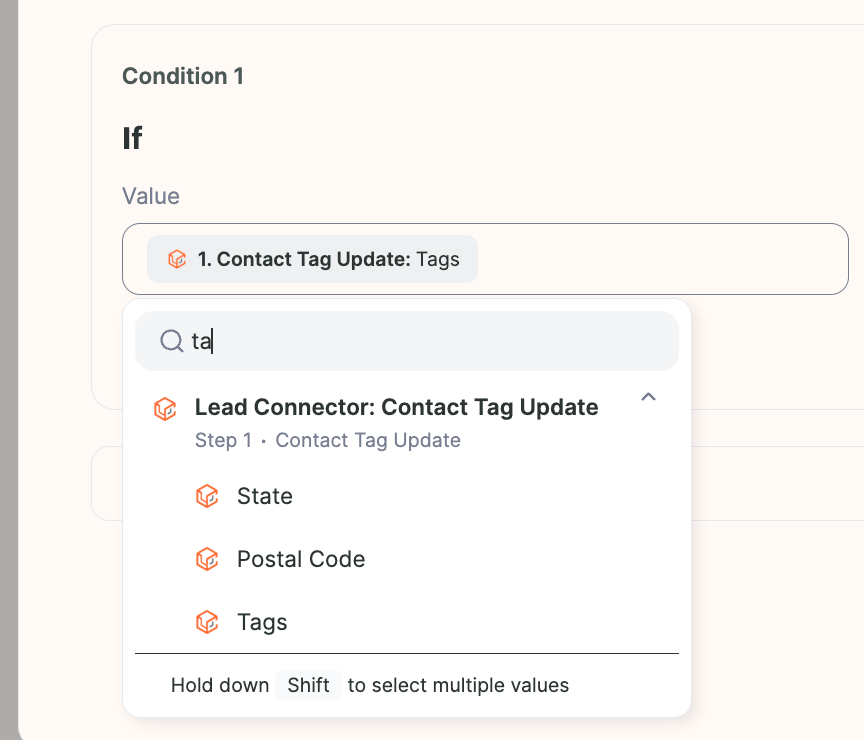
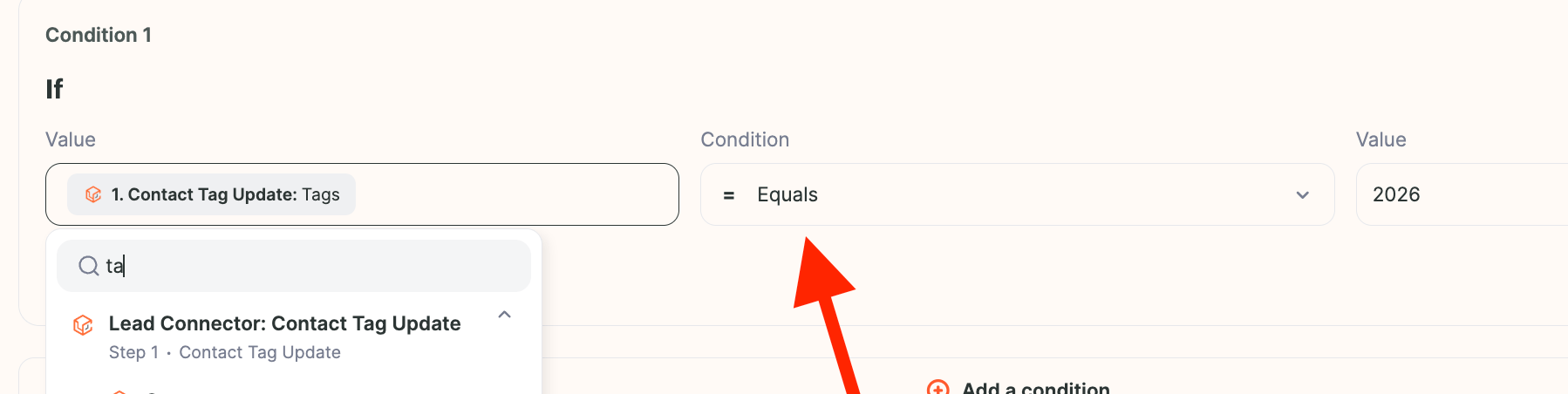
- Configure the filter by clicking the first field, typing “tag” and selecting Tags, setting the condition type to = Equals, and entering the exact tag you’ll use in GHL.
- Once set up, applying that tag to a contact automatically runs the following steps, such as generating a video in Sendspark.
Frequently asked questions
Do I need to set up webhooks to connect GHL with Sendspark?
Do I need to set up webhooks to connect GHL with Sendspark?
No. With the Agentic Workflow you can create a video from GoHighLevel without handling webhooks — you build the automation directly in Sendspark using the LeadConnector trigger.
What trigger should I use for LeadConnector?
What trigger should I use for LeadConnector?
Use the LeadConnector Contact Tag Update trigger. When a tag is updated on a contact, it can start any action in Sendspark, such as generating a video.
How do I set the tag condition in the filter?
How do I set the tag condition in the filter?
Click the filtering option, click the first field and type “tag”, then click Tags to add the first part of the condition. Set the condition type to equals and type the tag you use in GHL.