

Key takeaways
- Connect LinkedIn by pasting your li_at cookie value into Sendspark via the … overflow menu → Connect LinkedIn Account.
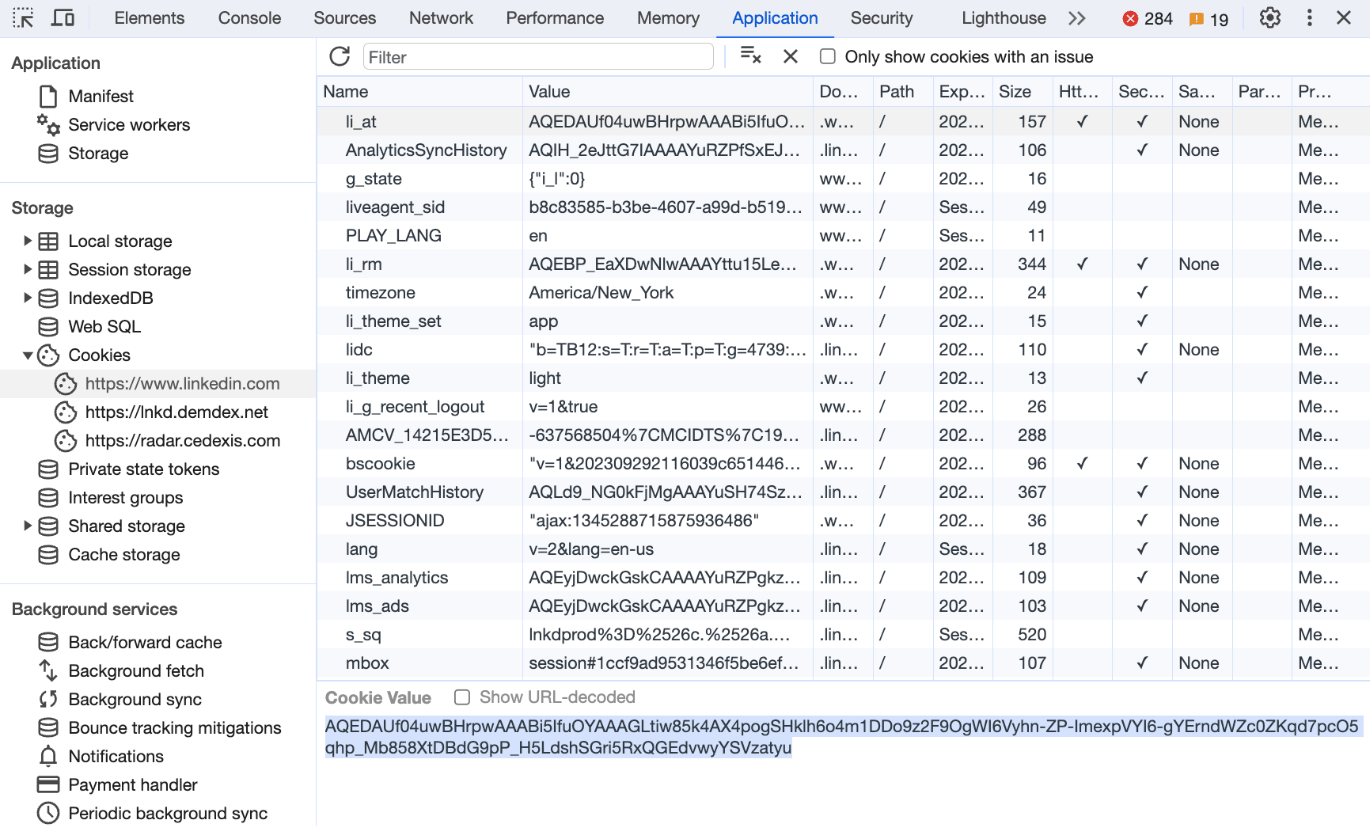
- Find the li_at value in Chrome Developer Tools under Application → Cookies → linkedin.com → li_at.
- Limit LinkedIn-background video generation to 20 to 30 videos per day to prevent temporary blocks.
- If videos fail or are rejected, wait 24 to 48 hours and reset your cookie/session before retrying.
How to Add LinkedIn Credentials to Sendspark
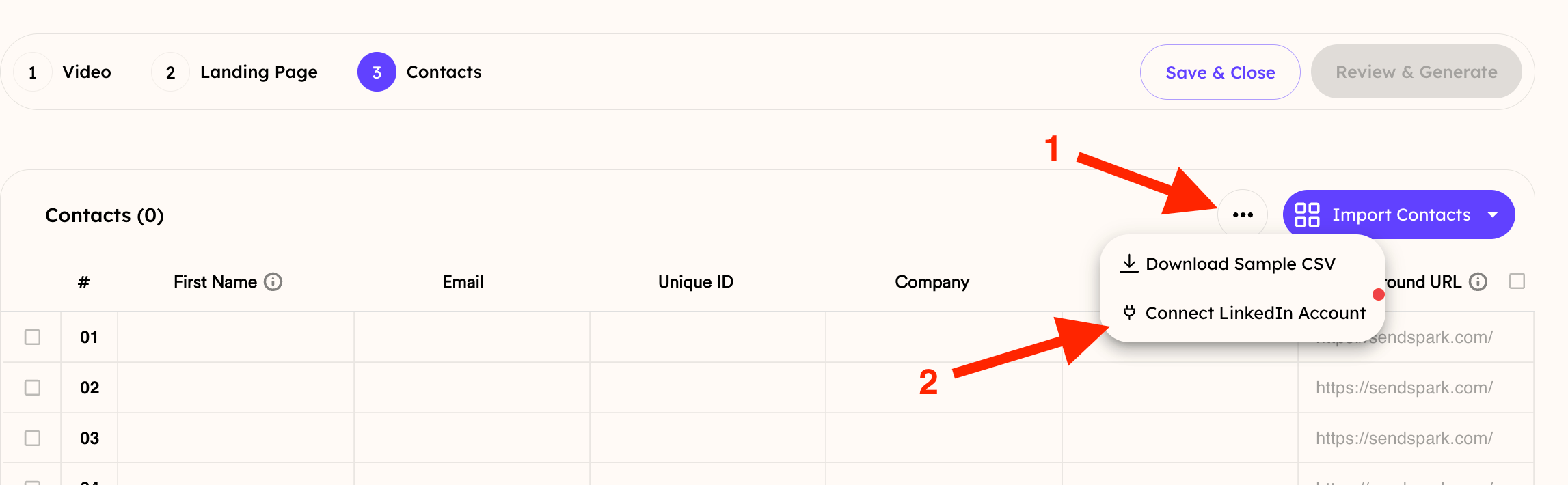
In your Dynamic Video campaign, go to the area where you add contacts. Then open the … overflow menu and click Connect LinkedIn Account.
- Open LinkedIn in a Chrome Browser
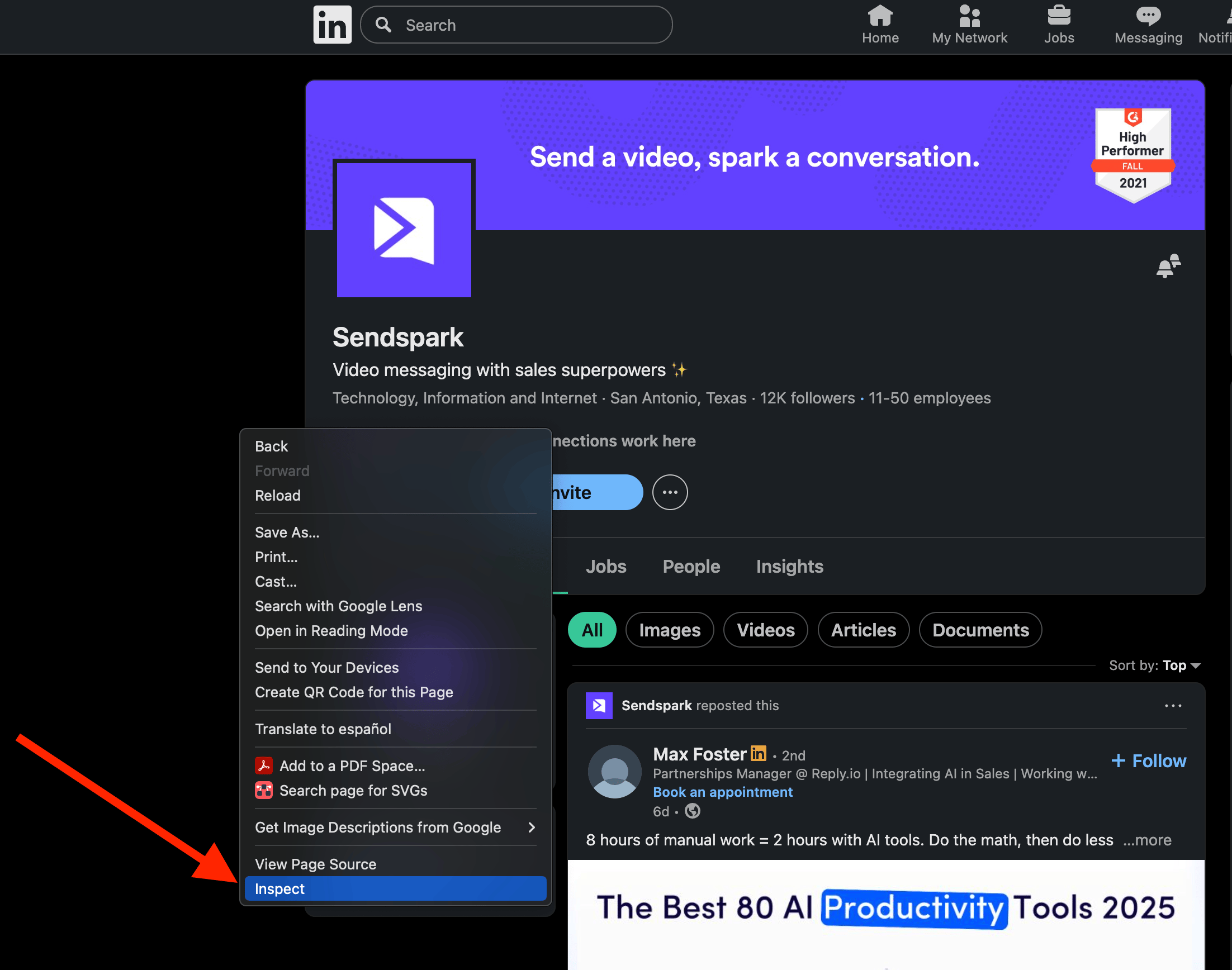
- Right click on the page and then selectInspect in Chrome Developer Tools
- In the Dev tools, click into Application >> Cookies >> https://www.linkedin.com >> li_at
- If you don’t see “Application” right away, click the**>>** on the top menu to see more options:
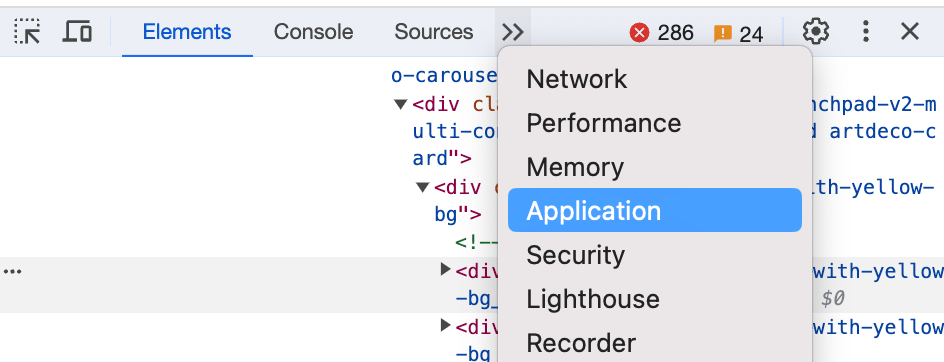
- If you don’t see “Application” right away, click the**>>** on the top menu to see more options:
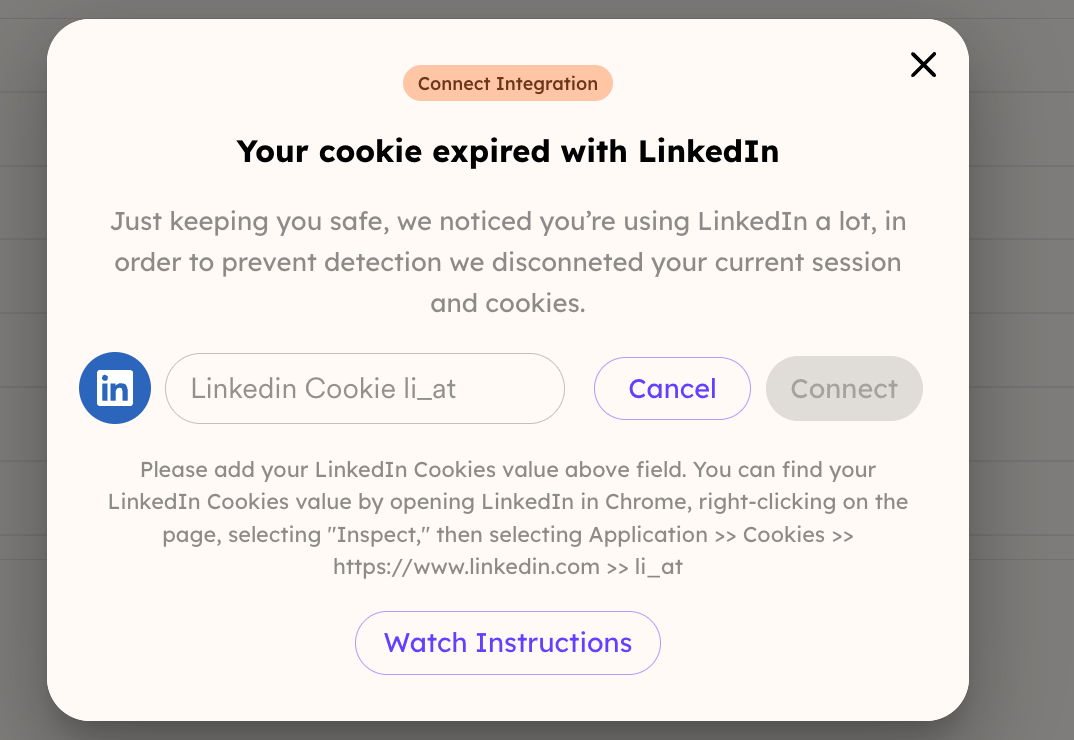
- Copy yourli_at value, and paste it into Sendspark.
LinkedIn Background Video Generation Limits
When generating videos using LinkedIn profile backgrounds, there are important limits to be aware of. LinkedIn may temporarily block requests if too many profile fetches are made in a short period of time. This can cause video generation attempts to fail or be rejected. Best practices:- Limit video generation to 20–30 videos per day when using LinkedIn profile backgrounds.
- Avoid sending large batches all at once.
- Wait 24–48 hours before attempting again.
- After this waiting period, reset your cookie/session before retrying.
Frequently asked questions
How many LinkedIn-background videos can I generate per day?
How many LinkedIn-background videos can I generate per day?
Limit generation to 20 to 30 videos per day when using LinkedIn profile backgrounds, and avoid sending large batches all at once. LinkedIn may temporarily block requests if too many profile fetches happen in a short period.
Why did my LinkedIn videos fail or get rejected?
Why did my LinkedIn videos fail or get rejected?
LinkedIn can temporarily block requests when too many profile fetches are made in a short time, which causes video generation attempts to fail or be rejected.
What should I do if generation keeps failing?
What should I do if generation keeps failing?
Wait 24 to 48 hours before trying again, then reset your cookie/session before retrying. This helps ensure consistent generation and prevents temporary blocks.