

Key takeaways
- Sendspark can automatically pull in each contact’s first name, company name, and job title using placeholders.
- Personalize the video header, message, and thumbnail before sharing.
- Click Share Video, select Snov.io, then paste the snippet into a Snov.io email draft (if Snov.io isn’t listed, modify your share modal).
- If you’ve customized the thumbnail, the personalization shows when you preview videos in Snov.io.
How to Send Bulk Personalized Videos in Snov.io Emails
1. Record or upload your video
Record or upload your video in Sendspark your Sendspark video library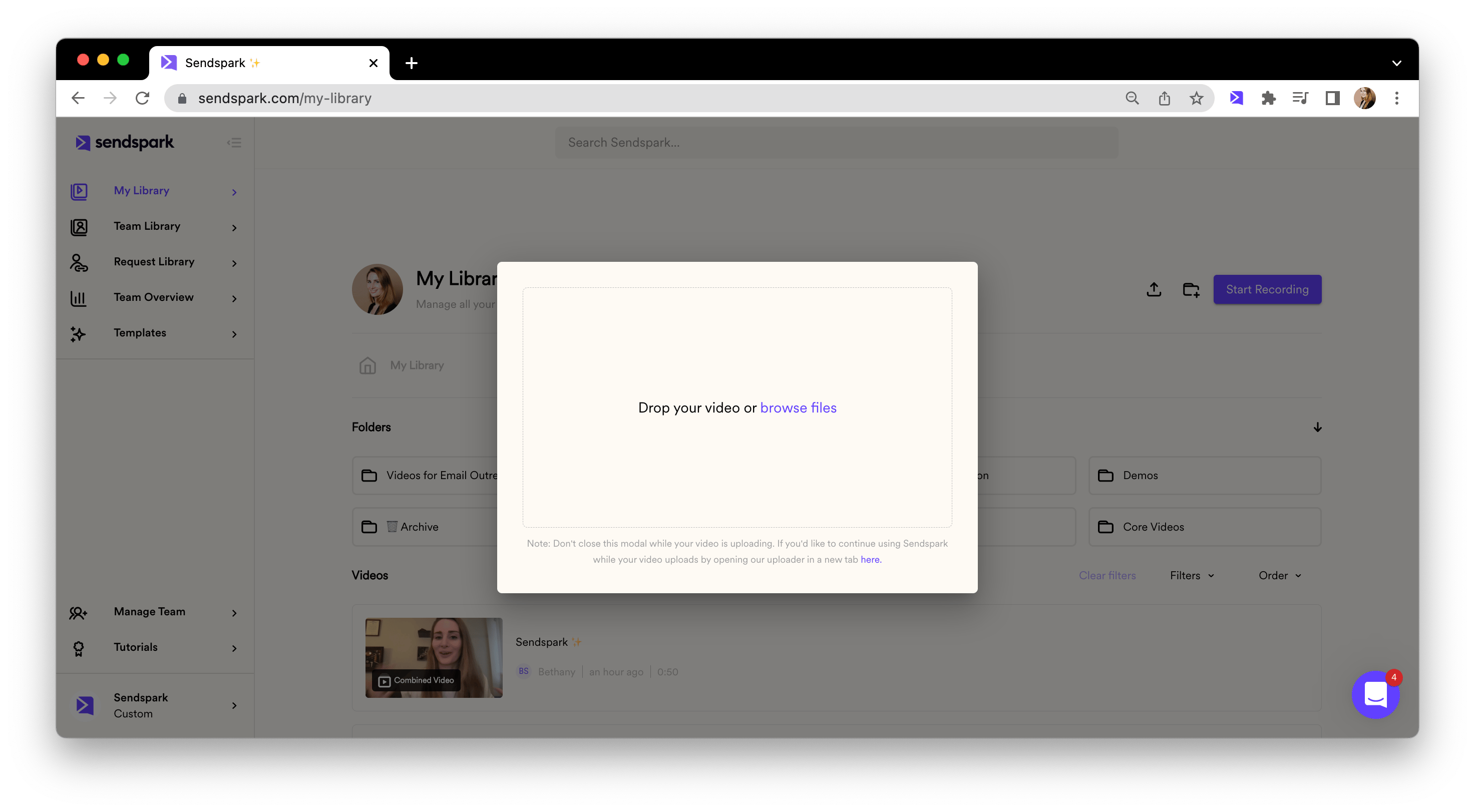
2. Personalize content around video
Customize the video header, message, and thumbnail. Feel free to use placeholders to automatically pull in contact information from Snov.io when you send your video!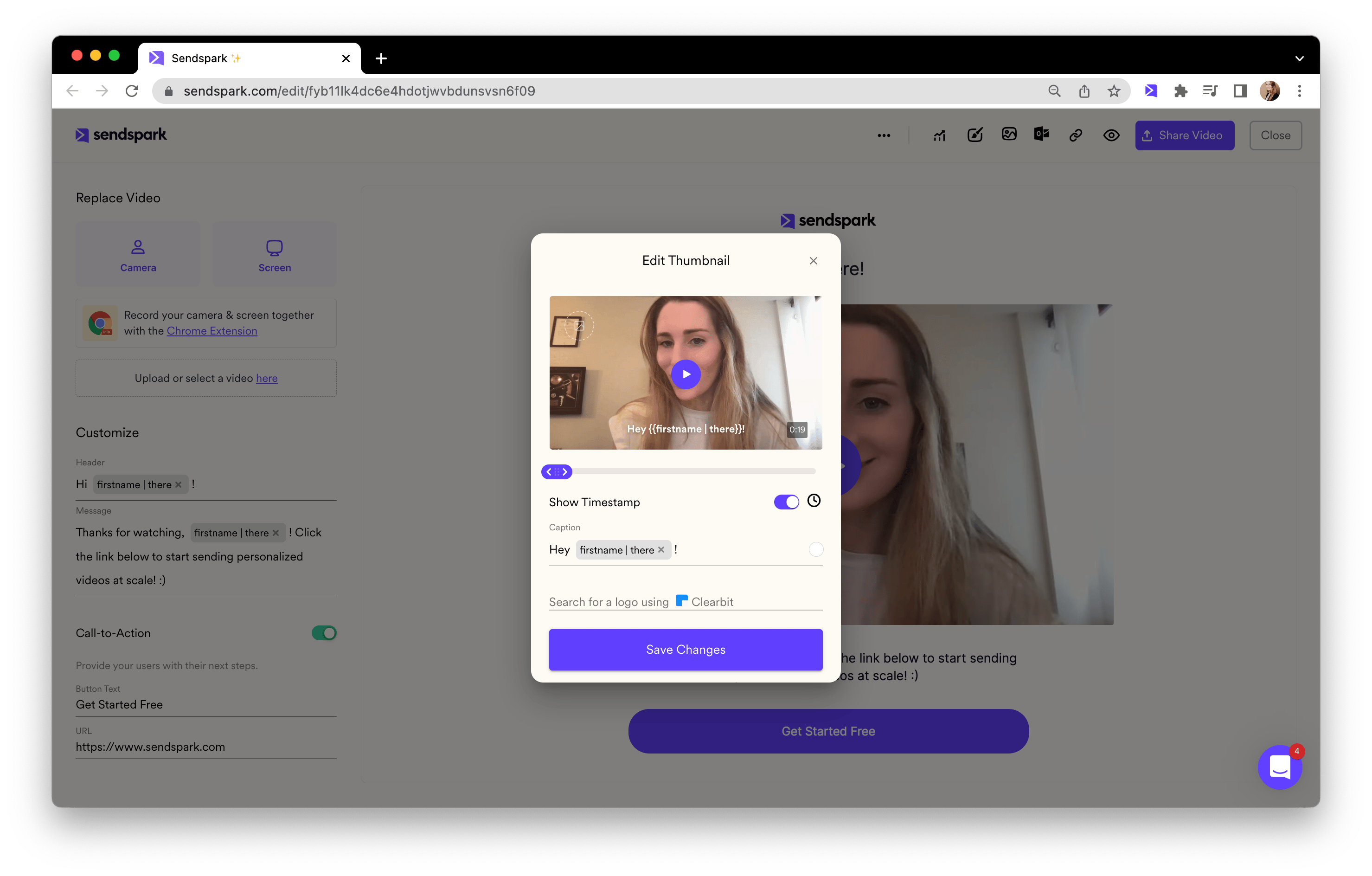
3. Copy share snippet for Snov.io
Click “Share Video,” and then select Snov.io Email (if you don’t see Snov.io, follow these steps to modify your share modal).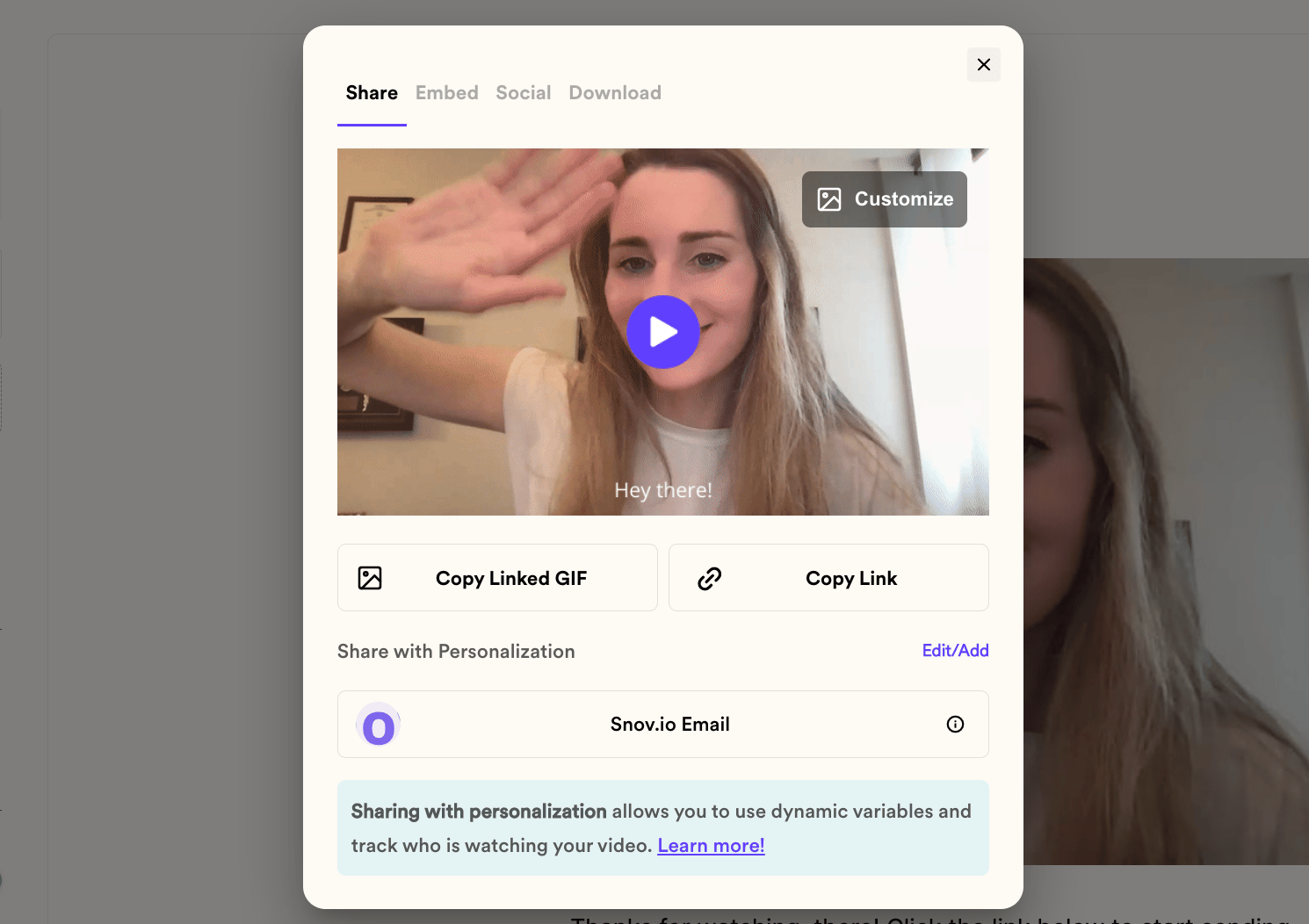
4. Paste in Snov.io
Just paste directly into a Snov.io email draft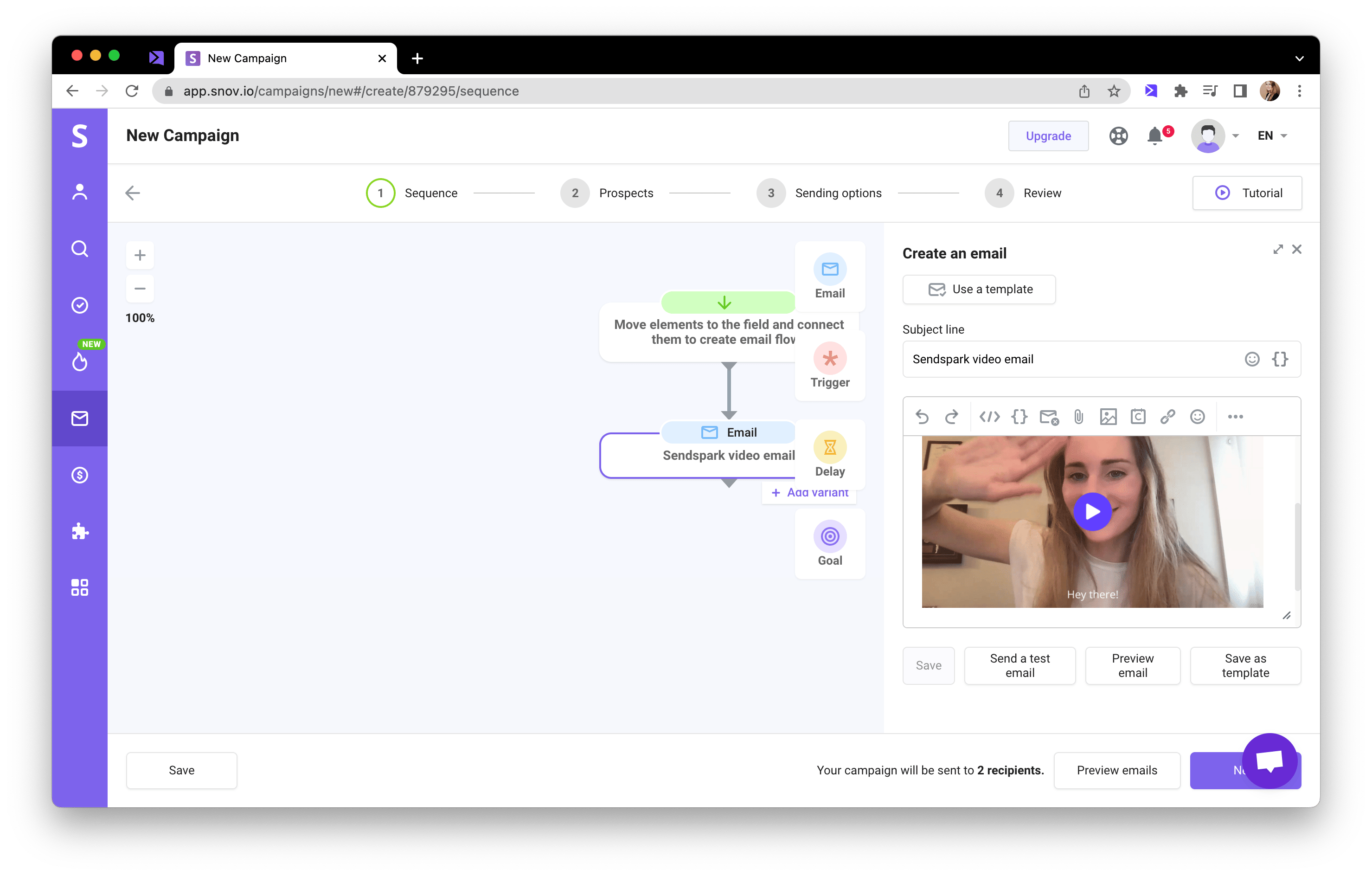
5. Preview and send!
If you’ve customized your video thumbnail, you should be able to see the personalization when you preview videos in Snov.io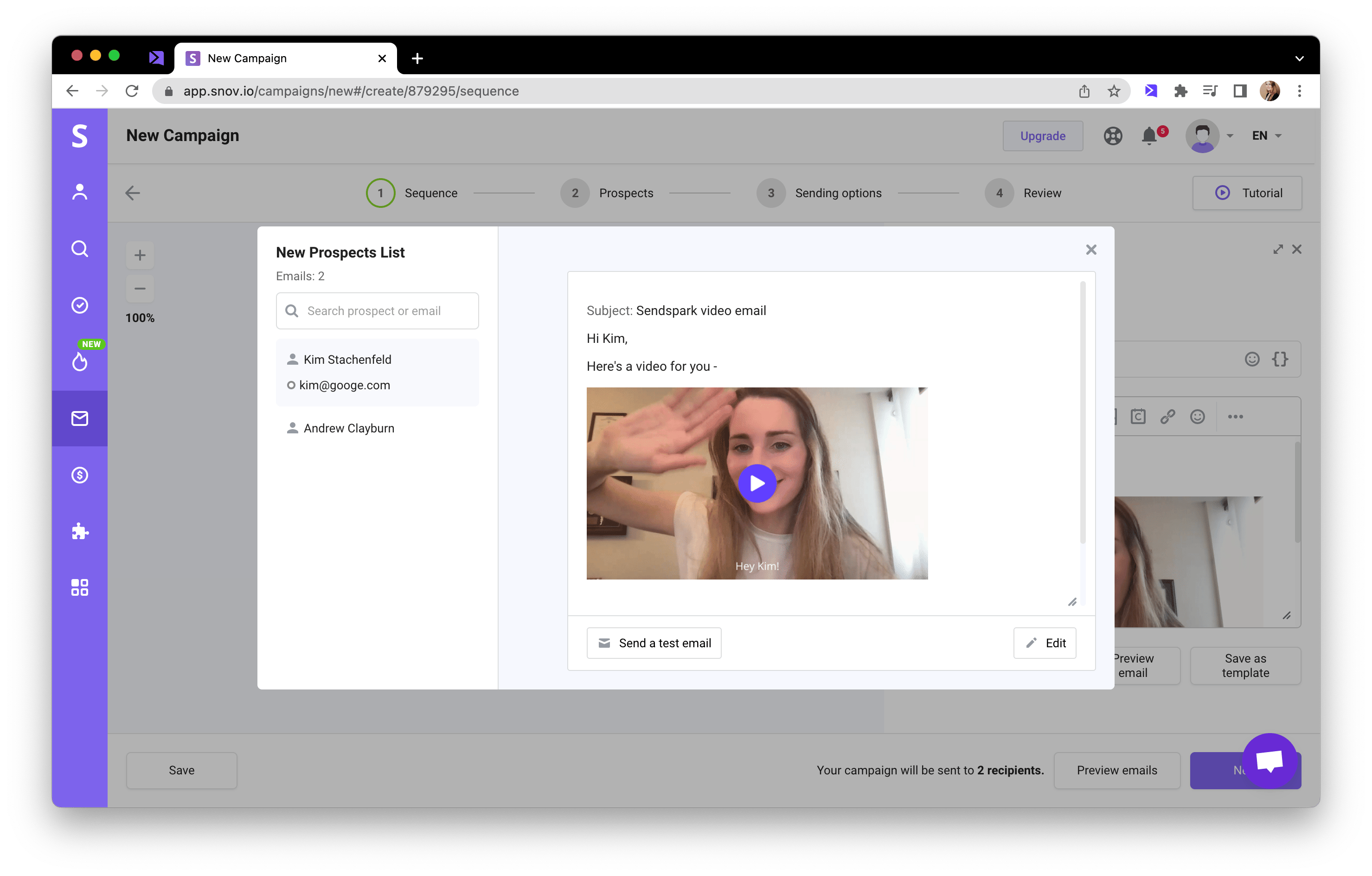
Frequently asked questions
What personalization can I add to Snov.io video emails?
What personalization can I add to Snov.io video emails?
Sendspark can automatically pull in your viewer’s first name, company name, and job title using placeholders in the video header, message, and thumbnail.
Where does the personalized thumbnail appear?
Where does the personalized thumbnail appear?
If you’ve customized your video thumbnail, the personalization shows when you preview videos in Snov.io before sending.