

sms:1234567890). Viewers can then tap the button to text you directly. This requires the Solo Plan or higher.
Key takeaways
- Video CTAs require the Solo Plan or higher.
- Toggle on the Call-to-Action field, then set your button text (for example, “Text Me”).
- In the URL field, enter sms: followed by your phone number, like
sms:1234567890. - Check the preview area on the right of the page to confirm the button looks correct before sharing.
Follow these steps to add a “Text Me” button to your videos:
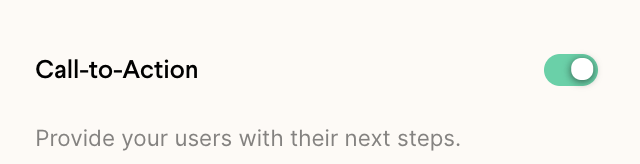
- Toggle on the Call-to-Action field
- Write your desired button text(ex: Text Me)
- Writesms: and your phone number where it says URL(ex: sms:1234567890)

How do I format the phone number for a text-message button?
Enter the number in the URL field as sms: immediately followed by the digits, with no spaces, likesms:1234567890. The sms: prefix is what tells the viewer’s device to open a text message to you when they tap the button.
Frequently asked questions
What plan do I need to add a text-message CTA?
What plan do I need to add a text-message CTA?
Video CTAs (Call-To-Action buttons) require the Solo Plan or a higher plan.
Can I use a different type of call-to-action instead?
Can I use a different type of call-to-action instead?
Yes. Sendspark also supports CTAs that dial a phone number or open a URL link, so you can point viewers wherever you like.