

Key takeaways
- Embedding a Chili Piper calendar lets prospects book a meeting with you without ever leaving your video page.
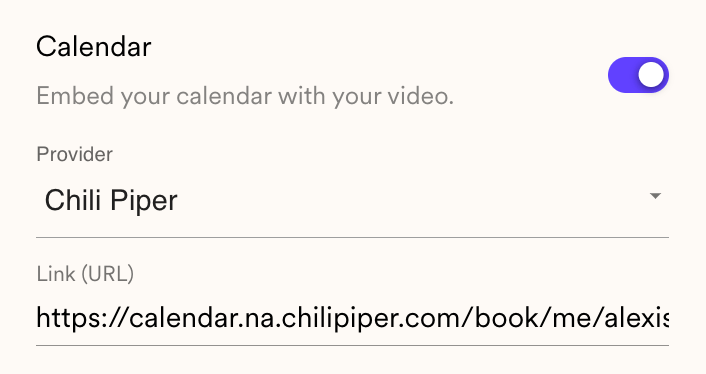
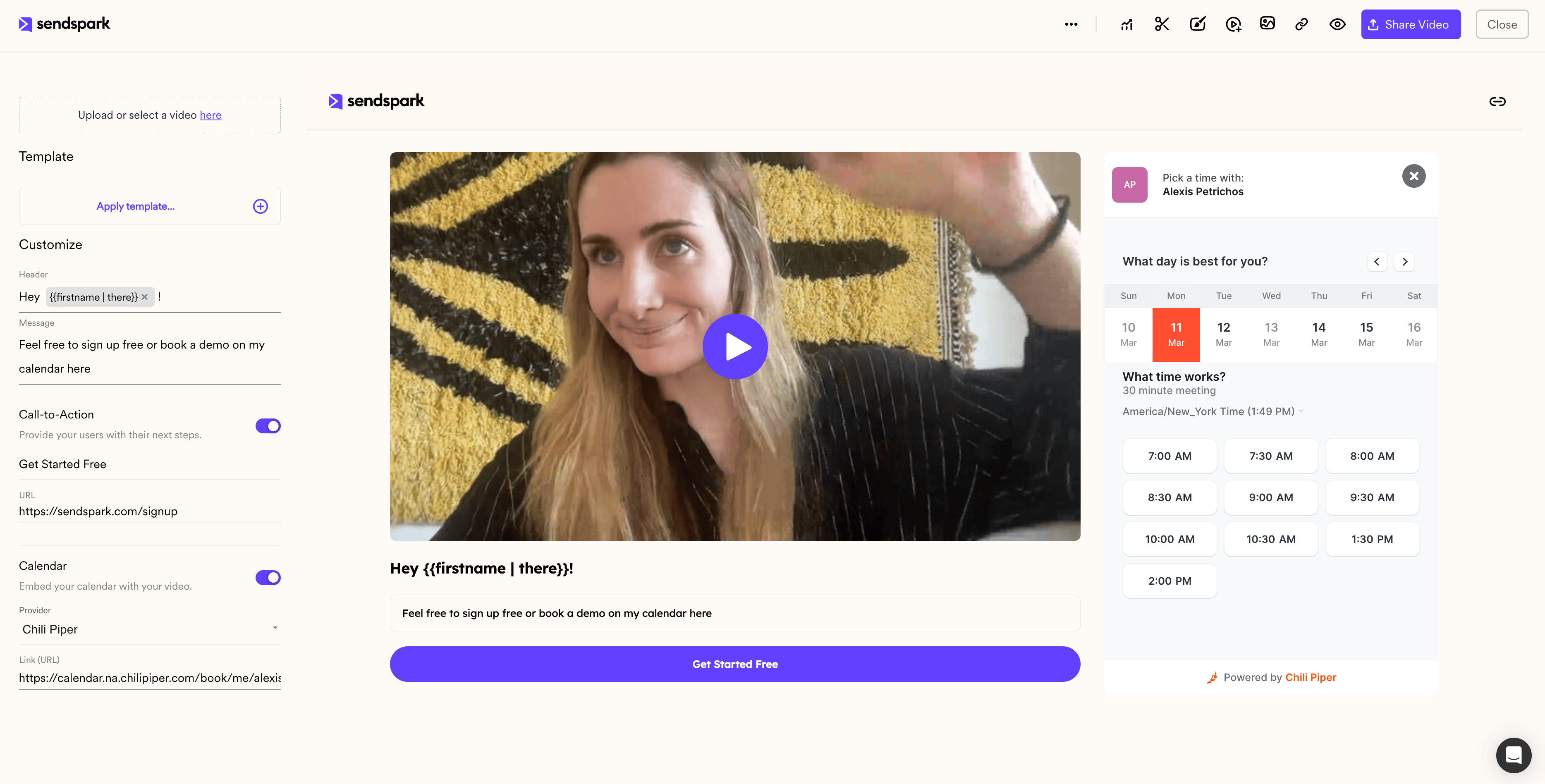
- Toggle the “Calendar” switch to “On,” choose “Chili Piper” from the Provider dropdown, and add the link to the Chili Piper calendar you want to use.
- Add the calendar link only, not the embed code; Sendspark automatically embeds the calendar from the link.
- You’ll know it’s working when your embedded Chili Piper calendar appears in the preview area.
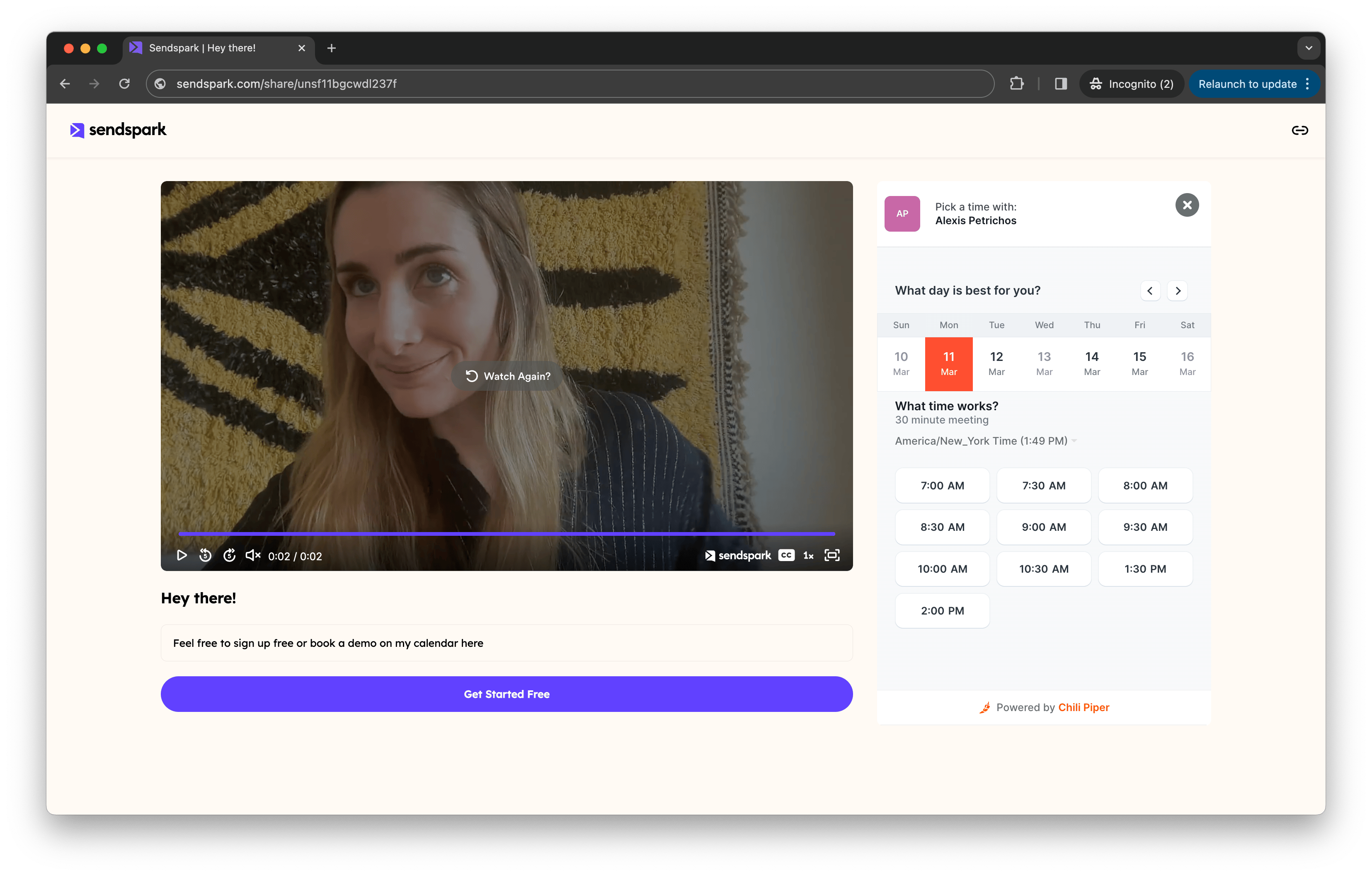
How to Embed a Chili Piper Calendar with Videos
- Under your Sendspark video, toggle “Calendar” to “On”
- Select “Chili Piper” from the Provider Dropdown List
- Add the linkto the Chili Piper calendar you want to use
Frequently asked questions
How do I add a Chili Piper calendar to my Sendspark video page?
How do I add a Chili Piper calendar to my Sendspark video page?
Under your Sendspark video, toggle “Calendar” to “On,” select “Chili Piper” from the Provider dropdown list, and add the link to the Chili Piper calendar you want to use.
Do I use the Chili Piper embed code or just the link?
Do I use the Chili Piper embed code or just the link?
Just the link. You add the link to your Chili Piper calendar, not the embed code. Sendspark automatically embeds the calendar from the link.
How do I know the Chili Piper calendar is embedded correctly?
How do I know the Chili Piper calendar is embedded correctly?
You’ll know it’s working when your embedded Chili Piper calendar appears in the preview area below the video player.
Which other calendars can I embed with Sendspark videos?
Which other calendars can I embed with Sendspark videos?
Alongside Chili Piper, Sendspark supports Calendly, HubSpot, HighLevel, Mixmax, Motion, Outreach, Salesloft, Tidycal, and YouCanBookMe. See how to embed calendars with videos for the full list.