

Key takeaways
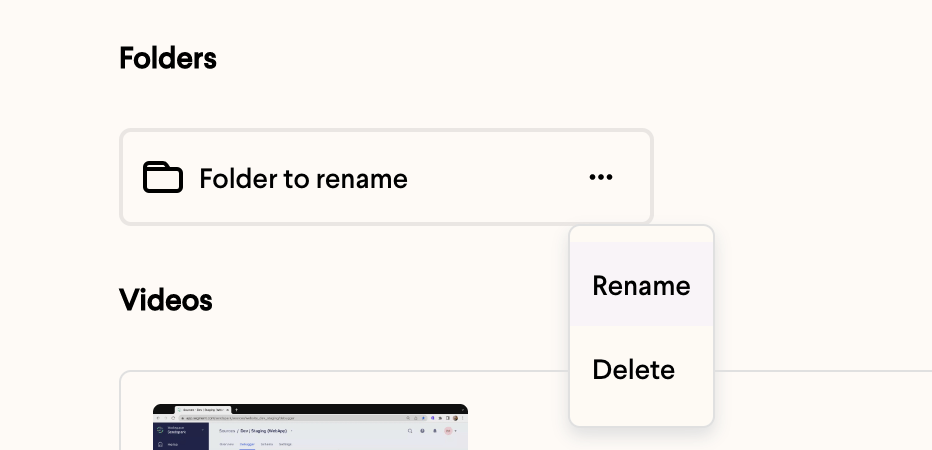
- Hover over a folder, click the ellipses, and select Rename to edit its name.
- Save the new name by clicking outside the folder or pressing return.
How to Rename a Folder
- Hover over the folder you want to rename
- Click on the ellipses that appears
- Select Rename
- Write your new name
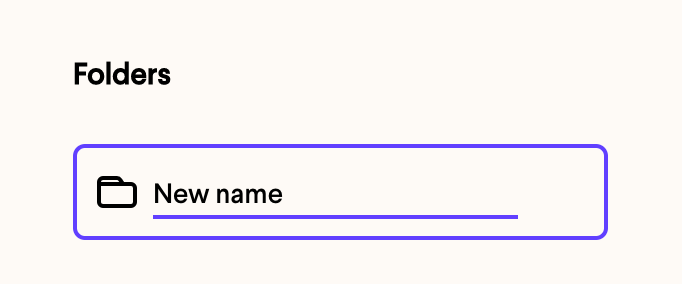
- Click anywhere outside of the folder or type return to save
Frequently asked questions
How do I save the new folder name?
How do I save the new folder name?
Once you’ve typed the new name, click anywhere outside the folder or press return to save it.
How else can I organize my folders?
How else can I organize my folders?
Alongside renaming, you can also create a folder, move videos between folders, and delete a folder.