

Key takeaways
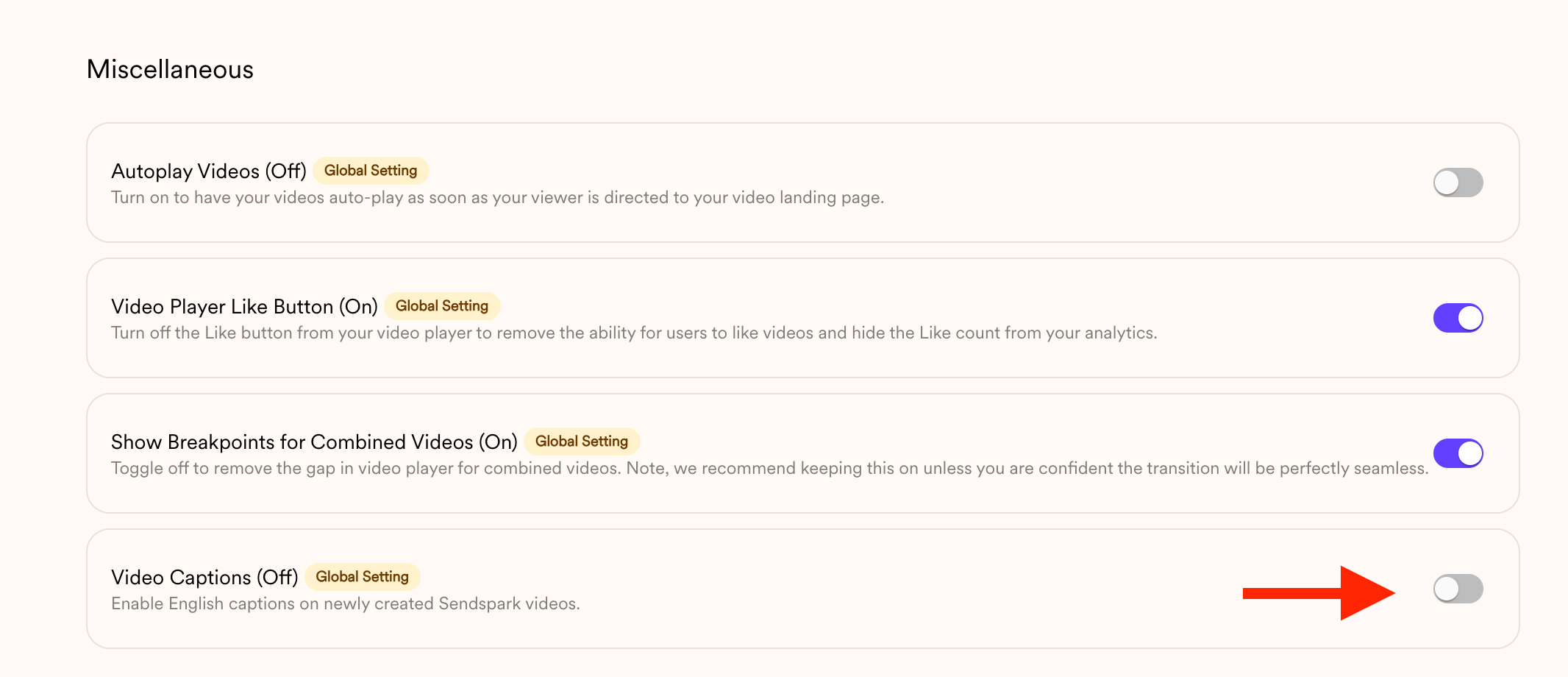
- The workspace Captions toggle (Manage Workspace) applies globally, but only to future videos.
- Captions can only be turned on or off — they cannot be edited.
- Captions are one of a few controls the viewer sees on the player. Viewers can also watch videos in fullscreen.
- If you need the words rather than the on-screen captions, you can get a video’s transcript via the API as text or as a subtitle file.
- Videos created before the change won’t update. A Dynamic Video Campaign launched with captions must be recreated to change them.
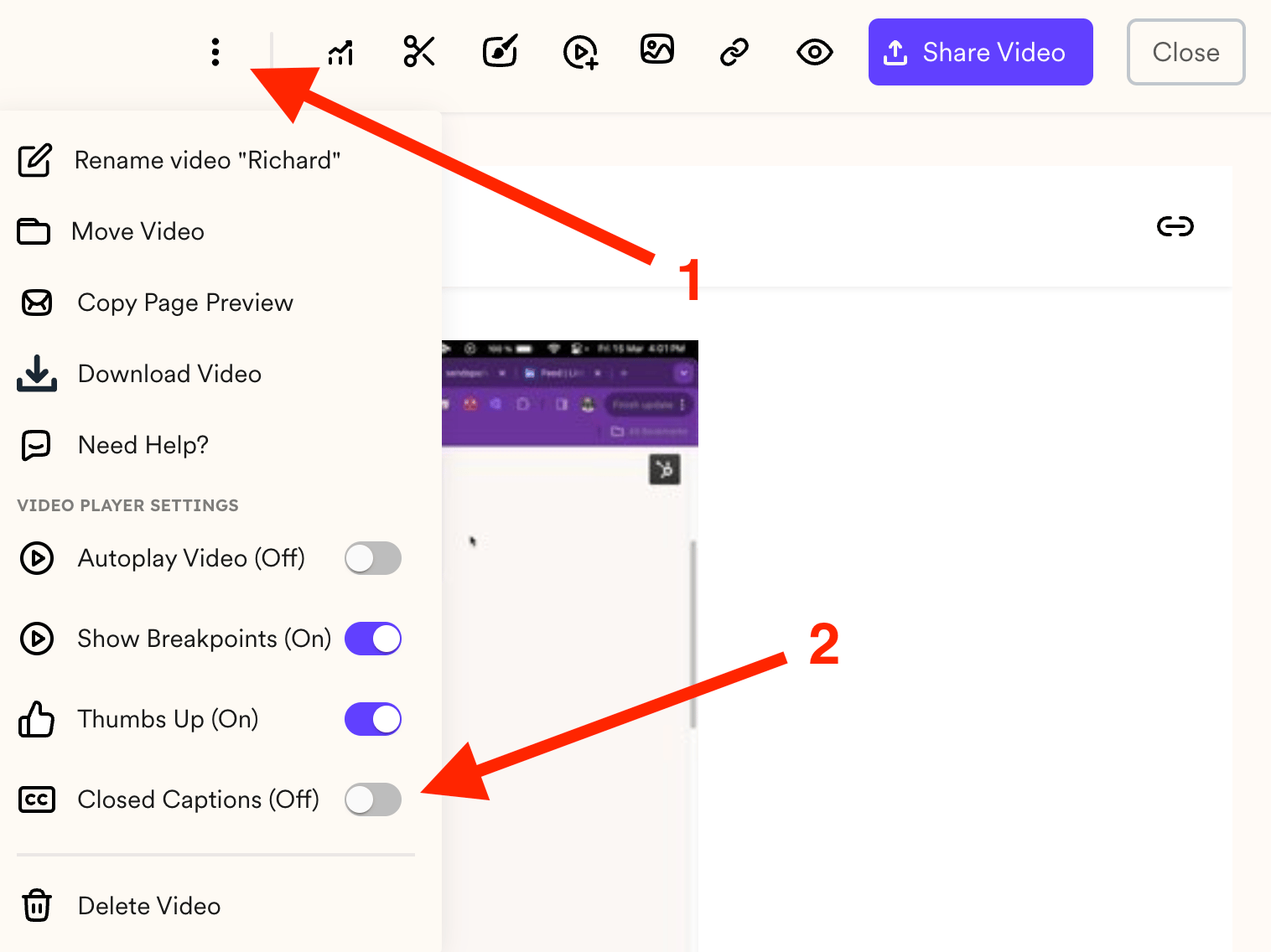
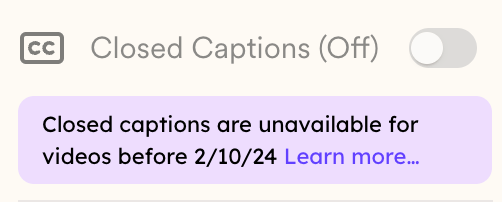
- To change captions on an older video, open it, click the three-dot menu on the edit page, and toggle Captions (videos recorded before 2/10/24 are unavailable).
Important Notes
- Applies globally: This setting affects all videos in your workspace, but only for future videos.
- Captions cannot be edited: You can only turn them off or on.
- Existing videos won’t change: Any videos created before updating this setting will not be updated.
- Dynamic Campaigns: If you’ve already launched a Dynamic Video Campaign with captions enabled and later turn captions off, the old campaign will not update. You’ll need to create a new campaign for the change to apply.
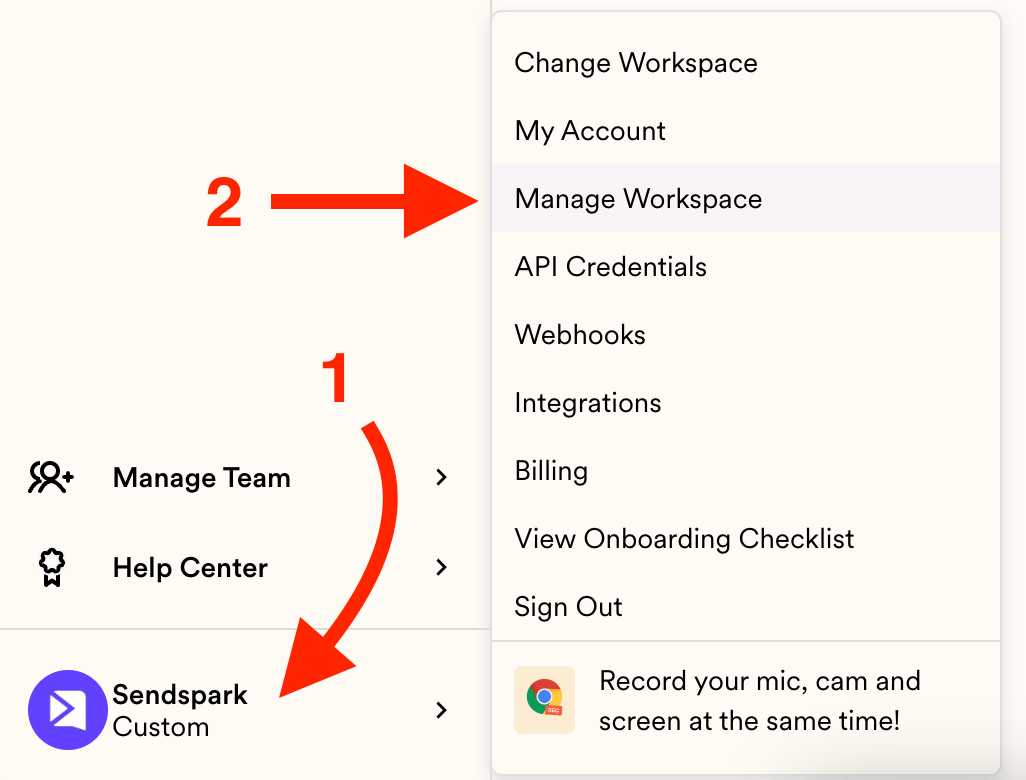
- Head to your menu and click on Manage Workspace: https://sendspark.com/settings/workspace
- Scroll down and you’ll find the Captions handle at the bottom:
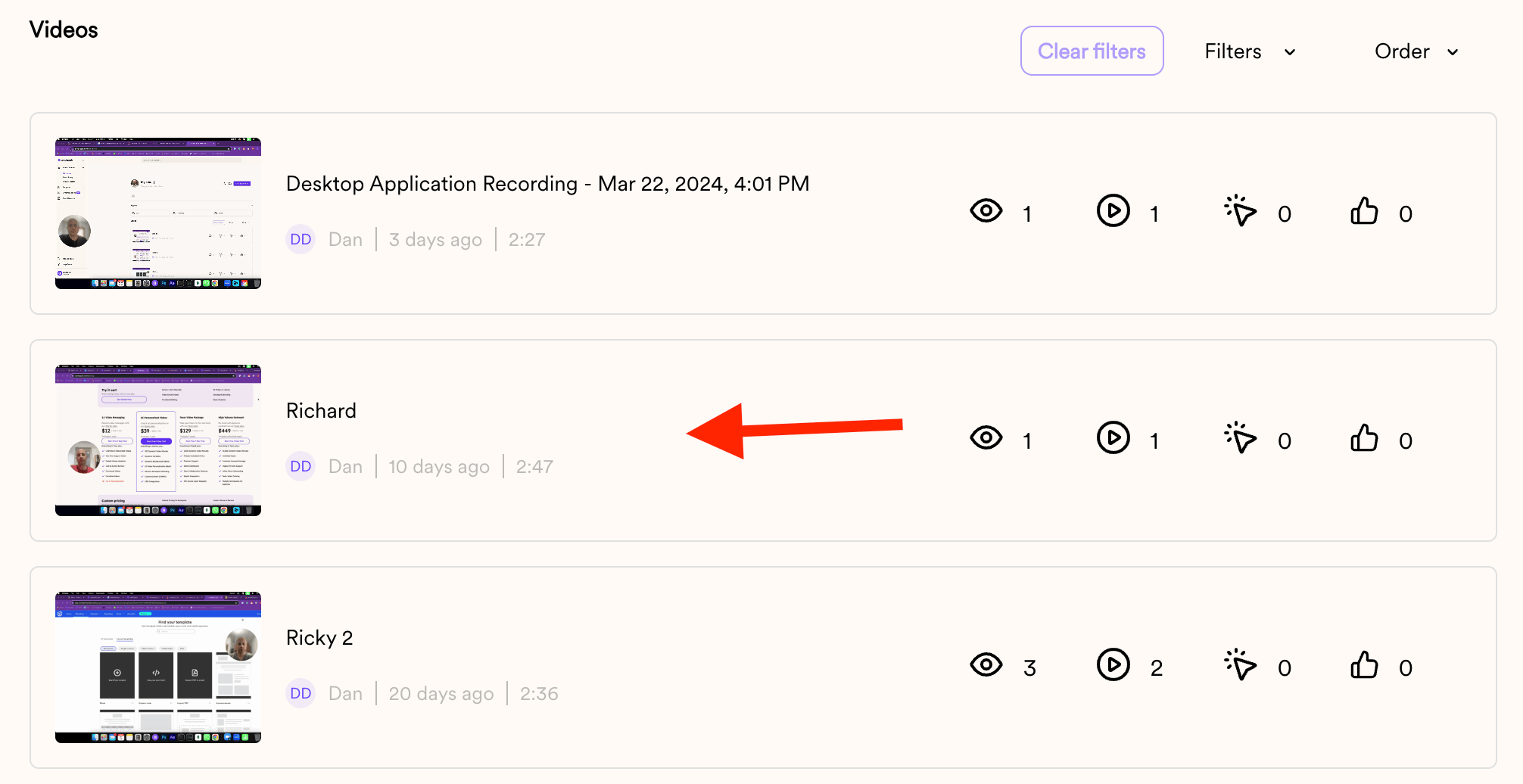
- Click on the video you want to have the setting changed:
- Once the EDIT page has loaded, click on the 3 dots on the top Navbar and then toggle the Captions setting as needed:
Frequently asked questions
Does turning captions on or off change my existing videos?
Does turning captions on or off change my existing videos?
No. The global Captions setting only affects future videos. Any videos created before you update the setting will not change.
Can I edit the caption text?
Can I edit the caption text?
No. You can only turn captions on or off — the captions themselves cannot be edited.
How do viewers see captions?
How do viewers see captions?
Viewers can click [c] to display captions on new videos. If you have autoplay enabled, captions display automatically, so viewers can read your video even before they click for sound.
I turned captions off but my Dynamic Campaign still shows them — why?
I turned captions off but my Dynamic Campaign still shows them — why?
If you already launched a Dynamic Video Campaign with captions enabled and later turn captions off, the existing campaign won’t update. Create a new campaign for the change to apply.
How do I change captions on an older video?
How do I change captions on an older video?
Open the video, click the three dots on the top navbar of the edit page, and toggle the Captions setting as needed. Note that videos recorded before 2/10/24 are unavailable.