

Key takeaways
- A folder must be empty of all videos before it can be deleted.
- Empty a folder by deleting the videos inside it or moving them into a different folder.
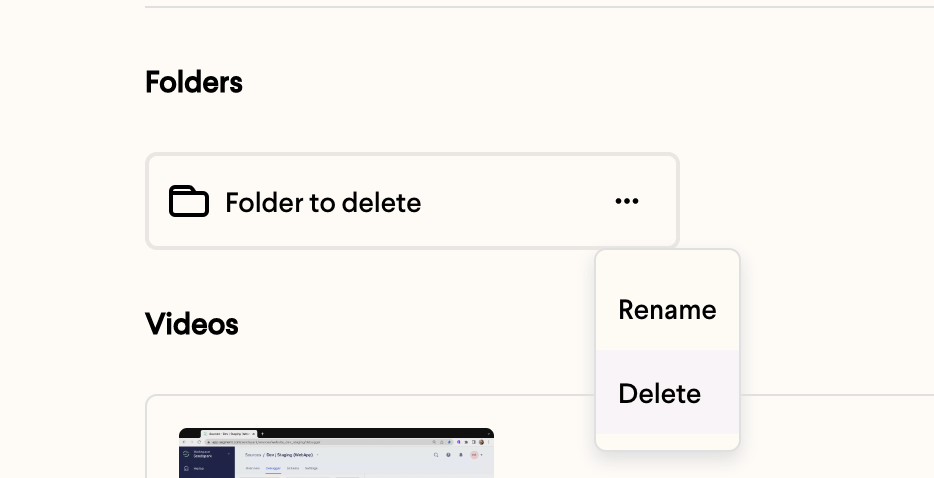
- To delete, hover over the folder, click the ellipses, and select Delete.
Please note: your folder must be empty of all videos before you delete it. To empty your folder, you can either delete the videos inside or move them into a different folder.
How to Delete a Folder
- Hover over the folder you would like to delete
- Click the ellipses that appears
- Select Delete
Frequently asked questions
Why can't I delete my folder?
Why can't I delete my folder?
Your folder must be empty of all videos before you can delete it. Remove or move the videos inside it first, then try deleting the folder again.
How do I empty a folder?
How do I empty a folder?
You can either delete the videos inside the folder or move them into a different folder.
Will deleting a folder delete my videos?
Will deleting a folder delete my videos?
Because a folder must be empty before it can be deleted, you decide what happens to the videos first — you either delete them or move them somewhere else, so no videos are lost unexpectedly when you delete the folder.