

Key takeaways
- Countdown timers are available in both the Chrome extension and the web app.
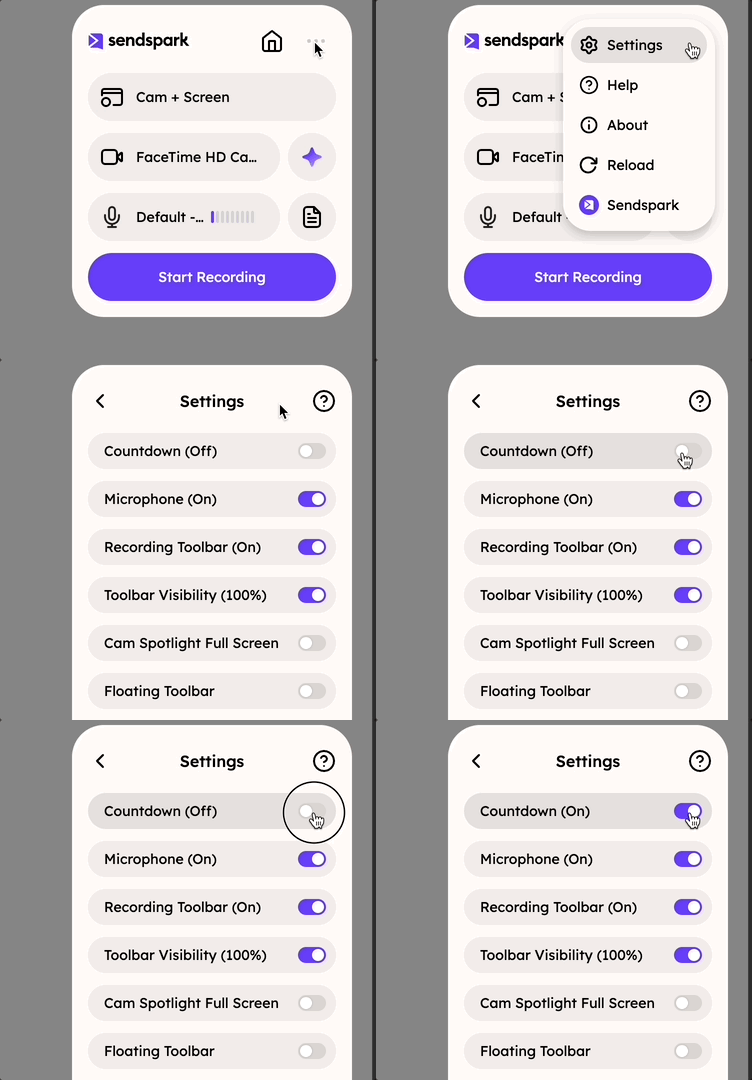
- In the Chrome extension, open the Settings icon and toggle Countdown for camera and screen recording.
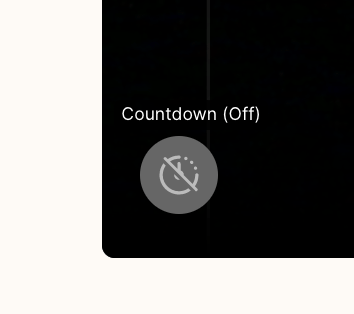
- In the web app camera recorder, click the countdown timer button in the bottom left to toggle it on/off.
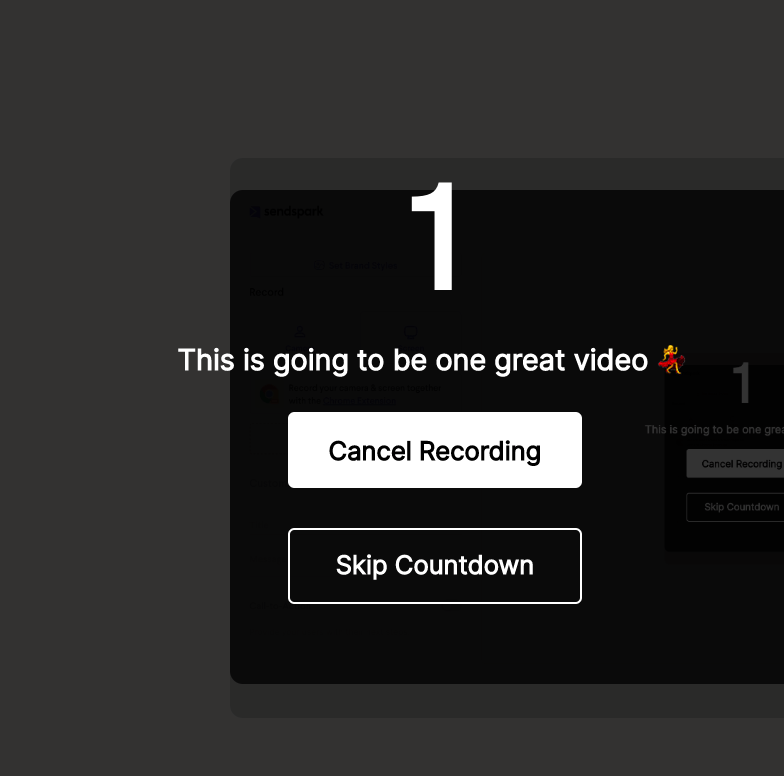
- Web app screen recording has no on/off toggle, but you can skip the countdown to start recording sooner.
Countdown in Chrome Extension
Camera & Screen Recording
- Launch the Sendspark Chrome Extension
- Open the … menu at the top right, then click Settings
- Toggle the Countdown option on/off
Web Application
Camera Recording
- Select Camera recording to launch the recorder
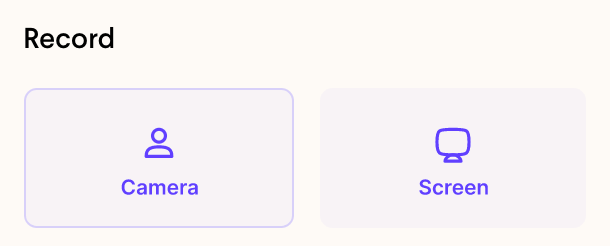
- Click the countdown timeron the bottom left of the video player to toggle it on/off
Screen Recording
- There is no way to toggle on/off the countdown timer for screen recording, but you can skip countdownto start recording sooner — so you don’t have to wait!
Frequently asked questions
How do I turn the countdown on or off in the Chrome extension?
How do I turn the countdown on or off in the Chrome extension?
Launch the Sendspark Chrome extension, click the Settings icon, and toggle the Countdown option on or off. This applies to both camera and screen recording.
How do I toggle the countdown in the web app?
How do I toggle the countdown in the web app?
Select Camera recording to launch the recorder, then click the countdown timer button on the bottom left of the video player to toggle it on or off.
Can I toggle the countdown for screen recording in the web app?
Can I toggle the countdown for screen recording in the web app?
No. There’s no on/off toggle for the countdown timer on web app screen recording, but you can skip the countdown to start recording sooner.
Does the countdown work for both camera and screen recording?
Does the countdown work for both camera and screen recording?
In the Chrome extension, the Countdown toggle covers both camera and screen recording. In the web app, you can toggle it for camera recording and skip it for screen recording.