

Key takeaways
- Sendspark’s search bar finds videos by their titles. Type a term into the Search bar on your dashboard to filter your library.
- If you don’t see the Search bar, widen your browser viewport until it appears.
- Not finding a video? Click show more or adjust your search text.
- To find videos another way, filter by engagement (plays, likes, CTA clicks) or by creators.
- Search only matches titles, so renaming a video is the fastest way to make it findable.
How to Search Videos
- Navigate to your Sendspark dashboard
- Click into the Search Sendspark… field. (Note: if you don’t see the search bar, make sure your viewport is open wide enough).

- Type out your search term
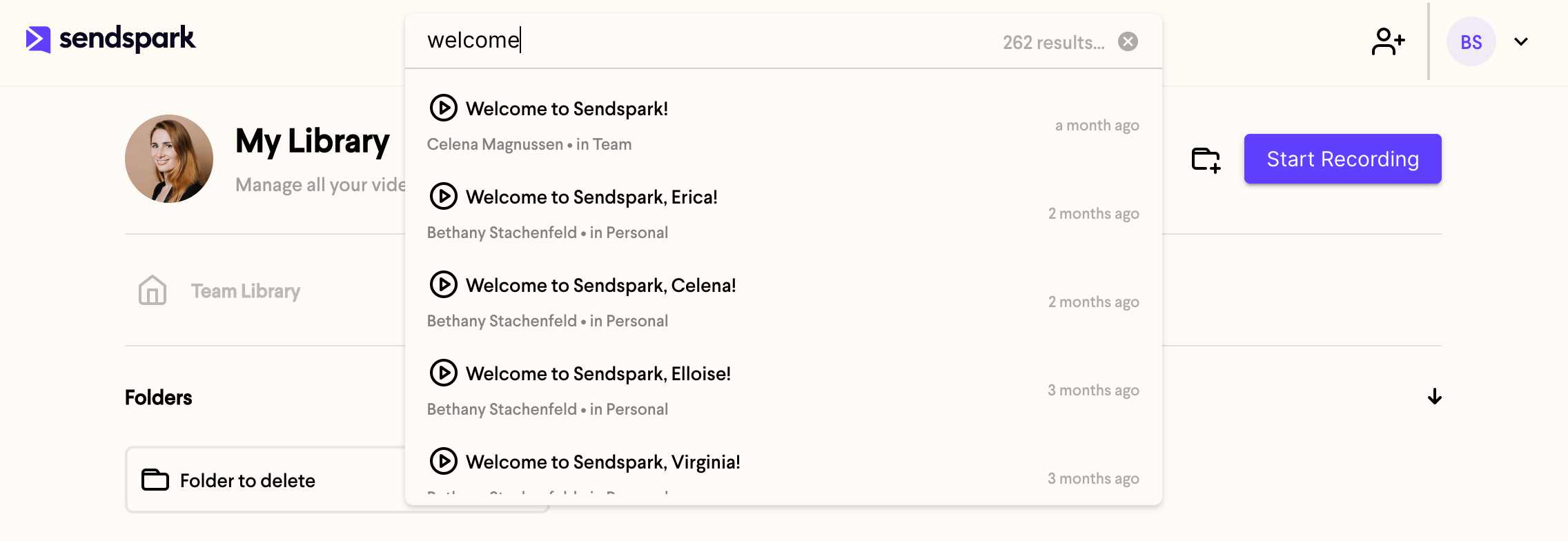
- If you don’t see the video you’re looking for, try clicking show more, or updating the text in your search
Frequently asked questions
What does the search bar match on?
What does the search bar match on?
Search finds videos based on their titles. Type a word or phrase from the video’s title into the Search bar and your library filters to matching videos.
I don't see a search bar. Where is it?
I don't see a search bar. Where is it?
If the Search bar isn’t showing, your viewport may be too narrow. Widen your browser window until the Search bar appears at the top of your dashboard.
My video isn't showing up in search. What can I do?
My video isn't showing up in search. What can I do?
Try clicking show more to load additional results, or update the text in your search. Since search matches titles only, an untitled or vaguely named recording won’t surface, so rename the video to something you’d search for. You can also switch to filtering by engagement or by creators to narrow down your library a different way.
Can I find videos without searching by title?
Can I find videos without searching by title?
Yes. Instead of searching, you can filter your library by plays, likes, and CTA clicks to see only engaged videos, or filter by creators in your Team Library to see videos from specific team members.