

Key takeaways
- There are two ways to control the “Like” button: a global workspace setting and a per-video toggle.
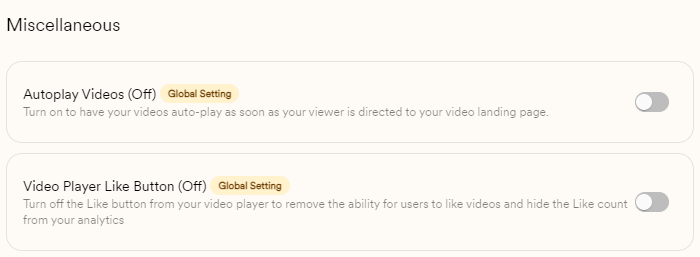
- Set it for all shared videos under Your Company → Manage Workspace, then toggle Video Player Like Button on or off.
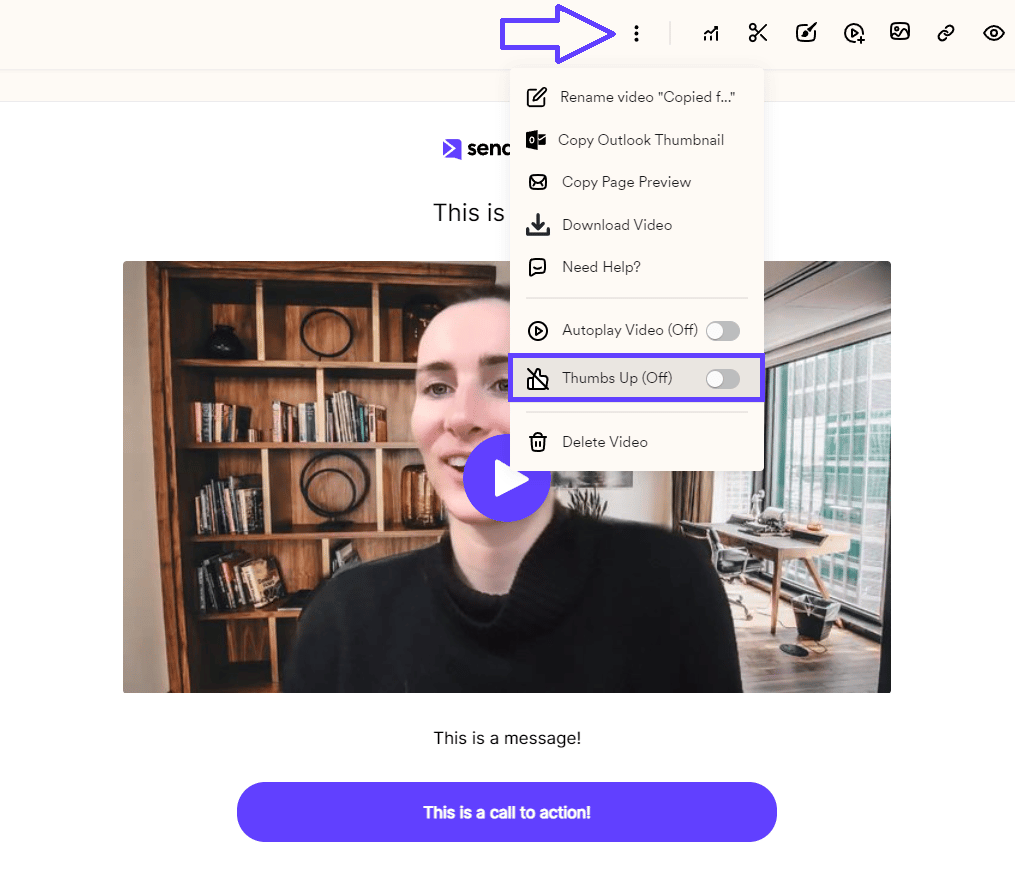
- Toggle a single video from its Edit section using the three-dots menu, where you’ll find the Thumbs Up option.
- Disabling the “Like” button prevents viewers from publicly reacting to your content.
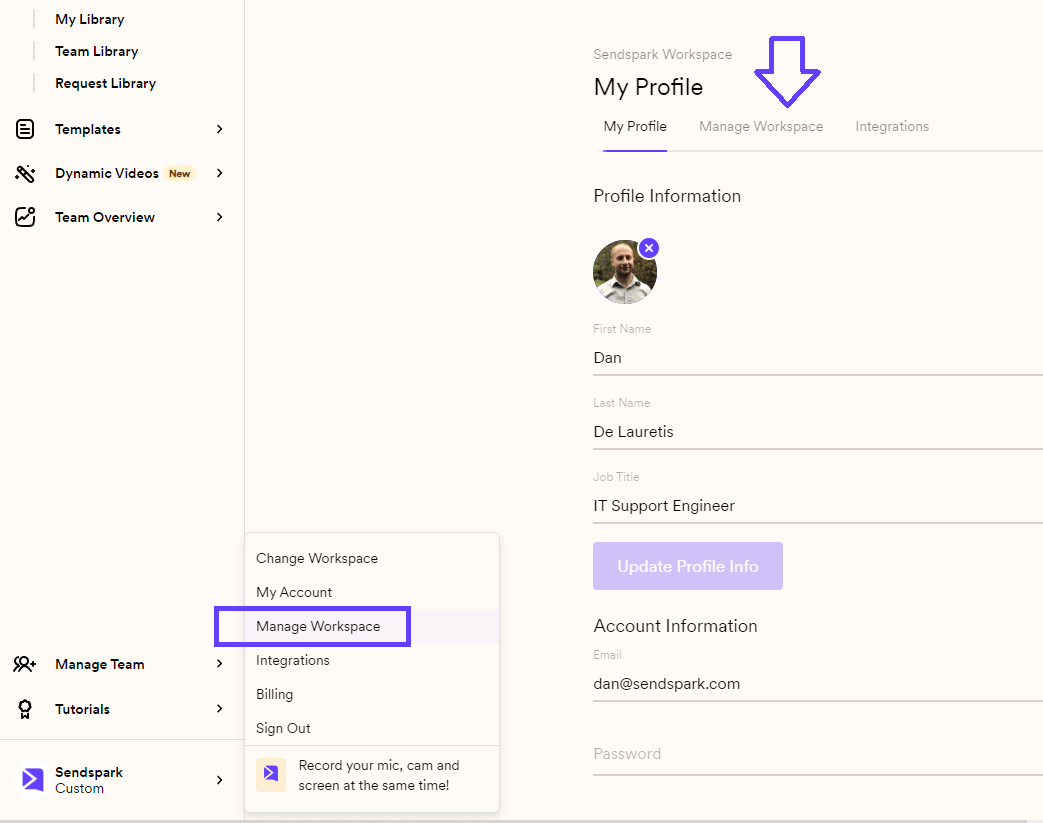
You have 2 ways to toggle this feature On or Off: 1) Global Settings option: It allows users to set their preferences for all shared videos. This is perfect for those who want a consistent approach across their entire Sendspark account. Simply go to Your Company —> Manage Workspaceand click on the Manage Workspace Tab. Here’s a link for quick access: https://sendspark.com/settings/workspace
2) Alternatively, you can also toggle the “Like” button for individual videos. Click on the video you want to customize, and once you are in the Edit section click on the three dots located above your video:
Frequently asked questions
Do I have to set this for each video individually?
Do I have to set this for each video individually?
No. If you want a consistent approach across your whole account, use the Global Settings option so the preference applies to all shared videos. The per-video toggle is there for when you want to override the setting on a single video.