

Key takeaways
- You can embed a HubSpot Meeting calendar directly next to your Sendspark video so viewers schedule meetings without ever leaving the video.
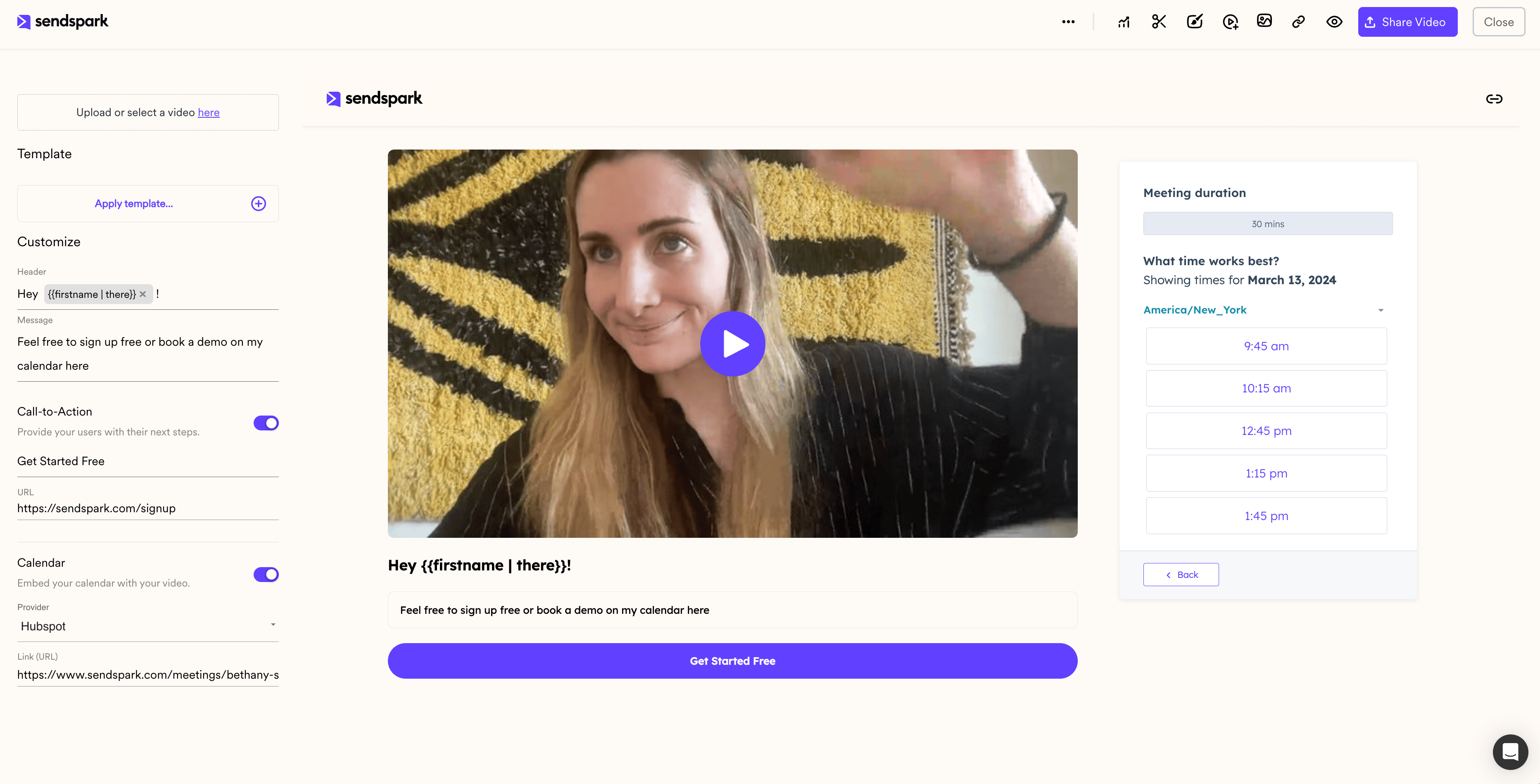
- Setup takes three steps: toggle Calendar to On, select HubSpot from the Provider dropdown, and add your HubSpot calendar link.
- Your embedded calendar shows up in the preview area so you can confirm it looks right before sharing.
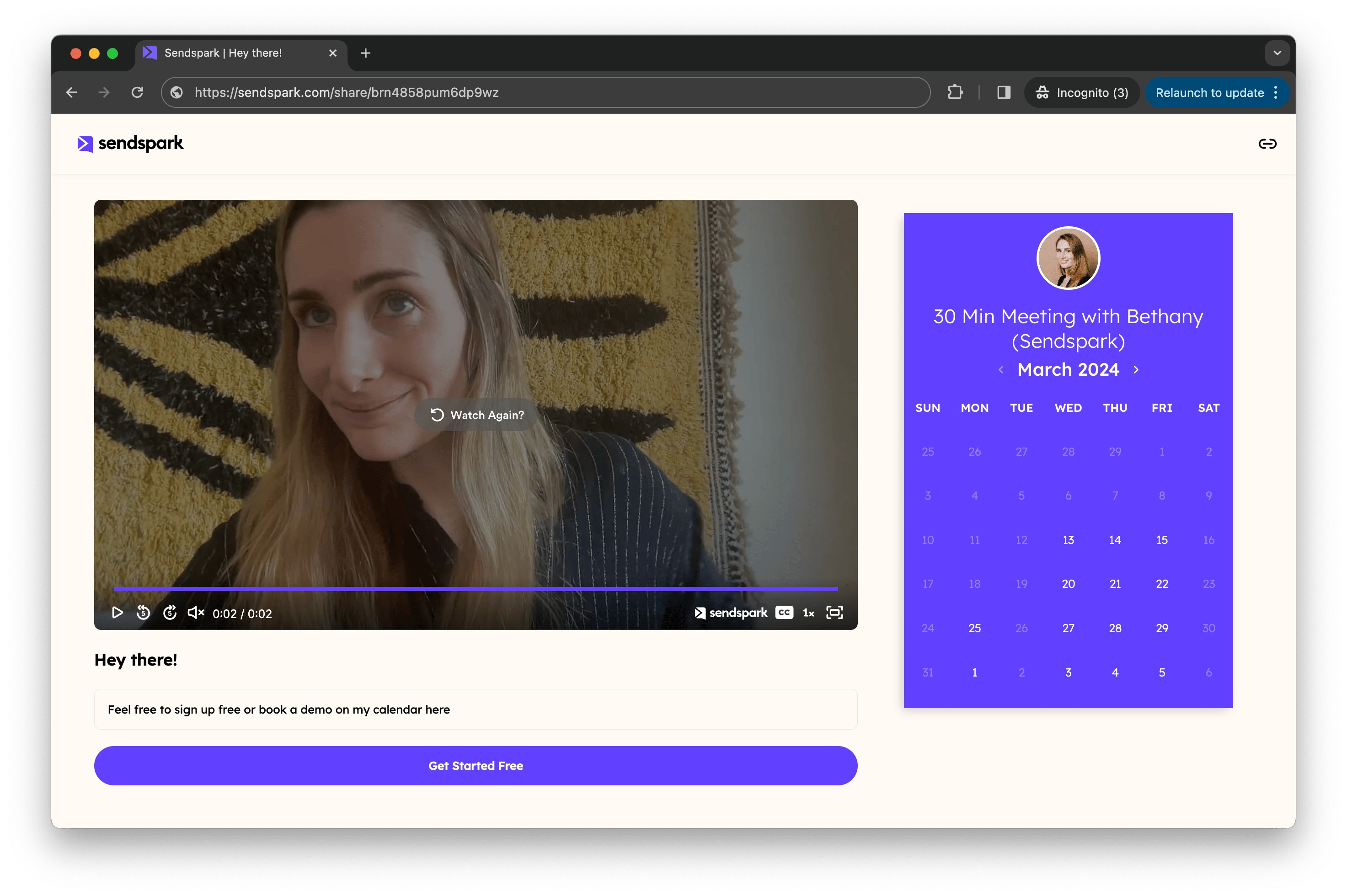
How to Embed a HubSpot Meeting Link with Videos
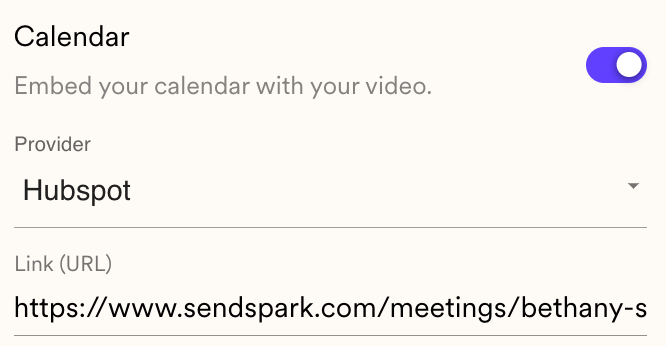
- Under your Sendspark video, toggle “Calendar” to “On”
- Select “HubSpot” from the Provider Dropdown List
- Add the linkto the HubSpot calendar you want to use
Frequently asked questions
How do I add a HubSpot calendar to my Sendspark video?
How do I add a HubSpot calendar to my Sendspark video?
Under your Sendspark video, toggle Calendar to On, select HubSpot from the Provider dropdown, then add the link to the HubSpot calendar you want to use.
Where do recipients schedule a meeting?
Where do recipients schedule a meeting?
They schedule directly next to your video, so they can book a meeting without ever leaving your video page.
How can I check the calendar embedded correctly?
How can I check the calendar embedded correctly?
Your embedded HubSpot calendar shows up in the preview area, so you can confirm it looks right before sharing.