

Key takeaways
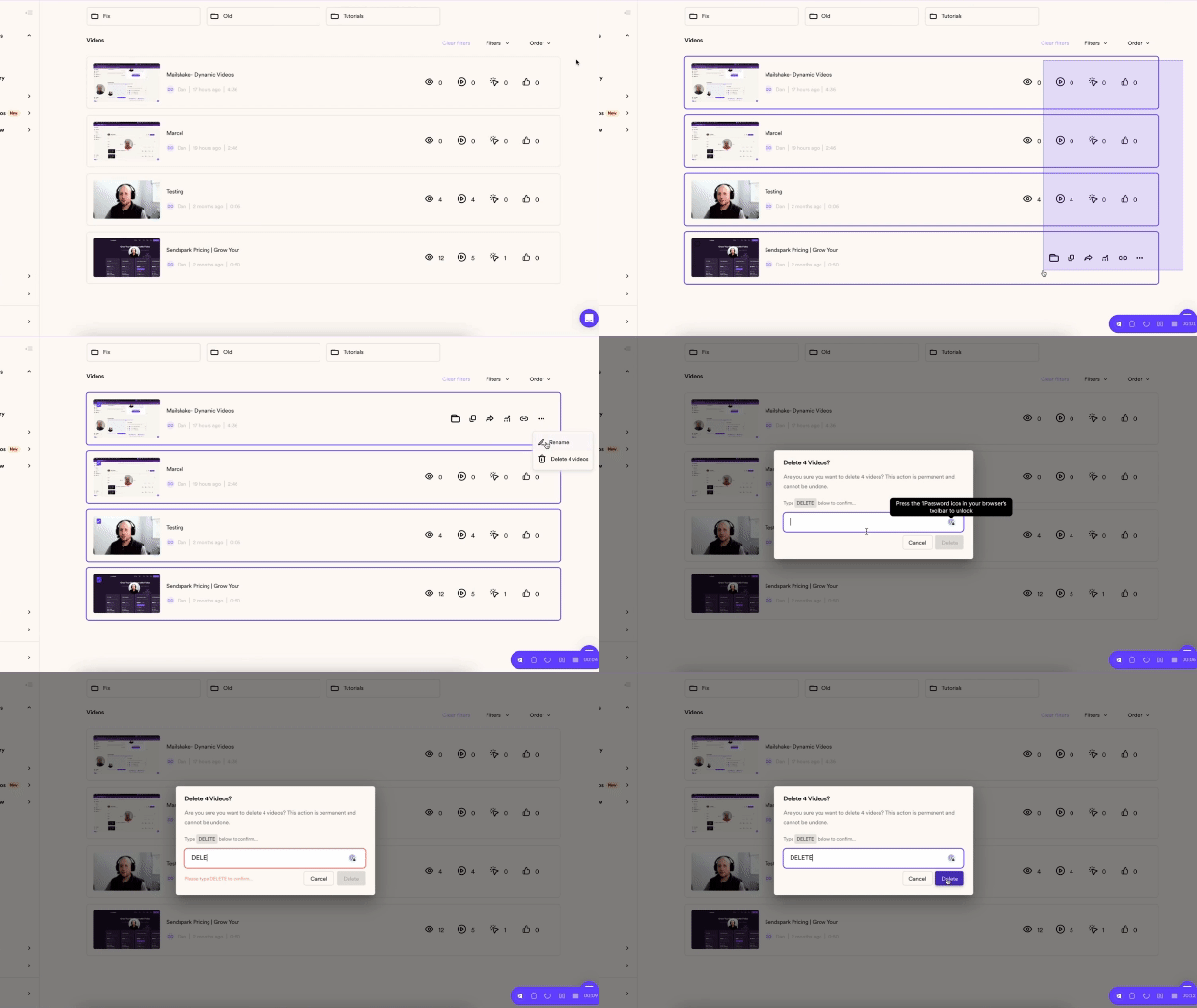
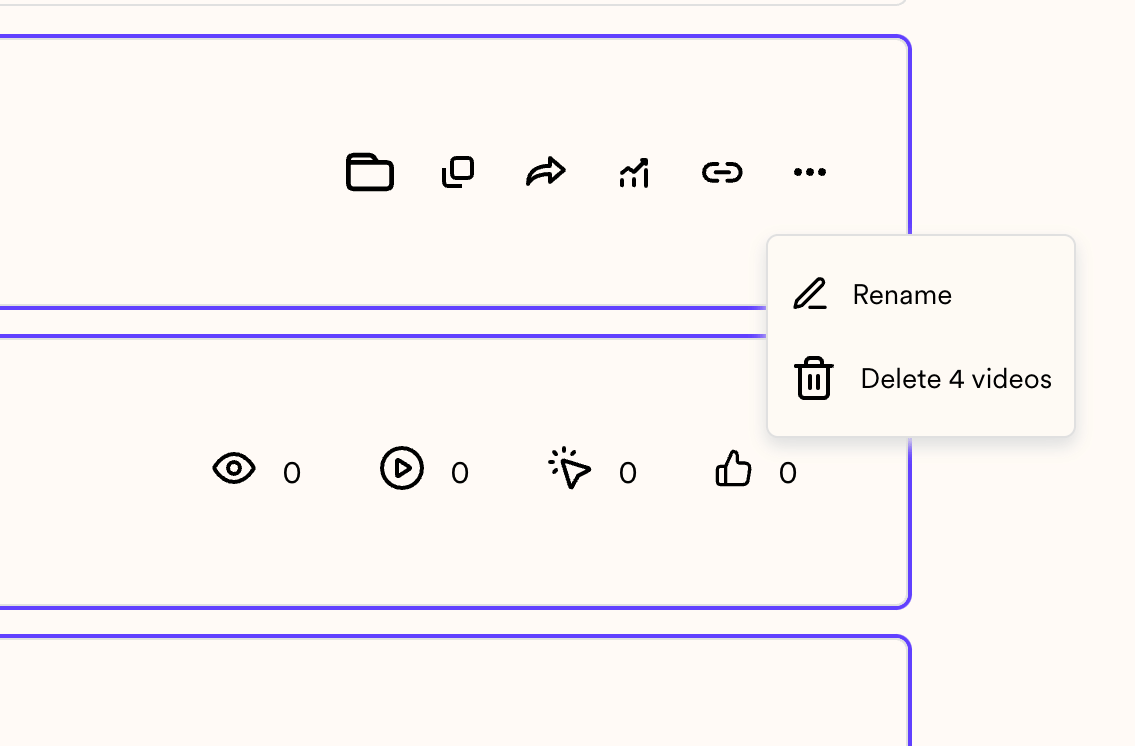
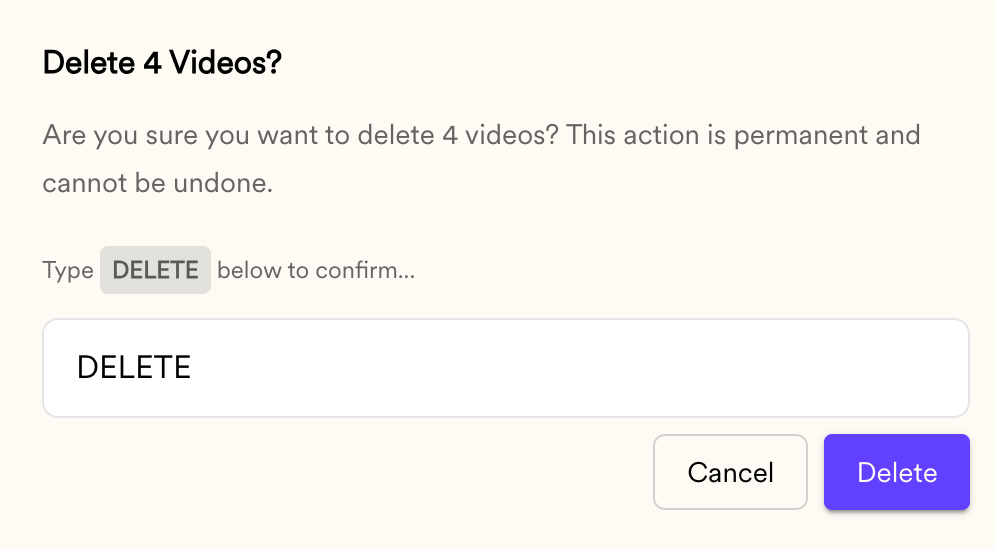
- Bulk-delete in three actions: drag to select videos, click the 3 dots to open Delete [n] videos, then type DELETE in all caps to confirm.
- Deletion is permanent. Once videos are deleted they cannot be retrieved.
- If you are unsure, create a new folder and move the videos there so you can re-use them in a later campaign instead of deleting them.
- There are several other places you can delete videos individually, covered in the how to delete a video article.
Here’s how you can bulk-delete videos

Frequently asked questions
Can I recover videos after bulk-deleting them?
Can I recover videos after bulk-deleting them?
No. Once videos are deleted they cannot be retrieved. If you are not entirely sure about deleting a video, move it to a separate folder instead so you can re-use it in a later campaign.
How do I select multiple videos to delete at once?
How do I select multiple videos to delete at once?
Drag and select the videos you want to delete, then hover over any of the selected videos and click the 3 dots to open the Delete [n] videos option.
Why do I have to type DELETE to confirm?
Why do I have to type DELETE to confirm?
Typing DELETE in all caps is a confirmation step to prevent accidental bulk deletion, since deleted videos cannot be recovered.
Can I delete a single video instead of using bulk delete?
Can I delete a single video instead of using bulk delete?
Yes. There are several places where you can delete videos individually. See the how to delete a video article for the options.