

Key takeaways
- Folders help you organize your videos inside your Sendspark library.
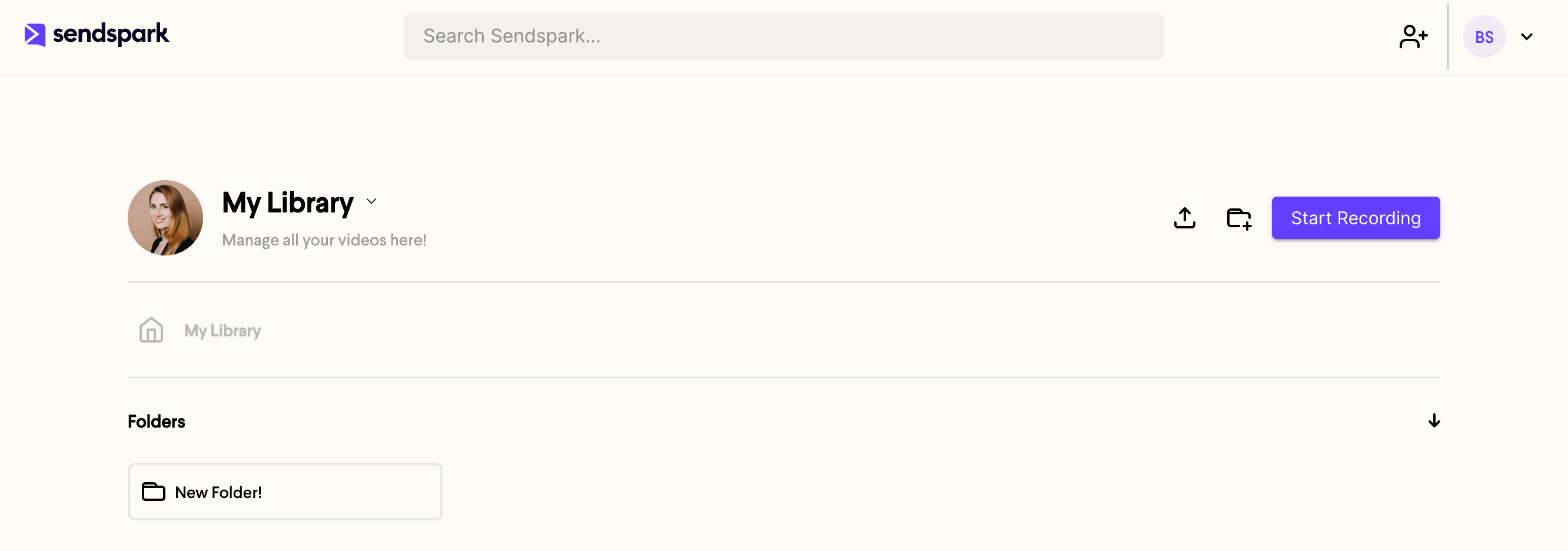
- Create one by clicking the new folder icon at the top of the page, next to the Start Recording button.
- Name the folder, click Create, and it appears in your dashboard.
- You can move a folder later, so its starting location isn’t permanent.
- The name isn’t permanent either. Rename a folder by hovering it and clicking the ellipses.
How to create a folder
- Go into the library or folder that you would like your new folder to live in. (Don’t worry, you can always move your folder later).
- Click on the new folder icon at the top of the page (next to the Start Recording button)

- Write a name for your folder
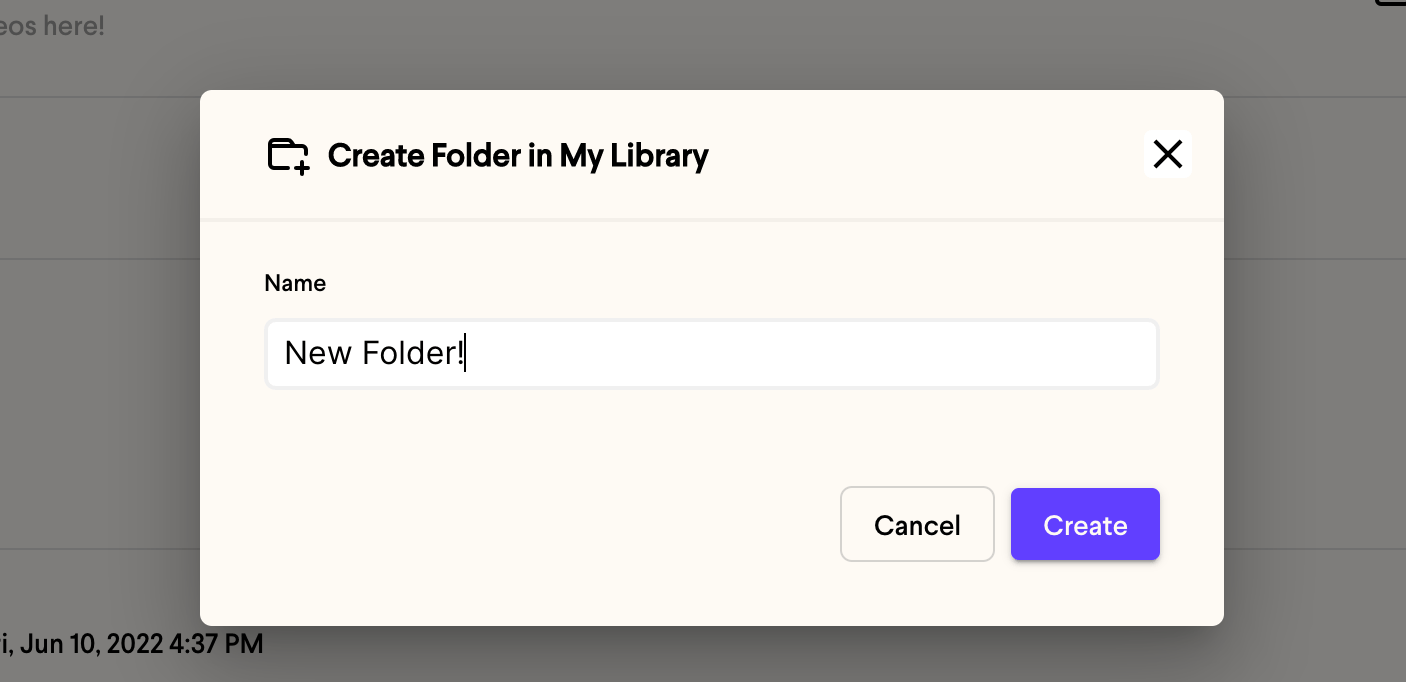
- Click Create
- That’s it! You’ll now see your new folder in your dashboard.
Frequently asked questions
Where does my new folder get created?
Where does my new folder get created?
A new folder is created inside whichever library or folder you’re viewing when you click the new folder icon. Open the location you want it to live in first.
Can I rename a folder after creating it?
Can I rename a folder after creating it?
Yes. Hover over the folder, click the ellipses, and choose Rename. Type the new name, then click outside the folder or press return to save. See rename a folder for the full steps.
Can I move a folder after creating it?
Can I move a folder after creating it?
Yes. You can move your folder to another location later, so you don’t have to get its placement perfect up front.