

Sending dynamic videos with PlusVibe
The Sendspark + PlusVibe integration lets you send dynamic videos in your PlusVibe cold email campaigns. Instead of recording a separate video for each prospect, create one video and Sendspark automatically personalizes it for every recipient — greeting them by name, showing their website, and more. PlusVibe (formerly pipl.ai) is an AI-powered cold email automation platform built for B2B sales teams, founders, and lead generation agencies. It combines email sequencing, warm-up, deliverability management, and AI-driven personalization into one platform.How to send dynamic videos in PlusVibe
1
Finish your dynamic video campaign
In Sendspark, create and generate your Dynamic Video campaign. If you’re new to dynamic videos, check out our getting started guide first.
2
Copy the PlusVibe snippet
In Sendspark, click Share Campaign and select PlusVibe from the list of compatible platforms. This copies the share snippet to your clipboard. The snippet contains an animated thumbnail and a “Watch video” link with the
{{email}} merge tag.3
Paste the snippet into a PlusVibe email step
In PlusVibe, create or edit an email step in your campaign sequence. Paste the Sendspark snippet directly into the email body.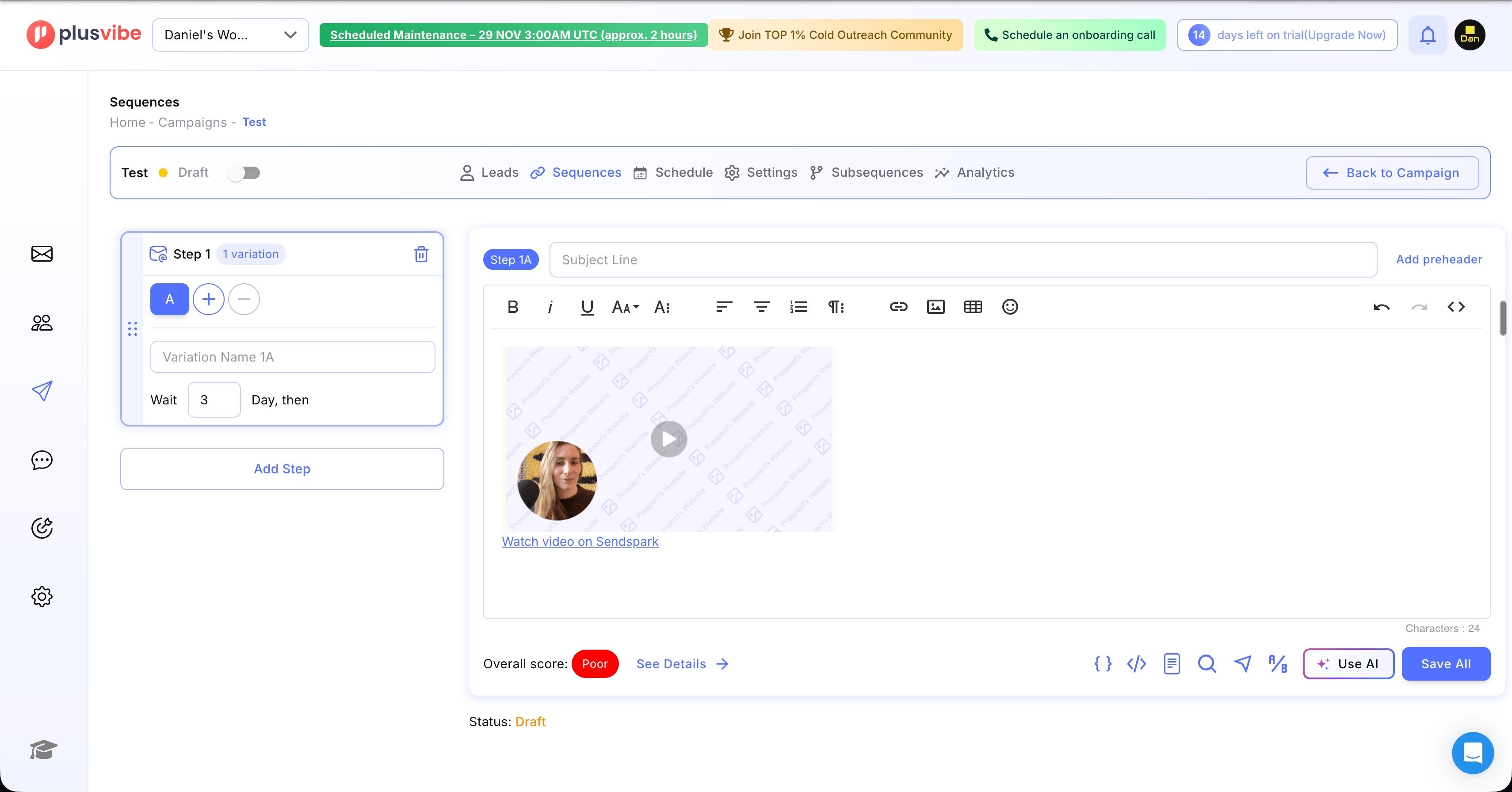
4
Preview your email
In PlusVibe’s editor, you’ll see the default version of your video (a video of yourself). This is expected — the video personalizes automatically once the email is sent to each contact.
5
Send to the right contacts
Make sure the contacts in your PlusVibe campaign match the prospects you generated videos for in Sendspark. When PlusVibe sends the email, each recipient’s
{{email}} is replaced with their actual email address. Sendspark uses this to match the contact to their personalized video.Frequently asked questions
What format does the PlusVibe snippet use?
What format does the PlusVibe snippet use?
The PlusVibe snippet uses the same format as Apollo: an animated thumbnail GIF linked to the personalized video page, plus a “Watch video” text link. Both links contain the
{{email}} variable so Sendspark can match each recipient to their video.Does PlusVibe's email warm-up help with dynamic video emails?
Does PlusVibe's email warm-up help with dynamic video emails?
Yes. PlusVibe’s built-in warm-up and deliverability tools help ensure your dynamic video emails reach the inbox instead of spam. This is especially useful when sending video emails at scale.
Can I track video views when sending through PlusVibe?
Can I track video views when sending through PlusVibe?
Yes. All video views, play events, and engagement data appear in your Sendspark dashboard regardless of which platform you use to send the email.
Why should I download Sendspark's CSV instead of using my own list?
Why should I download Sendspark's CSV instead of using my own list?
When you generate videos for many contacts, some may not render — for example, a prospect’s website may fail to load. Sendspark’s exported CSV only includes contacts whose video was successfully generated, so you don’t email anyone who would see a broken placeholder.
I know PlusVibe as pipl.ai — is this the same platform?
I know PlusVibe as pipl.ai — is this the same platform?
Yes. PlusVibe was formerly known as pipl.ai. The Sendspark integration works the same way regardless of which name you see.