

Key takeaways
- You need Sendspark’s generated CSV — click Export Generated Videos (CSV) to export only the contacts a video was successfully created for.
- On upload, map the Video Link field to LaGrowthMachine’s Custom Att 1.
- Insert Custom Att 1 into your LGM workflow message where you want the video link to appear.
- Videos are matched to contacts through the CSV, so use the same list in both tools.
How to Send Dynamic Videos in LaGrowthMachine LinkedIn Automation
- First, create your dynamic videos in Sendspark. If you don’t know how to make AI-personalized videos in Sendspark, start with this guide on how to make dynamic videos.
- Then, click Export Generated Videos (CSV) to download the list of successfully generated videos for each contact.
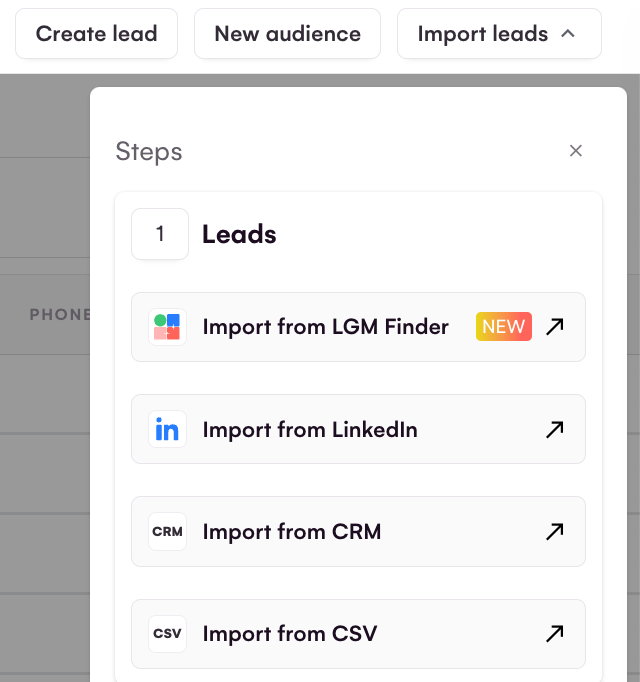
- Next, upload this CSV to LaGrowthMachine via Import leads → Import from CSV. The file must be UTF-8 encoded, and you finish with Import leads.
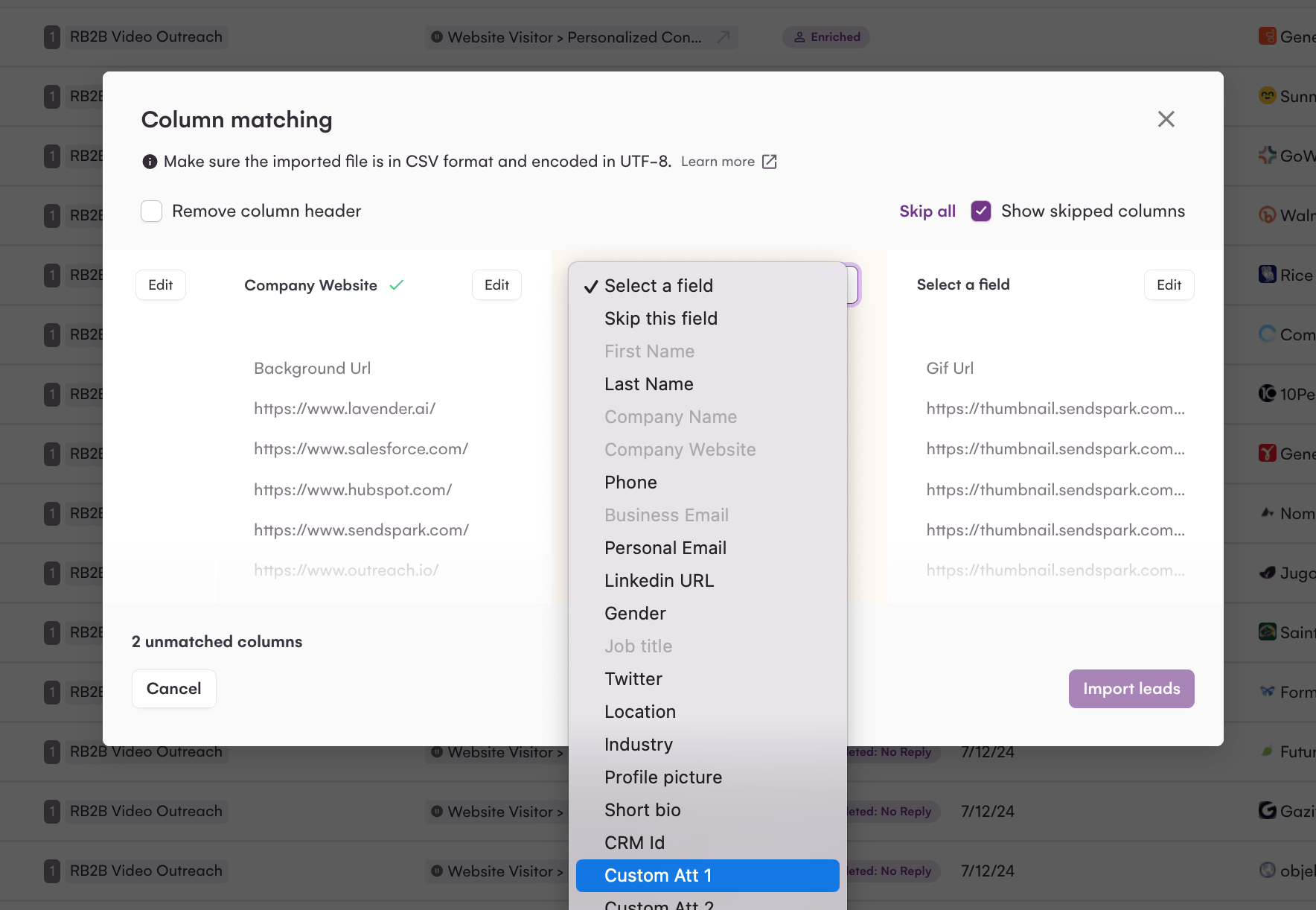
- Now, in your LaGrowthMachine workflow, you can use
{{customAttribute1}}in the messagewhere you want to send your Sendspark video to appear! 
Frequently asked questions
Which field do I map the video to in LaGrowthMachine?
Which field do I map the video to in LaGrowthMachine?
When you upload Sendspark’s CSV, map the Video Link column to LaGrowthMachine’s Custom Att 1. You then reference Custom Att 1 in your workflow message wherever you want the personalized video to appear.
Why should I use the Export Generated Videos (CSV) file instead of my own list?
Why should I use the Export Generated Videos (CSV) file instead of my own list?
Clicking Export Generated Videos (CSV) in Sendspark gives you the list of contacts a video was successfully generated for. Using that file keeps your LaGrowthMachine list aligned with the videos that actually exist, so contacts receive their own personalized video.
Do I need to make the dynamic videos before setting up LaGrowthMachine?
Do I need to make the dynamic videos before setting up LaGrowthMachine?
Yes. Create your dynamic videos in Sendspark first — see how to make dynamic videos — then export the CSV and upload it to LaGrowthMachine.