

Key takeaways
- The setup links two tools: a Warmly Orchestrator built for the “Identified contact visited website” trigger, and a Sendspark Agentic Workflow triggered by a webhook.
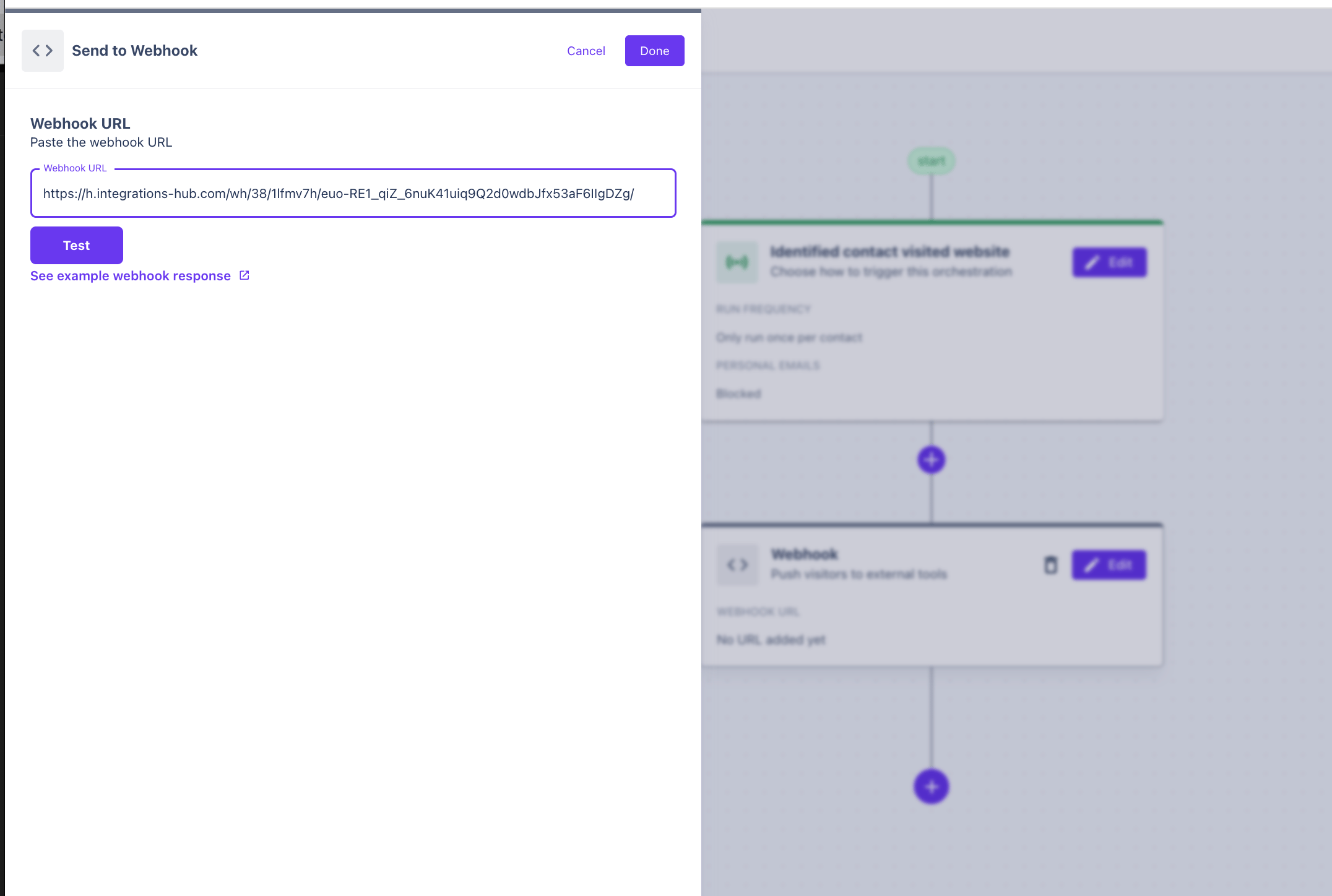
- Warmly’s final workflow action sends a webhook to the URL provided by your Sendspark automation, which passes the visitor to Sendspark.
- In Sendspark, add an action to create a dynamic video linked to the campaign you want to use, then a follow-up action to send that video by email.
- The whole flow is automated, so identified visitors receive a personalized video without you recording one per person.
How to Send AI Personalized Videos to Warmly Leads
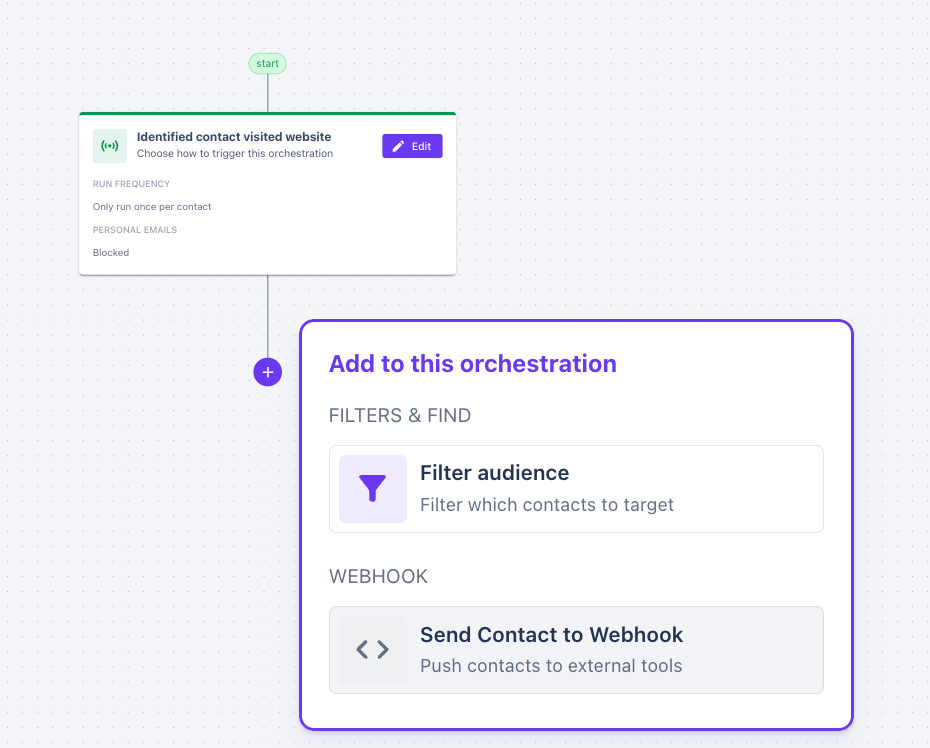
- Start by set up your Warmly Orchestrator for “Identified contact visited website”.

- Add an action to send a webhook at the end of the workflow.
- Create an Agentic Workflowin Sendspark. Use “Webhook” as a trigger, and add this webhook URL to the Warmly Orchestrator.
- Add an action to your Sendspark automation to create a dynamic video. Link to the Dynamic Video Campaign that you would like to use.
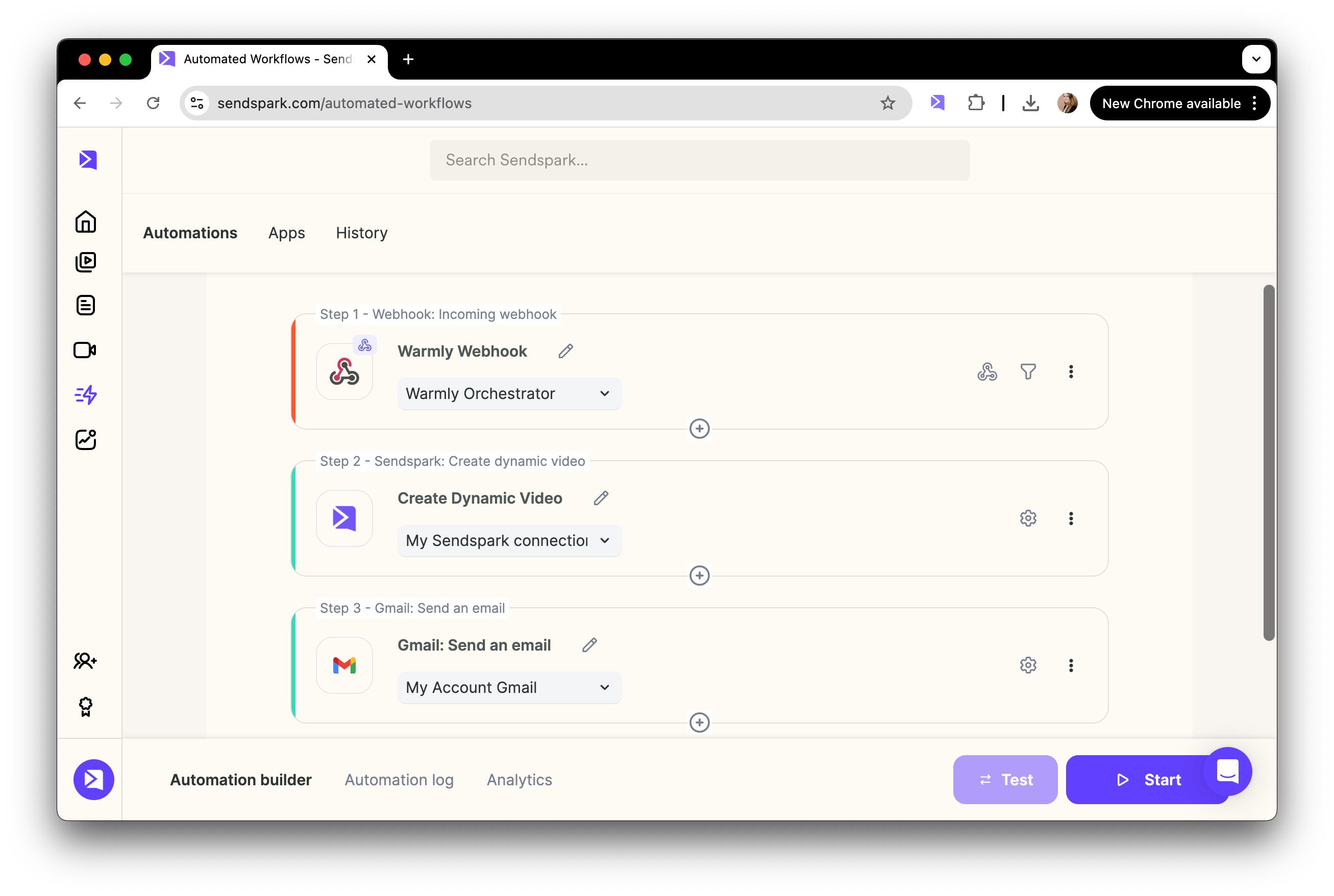
- Add a follow up action to send this video out in email. Note that there are many ways you can send videos in email after they are generated.
Frequently asked questions
What triggers the video to be sent?
What triggers the video to be sent?
In Warmly, the Orchestrator is set up for the “Identified contact visited website” trigger. When an identified contact visits your site, the workflow runs and, at the end, sends a webhook to Sendspark to kick off the video.
How does Warmly connect to Sendspark?
How does Warmly connect to Sendspark?
Warmly connects through a webhook. You create an Agentic Workflow in Sendspark that uses “Webhook” as its trigger, then add the webhook URL Sendspark provides to the action at the end of your Warmly Orchestrator.
Which video does each visitor receive?
Which video does each visitor receive?
In your Sendspark automation you add an action to create a dynamic video and link it to the Dynamic Video Campaign you want to use. Every identified visitor that comes through the webhook gets a personalized video from that campaign.
How is the video delivered to the visitor?
How is the video delivered to the visitor?
After the video is generated, you add a follow-up action to send it out by email. There are several ways to send videos in email once they are generated, so you can choose the method that fits your workflow.