

Key takeaways
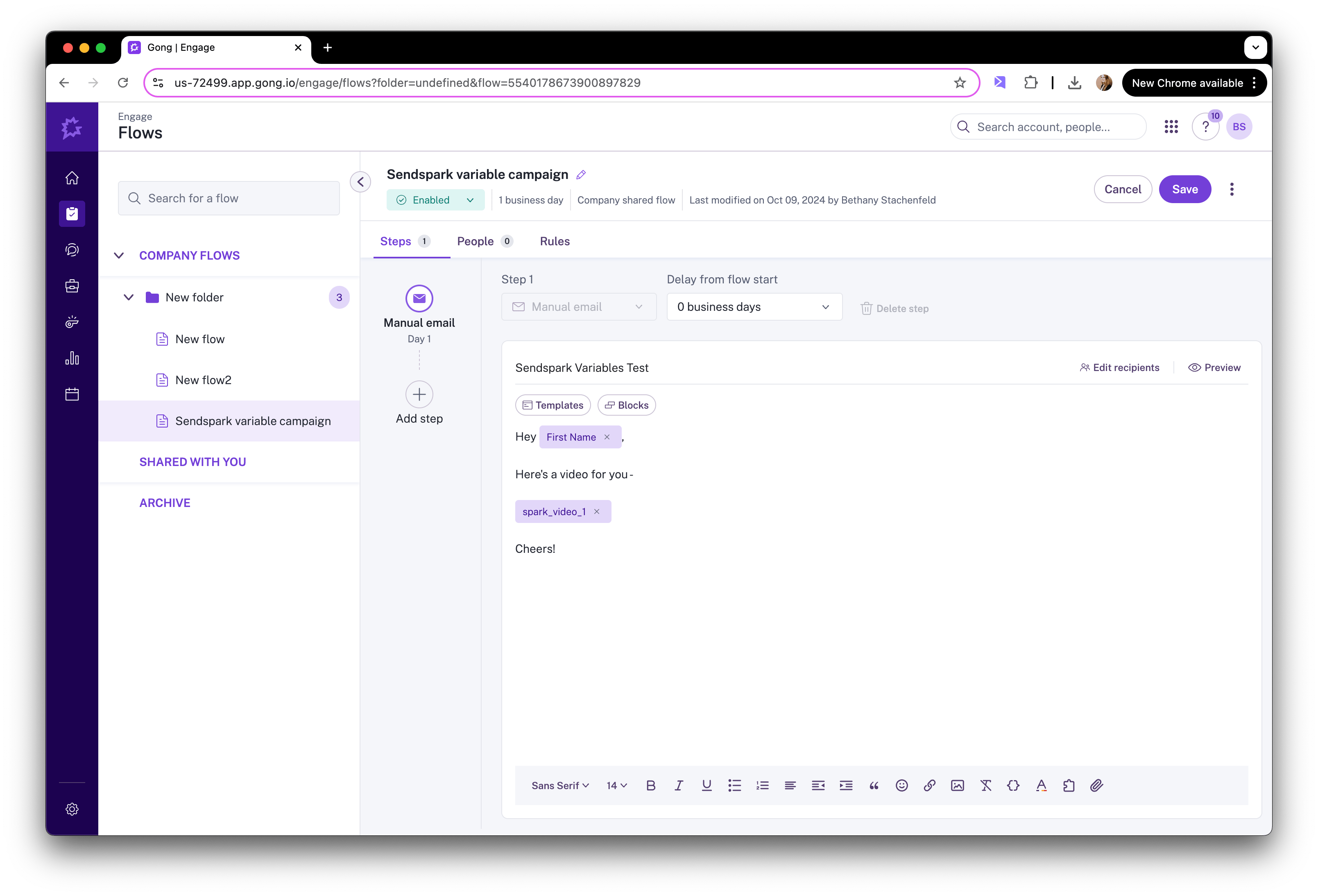
- Gong Engage doesn’t connect to Sendspark directly — you bridge them through a CRM field that Gong syncs with.
- This works with Salesforce, HubSpot, Zoho, HighLevel, and Close CRM.
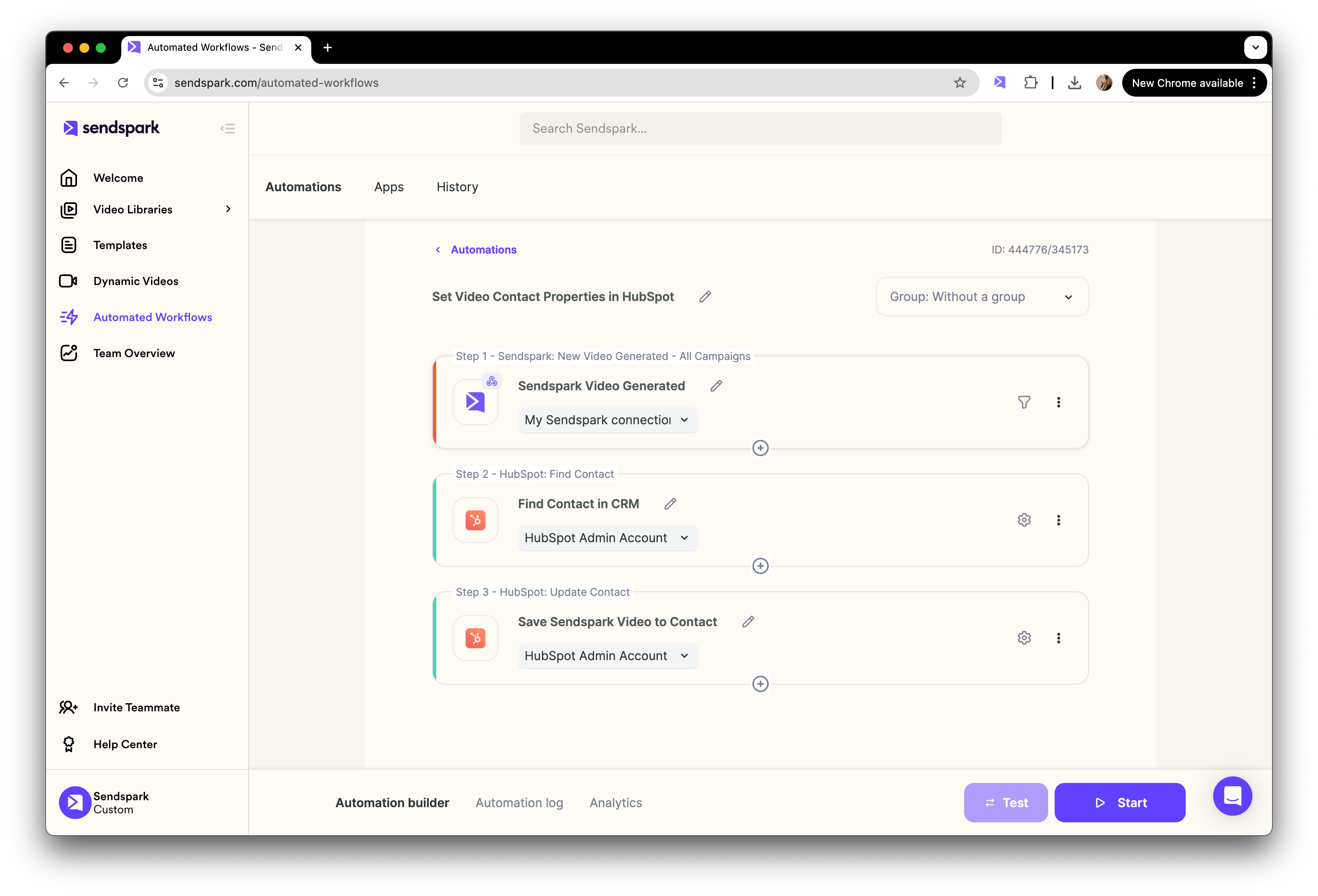
- An automated workflow maps Sendspark’s “HTML Embed Email Snippet” to a CRM field after videos are created.
- You can trigger on all videos in a workspace, or from a single campaign mapped to a specific field if you want multiple snippets saved at once.
How to Send AI-Personalized Videos in Gong Engage
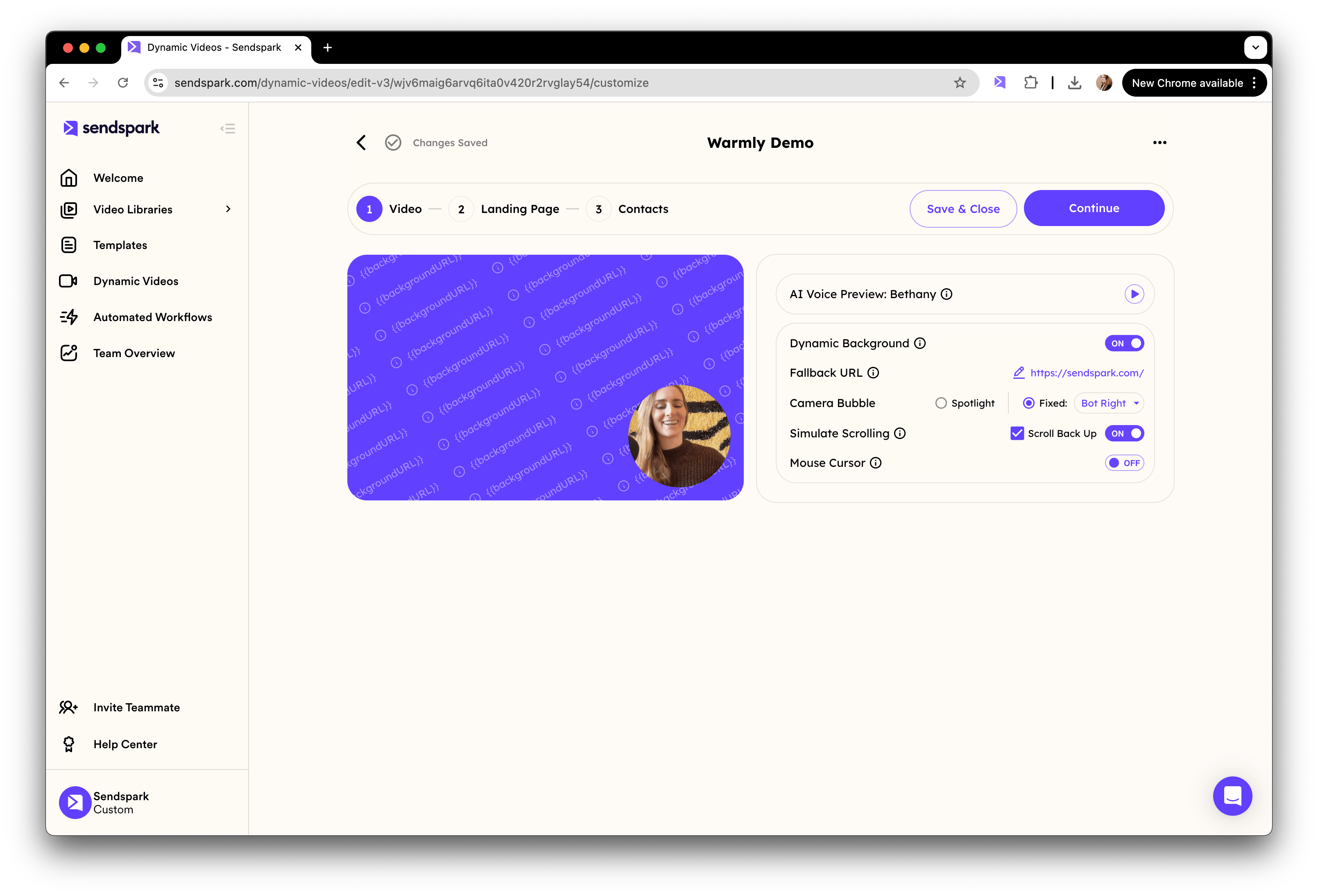
First create your dynamic video campaign in Sendspark. Leave placeholders for where your viewer’s first name, or other dynamic fields should go.


Frequently asked questions
Which CRMs work with this Gong Engage method?
Which CRMs work with this Gong Engage method?
This approach works with Salesforce, HubSpot, Zoho, HighLevel, and Close CRM. You push Sendspark’s email embed snippet into a field in one of these CRMs, and Gong reads it from there.
Do I need my CRM synced with Gong?
Do I need my CRM synced with Gong?
Yes. Because the Sendspark video snippet lives in a CRM field, your CRM must be synced with Gong so that field is available to use inside your Gong Engage emails.
Can I keep more than one video snippet available at once?
Can I keep more than one video snippet available at once?
Yes. Instead of triggering on all videos in your workspace, you can set the automation to trigger from a single dynamic video campaign and map it to a specific CRM field, so you can store more than one Sendspark snippet at a time.
What Sendspark field do I map into the CRM?
What Sendspark field do I map into the CRM?
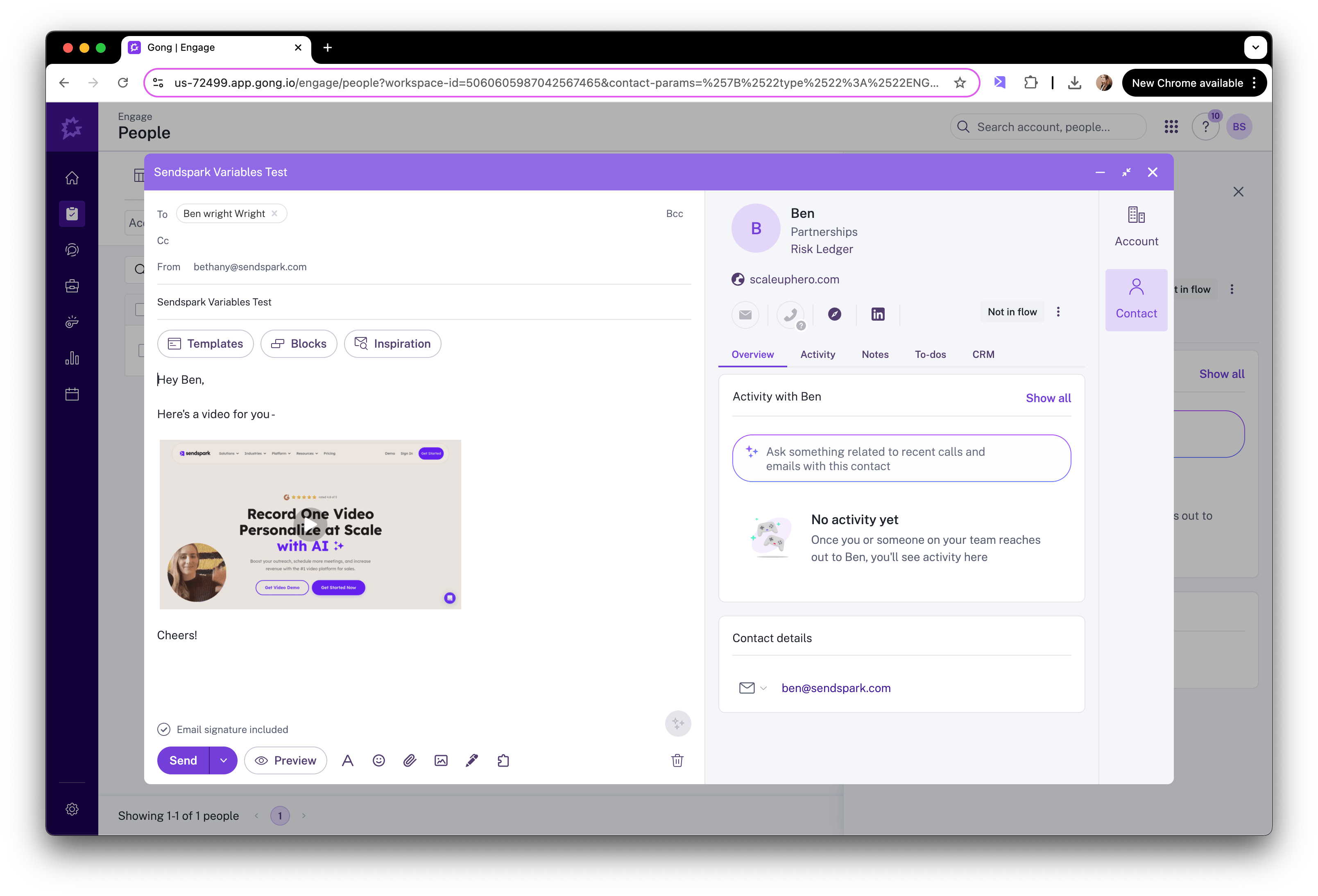
Map Sendspark’s “HTML Embed Email Snippet” to a CRM field (for example, a field named “Email Embed HTML”). Once saved, you insert that CRM field into your Gong Engage email to display the video.