

Key takeaways
- The integration turns website visitors identified by RB2B into personalized videos automatically, on autopilot.
- It’s built as a Sendspark Agentic Workflow using an Incoming Webhook trigger.
- You copy the Sendspark webhook URL into RB2B’s integrations, then send a test event to confirm the connection and pull RB2B data into the workflow.
- Map the RB2B data fields into a Sendspark: Create dynamic video step, then add a final step to send the video through email, LinkedIn, or any of 50+ sending platforms.
How to Use the RB2B + Sendspark Video
- Go to Sendspark Agentic Workflows and create a new workflow
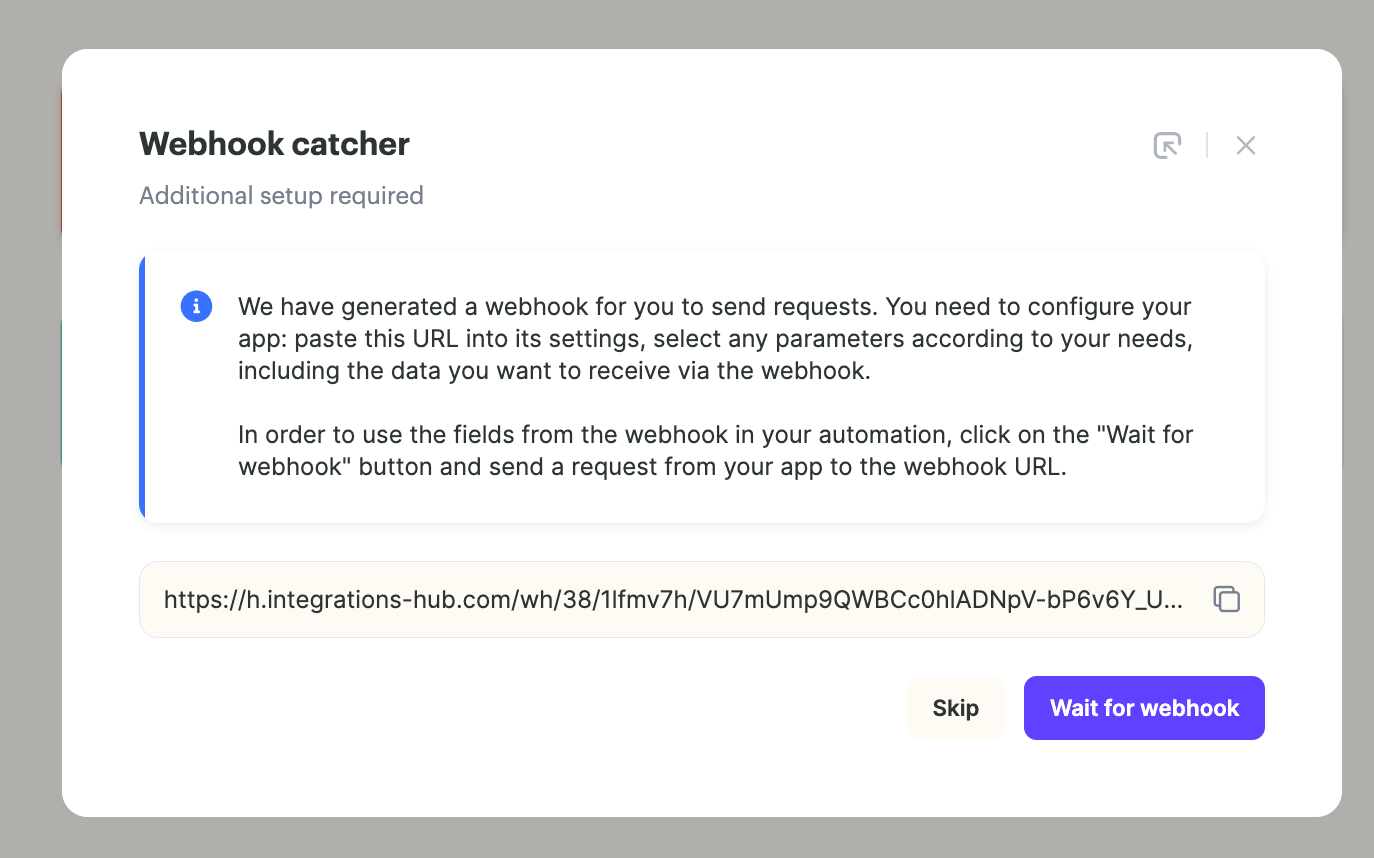
- For the trigger, select Incoming Webhook. Sendspark opens a Webhook catcher dialog
- Copy the webhook URL to your clipboard, and click “wait for webhook” to start testing your webhook
- Go to RB2B integrations
- Select Sendspark, and paste the URL from Sendspark into RB2B. The integration ships disabled, so turn Status on and click Save
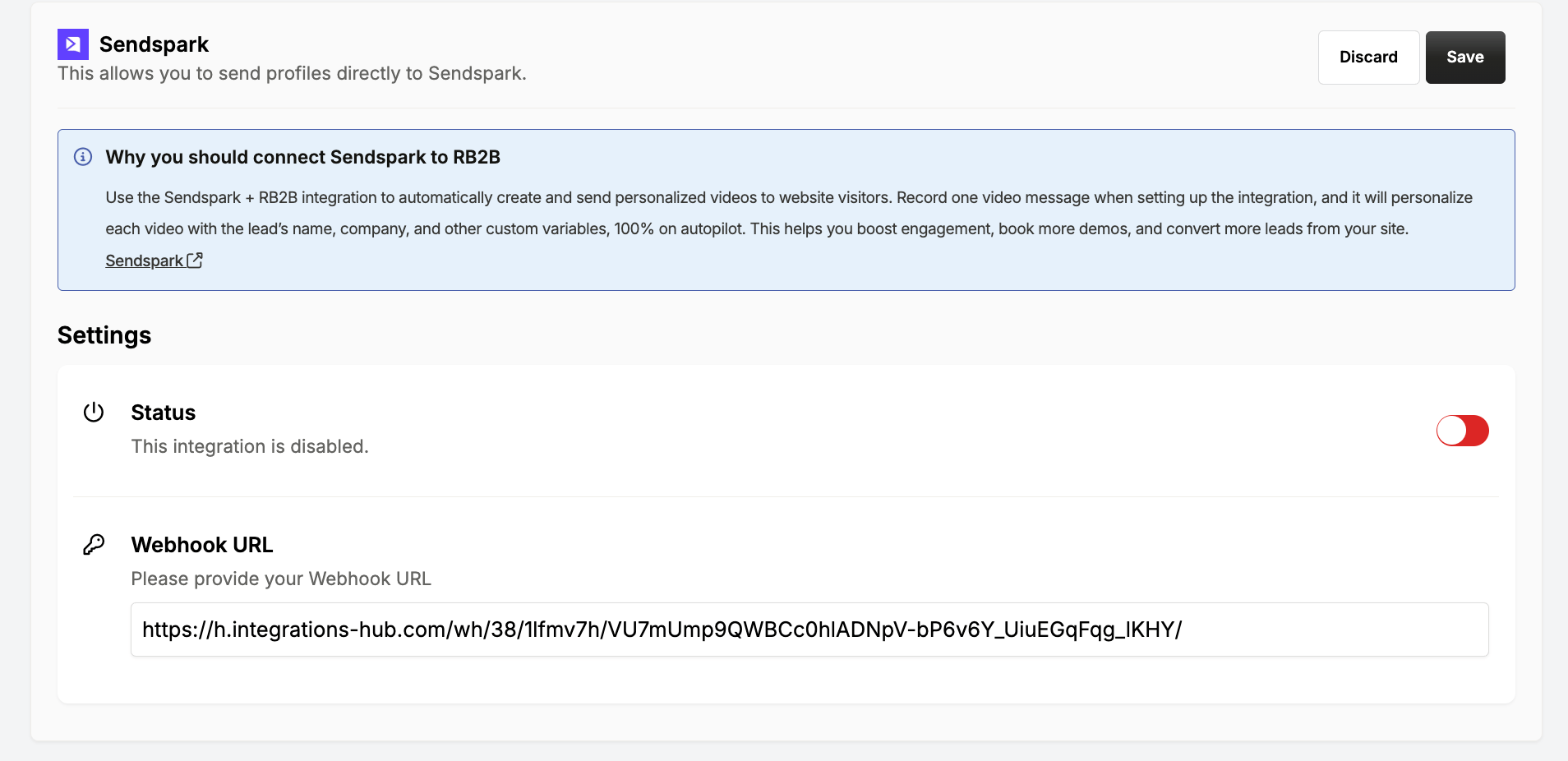
- Click Send test event to your Sendspark account to test the webhook connection

- Back in Sendspark, you should see data from RB2B. You can now use that data to create an AI personalized video!
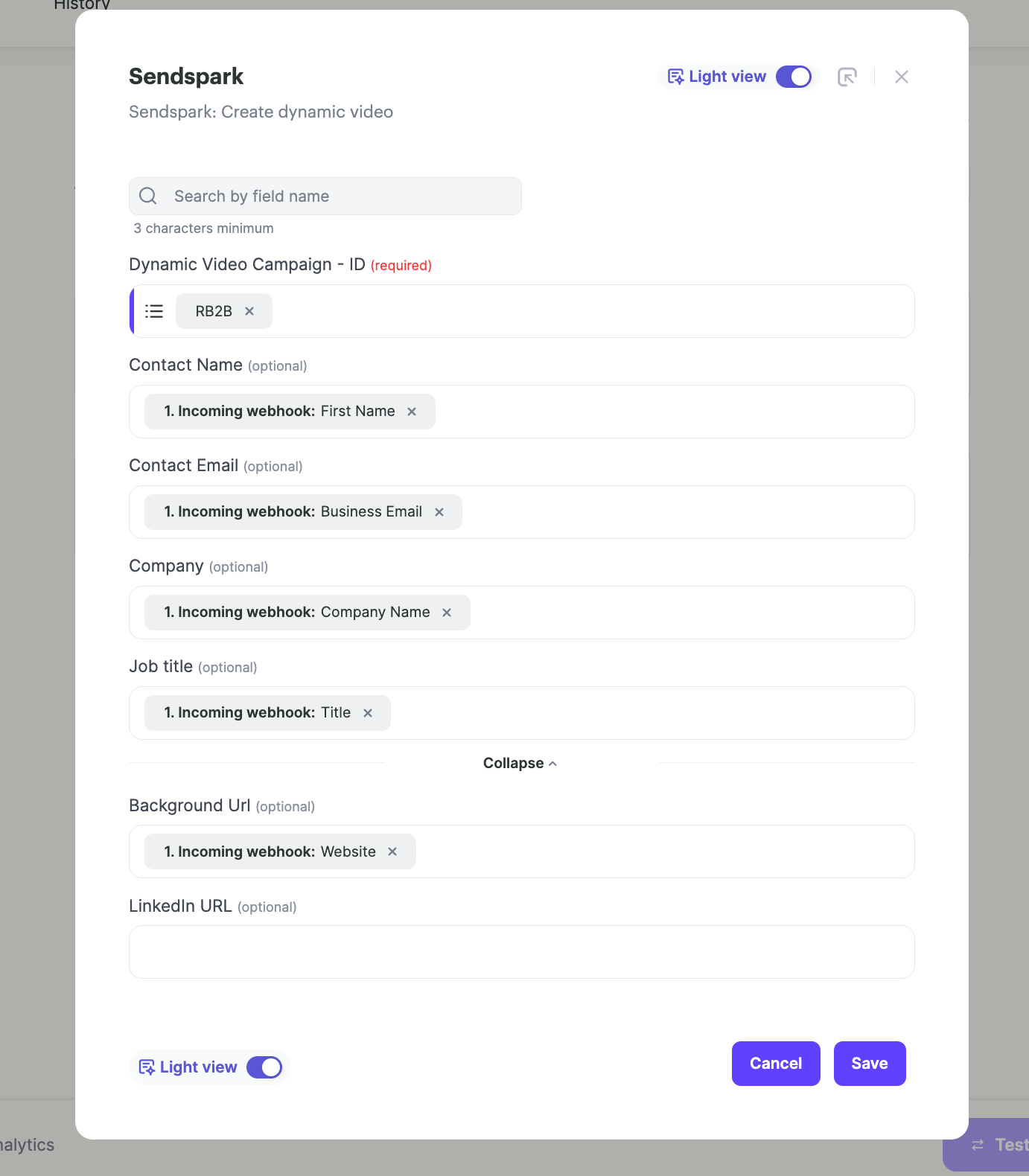
- Add another step in your automation for Sendspark: Create dynamic video
- Select the dynamic video campaign from Sendspark you would like to use, and map in the data fields from RB2B. These are the data fields that you want use to personalize your Sendspark video.
- Add another step in your automation to send the video out through email or LinkedIn. Sendspark integrates with 50+ sending platforms, so you can choose your platform, or just send with Gmail/Outlook. Learn more here.
Frequently asked questions
What does the RB2B + Sendspark integration do?
What does the RB2B + Sendspark integration do?
It lets you send personalized videos to website visitors on autopilot. When RB2B identifies a visitor, the connected Sendspark workflow automatically creates an AI-personalized video for them and sends it out.
Which trigger do I use in the Sendspark workflow?
Which trigger do I use in the Sendspark workflow?
Select Incoming Webhook as the trigger. Sendspark gives you a webhook URL to copy, and you click “wait for webhook” to start testing the connection.
How do I connect RB2B to Sendspark?
How do I connect RB2B to Sendspark?
Copy the webhook URL from Sendspark, go to RB2B integrations, select Sendspark, and paste the URL. Then click “Send test event to your Sendspark account” to confirm the connection — you should see the RB2B data appear back in Sendspark.
How is each video personalized?
How is each video personalized?
Add a Sendspark: Create dynamic video step, select the dynamic video campaign you want to use, and map in the RB2B data fields. Those mapped fields are what personalize each video.
How does the video get sent to the visitor?
How does the video get sent to the visitor?
Add another step in the automation to send the video out through email or LinkedIn. Sendspark integrates with 50+ sending platforms, so you can pick your platform or just send with Gmail/Outlook.