

Key takeaways
- You can embed Sendspark videos into web pages or blog posts on custom HTML sites or builders like WordPress, Wix, and Webflow.
- Open the share modal from My Library or from the purple “Share Video” button in the video page editor.
- Copy the code under “Website Embed” in the Embed tab of the share modal.
- On a website builder, you may need to create an HTML section first, then paste the embed code there.
- The same embed code works in tools that accept custom HTML, including an Aligned deal room.
How to Embed Sendspark Videos on Web Pages
1. Launch the Sendspark share modal
You can access your share options in two places:- From My Library, find the video you want to embed and click the share icon (its tooltip reads Share)
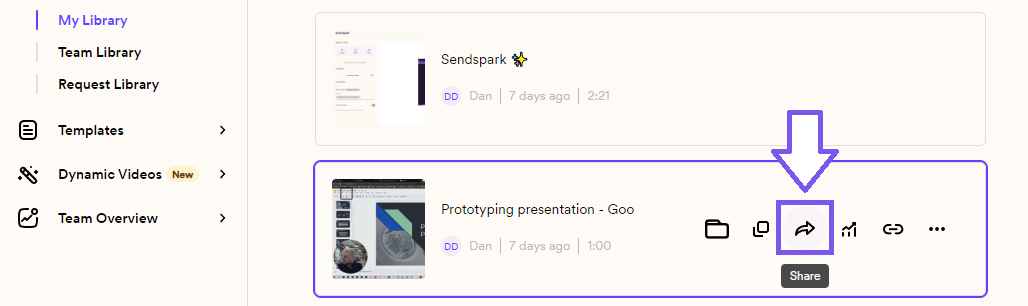
- Also, from the video page editor, you can click on the purple “Share Video” button

2. Copy the Website Embed Code to your clipboard
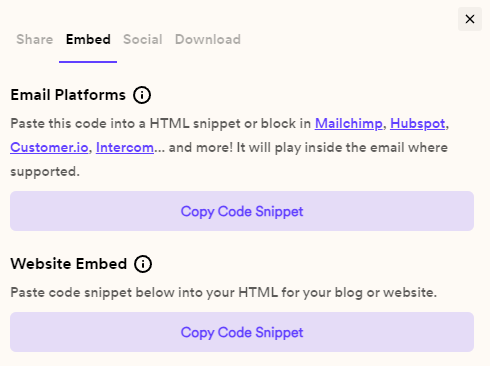
- Click into the Embed videosection of the share modal
- Under Website Embed, click Copy Code Snippet
3. Paste into the HTML of your website
- If you are building a custom website, you can paste this code snippet right into your HTML.
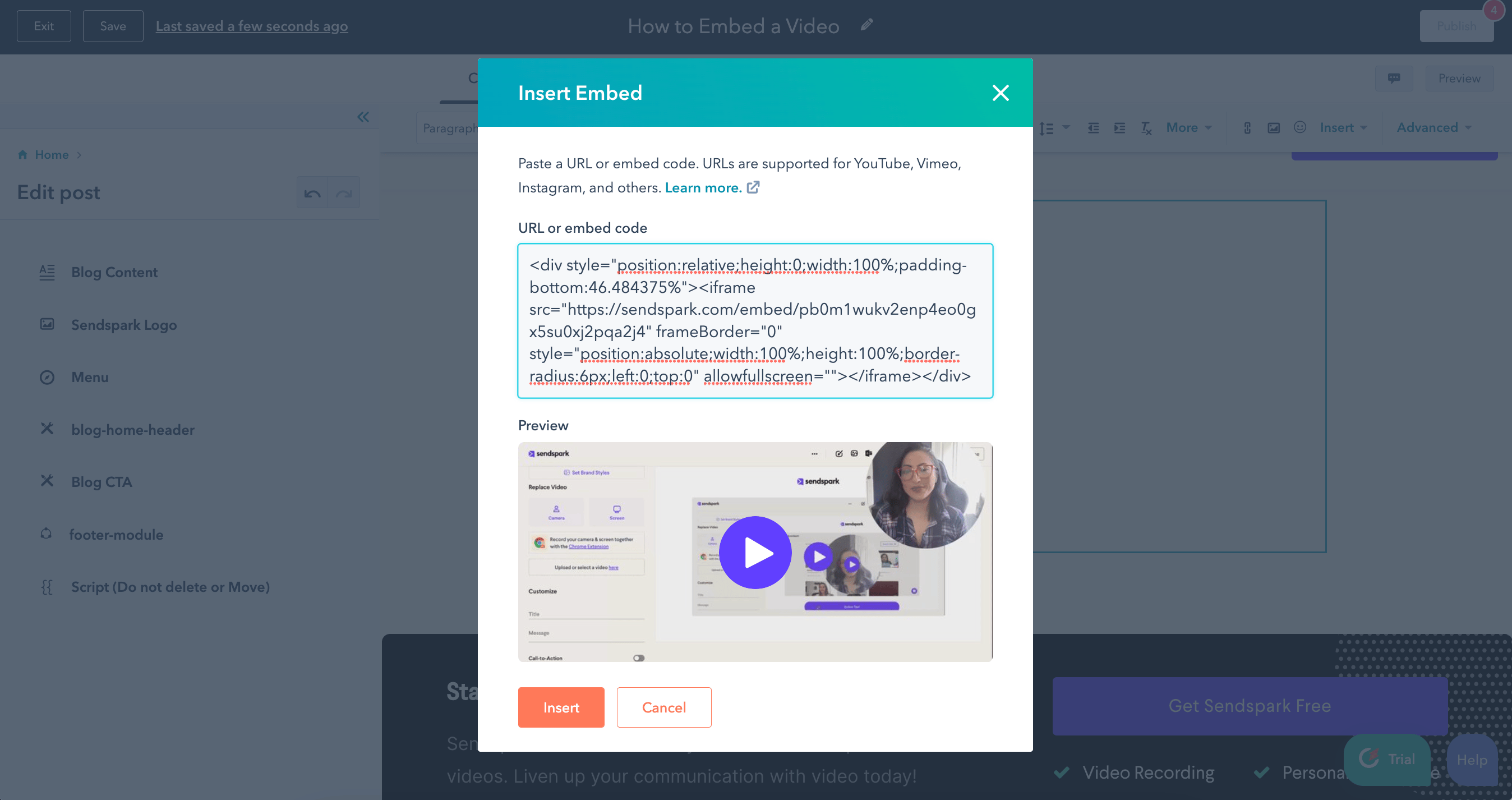
- If you are using a website builder (i.e. Wordpress, Webflow, HubSpot, Shopify, etc.) then open Insert → Embed, paste the code into the URL or embed code field, and click Insert.
- This will look differently on different website builders, but here is a screenshot of how it looks in HubSpot:
Frequently asked questions
Where do I find the embed code?
Where do I find the embed code?
In the share modal, click into the Embed tab, then under Website Embed click “Copy Code Snippet” to copy it to your clipboard.
Which website builders does this work with?
Which website builders does this work with?
You can embed Sendspark videos on your own HTML website or on builders like Wordpress, Wix, Webflow, HubSpot, and Shopify.
What if my website builder doesn't accept raw HTML directly?
What if my website builder doesn't accept raw HTML directly?
You might need to create an HTML section first, then paste your video embed code in there. This looks different on different website builders.