

Key takeaways
- LinkedIn does not support videos in comments, so Sendspark shares the video as a link with a GIF thumbnail instead.
- GIF previews only show when you post the URL from a mobile device (LinkedIn mobile app, mobile Chrome, mobile Safari, etc.).
- Launch the Share modal from your dashboard or video edit page and click Copy Link.
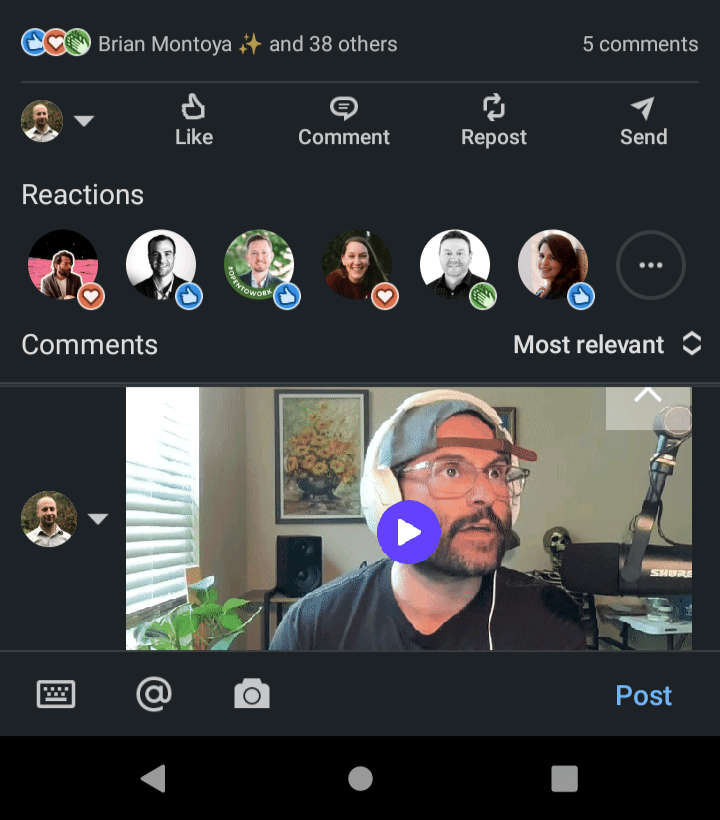
- Paste the link into the LinkedIn comment and it automatically unfurls into a video preview.

Please notethat GIF previews only show when you post the URL from a mobile device (the LinkedIn mobile app, mobile Chrome, mobile Safari, etc).
How to Post a Video in a LinkedIn Comment with a Thumbnail
To post your video in a LinkedIn comment, launch the Share modal through your dashboard or video edit page.- Click the chain-link icon (its tooltip reads Copy Link) to copy the share URL to your clipboard

- Paste the link in the LinkedIn postfrom a mobile device (LinkedIn mobile app, mobile Chrome, mobile Safari, etc). The link will automatically unfurl to provide a preview of your video.
Frequently asked questions
Can I post a video directly in a LinkedIn comment?
Can I post a video directly in a LinkedIn comment?
No. LinkedIn does not support videos in comments. The workaround is to share your Sendspark video as a link, which unfurls into a GIF thumbnail preview that recipients can click to watch.
Why isn't my GIF thumbnail showing in the comment?
Why isn't my GIF thumbnail showing in the comment?
GIF previews only show when you post the URL from a mobile device, such as the LinkedIn mobile app, mobile Chrome, or mobile Safari. If you paste from desktop, the preview won’t unfurl the same way.
What happens after I paste the link?
What happens after I paste the link?
Once you paste the link into your LinkedIn comment from a mobile device, it automatically unfurls to provide a preview of your video, so viewers can click through to watch.