

Key takeaways
- Trigger on Sendspark: New Video Played - Specific Campaign to catch prospects who watched a chosen video or campaign.
- Use an Instantly Search Lead action with the contact email from the trigger step, then a Router tool to separate leads who replied from those who didn’t.
- Enroll non-repliers into a follow-up campaign with Add Lead to Campaign in Instantly.
- A short, casual follow-up works best, for example: “Hey [First Name], I noticed you watched the video I sent. I’d love to hear your thoughts.”
Step 1: Create an Automation in Sendspark
- Log into your Sendspark dashboard.
- Go to Agentic Workflows in the menu.
- Click New automation and name it something like Video Viewed — No Reply.
Step 2: Set the Trigger to “Video Played”
- In the automation builder, choose Trigger → Sendspark: New Video Played - Specific Campaign
- Select the video or campaign you want to track.

Step 3: Check for Replies in Instantly
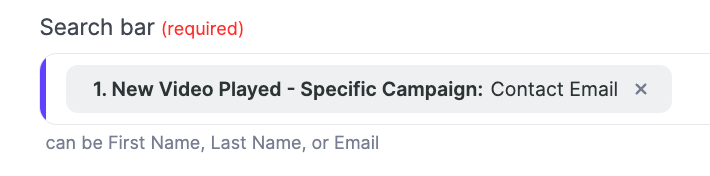
- Add an Action to Search Lead in Instantly

- Use the contact email from your first step
- Then add a Router tool to distinguish between leads who have replied or not
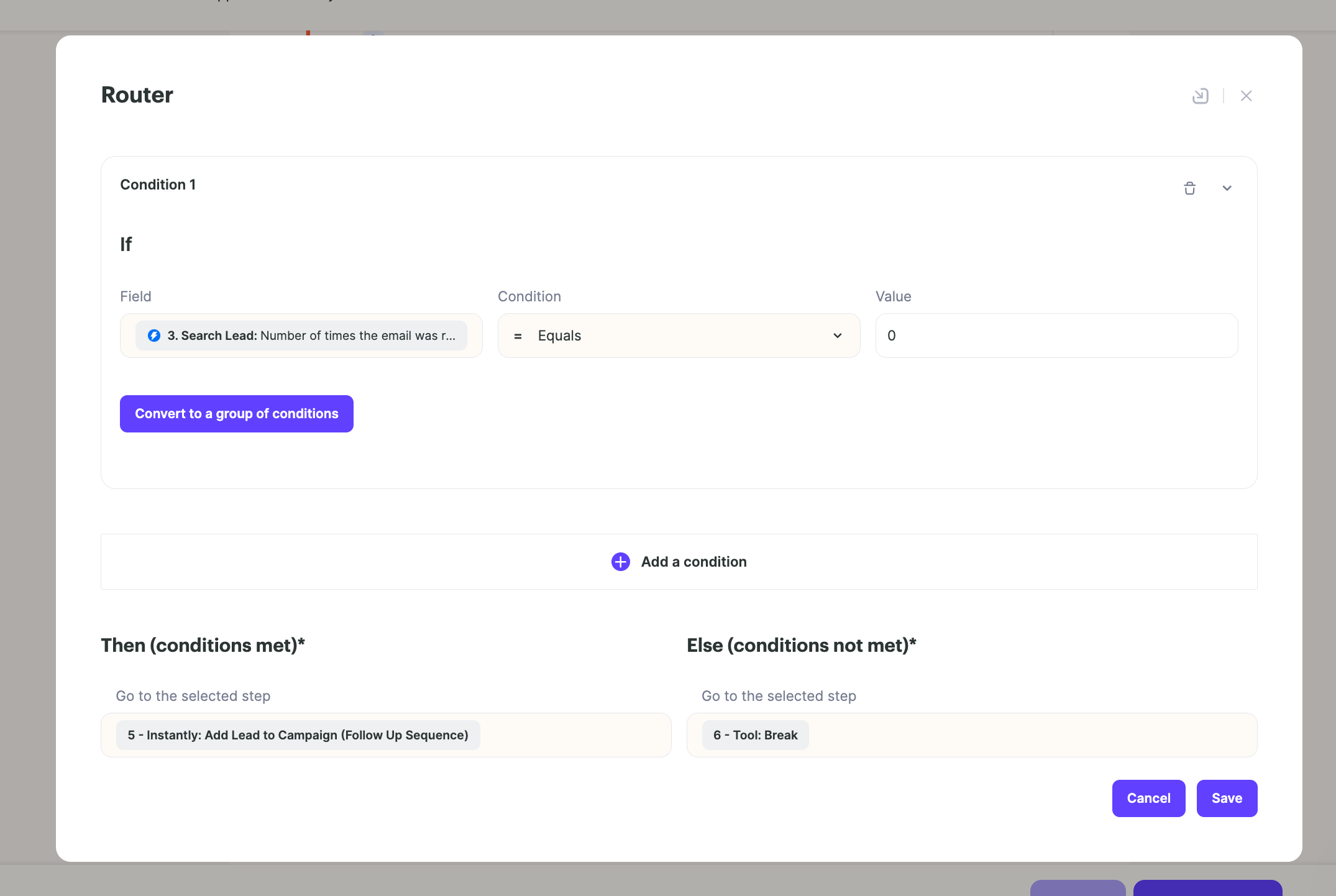
Step 4: Add to a Follow-Up Campaign in Instantly
- If no reply is found, enroll the contact into a follow-up sequence in Instantly.

- Add an additional Action to Add Lead to Campaign in Instantly
- In that campaign, you can have a a short, casual follow-up email such as: “Hey [First Name], I noticed you watched the video I sent. I’d love to hear your thoughts.”
Step 5: Start Automation
- When you’re ready, hit the Start button to turn on your automation.
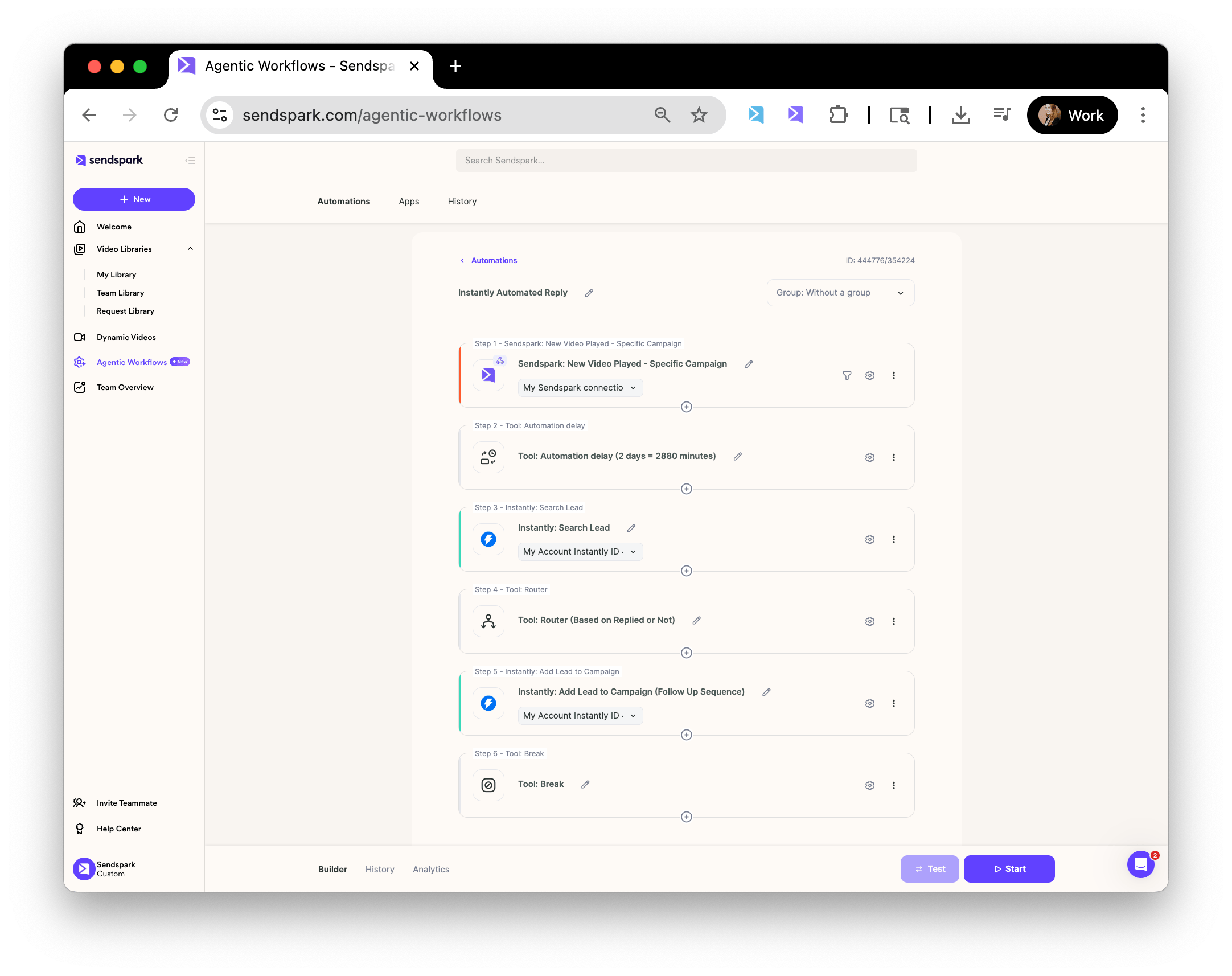
- Your whole automation should look something like this:
Frequently asked questions
What triggers the follow-up email?
What triggers the follow-up email?
The Sendspark trigger New Video Played - Specific Campaign, which fires when a prospect watches the video or campaign you selected.
How does it avoid emailing people who already replied?
How does it avoid emailing people who already replied?
Add an Instantly Search Lead action using the contact email from the trigger step, then a Router tool to distinguish between leads who have replied and those who haven’t. Only non-repliers continue to the follow-up.
Where does the follow-up email get sent?
Where does the follow-up email get sent?
If no reply is found, the contact is enrolled into a follow-up sequence in Instantly using the Add Lead to Campaign action.
What should the follow-up email say?
What should the follow-up email say?
Keep it short and casual, for example: “Hey [First Name], I noticed you watched the video I sent. I’d love to hear your thoughts.”
How do I turn the automation on?
How do I turn the automation on?
When you’re ready, hit the Start button to turn on your automation.