

Key takeaways
- Create a workspace for your team and for each client via Change Workspace → Create Workspace in the bottom-left menu.
- Each workspace is entirely independent (separate brand styles, assets, and team members), and you can hop between them.
- New workspaces start without a paid subscription and can be upgraded and billed directly to the client via billing settings. Sendspark has no free tier, so a workspace needs a plan before the client can use it beyond the trial.
- A new workspace is a near-blank slate — no branding, team, billing, templates, or videos carry over (to avoid privacy leaks); only personal account settings like name, email, and recording preferences transfer.
- You can create workspaces for your team and each of your clients
- Each workspace is entirely independent from other workspaces (with different brand styles, assets, and team members), but you will be able to hop between them.
- Each workspace is created without a paid subscription, and can be upgraded and billed directly to your client by adding payment information in thebilling settings.
How to Create and Manage Sub-Accounts
Create new workspace by clicking “Change Workspace” on the menu on the bottom left of Sendspark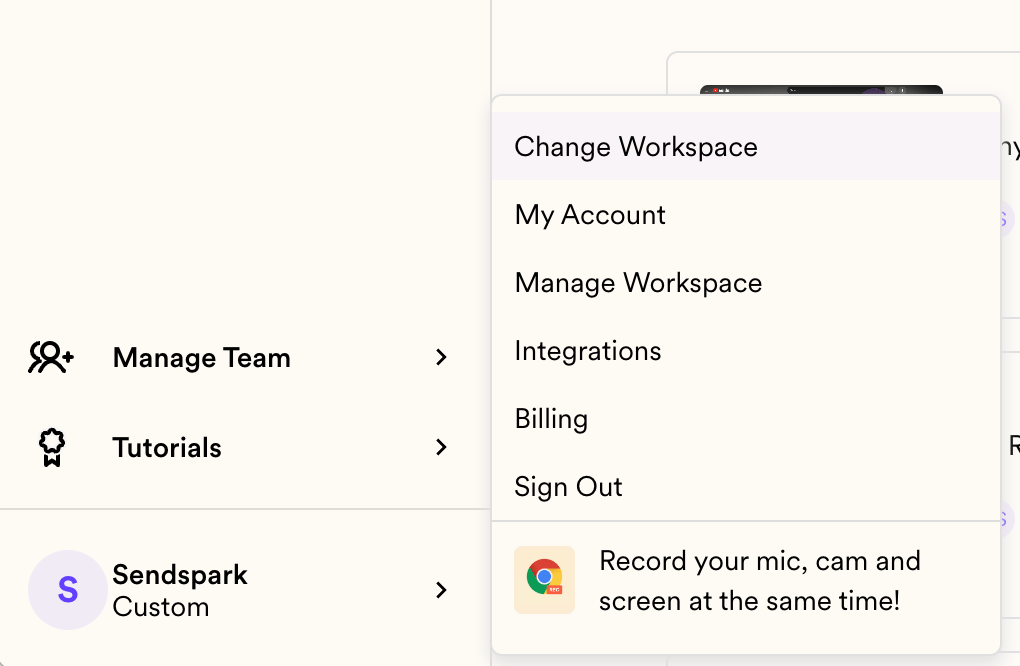
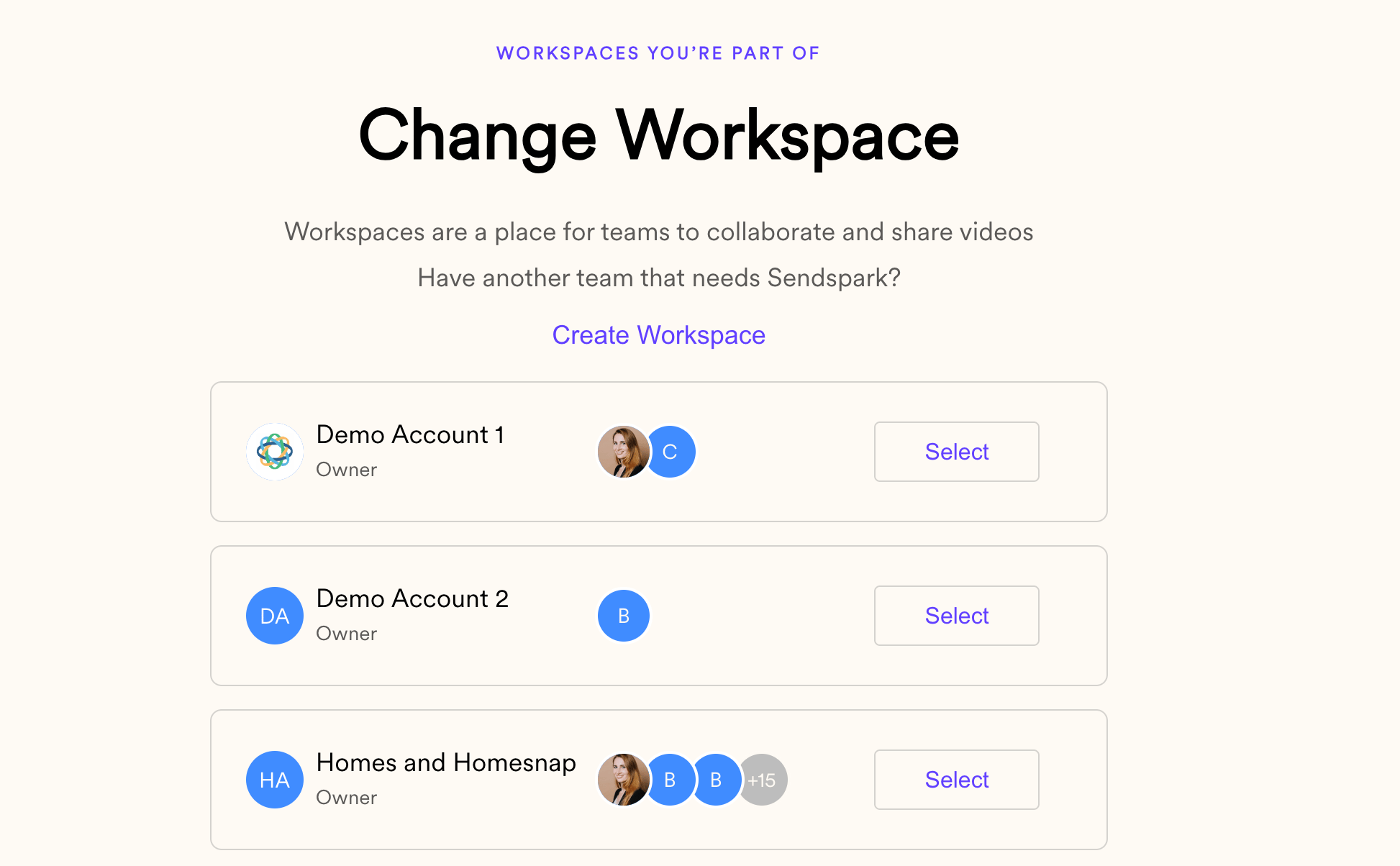
- Upload your logo and set your brand styles
- Create templates to add to videos after recording
- Create folders you will use to manage videos
Frequently asked questions
How do I create a new sub-account?
How do I create a new sub-account?
Click Change Workspace in the bottom-left menu of Sendspark, then click Create Workspace. From that same panel you can also switch into any workspace you’re part of.
Are workspaces separate from each other?
Are workspaces separate from each other?
Yes. Each workspace is entirely independent, with its own brand styles, assets, and team members. You can hop between the workspaces you belong to.
How is billing handled for each client?
How is billing handled for each client?
Each workspace is created without a paid subscription and can be upgraded and billed directly to your client by adding payment information in the billing settings. There’s no free tier, so each client workspace needs its own plan.
Does my branding and content carry over to a new workspace?
Does my branding and content carry over to a new workspace?
No. A new workspace starts as a near-blank slate — none of your branding, team members, billing, templates, or videos are imported, which prevents privacy leaks. Only personal account settings like your name, email, and some recording preferences carry over.