

Key takeaways
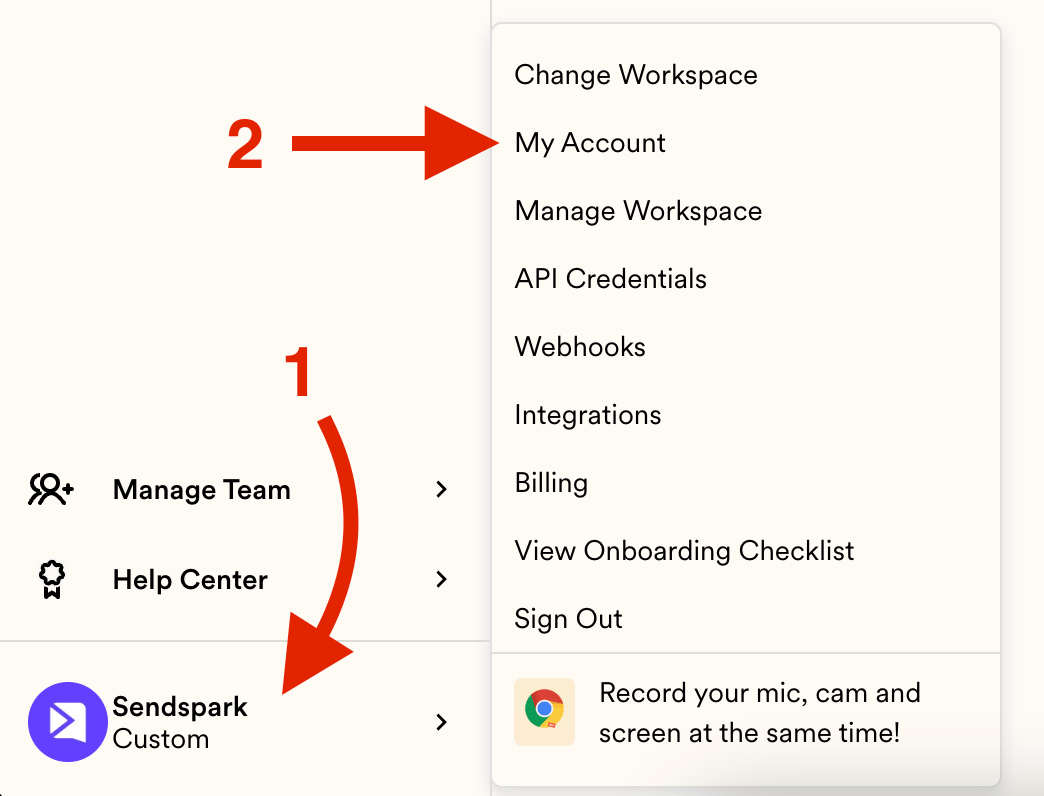
- Open the menu and head to My Account to reach your profile.
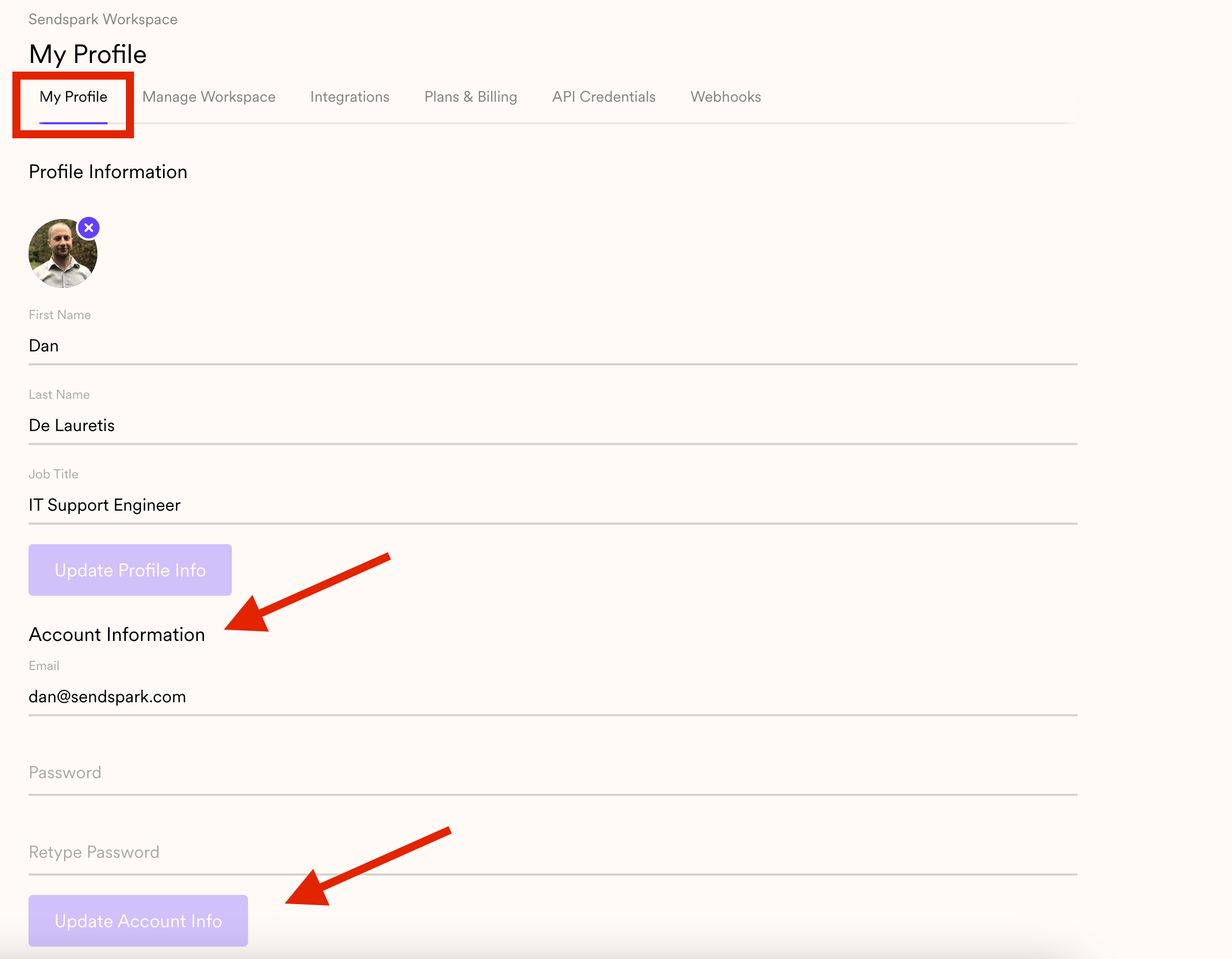
- Set your new email and password under the Account Information section.
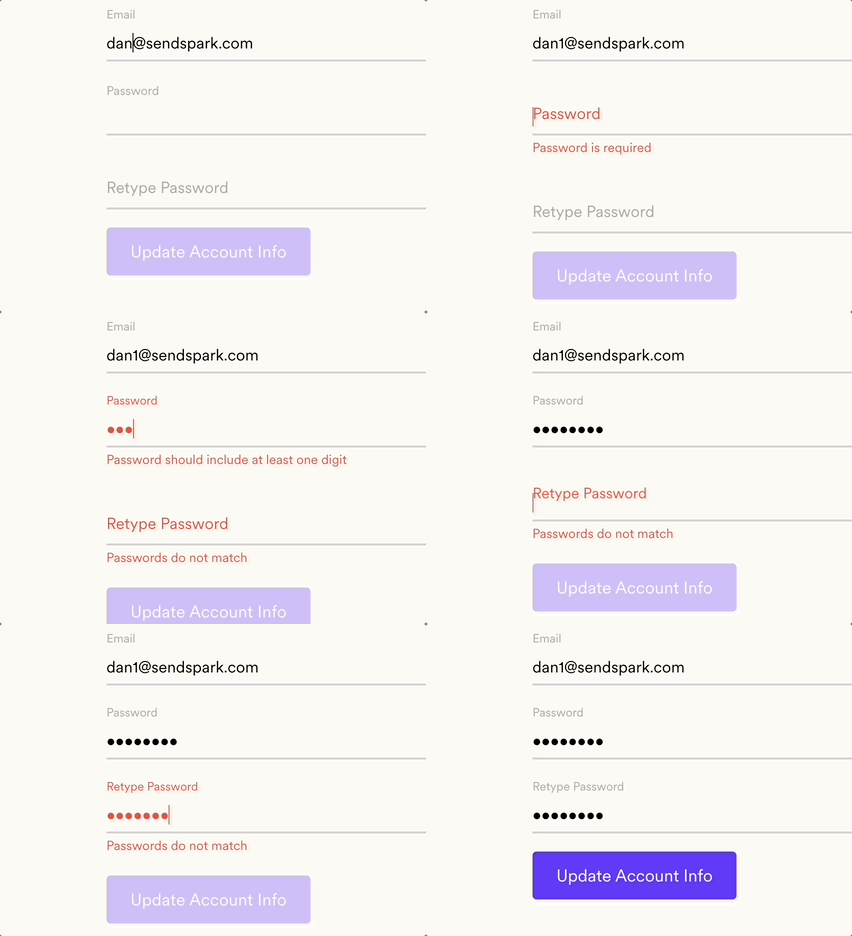
- Click Update Account Info to save your changes, then log in with the new credentials.
- If you have any issues, email support@sendspark.com.
Frequently asked questions
Where do I change my email and password?
Where do I change my email and password?
Click on your menu and head to My Account. This opens your profile, and under the Account Information section you’ll be able to set your new credentials.
How do I save my new credentials?
How do I save my new credentials?
Enter your new email and password under Account Information, then hit UPDATE to finish the process. You can then use these credentials to log in to your account.
What if I run into a problem changing my email?
What if I run into a problem changing my email?
If you have any issues through this process, send an email to support@sendspark.com and the team will help.