

Key takeaways
- After a prospect is generated, an Edit button appears next to it that opens a drawer for updating the prospect’s information.
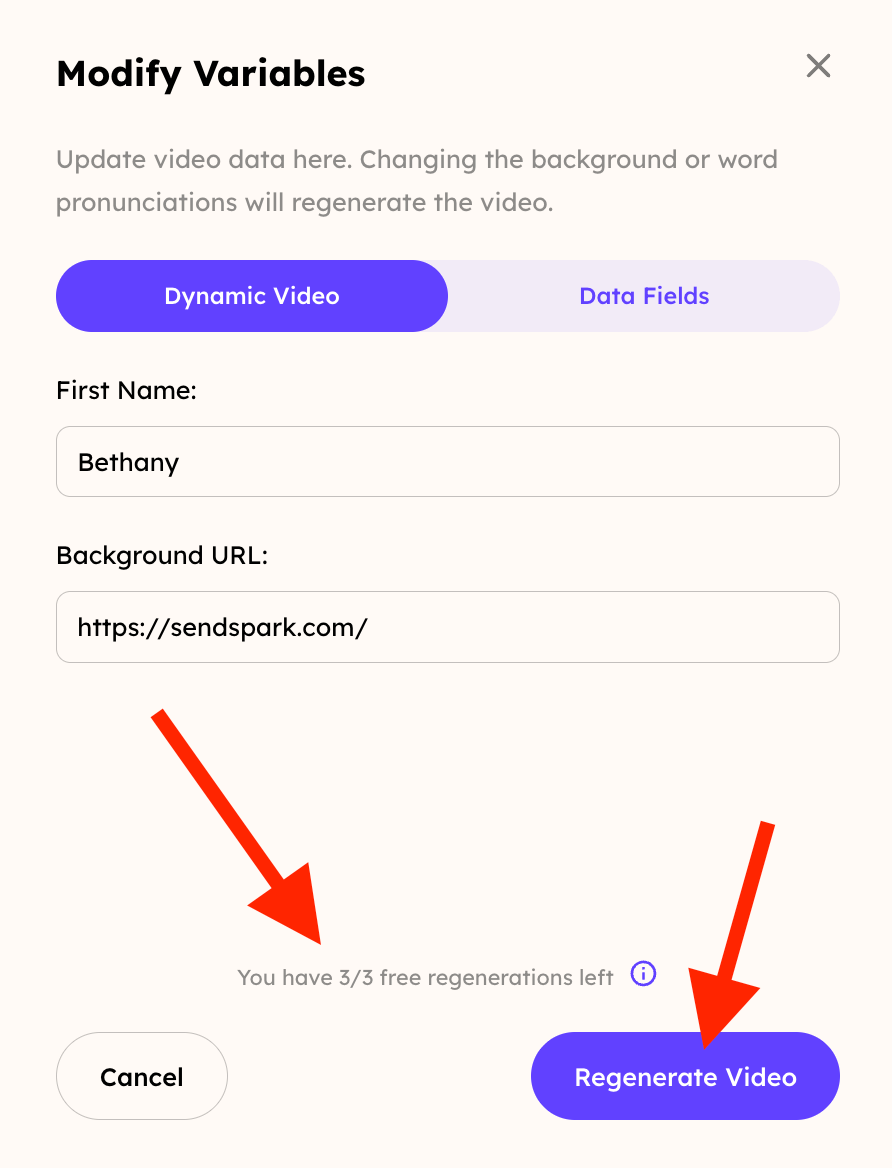
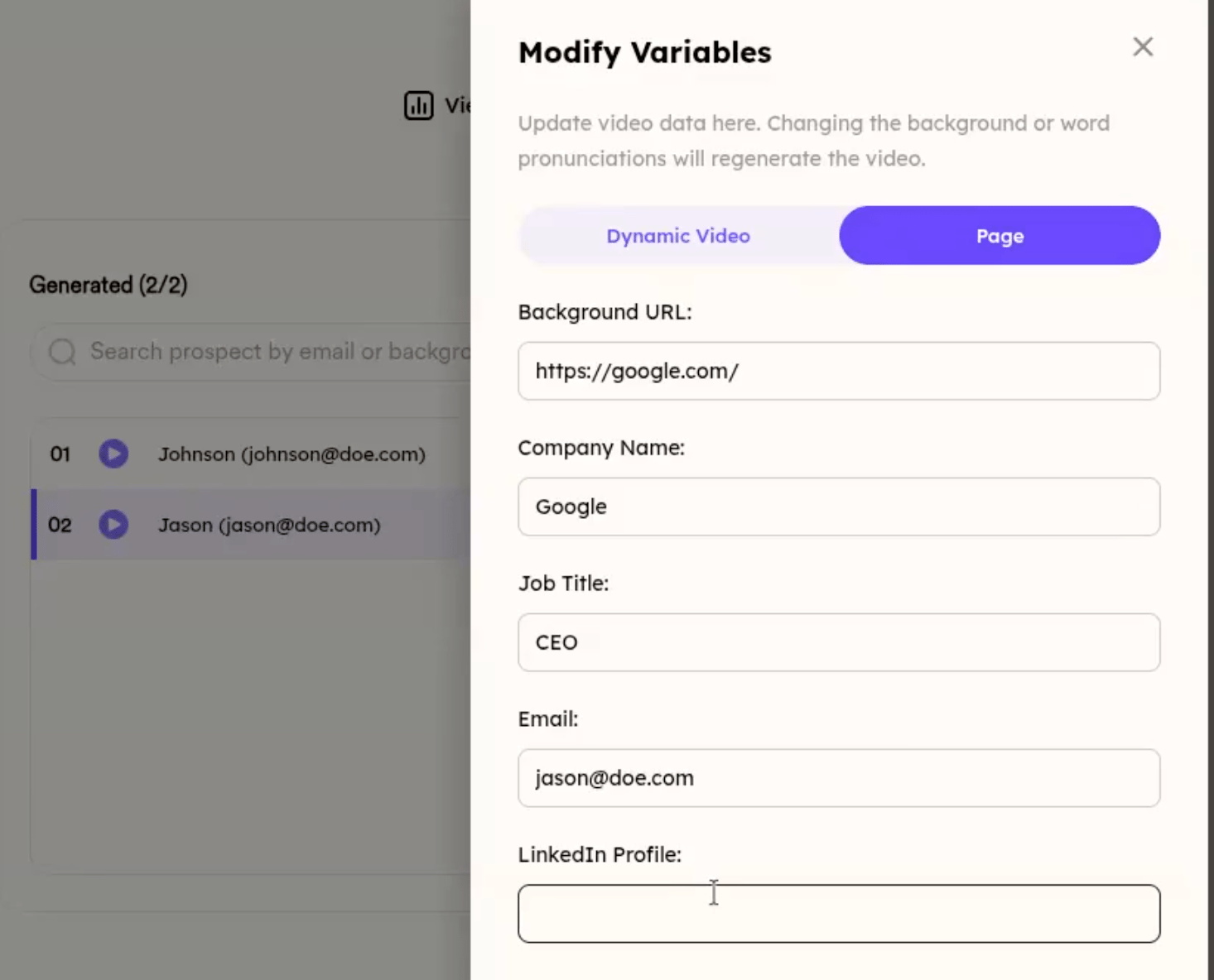
- Fields inside the DYNAMIC VIDEO tab trigger a new video render; fields in the PAGE tab can be changed safely without regenerating the video.
- You can regenerate a video up to 3 times for free; after that, regenerations may incur charges. A visual indicator shows how many regenerations are left.
- Updating only PAGE fields refreshes the video page immediately with no limit on how many times you can do it.
🔧 How to Edit Prospect Variables and Regenerate Videos in the Workspace
In your Sendspark workspace, you can now edit prospect variables after a video has been generated. Here’s how it works and what to expect regarding video regeneration limits.✏️ Step 1: Click the Edit Button
Once you’ve generated a prospect, you’ll see an “Edit” button next to it. Clicking this button opens a drawer with options to update the prospect’s information.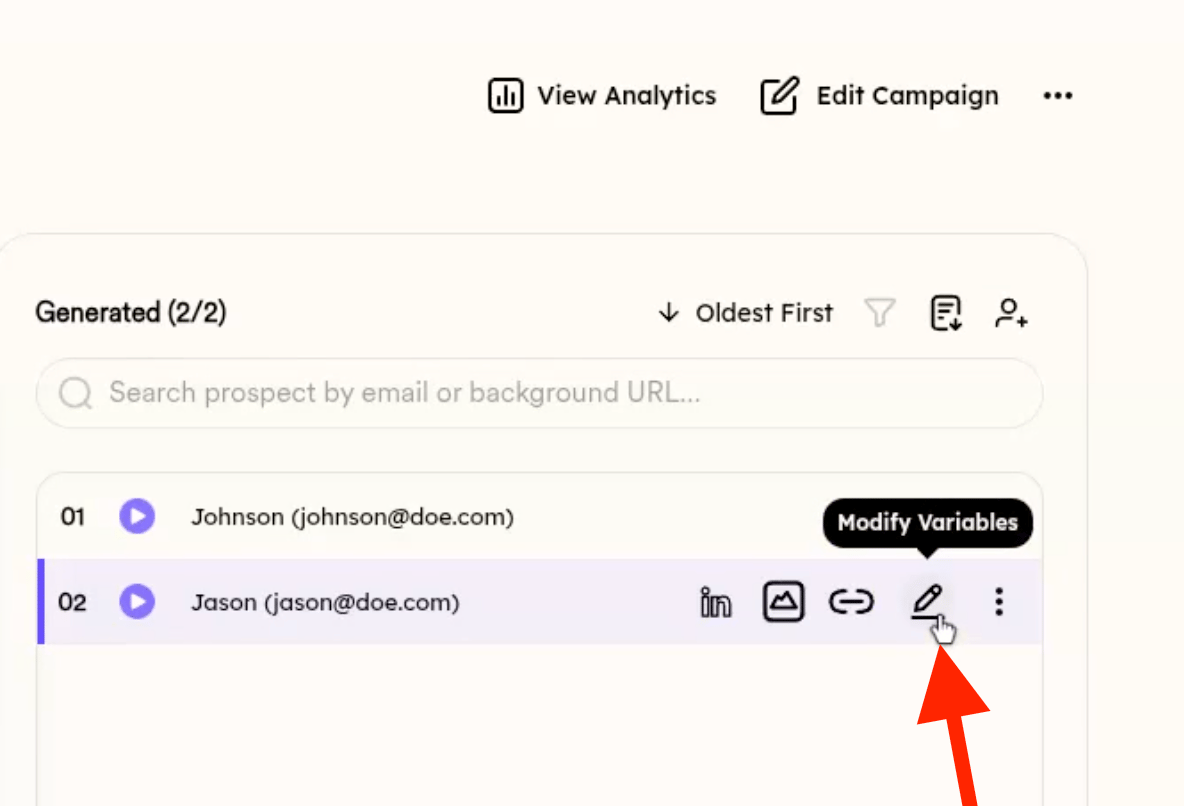
🧩 Step 2: Understand What Fields Trigger Video Regeneration
Inside the drawer:- Fields inside the DYNAMIC VIDEO tab will regenerate the video:
🔁 Step 3: Regeneration Limits
To avoid overuse, you can regenerate a video up to 3 times for free. After that, regenerations may incur charges. You’ll see a visual indicator of how many regenerations are left: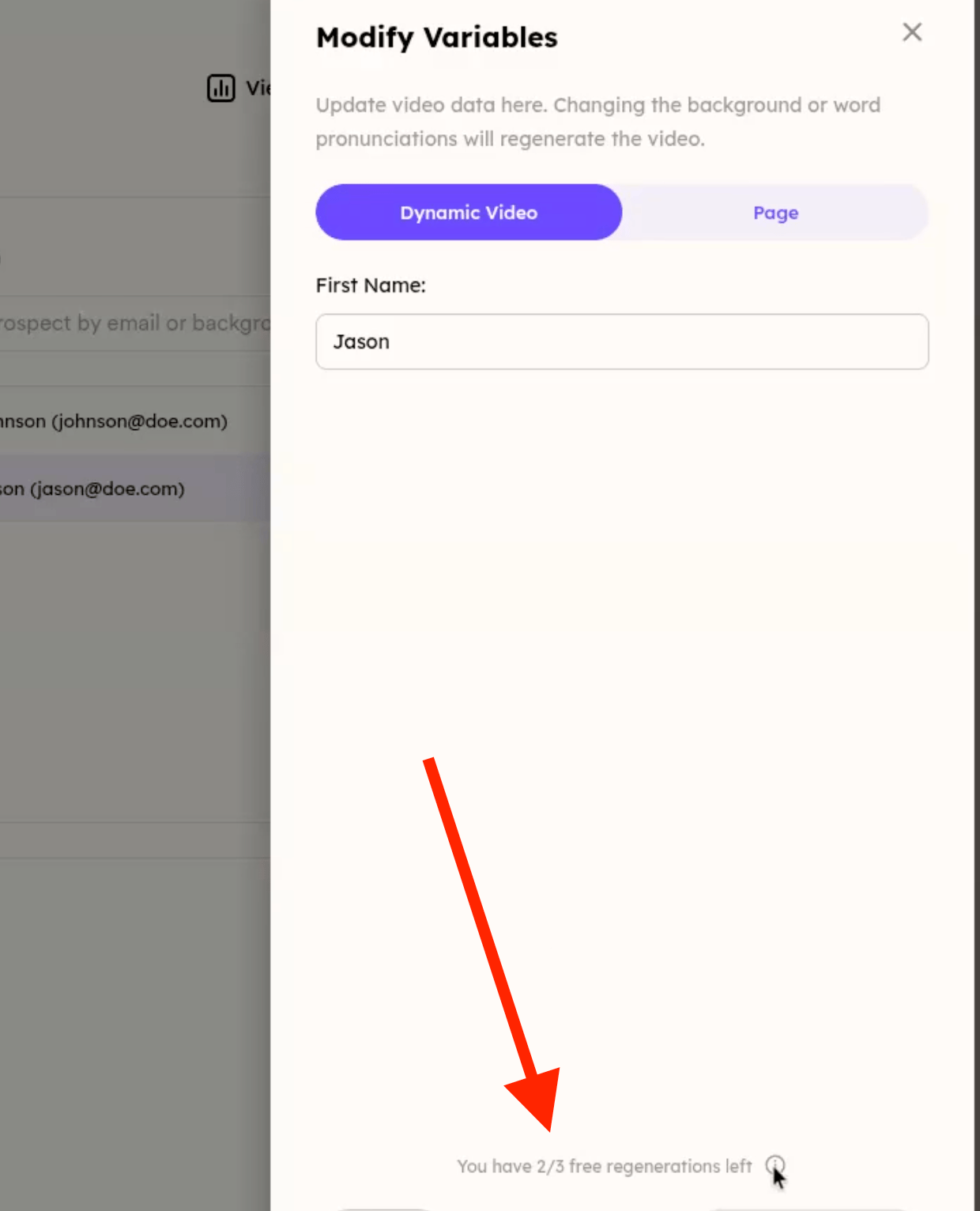
✅ Step 4: Update Page Without Regenerating
If you only update fields in the PAGE section, the video page is updated immediately without any regeneration needed — and there’s no limit on how many times you can do this.Frequently asked questions
Can I edit a prospect's variables after the video is generated?
Can I edit a prospect's variables after the video is generated?
Yes. Once you’ve generated a prospect, an Edit button appears next to it. Clicking it opens a drawer where you can update the prospect’s information.
Which fields cause the video to regenerate?
Which fields cause the video to regenerate?
Fields inside the DYNAMIC VIDEO tab regenerate the video. Fields in the PAGE tab are non-regeneration fields, so you can change them safely without triggering a new video.
How many times can I regenerate a video?
How many times can I regenerate a video?
You can regenerate a video up to 3 times for free. After that, regenerations may incur charges. A visual indicator shows how many regenerations you have left.
Is there a limit on updating the page without regenerating?
Is there a limit on updating the page without regenerating?
No. If you only update fields in the PAGE section, the video page is updated immediately without any regeneration needed, and there’s no limit on how many times you can do this.