

Key takeaways
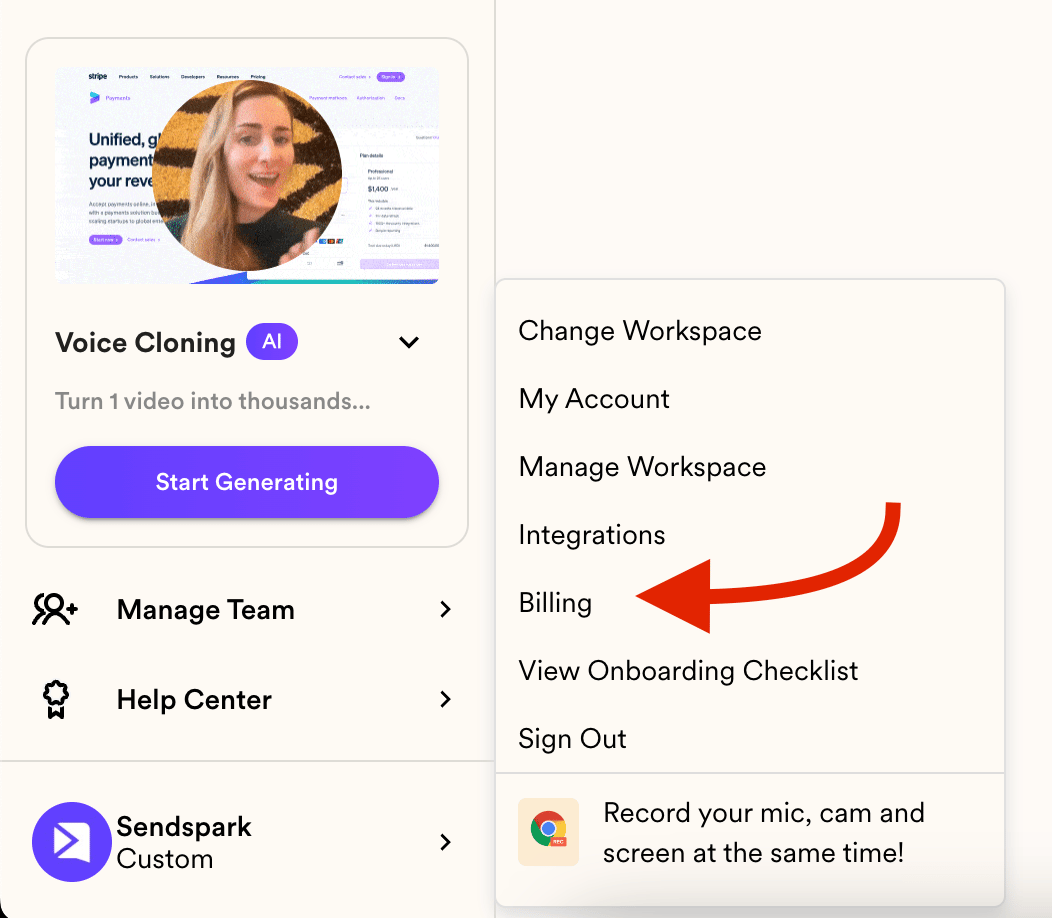
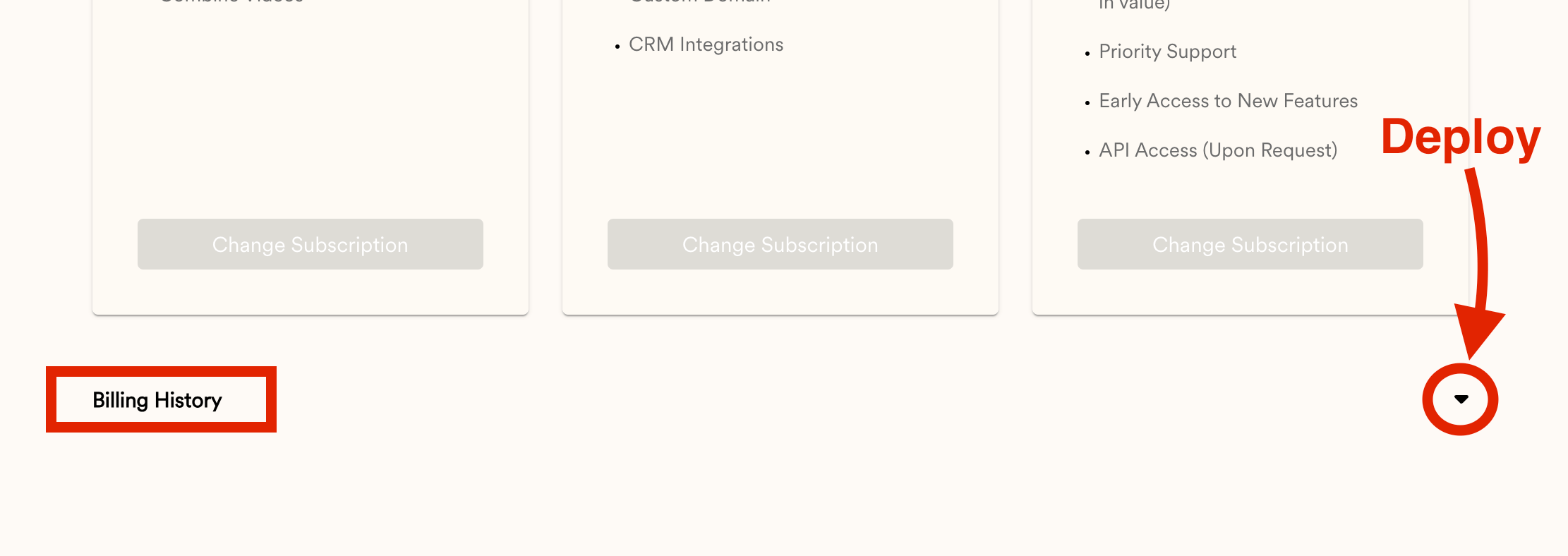
- Invoices live under your account Menu → BILLING. Scroll to the bottom and click the arrow on the right to expand your billing history.
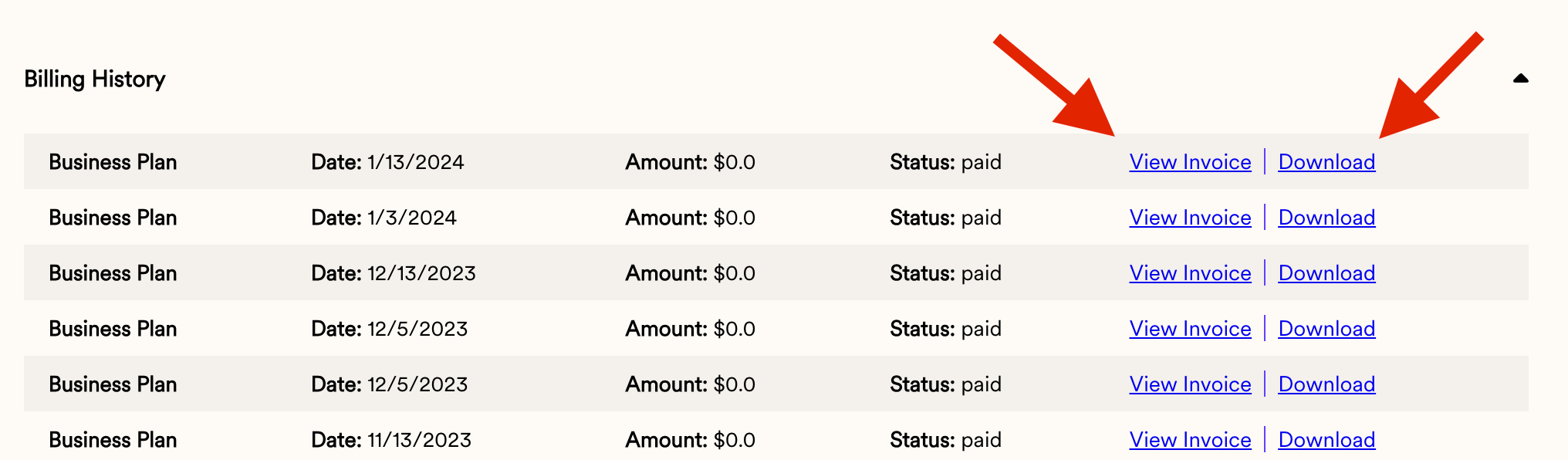
- Each invoice can be viewed online or downloaded.
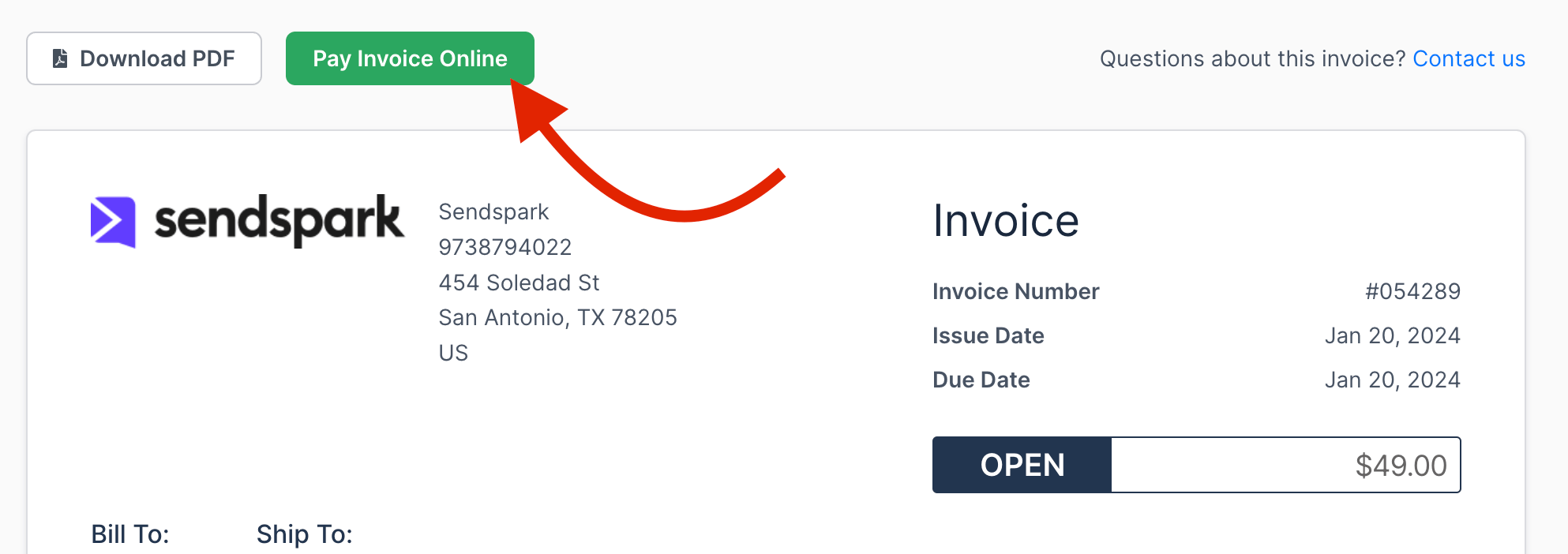
- To pay an invoice manually, click View Invoice, then head to Pay Invoice Online.
- Head to your account Menu and click on BILLING:
- Scroll all the way down and click on the arrow to the right to deploy the invoices:
- You can then View the Invoice online or download the invoice:
- If you need to pay an Invoice manually, click on VIEW INVOICE and then head to Pay Invoice Online.
Frequently asked questions
Where do I find my invoices?
Where do I find my invoices?
Head to your account Menu and click BILLING. Scroll all the way down and click the arrow on the right to expand your billing history.
Can I download my invoices?
Can I download my invoices?
Yes. From your billing history you can either view the invoice online or download it.
How do I pay an invoice manually?
How do I pay an invoice manually?
Click View Invoice, then go to Pay Invoice Online to pay it.
My payment keeps failing. What should I check?
My payment keeps failing. What should I check?
First update your payment method, since an expired card is the usual cause. If the card is current and still declined, see why your card doesn’t support this payment.
How do I stop being billed?
How do I stop being billed?
See how to cancel Sendspark, which covers cancelling through the billing portal and what happens to your account and videos afterwards.