

Key takeaways
- You get an email notification automatically when the first lead watches your video — no setup required.
- Add real-time Slack alerts in Agentic Workflows with the New Video Watched trigger and a Slack “send a message” action.
- Webhooks only send two event types: Video Played (clicked play) and Video Watched 100% (watched fully).
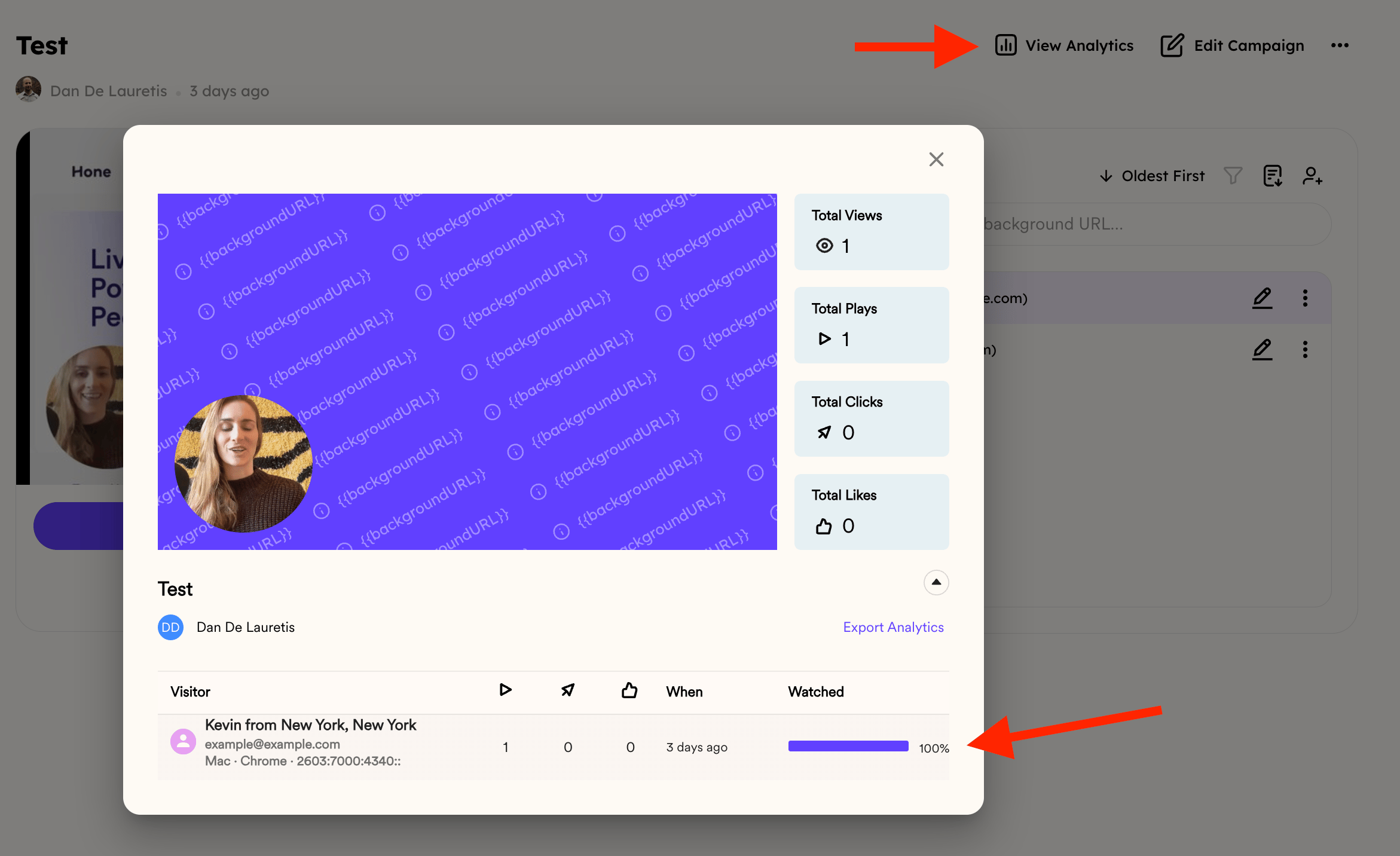
- Percentage watched shows up in three places: per viewer in Viewer Insights, per campaign in the Dynamic Video Campaign dashboard (which also has total view time, play rate, and click-throughs), and as a team average in Team Insights.
Email Notifications
By default, you’ll receive an email notification when the first lead clicks and watches your video. No setup required.Slack Notifications
If you want real-time team alerts, you can connect Sendspark with Slack: We have a specific Help Article for that right here- Go to Agentic Workflows
- Click New automation
- Add the trigger: Sendspark: New Video Watched – All Campaigns
- Add the action: Slack → Send a message to a public channel
- Connect your Slack account and pick the channel where you want updates
Webhooks and Automation Notifications
If you want to send notifications into another system (CRM, custom app, etc.), you can use webhooks with the New Video Watched trigger. Important: Webhooks only send two types of events:- Video Played → someone clicked play (even if they only watched a few seconds).
- Video Watched 100%→ someone watched the video all the way through.
Summary
- Email & Slack → quick notifications when someone watches.
- Dashboard analytics → see exact percentage watched and other engagement stats.
- Webhooks → great for automation, but limited to “played” or “fully played” events.
Frequently asked questions
Do I need to set anything up to get watch notifications?
Do I need to set anything up to get watch notifications?
No. By default you receive an email notification when the first lead clicks and watches your video, with no setup required.
How do I get Slack alerts when someone watches a video?
How do I get Slack alerts when someone watches a video?
In Agentic Workflows, click New automation, add the trigger Sendspark: New Video Watched – All Campaigns, add the action Slack → Send a message to a public channel, then connect Slack and choose your channel. See the Slack notifications article for details.
What events do webhooks send?
What events do webhooks send?
Webhooks send only two events: Video Played (someone clicked play, even for a few seconds) and Video Watched 100% (someone watched all the way through). For watch percentages between those, check the campaign analytics.
Where do I see exactly how much of a video was watched?
Where do I see exactly how much of a video was watched?
Three places, at different granularities. For a single viewer, open the Analytics modal and check the % Watched column in Viewer Insights. For a whole campaign, open the Dynamic Video Campaign dashboard, which also shows total view time, play rate, and click-throughs. For a team average per member, see Team Insights.