> ## Documentation Index
> Fetch the complete documentation index at: https://help.sendspark.com/llms.txt
> Use this file to discover all available pages before exploring further.
# Variables and Placeholders in Sendspark Videos
> Learn how to use text and voice variables in Sendspark videos including first name, company name, email, and custom fields.
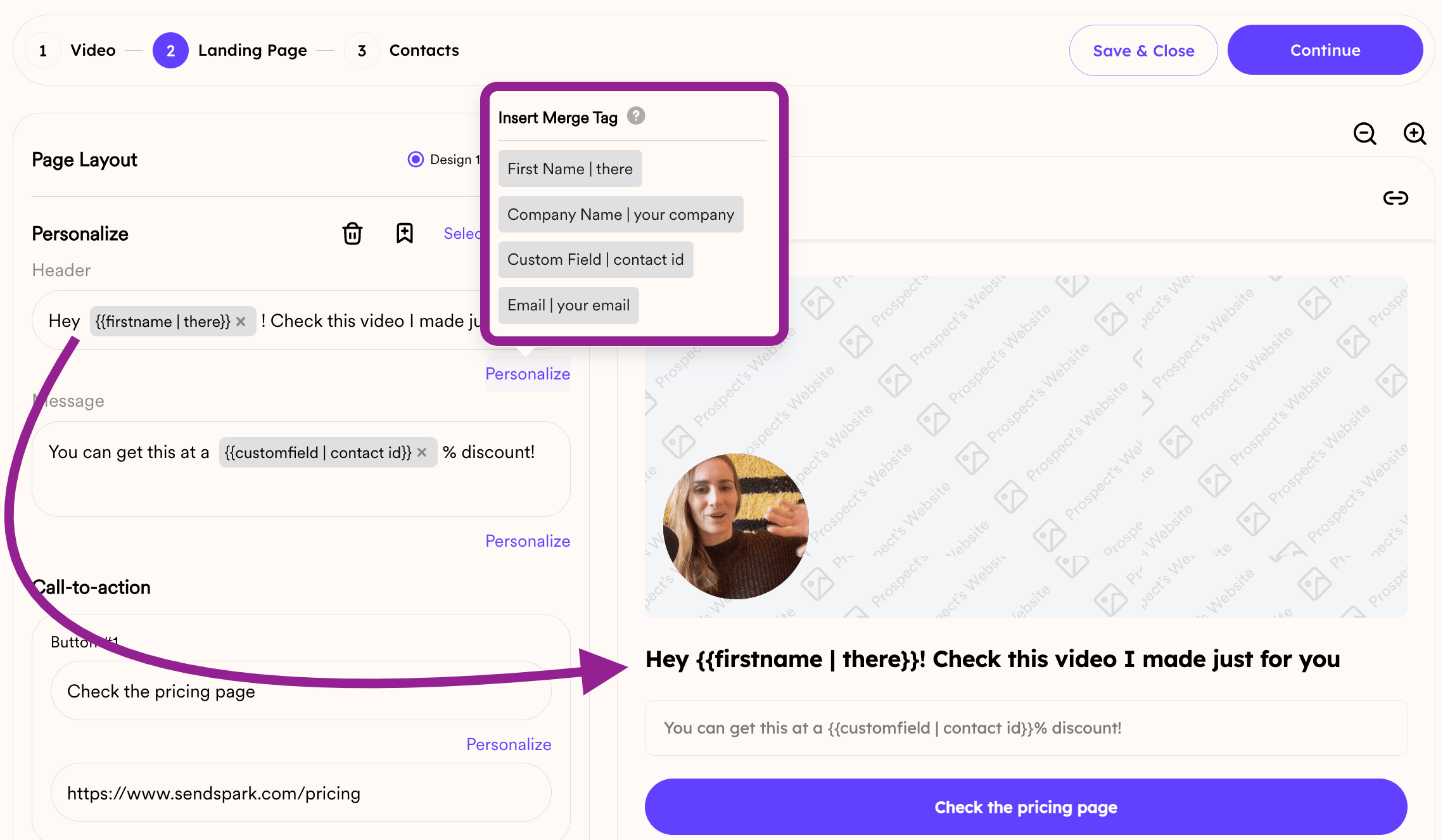
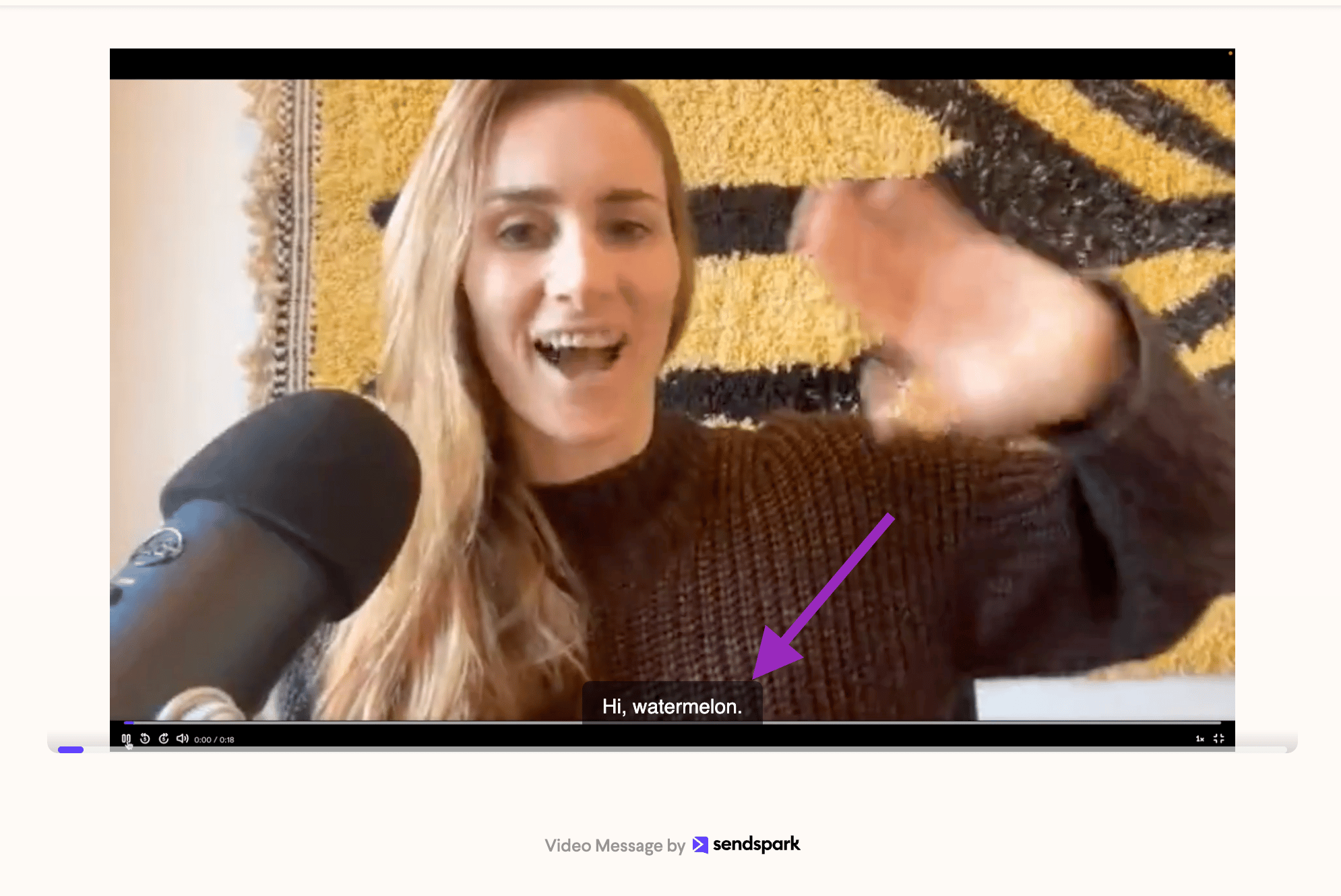
Sendspark supports two kinds of variables for personalizing videos: text variables and voice (AI voice cloning) variables. Text variables — first name, company name, email, and a custom field — personalize the video landing page template. AI voice cloning currently supports only the first name variable, used once at the very beginning of the dynamic video.
## Key takeaways
* Sendspark has two variable types: **text variables** and **AI voice-cloning (voice) variables**.
* Text variables available for landing page templates are first name, company name, email, and a custom field.
* AI voice cloning currently supports only the first name variable, and only once at the beginning of the video.
* You can only replace the specified variables — you can't dynamically replace whole sentences.
**Using Dynamic Variables in Sendspark**
**Two Types of Variables: Text and Voice Variables (Or Placeholders)**
**1. Text Variables:** These are used in the templates for the landing page of videos that Sendspark generates. The available options include First name, Company name, email, and a Custom Field
 **2. AI Voice Cloning:** Currently, this supports only the first name variable. It can be used once and only at the beginning of the dynamic video.
 While Sendspark is exploring adding more variables in the future, it's important to note that you can't dynamically replace whole sentences, only the specified variables.
## Frequently asked questions
Text variables are used in the templates for the landing page of the videos Sendspark generates. The available options are first name, company name, email, and a custom field.
AI voice cloning currently supports only the first name variable. It can be used once, and only at the beginning of the dynamic video.
No. You can only replace the specified variables, not entire sentences. Personalization is limited to the defined variable slots.
Sendspark is exploring adding more variables in the future, but today you're limited to the text and voice variables listed above.
*Updated July 2026.*
While Sendspark is exploring adding more variables in the future, it's important to note that you can't dynamically replace whole sentences, only the specified variables.
## Frequently asked questions
Text variables are used in the templates for the landing page of the videos Sendspark generates. The available options are first name, company name, email, and a custom field.
AI voice cloning currently supports only the first name variable. It can be used once, and only at the beginning of the dynamic video.
No. You can only replace the specified variables, not entire sentences. Personalization is limited to the defined variable slots.
Sendspark is exploring adding more variables in the future, but today you're limited to the text and voice variables listed above.
*Updated July 2026.*