> ## Documentation Index
> Fetch the complete documentation index at: https://help.sendspark.com/llms.txt
> Use this file to discover all available pages before exploring further.
# Toggle Voice Cloning On/Off
> Learn how to enable or disable Sendspark voice cloning to personalize AI-generated video narration for your sales and marketing outreach.
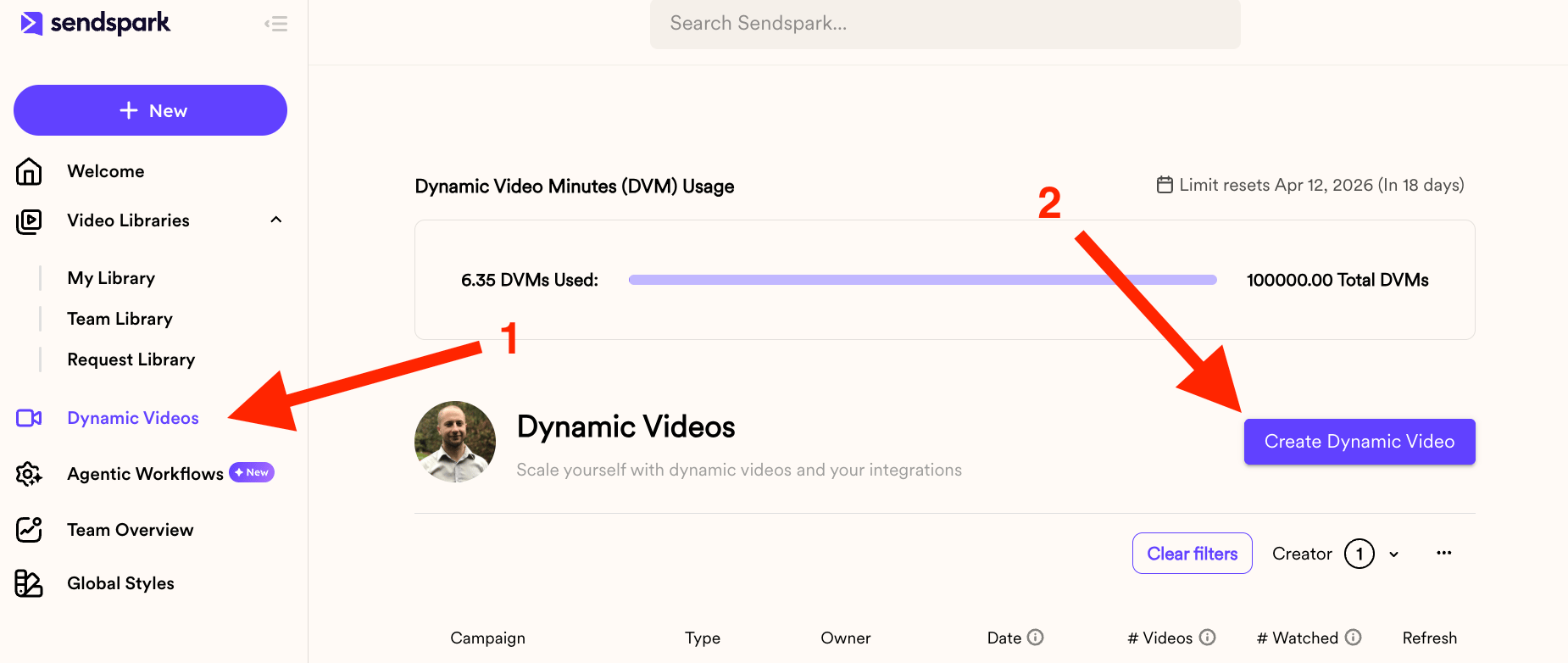
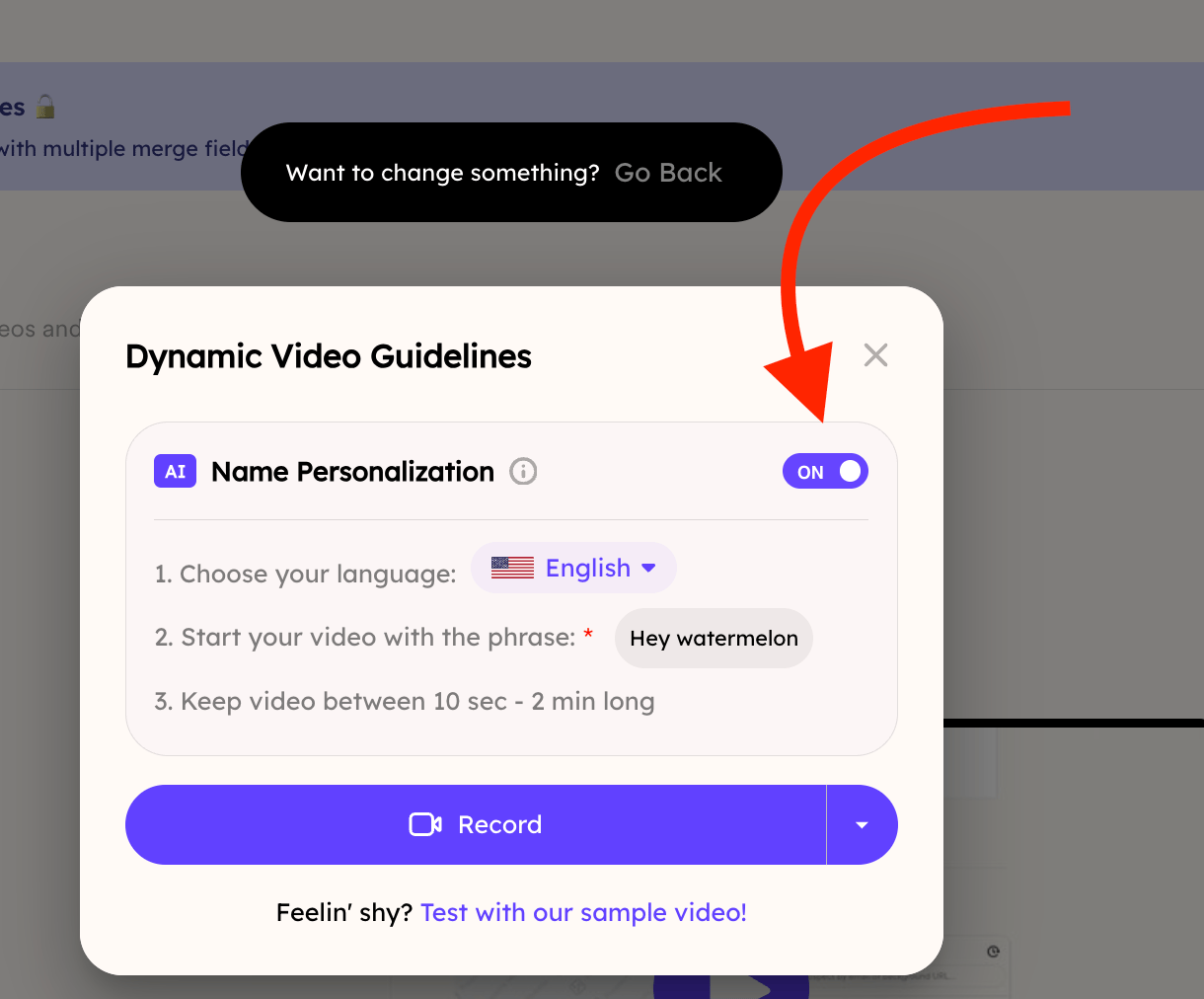
To toggle voice cloning, create a Dynamic Video campaign from the Dynamic Videos section in the left nav. Voice cloning, labeled "name personalization," is ON by default, so no action is needed to use it. If you want videos with only a dynamic background and no AI voice, simply turn that option off.
## Key takeaways
* Voice cloning is the same feature Sendspark labels **"name personalization"** in a Dynamic Video campaign.
* It is **ON by default** when you create a new Dynamic Video campaign, so you don't need to do anything to use it.
* You reach the setting by going to **Dynamic Videos** in the left-hand nav and clicking **Create Dynamic Video**, then naming your campaign.
* Turn it **off** if you want to generate videos with a dynamic background but no AI voice cloning.
In this tutorial, you'll learn how to toggle voice cloning on or off.
Go to the Dynamic Videos section on the left-hand side nav bar and then click on the Create Dynamic Video button
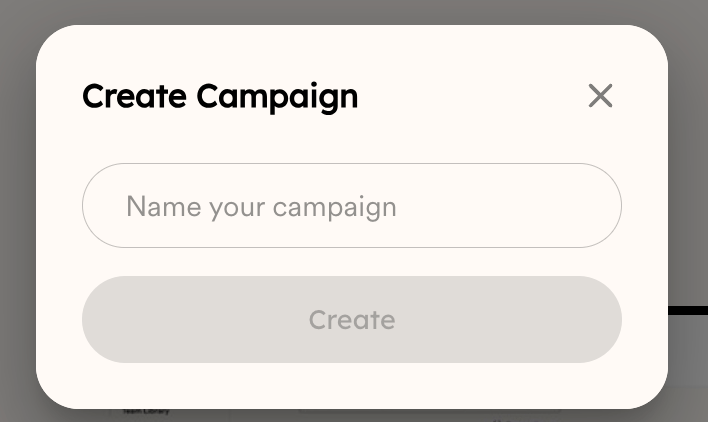
 Give your Campaign a name:
 And now you'll notice that "name personalization", which is the same thing as voice cloning, is ON by default. So nothing else is needed. But you can always turn it off if you decide to only generate videos with a dynamic background, but no AI voice cloning.
 That's all!
## Frequently asked questions
Yes. In a Dynamic Video campaign, the setting labeled "name personalization" is the same thing as voice cloning.
It is ON by default when you create a Dynamic Video campaign, so nothing else is needed to use it.
Go to the Dynamic Videos section on the left-hand nav bar, click Create Dynamic Video, and give your campaign a name. You'll then see the name personalization (voice cloning) option, which you can leave on or turn off.
You can turn it off if you decide to only generate videos with a dynamic background and no AI voice cloning.
*Updated July 2026.*
That's all!
## Frequently asked questions
Yes. In a Dynamic Video campaign, the setting labeled "name personalization" is the same thing as voice cloning.
It is ON by default when you create a Dynamic Video campaign, so nothing else is needed to use it.
Go to the Dynamic Videos section on the left-hand nav bar, click Create Dynamic Video, and give your campaign a name. You'll then see the name personalization (voice cloning) option, which you can leave on or turn off.
You can turn it off if you decide to only generate videos with a dynamic background and no AI voice cloning.
*Updated July 2026.*