> ## Documentation Index
> Fetch the complete documentation index at: https://help.sendspark.com/llms.txt
> Use this file to discover all available pages before exploring further.
# The Correct Recording Method for Dynamic Videos
> Learn how to set the correct Face recording mode for Dynamic Videos using the Sendspark Chrome extension for optimal results.
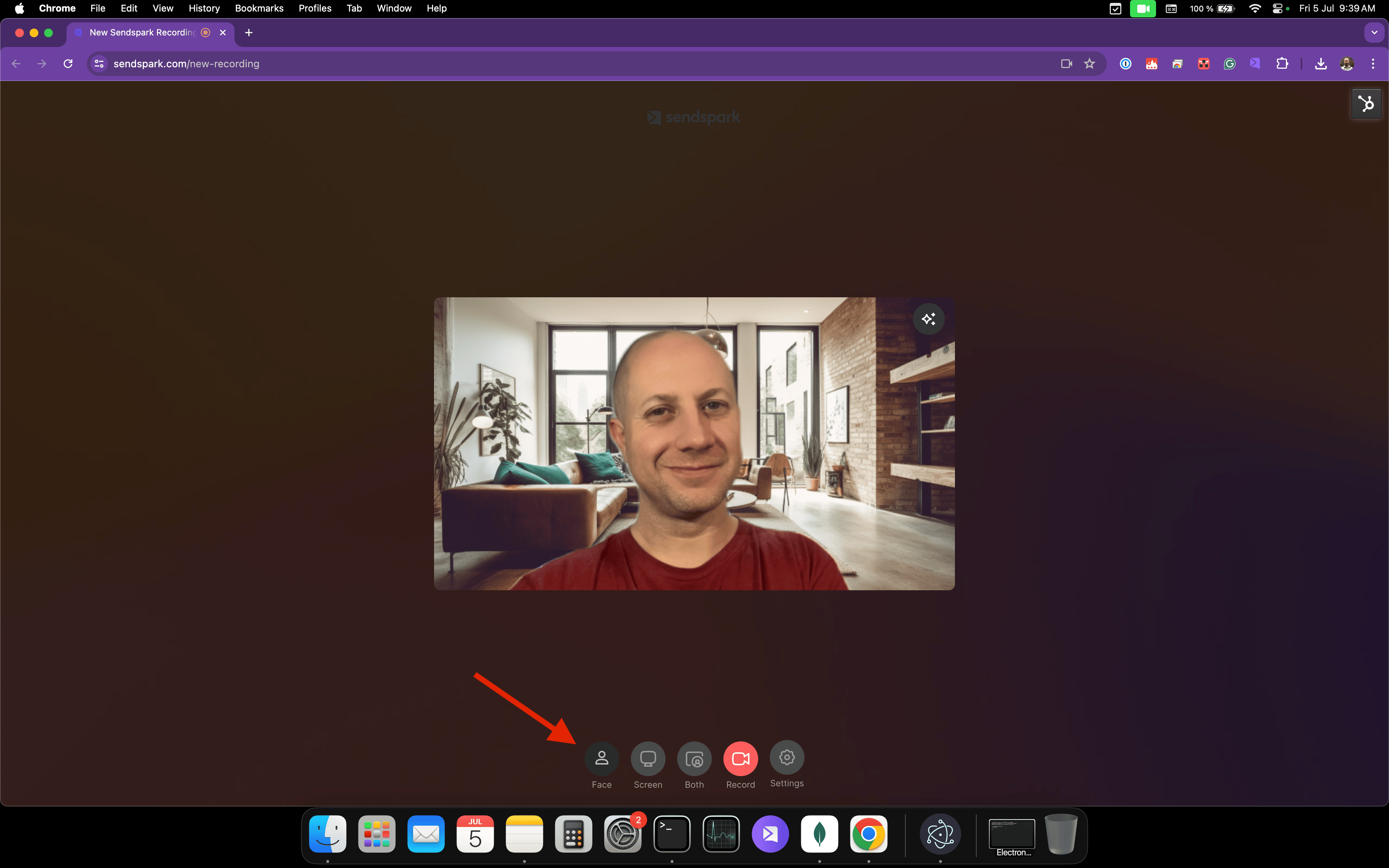
To record correctly for a Dynamic Video, set the recording method to **"Face"** in the Sendspark Chrome extension. The default mode is **"Both"** (face plus screen), which is great for standard videos but produces an unwanted result in Dynamic Videos. Switch to Face using the icons at the bottom of the recorder before you record.
## Key takeaways
* Use the **"Face"** recording method for Dynamic Videos, set from the bottom icons in the Sendspark Chrome extension.
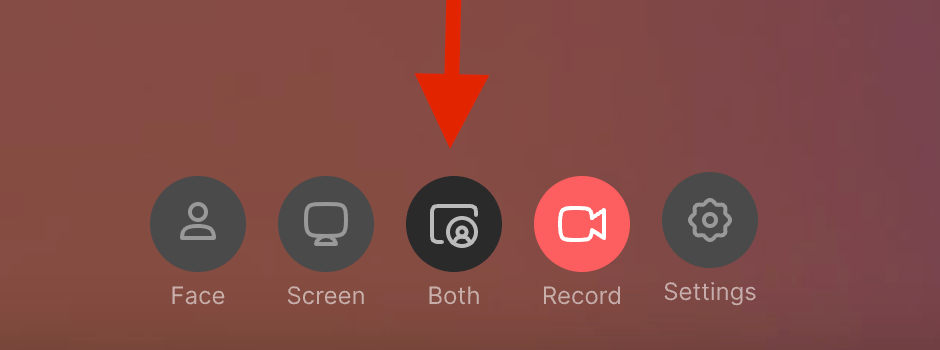
* The default method is **"Both"** (records your face along with your website/screen); the active mode appears darker than the others.
* "Both" is the best mode for regular videos, but recording in "Both" and using it in a Dynamic Video gives an unwanted result.
* Set the mode to "Face" *before* recording so your Dynamic Video displays as intended.
The correct way to record yourself for Dynamic Videos is by setting the "Face" method or mode as displayed here:
***
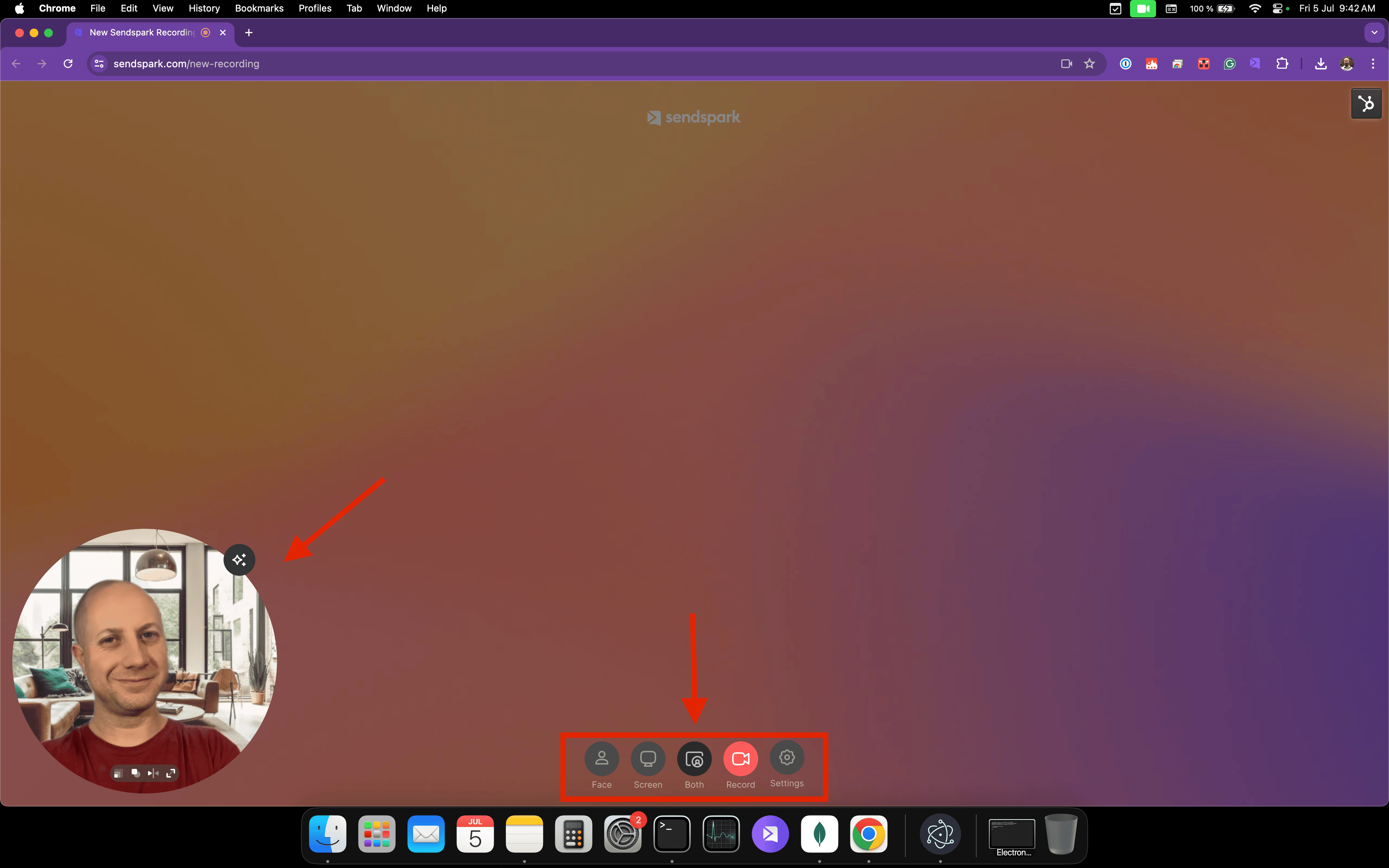
The first step towards recording your first videos is to click on the Sendspark Chrome extension icon. Doing that will open your camera's feed in a bubble on top of your background, just like this:
This recording method is set by default and it is the best way to record yourself along with your website. It is called \*\*"Both"\*\*and it can be changed from the bottom icons:
You'll notice that the option is darker than the rest, showing us that it is an active selection.
If you want to correctly record a Dynamic Video, the option needs to be set to **"Face".**
Recording a video in "Both" and using it in a Dynamic Video will provide an unwanted result:
## Why not use "Both" mode for Dynamic Videos?
"Both" mode records your face and your screen at the same time, which is ideal for standard videos. But Dynamic Videos are designed to place just your face over a personalized background. When a "Both" recording is used in a Dynamic Video, the result is not what you want. Recording in "Face" keeps only your face so it can sit correctly on the dynamic background. For a deeper comparison, see [Face Recording vs Both Recording in Dynamic Videos](/face-recording-vs-both-recording-in-dynamic-videos).
## Frequently asked questions
Use the **"Face"** mode. It's the correct method for Dynamic Videos and is set from the icons at the bottom of the Sendspark Chrome extension recorder.
The default is **"Both,"** which records your face along with your website or screen. It's set by default and is the best way to record yourself with your website for standard videos.
The active mode's icon appears darker than the others in the bottom row of icons, showing it's the current selection.
You'll get an unwanted result. Dynamic Videos expect a Face recording so only your face is placed over the personalized background; a Both recording won't display as intended.
Yes. You set the recording method by clicking the Sendspark Chrome extension icon, which opens your camera feed in a bubble where you can choose Face or Both.
*Updated July 2026.*
 ***
The first step towards recording your first videos is to click on the Sendspark Chrome extension icon. Doing that will open your camera's feed in a bubble on top of your background, just like this:
***
The first step towards recording your first videos is to click on the Sendspark Chrome extension icon. Doing that will open your camera's feed in a bubble on top of your background, just like this:
 This recording method is set by default and it is the best way to record yourself along with your website. It is called \*\*"Both"\*\*and it can be changed from the bottom icons:
 You'll notice that the option is darker than the rest, showing us that it is an active selection.
If you want to correctly record a Dynamic Video, the option needs to be set to **"Face".**
Recording a video in "Both" and using it in a Dynamic Video will provide an unwanted result:
You'll notice that the option is darker than the rest, showing us that it is an active selection.
If you want to correctly record a Dynamic Video, the option needs to be set to **"Face".**
Recording a video in "Both" and using it in a Dynamic Video will provide an unwanted result:
 ## Why not use "Both" mode for Dynamic Videos?
"Both" mode records your face and your screen at the same time, which is ideal for standard videos. But Dynamic Videos are designed to place just your face over a personalized background. When a "Both" recording is used in a Dynamic Video, the result is not what you want. Recording in "Face" keeps only your face so it can sit correctly on the dynamic background. For a deeper comparison, see [Face Recording vs Both Recording in Dynamic Videos](/face-recording-vs-both-recording-in-dynamic-videos).
## Frequently asked questions
## Why not use "Both" mode for Dynamic Videos?
"Both" mode records your face and your screen at the same time, which is ideal for standard videos. But Dynamic Videos are designed to place just your face over a personalized background. When a "Both" recording is used in a Dynamic Video, the result is not what you want. Recording in "Face" keeps only your face so it can sit correctly on the dynamic background. For a deeper comparison, see [Face Recording vs Both Recording in Dynamic Videos](/face-recording-vs-both-recording-in-dynamic-videos).
## Frequently asked questions