> ## Documentation Index
> Fetch the complete documentation index at: https://help.sendspark.com/llms.txt
> Use this file to discover all available pages before exploring further.
# SharpSpring - Send Dynamic Videos
> Learn how to send AI personalized videos in Constant Contact Lead Gen & CRM using Sendspark's dynamic video integration feature.
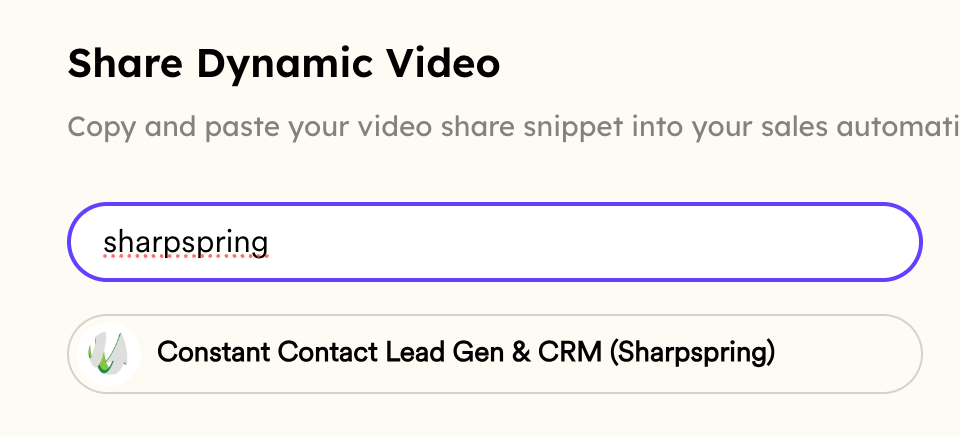
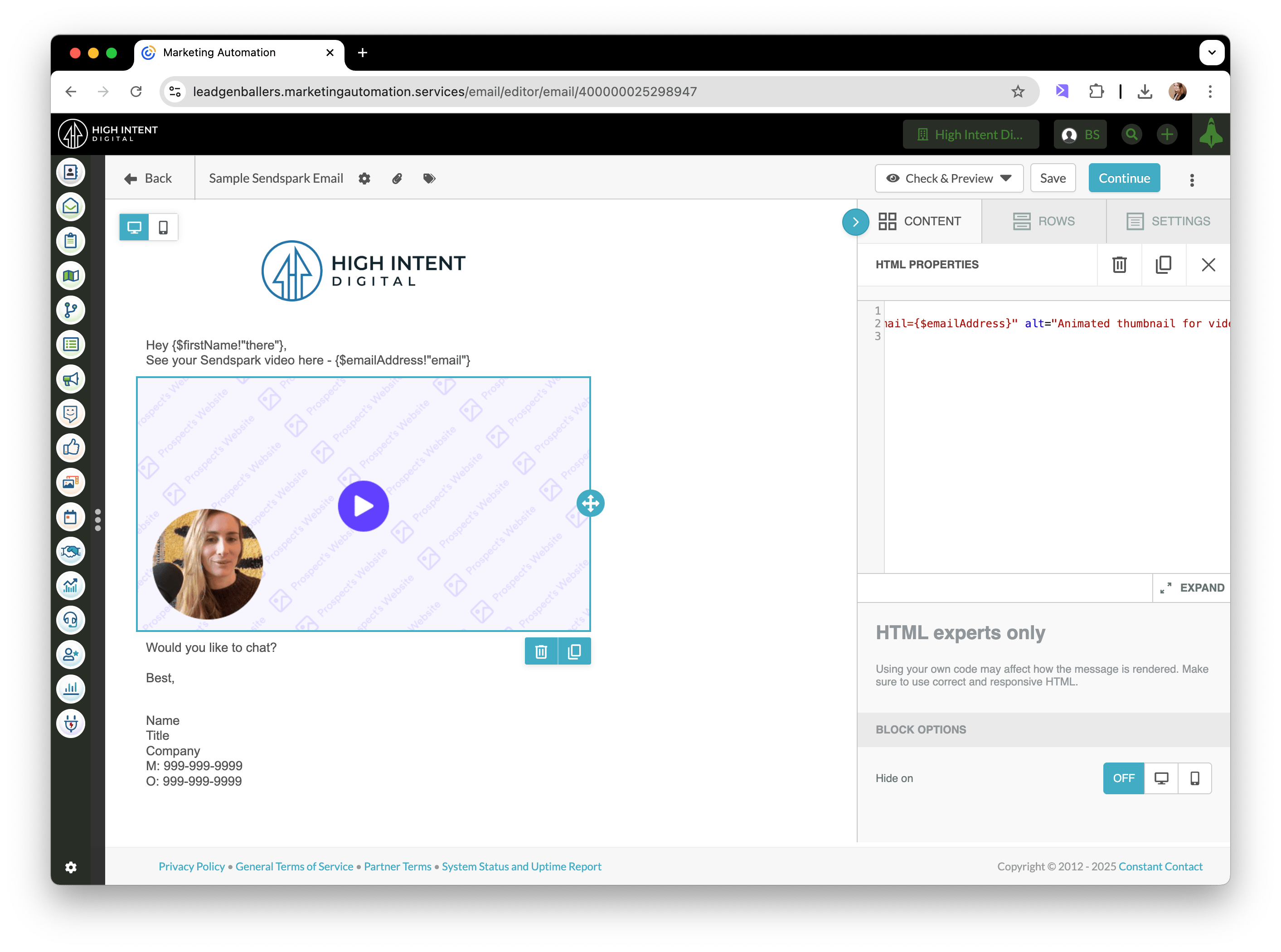
To send AI personalized videos in Constant Contact Lead Gen & CRM (SharpSpring), first create your dynamic video campaign in Sendspark. Then click **Share Campaign**, copy the SharpSpring snippet, and paste it into an HTML block in your email. Preview it with someone on your video list, then send.
## Key takeaways
* Start by creating your AI personalized videos in Sendspark before sharing — see [how to make dynamic videos](/dynamic-videos-make-videos-with-ai-introductions) if you haven't yet.
* Share by clicking **Share Campaign**, copying the snippet for Constant Contact Lead Gen & CRM (SharpSpring), and pasting it into an HTML block in your email.
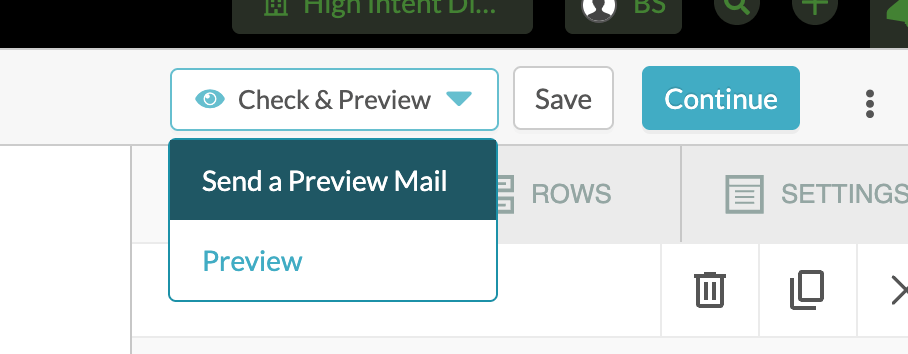
* Test with **Send a Preview Mail** to someone who is on your Sendspark video list.
* If the video doesn't appear in the preview, the recipient's email address is probably not on your dynamic video list — only contacts you generated a video for will see one.
## How to Send AI Personalized Videos in Constant Contact Lead Gen & CRM (SharpSpring)
## 1. Create AI Personalized Videos in Sendspark
If you have not done that yet, please start with [this article](/dynamic-videos-make-videos-with-ai-introductions)!
## 2. Click "Share Campaign"
## 3. Copy the Snippet for Constant Contact Lead Gen & CRM (SharpSpring)
## 4. Paste in an HTML block in your email
## 5. Preview & Send!
You can test your email by clicking "Send a Preview Mail," and sending a sample email with someone who is on your Sendspark video list.
If you don't see the Sendspark AI video, it might because you're testing a video for someone who you have not made a video for. Please make sure their email address is also on your dynamic video list!
## Frequently asked questions
Yes. Create your AI personalized videos in Sendspark first. If you haven't done that yet, start with [how to make dynamic videos with AI introductions](/dynamic-videos-make-videos-with-ai-introductions).
After clicking **Share Campaign** and copying the snippet for Constant Contact Lead Gen & CRM (SharpSpring), paste it into an HTML block in your email.
Click **Send a Preview Mail** and send a sample email to someone who is on your Sendspark video list, so you can confirm the video populates correctly.
Most often it's because you're testing with someone you haven't generated a video for. Make sure that recipient's email address is on your dynamic video list — only contacts on the list have a personalized video.
*Updated July 2026.*
 ## 3. Copy the Snippet for Constant Contact Lead Gen & CRM (SharpSpring)
 ## 4. Paste in an HTML block in your email
 ## 5. Preview & Send!
You can test your email by clicking "Send a Preview Mail," and sending a sample email with someone who is on your Sendspark video list.
## 5. Preview & Send!
You can test your email by clicking "Send a Preview Mail," and sending a sample email with someone who is on your Sendspark video list.
 If you don't see the Sendspark AI video, it might because you're testing a video for someone who you have not made a video for. Please make sure their email address is also on your dynamic video list!
 ## Frequently asked questions