> ## Documentation Index
> Fetch the complete documentation index at: https://help.sendspark.com/llms.txt
> Use this file to discover all available pages before exploring further.
# Sendspark Instant Integrations: How They Work
> Learn how Sendspark Instant Integrations work to record and send videos directly in Gmail, LinkedIn, HubSpot, and other platforms.
Instant Integrations let you record and share Sendspark videos directly inside the platforms you already use — Gmail, LinkedIn, HubSpot, Outreach, Zendesk, Intercom, and Close CRM. They appear the moment you install the Sendspark Chrome extension, adding a Sendspark icon to each platform's compose window so you can record, preview, and insert a video without leaving the page.
At Sendspark, we strive to make it as fast as possible to send videos to clients and prospective customers.
## Key takeaways
* Instant Integrations let you record and share videos directly inside Gmail, LinkedIn, HubSpot, Outreach, Zendesk, Intercom, and Close CRM.
* They're enabled automatically the second you install the Sendspark Chrome extension.
* A Sendspark icon appears in each platform's compose window — record a new video, preview it, add templates or trim, then insert and send.
* You can toggle instant integrations off in your integration settings; that only disables them for you, not for the rest of your workspace.
So we built "Instant Integrations" to make it blazing fast for you to record and share videos right within the popular communication platforms, including:
* [Gmail](/instant-integration-gmail)
* [LinkedIn](/instant-integration-linkedin)
* [Hubspot](/hubspot-instant-integration-chrome-extension)
* [Outreach](/instant-integration-outreach)
* [Zendesk](/instant-integration-zendesk)
* [Intercom](/instant-integration-intercom)
* [Close CRM](/instant-integration-close-crm)
When using Sendspark instant integrations, you can simply...
1. See a Sendspark icon in the compose windows of all of these messaging platforms 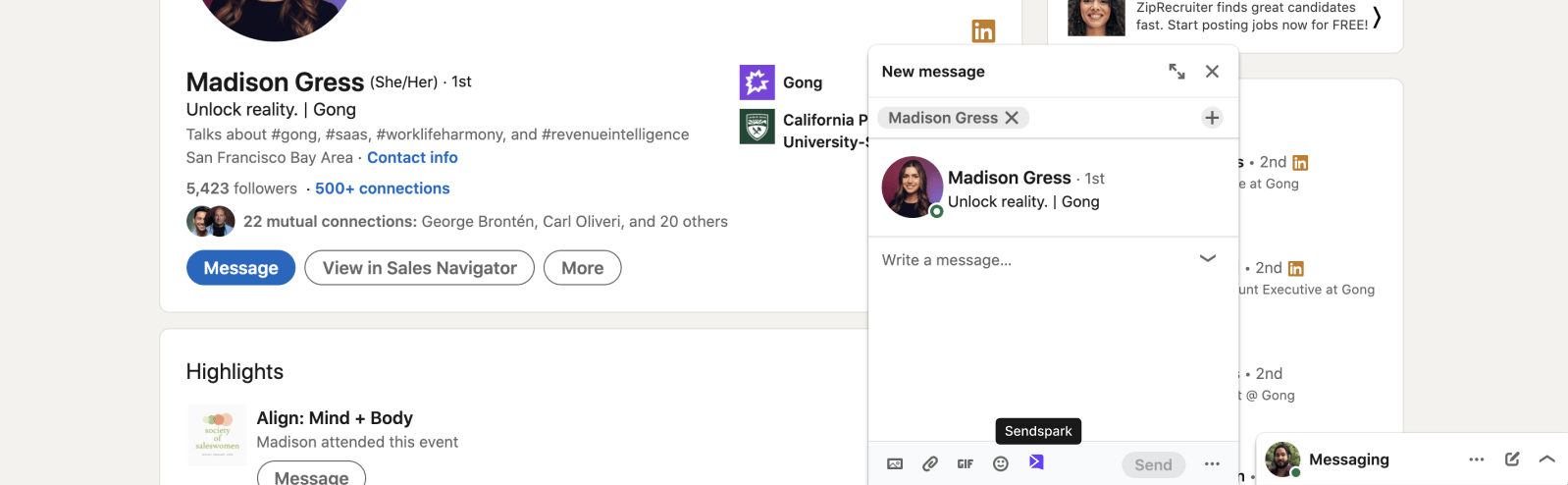 2. Select "Record new video" to launch the Sendspark recorder (or choose from the other menu items)
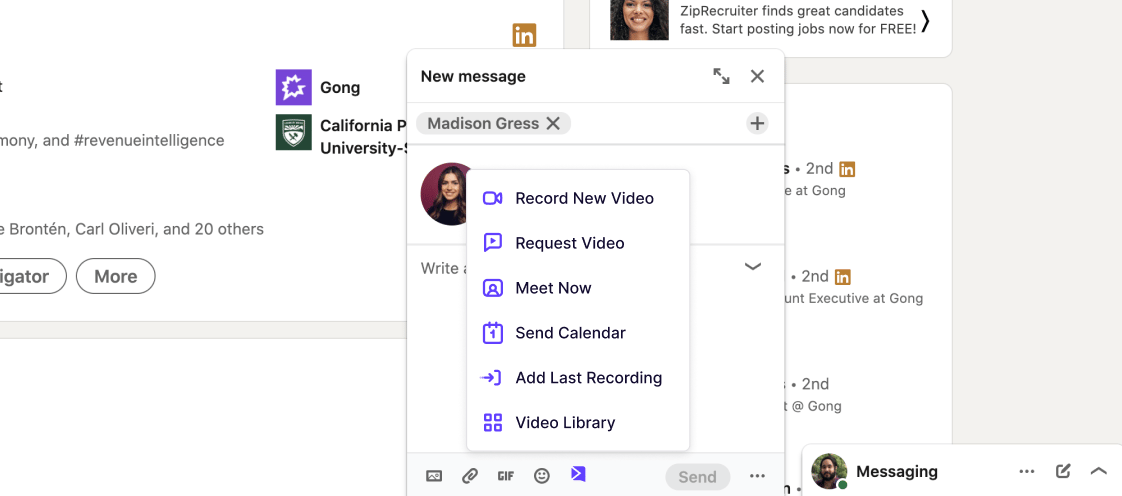 3. Preview your video, and use shortcuts to add templates, combine videos, trim, and more.
 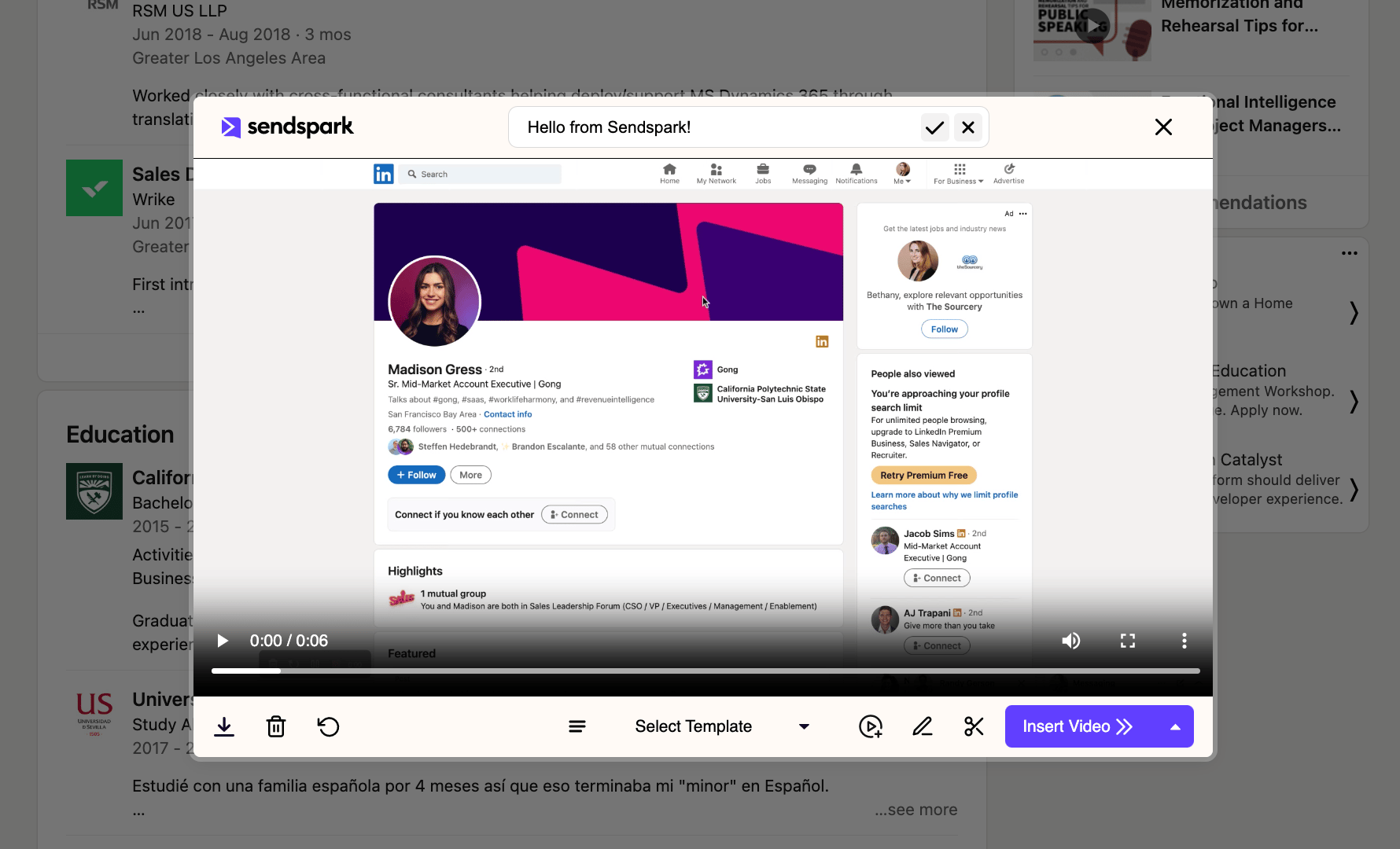 4. Insert, and send your video email!
All of these instant integrations are enabled the second that you [install the Sendspark chrome extension](https://chrome.google.com/webstore/detail/sendspark-video-and-scree/blimjkpadkhcpmkeboeknjcmiaogbkph?hl=en-US).
Install the Chrome Extension to use Instant Integrations
However, if you do not want to use any of the instant integrations, you can toggle them off in your [integration settings.](https://sendspark.com/settings/integrations)
4. Insert, and send your video email!
All of these instant integrations are enabled the second that you [install the Sendspark chrome extension](https://chrome.google.com/webstore/detail/sendspark-video-and-scree/blimjkpadkhcpmkeboeknjcmiaogbkph?hl=en-US).
Install the Chrome Extension to use Instant Integrations
However, if you do not want to use any of the instant integrations, you can toggle them off in your [integration settings.](https://sendspark.com/settings/integrations)
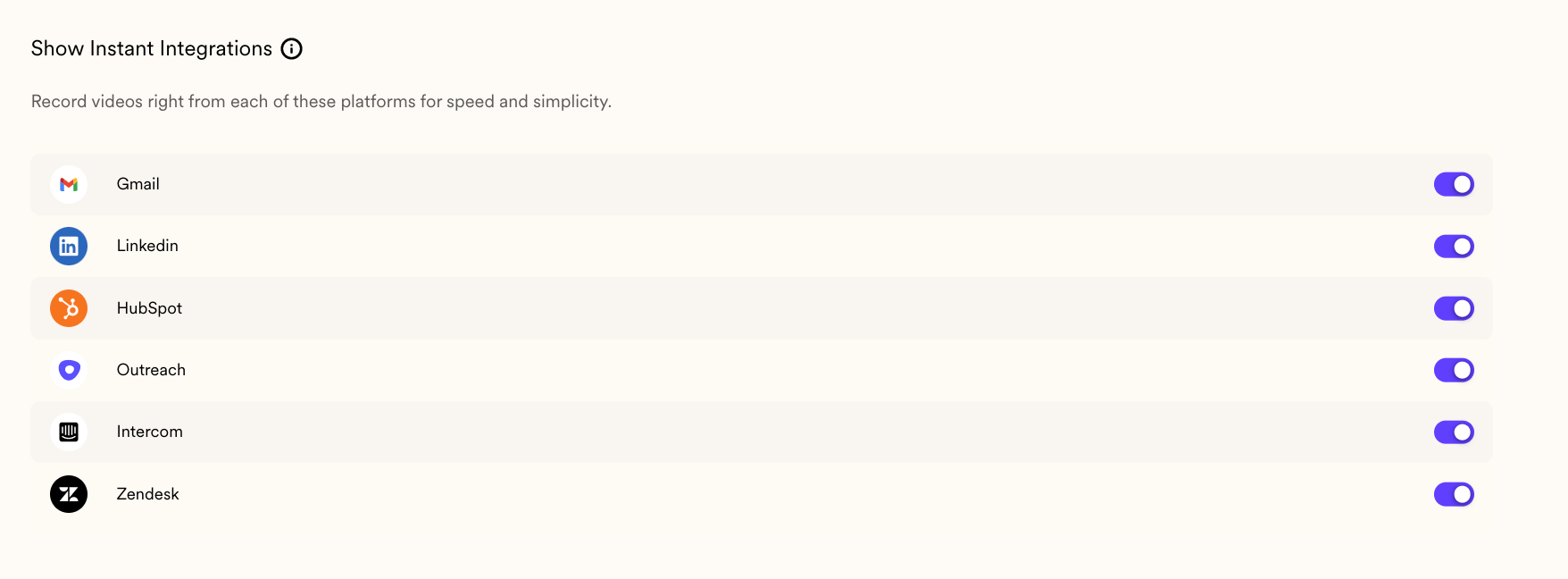 When you toggle off integrations, they are disabled for you, but still enabled for other members of your workspace (who have the chrome extension installed).
Of course, you can toggle instant integrations back on to use them at any time!
***
## Frequently asked questions
Gmail, LinkedIn, HubSpot, Outreach, Zendesk, Intercom, and Close CRM. A Sendspark icon appears in each of their compose windows so you can record and share a video right there.
They're enabled automatically the moment you install the Sendspark Chrome extension. There's no separate setup step for each platform.
Toggle it off in your integration settings. When you toggle an integration off, it's disabled only for you — it stays enabled for other members of your workspace who have the Chrome extension installed. You can toggle it back on at any time.
After selecting "Record new video" to launch the recorder, you can preview your video and use shortcuts to add templates, combine videos, trim, and more before inserting and sending it.
*Updated July 2026.*
When you toggle off integrations, they are disabled for you, but still enabled for other members of your workspace (who have the chrome extension installed).
Of course, you can toggle instant integrations back on to use them at any time!
***
## Frequently asked questions
Gmail, LinkedIn, HubSpot, Outreach, Zendesk, Intercom, and Close CRM. A Sendspark icon appears in each of their compose windows so you can record and share a video right there.
They're enabled automatically the moment you install the Sendspark Chrome extension. There's no separate setup step for each platform.
Toggle it off in your integration settings. When you toggle an integration off, it's disabled only for you — it stays enabled for other members of your workspace who have the Chrome extension installed. You can toggle it back on at any time.
After selecting "Record new video" to launch the recorder, you can preview your video and use shortcuts to add templates, combine videos, trim, and more before inserting and sending it.
*Updated July 2026.*