> ## Documentation Index
> Fetch the complete documentation index at: https://help.sendspark.com/llms.txt
> Use this file to discover all available pages before exploring further.
# Sendspark Aligned Deal Room Integration
> Learn how to embed Sendspark videos in your Aligned deal room with our step-by-step integration guide for seamless video sharing.
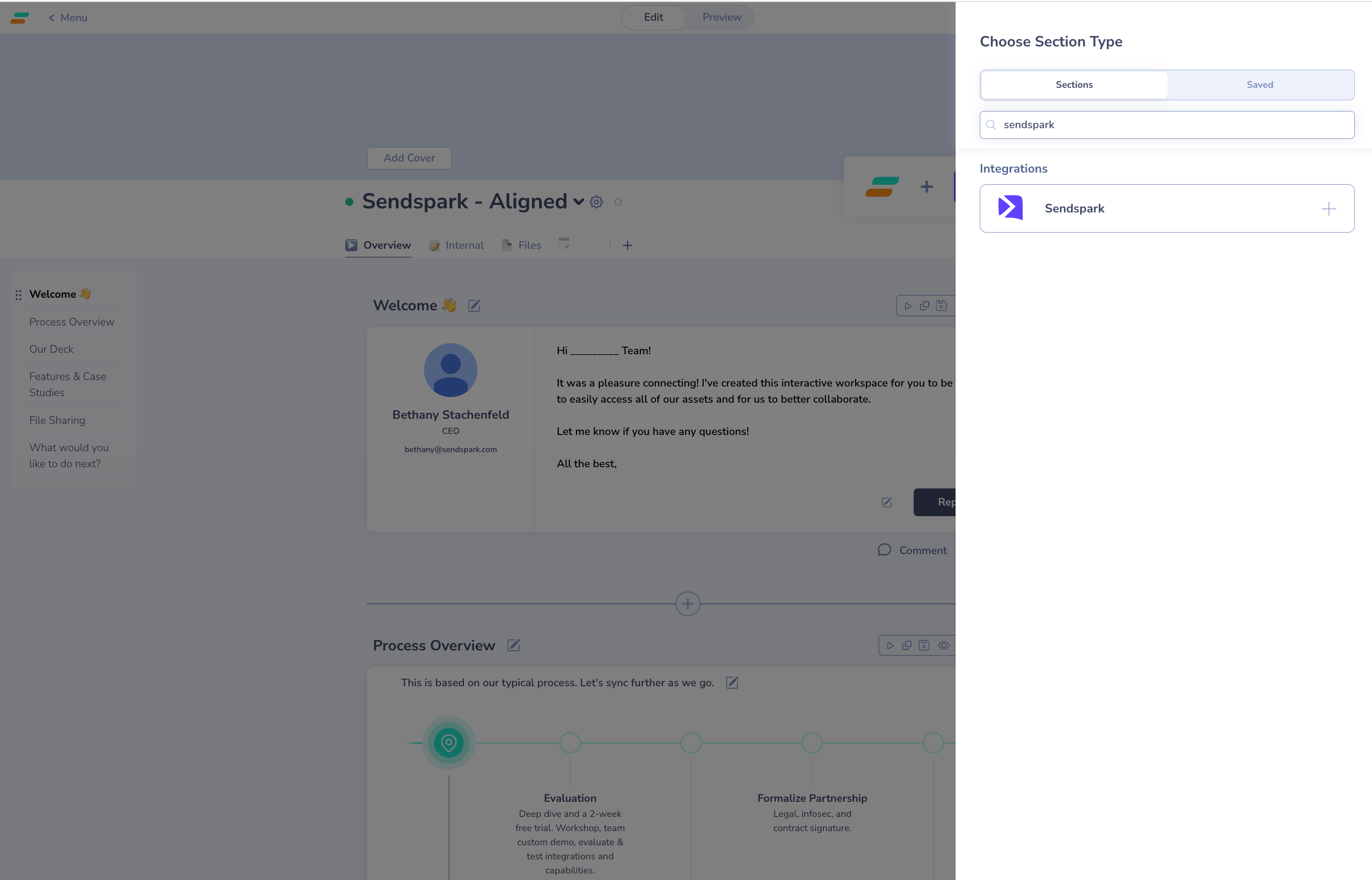
Sendspark integrates directly with Aligned so you can embed a video inside your deal room. In your Aligned room, click the plus icon, search for **"Sendspark"**, paste your Sendspark video link, and give it a name. The video then embeds on the page, and viewers click to play it right there without leaving the room.
## Key takeaways
* Add videos through Aligned's native Sendspark integration — no manual embed code needed.
* Start by clicking the **plus icon** in your Aligned room, then search for and select **Sendspark**.
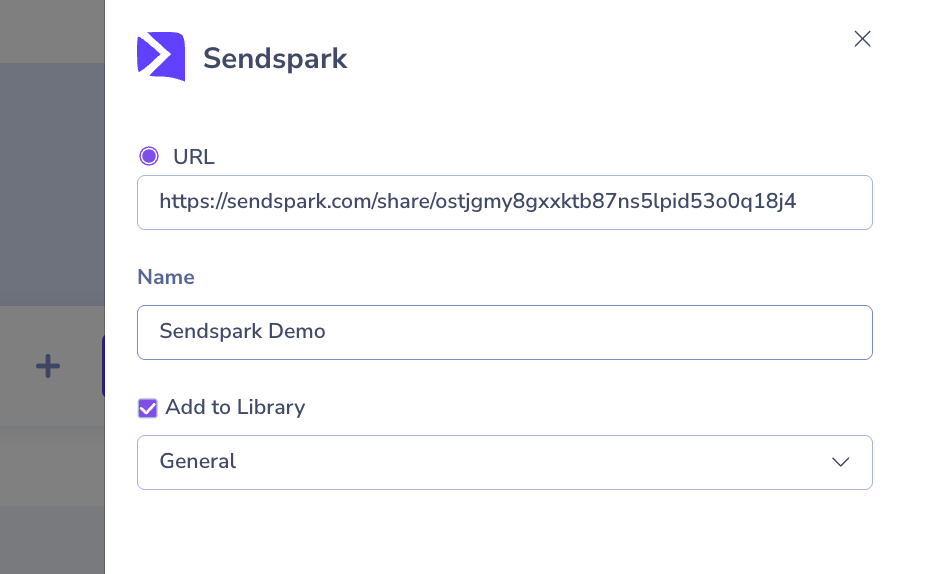
* Paste the link to your Sendspark video and name it so you can find it later in your Aligned library.
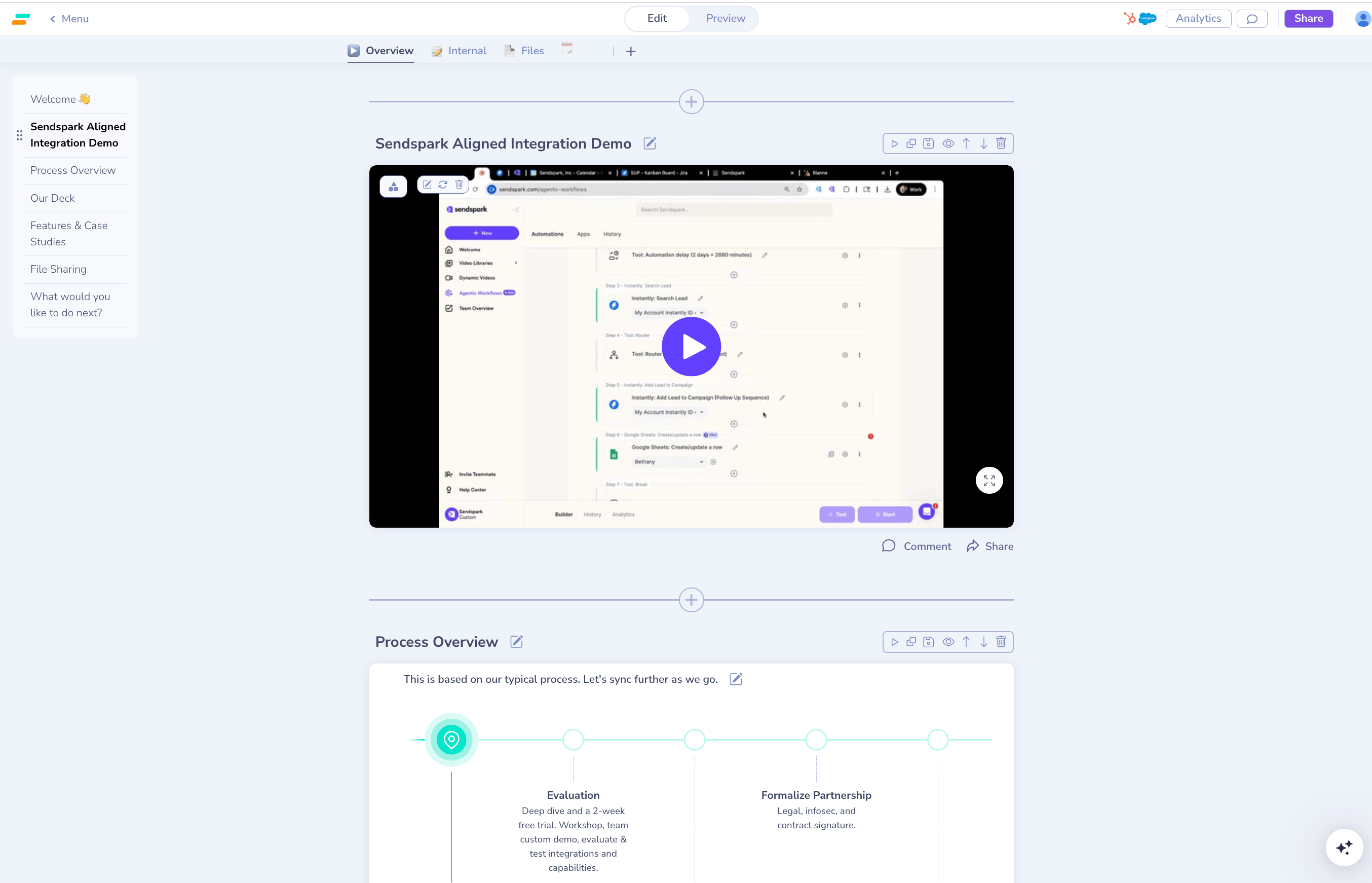
* The video plays inline on the Aligned page, so viewers watch without leaving the deal room.
You can easily embed Sendspark videos in your deal room with the Sendspark Aligned integration.
## How to Add Sendspark Videos to Aligned Deal Room
1. Go to your deal room in [Aligned](https://alignedup.com/)
2. Click on the plus icon to add new content into your Aligned room  3. Search for "Sendspark" and select to add it into your room
  4. Paste the link to your Sendspark video, and give your video a name so you can find it later in your Aligned library
  5. You'll now see your Sendspark video embedded on your Aligned page. Viewers click to play it right there from the page!
  ## Frequently asked questions
In your Aligned deal room, click the plus icon to add new content, search for "Sendspark" and select it, then paste your Sendspark video link and give it a name.
No. Once embedded, the video appears on the Aligned page and viewers click to play it right there — they don't leave the deal room.
The link to your Sendspark video. Aligned uses that link to embed the video player on your page.
Naming it makes it easy to find later in your Aligned library when you're organizing or reusing content across rooms.
*Updated July 2026.*
## Frequently asked questions
In your Aligned deal room, click the plus icon to add new content, search for "Sendspark" and select it, then paste your Sendspark video link and give it a name.
No. Once embedded, the video appears on the Aligned page and viewers click to play it right there — they don't leave the deal room.
The link to your Sendspark video. Aligned uses that link to embed the video player on your page.
Naming it makes it easy to find later in your Aligned library when you're organizing or reusing content across rooms.
*Updated July 2026.*