> ## Documentation Index
> Fetch the complete documentation index at: https://help.sendspark.com/llms.txt
> Use this file to discover all available pages before exploring further.
# Salesforge: Auto-Generate Dynamic Videos
> Learn how to automatically generate and send dynamic videos in Salesforge using the Sendspark integration in just a few clicks.
The Sendspark Salesforge integration lets you generate and send Dynamic Videos in a few clicks. Connect your accounts first, then in your sequence's Builder step click the Sendspark button, select your dynamic video campaign by name, and add the video. Salesforge applies a sendspark\_video variable automatically, and launching the sequence starts generating the videos in your Sendspark campaign.
## Key takeaways
* **Connect your accounts first** (see How to Connect Sendspark and Salesforge).
* In the sequence **Builder** step, click the **Sendspark button** and select your dynamic video campaign by name.
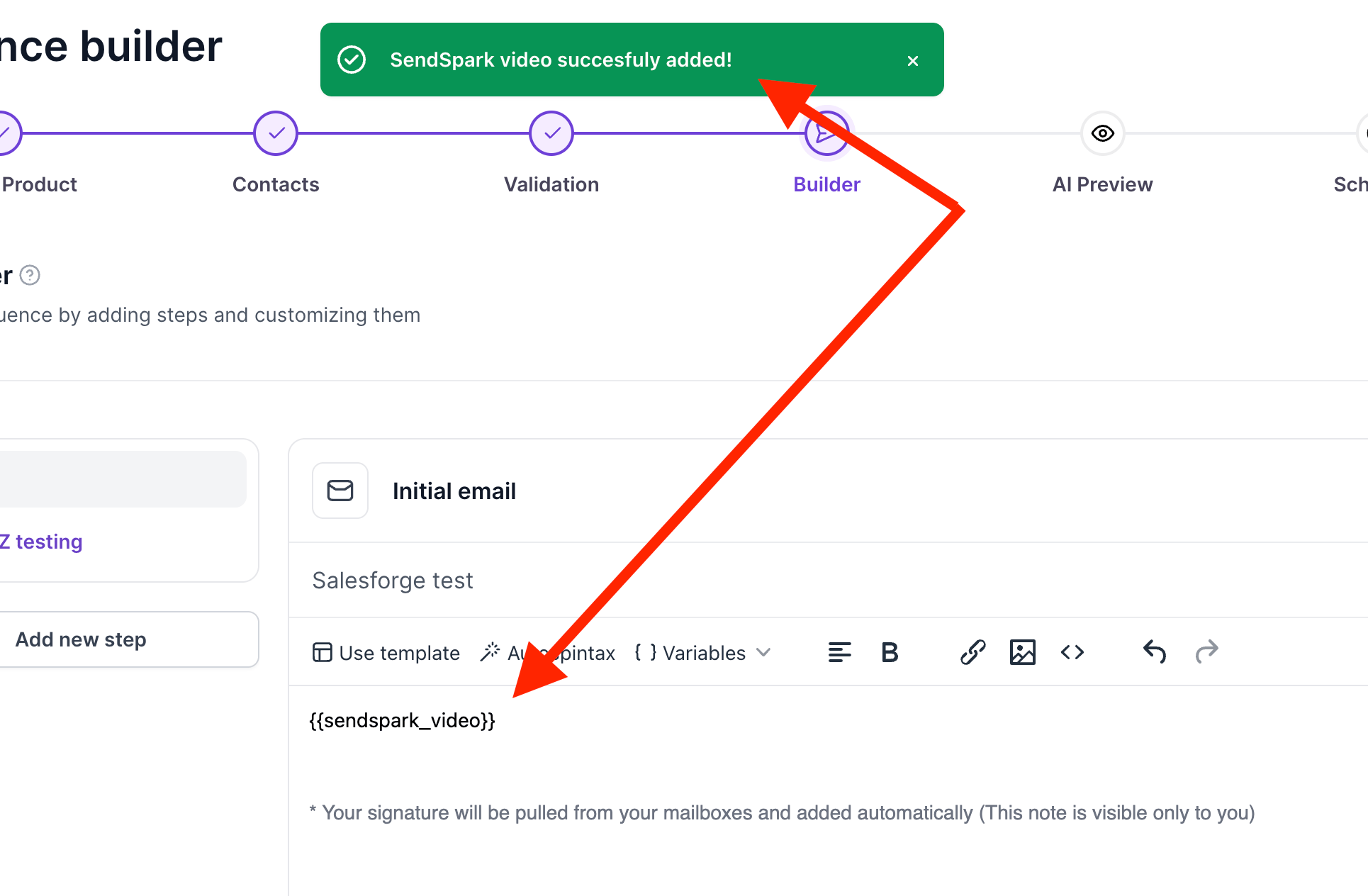
* Adding the video **automatically applies a sendspark\_video variable**.
* **Launching the sequence** triggers video generation in your Sendspark Dynamic Video Campaign.
The Sendspark SalesForge integration makes it easy to create and send Dynamic Videos in just a few clicks.
If you haven't connected your account, then please refer to this article first.
**[How to Connect Sendspark and Salesforge](/how-to-connect-sendspark-and-salesforge)**
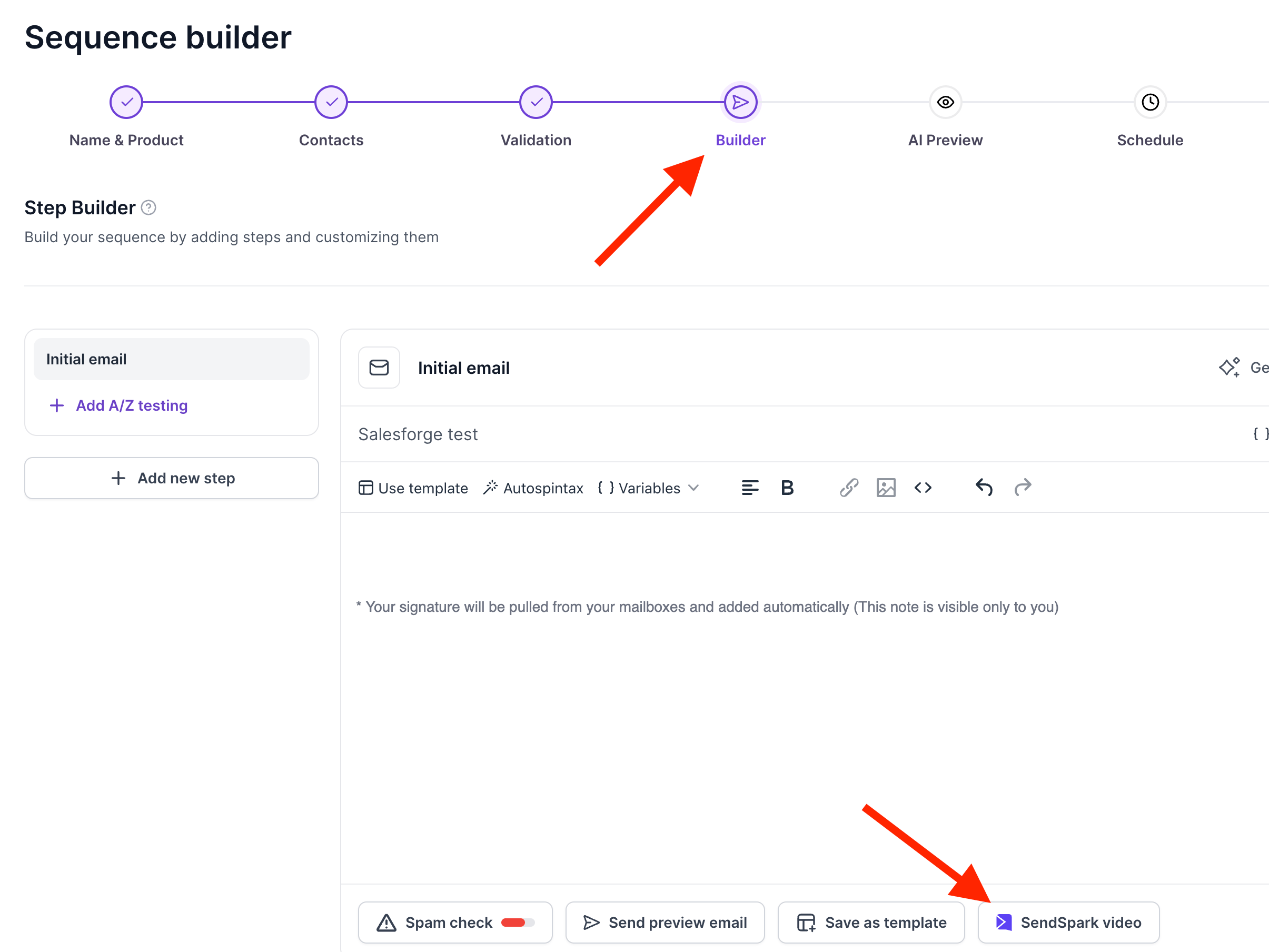
When you create a sequence and you get to the step called "Builder", you will be able to see the Sendspark button at the bottom of the page.
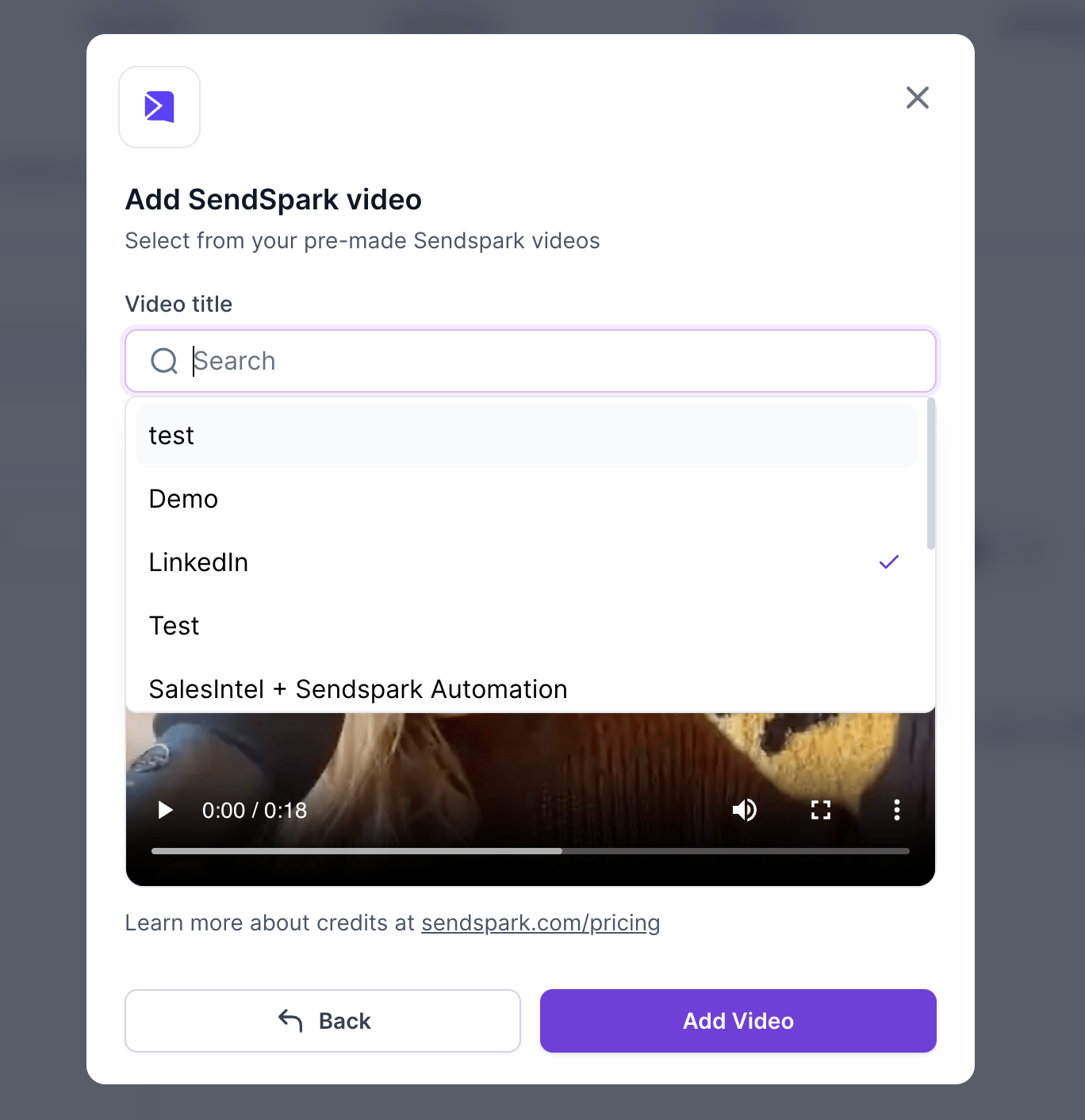
Once you click there, you'll be able to select your dynamic video campaign by name:
Once you click on add video, you'll get a confirmation that the video has been added and you'll also see a variable automatically applied : #######\{\{sendspark\_video}}
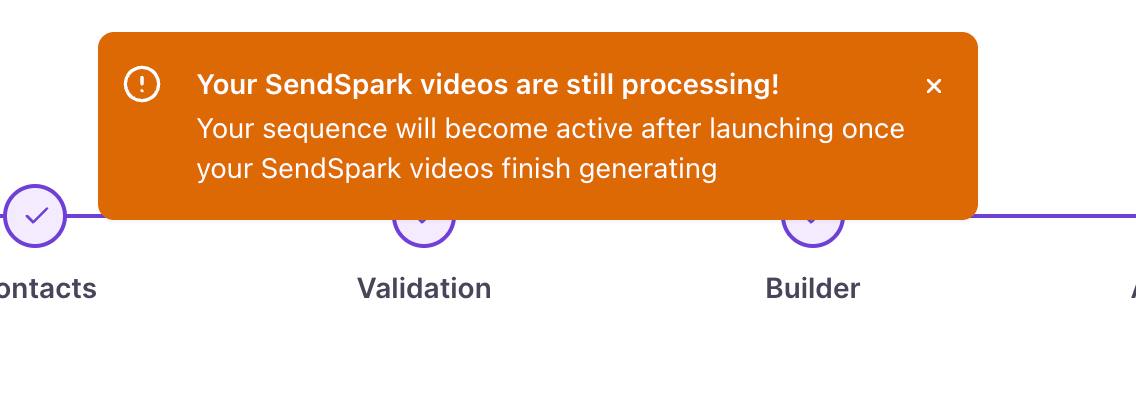
Once you click on continue, you'll see that this warning message will come up
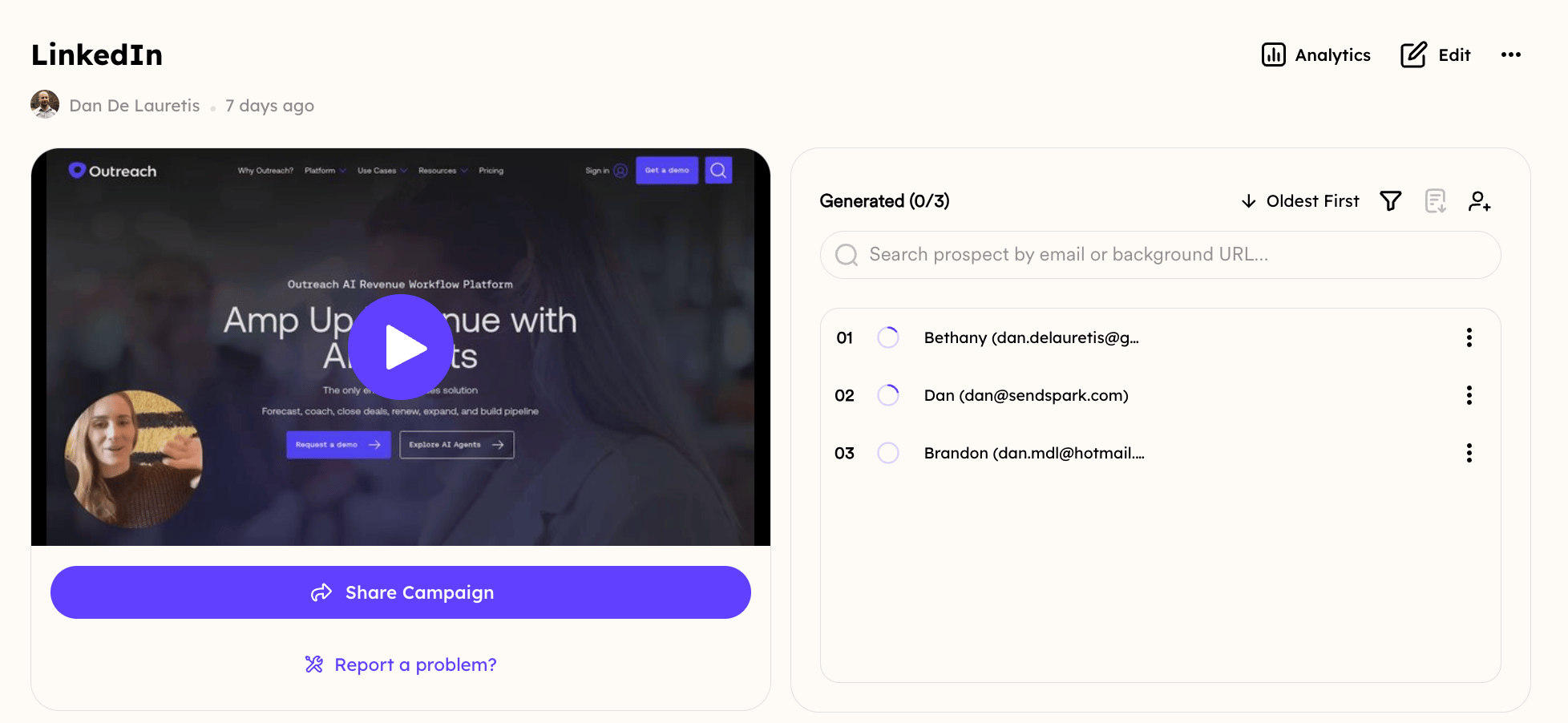
And the moment you click on launch sequence, you'll notice that the videos will start to generate in your Sendspark Dynamic Video Campaign:
## Frequently asked questions
Yes. Connect your Sendspark and Salesforge accounts before generating videos. See [How to Connect Sendspark and Salesforge](/how-to-connect-sendspark-and-salesforge).
When you create a sequence and reach the step called "Builder," the Sendspark button appears at the bottom of the page.
It's a variable Salesforge automatically applies when you add your dynamic video, representing the video that will be inserted for each recipient in the sequence.
The videos start generating in your Sendspark Dynamic Video Campaign the moment you click launch sequence.
*Updated July 2026.*
 Once you click there, you'll be able to select your dynamic video campaign by name:
 Once you click on add video, you'll get a confirmation that the video has been added and you'll also see a variable automatically applied : #######\{\{sendspark\_video}}
 Once you click on continue, you'll see that this warning message will come up
 And the moment you click on launch sequence, you'll notice that the videos will start to generate in your Sendspark Dynamic Video Campaign:
 ## Frequently asked questions