> ## Documentation Index
> Fetch the complete documentation index at: https://help.sendspark.com/llms.txt
> Use this file to discover all available pages before exploring further.
# Regenerate Videos & Edit Variables
> Edit prospect variables and regenerate videos in dynamic campaigns. Get 3 free regenerations per video and update names, companies, and custom fields.
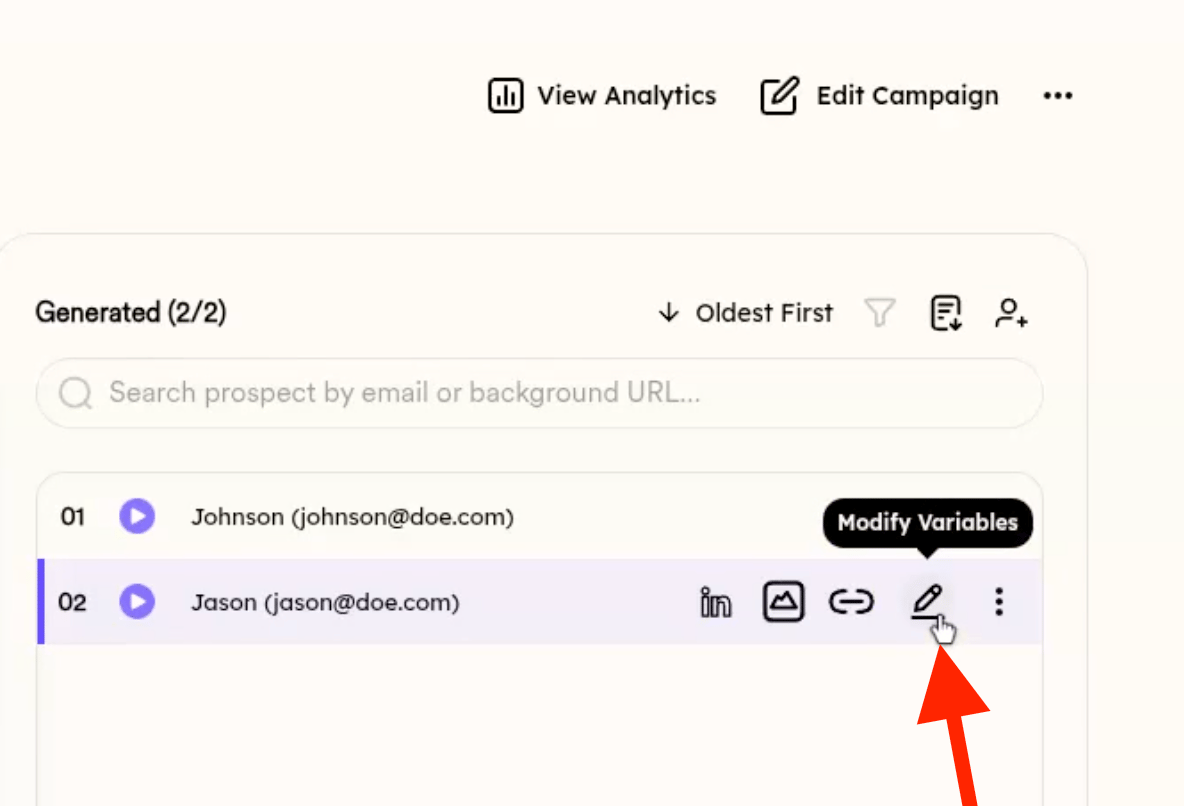
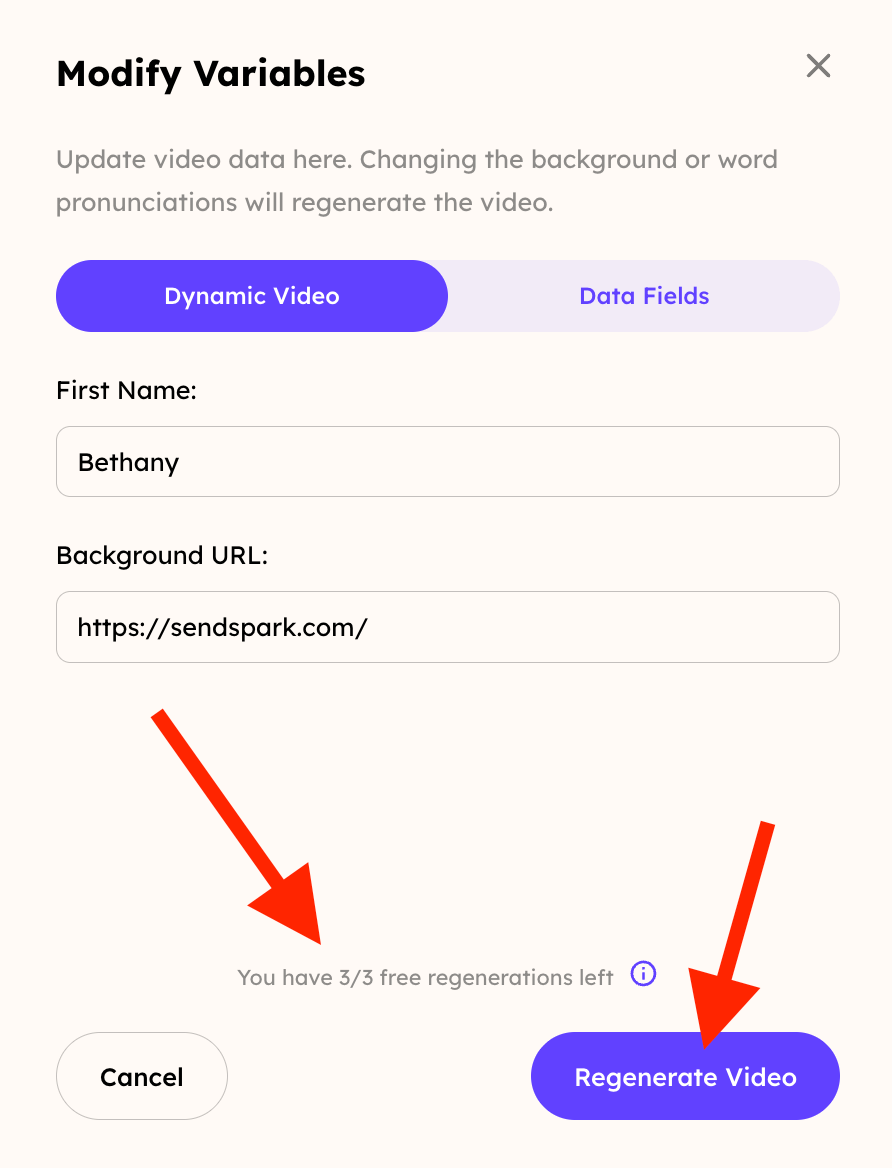
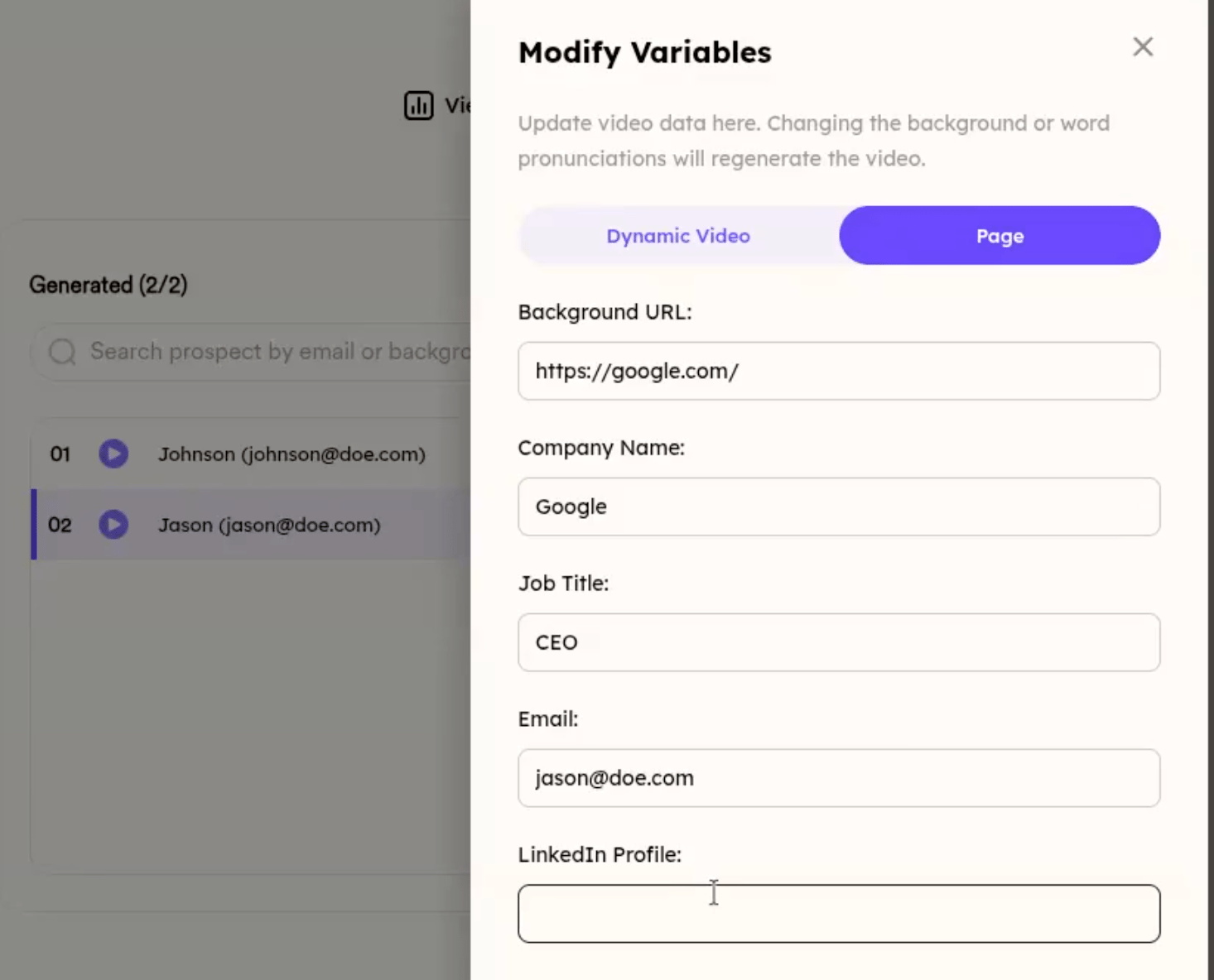
You can edit a prospect's variables after their video has been generated. Click the Edit button next to the prospect to open a drawer. Fields in the DYNAMIC VIDEO tab regenerate the video, while PAGE tab fields update the landing page without regenerating. You get 3 free regenerations per video; page-only updates are unlimited.
## Key takeaways
* After a prospect is generated, an **Edit** button appears next to it that opens a drawer for updating the prospect's information.
* Fields inside the **DYNAMIC VIDEO** tab trigger a new video render; fields in the **PAGE** tab can be changed safely without regenerating the video.
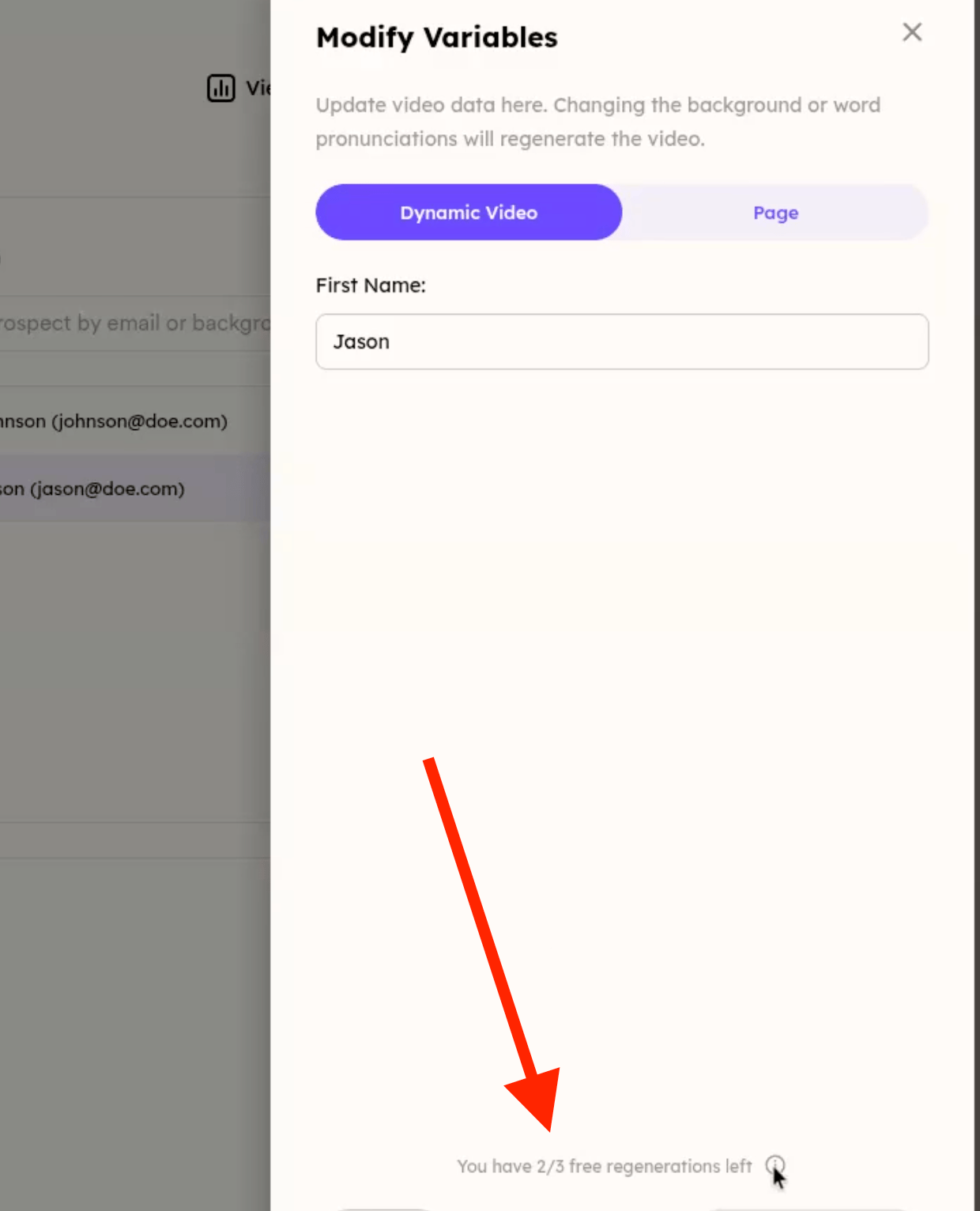
* You can regenerate a video up to **3 times for free**; after that, regenerations may incur charges. A visual indicator shows how many regenerations are left.
* Updating only **PAGE** fields refreshes the video page immediately with **no limit** on how many times you can do it.
## 🔧 How to Edit Prospect Variables and Regenerate Videos in the Workspace
In your Sendspark workspace, you can now **edit prospect variables** after a video has been generated. Here's how it works and what to expect regarding video regeneration limits.
***
## ✏️ Step 1: Click the Edit Button
Once you've generated a prospect, you'll see an **“Edit”** button next to it.
Clicking this button opens a drawer with options to update the prospect’s information.
 ***
## 🧩 Step 2: Understand What Fields Trigger Video Regeneration
Inside the drawer:
* **Fields inside the DYNAMIC VIDEO tab will regenerate the video:**
***
## 🧩 Step 2: Understand What Fields Trigger Video Regeneration
Inside the drawer:
* **Fields inside the DYNAMIC VIDEO tab will regenerate the video:**
 You can safely change non-regeneration fields in the PAGE tab without triggering a new video.
 ***
## 🔁 Step 3: Regeneration Limits
To avoid overuse, **you can regenerate a video up to 3 times for free**. After that, regenerations may incur charges.
You'll see a visual indicator of how many regenerations are left:
***
## 🔁 Step 3: Regeneration Limits
To avoid overuse, **you can regenerate a video up to 3 times for free**. After that, regenerations may incur charges.
You'll see a visual indicator of how many regenerations are left:
 ***
## ✅ Step 4: Update Page Without Regenerating
If you only update fields **in the PAGE section**, the video page is updated immediately without any regeneration needed — and there's **no limit** on how many times you can do this.
## Frequently asked questions
Yes. Once you've generated a prospect, an Edit button appears next to it. Clicking it opens a drawer where you can update the prospect's information.
Fields inside the DYNAMIC VIDEO tab regenerate the video. Fields in the PAGE tab are non-regeneration fields, so you can change them safely without triggering a new video.
You can regenerate a video up to 3 times for free. After that, regenerations may incur charges. A visual indicator shows how many regenerations you have left.
No. If you only update fields in the PAGE section, the video page is updated immediately without any regeneration needed, and there's no limit on how many times you can do this.
*Updated July 2026.*
***
## ✅ Step 4: Update Page Without Regenerating
If you only update fields **in the PAGE section**, the video page is updated immediately without any regeneration needed — and there's **no limit** on how many times you can do this.
## Frequently asked questions
Yes. Once you've generated a prospect, an Edit button appears next to it. Clicking it opens a drawer where you can update the prospect's information.
Fields inside the DYNAMIC VIDEO tab regenerate the video. Fields in the PAGE tab are non-regeneration fields, so you can change them safely without triggering a new video.
You can regenerate a video up to 3 times for free. After that, regenerations may incur charges. A visual indicator shows how many regenerations you have left.
No. If you only update fields in the PAGE section, the video page is updated immediately without any regeneration needed, and there's no limit on how many times you can do this.
*Updated July 2026.*