> ## Documentation Index
> Fetch the complete documentation index at: https://help.sendspark.com/llms.txt
> Use this file to discover all available pages before exploring further.
# Outreach - Send Dynamic Videos
> Learn how to send dynamic videos in Outreach emails using Sendspark integration to save hours of recording and personalize outreach
The Sendspark + Outreach integration lets you send dynamic videos in Outreach emails and sequences. Copy the Outreach share snippet from Sendspark, paste it into an Outreach template, and each contact sees the dynamic video generated for them, so you create one video instead of recording over each prospect's website individually.
## Key takeaways
* The Sendspark + Outreach integration makes it easy to send dynamic videos in Outreach emails and sequences.
* Instead of recording over each prospect's website individually, create one video and automatically add it over any URL to save hours of recording.
* Copy the Outreach share snippet in Sendspark and paste it directly into an Outreach template.
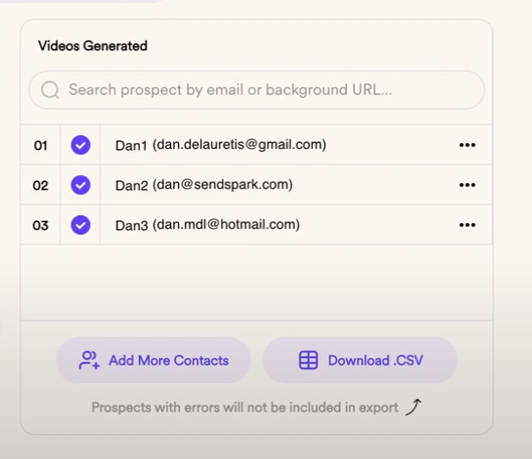
* Send the video to the same list of contacts you generated videos for in Sendspark; download the CSV to verify that list.
The Sendspark + Outreach Integration makes it easy to send dynamic videos in Outreach emails and sequences.
With dynamic videos, you can save yourself hours of recording. Instead of recording over each prospect's website individually, just create one video, and automatically add it over any URL.
This video shows you how to send dynamic videos in Outreach:
**How to Share Dynamic Videos in Outreach**
1. Click on the "Outreach" option on the left to copy the Sendspark share snippet to your clipboard
2. Create a template in Outreach, and paste your Sendspark share snippet directly into the template
3. You'll note that when you paste, you only see the default version of your video (the video of yourself). This is because no contacts have been selected yet.
4. When you use this template in emails or workflows, the contacts will see the dynamic video you've generated for them.
5. Note: it's important that you send the video in Outreach to the same list of contacts you generated videos for in Sendspark. To be extra safe, you can click "download CSV" in Sendspark to get a list of contacts whom you've generated videos.
And that's all!
## Frequently asked questions
It makes it easy to send dynamic videos in Outreach emails and sequences.
Instead of recording over each prospect's website individually, you create one video and automatically add it over any URL, saving yourself hours of recording.
When you paste the snippet you only see the default version of your video (the video of yourself) because no contacts have been selected yet. When you use the template in emails or workflows, contacts see the dynamic video generated for them.
Send the video in Outreach to the same list of contacts you generated videos for in Sendspark. To be extra safe, click "download CSV" in Sendspark to get the list of contacts you've generated videos for.
*Updated July 2026.*
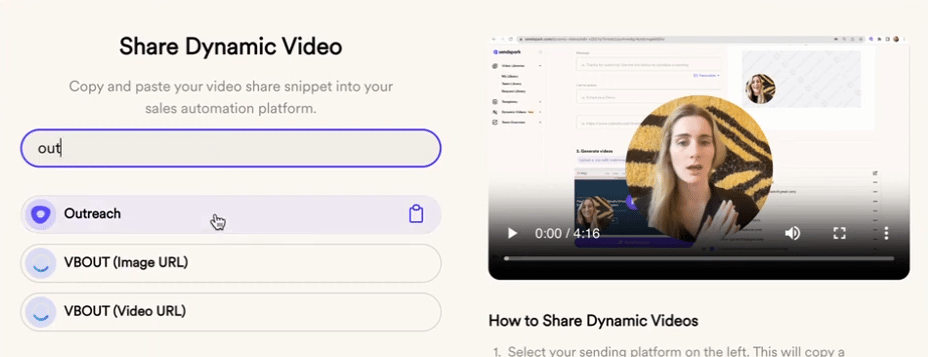 2. Create a template in Outreach, and paste your Sendspark share snippet directly into the template
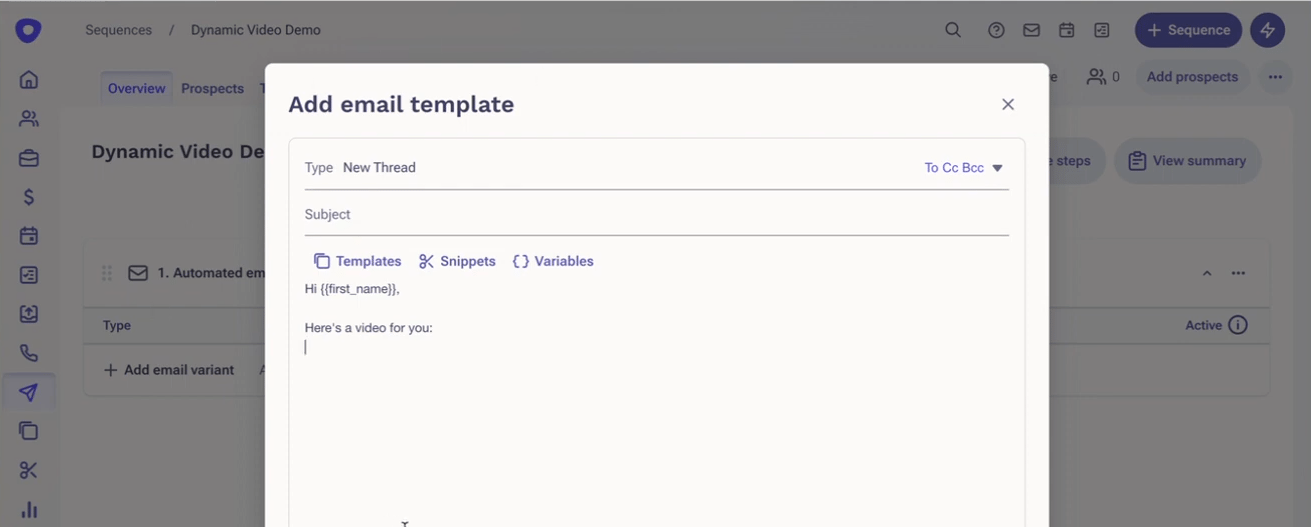 3. You'll note that when you paste, you only see the default version of your video (the video of yourself). This is because no contacts have been selected yet.
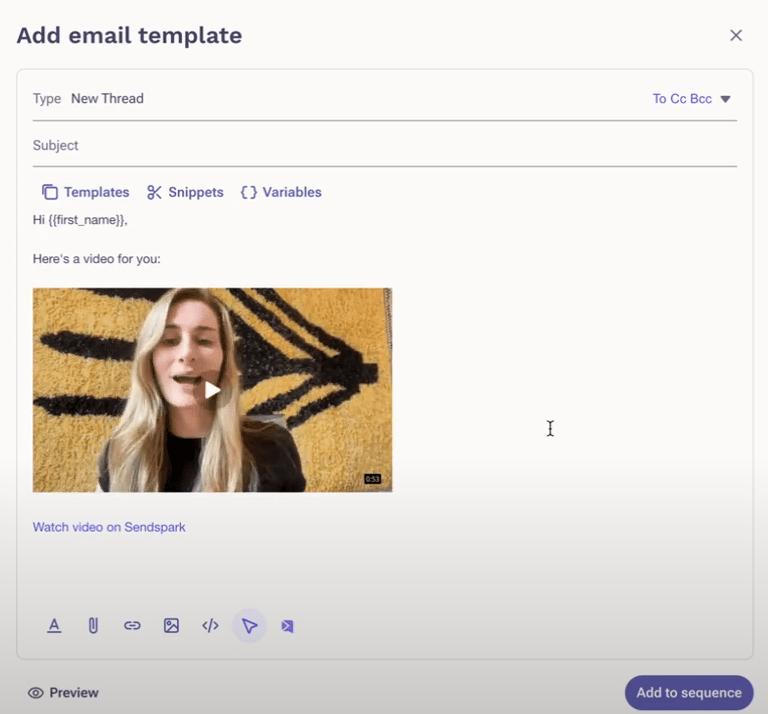 4. When you use this template in emails or workflows, the contacts will see the dynamic video you've generated for them.
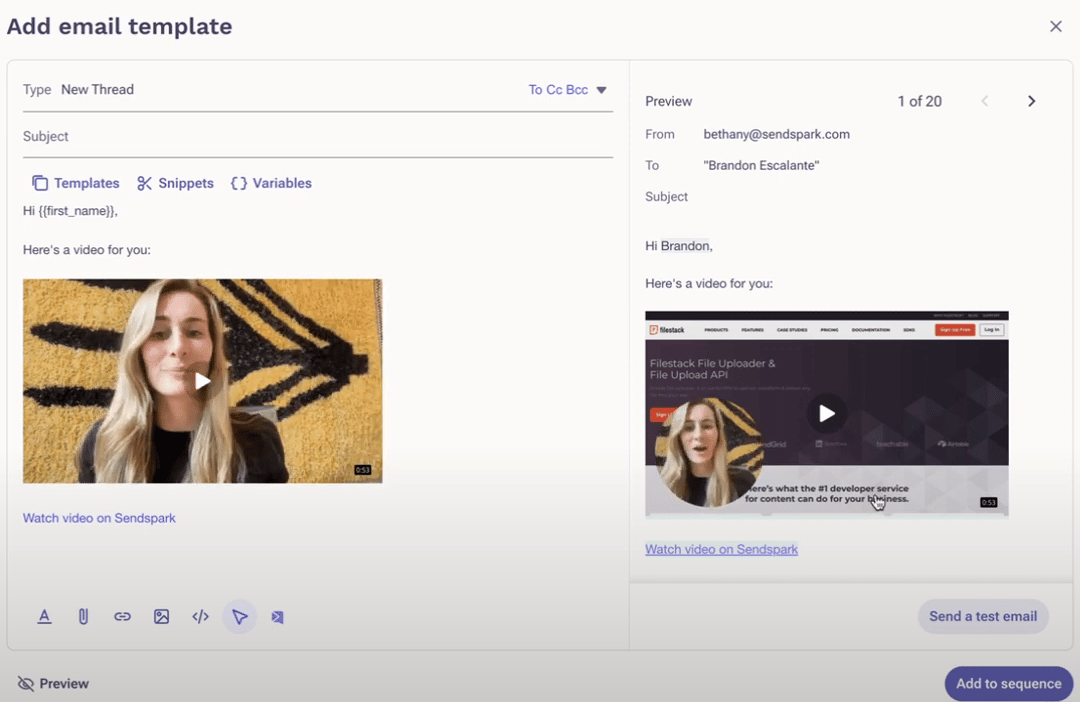 5. Note: it's important that you send the video in Outreach to the same list of contacts you generated videos for in Sendspark. To be extra safe, you can click "download CSV" in Sendspark to get a list of contacts whom you've generated videos.
 And that's all!
## Frequently asked questions
And that's all!
## Frequently asked questions