> ## Documentation Index
> Fetch the complete documentation index at: https://help.sendspark.com/llms.txt
> Use this file to discover all available pages before exploring further.
# Mailshake — Send Personalized Videos at Scale
> Learn how to send personalized Sendspark videos through Mailshake. Integrate Sendspark with Mailshake for video outreach at scale.
To send personalized videos at scale in Mailshake, record or upload your video in Sendspark, customize the header, message, and thumbnail with placeholders, then click **Share Video** and select **Mailshake**. Paste the snippet into a Mailshake email draft, preview, and send. Each recipient's video personalizes automatically with their first name, company name, and job title.
## Key takeaways
* Personalize the **video header**, **message**, and **thumbnail** with placeholders that pull contact info from Mailshake.
* Share via **Share Video → Mailshake**; if Mailshake isn't listed, [modify your share modal](/how-to-modify-shortcuts-on-share-modal).
* Paste the snippet into a Mailshake email draft, then preview and send.
* Videos auto-personalize per recipient with first name, company name, and job title.
Automatically personalized videos in Mailshake with your viewer's first name, company name, and job title.
## How to Bulk Personalized Videos in Mailshake
Watch the video or follow the steps below!
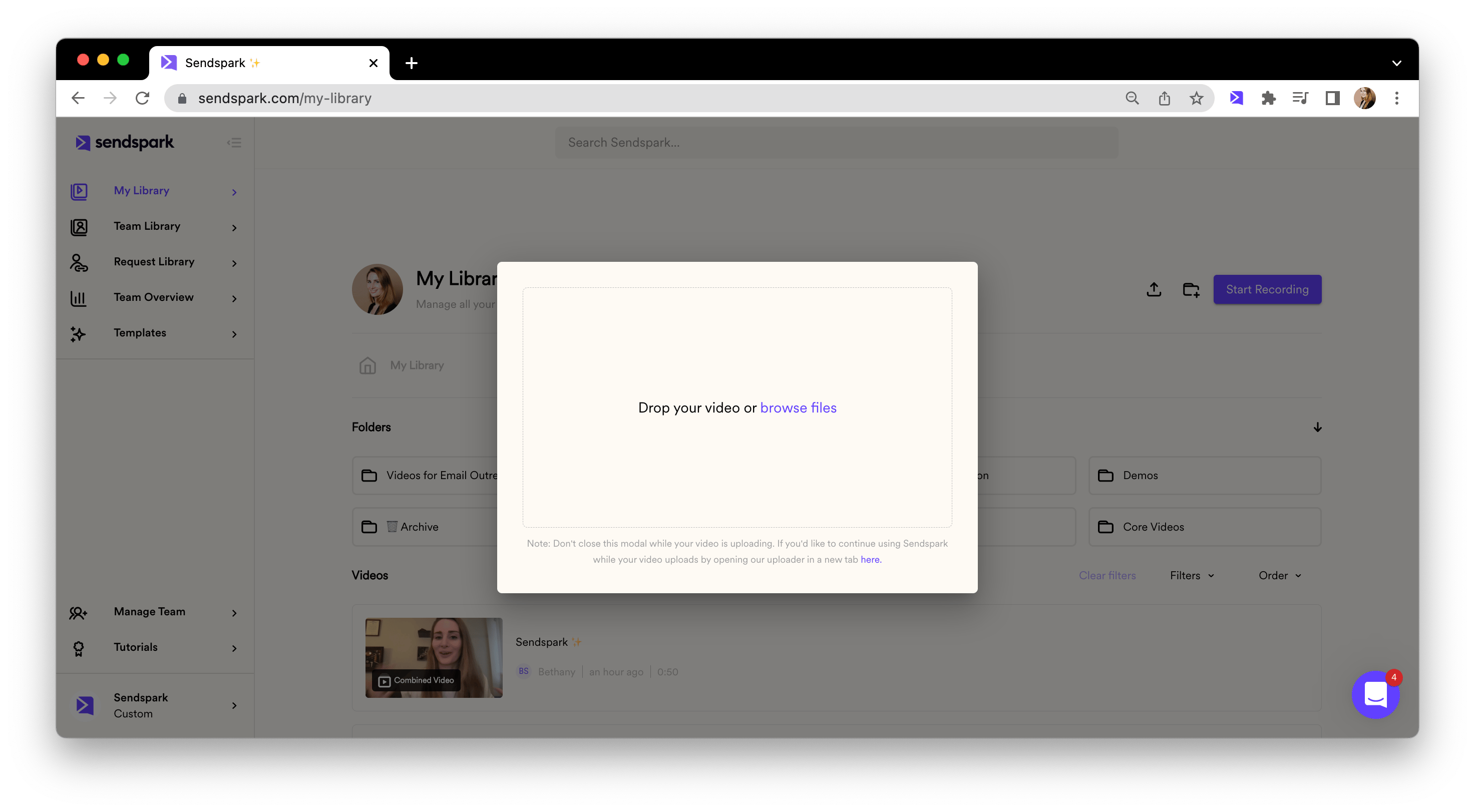
1. Record or upload your video in Sendspark [your Sendspark video library](https://sendspark.com/my-videos)
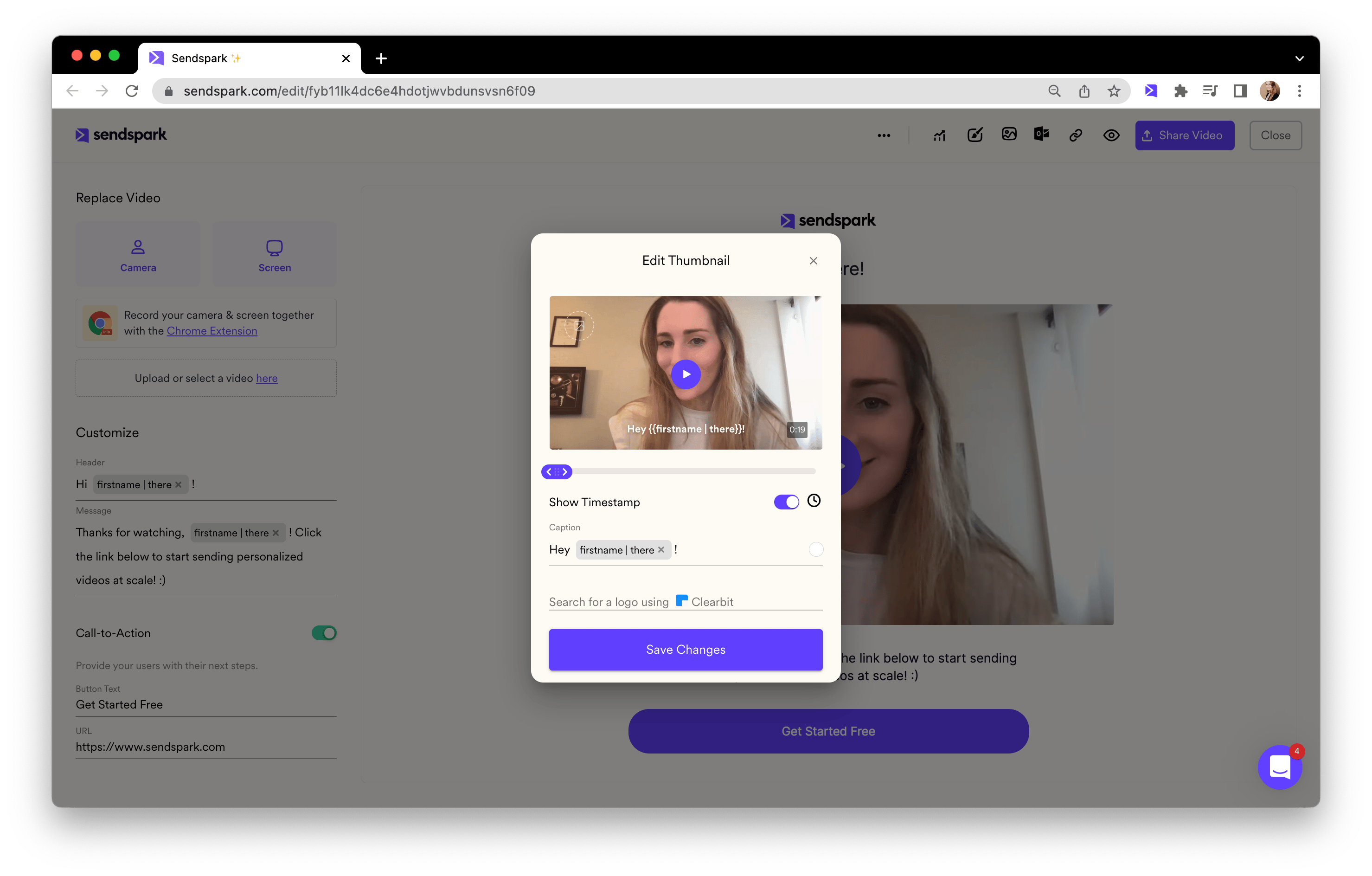
2. Customize the **video header**, **message**, and **thumbnail**. Feel free to use placeholders to automatically pull in contact information from Mailshake when you send your video!
3. Click **"Share Video"**
4. Select Mailshake (if you don't see Mailshake, follow these steps to [modify your share modal](/how-to-modify-shortcuts-on-share-modal)).
5. Paste into a Mailshake email draft
6. Preview and send!
## Frequently asked questions
Sendspark automatically pulls in your viewer's first name, company name, and job title using placeholders you add to the video header, message, and thumbnail.
Follow the steps to [modify your share modal](/how-to-modify-shortcuts-on-share-modal) to add Mailshake as a share shortcut.
Paste it directly into a Mailshake email draft, then preview and send. Your video personalizes for each recipient automatically.
This flow uses placeholders to personalize the text and thumbnail around one recording. If you want a uniquely generated video per contact, see [Mailshake — Send Dynamic Videos](/mailshake-send-dynamic-videos).
*Updated July 2026.*
 2. Customize the **video header**, **message**, and **thumbnail**. Feel free to use placeholders to automatically pull in contact information from Mailshake when you send your video!
 3. Click **"Share Video"**
4. Select Mailshake (if you don't see Mailshake, follow these steps to [modify your share modal](/how-to-modify-shortcuts-on-share-modal)).
3. Click **"Share Video"**
4. Select Mailshake (if you don't see Mailshake, follow these steps to [modify your share modal](/how-to-modify-shortcuts-on-share-modal)).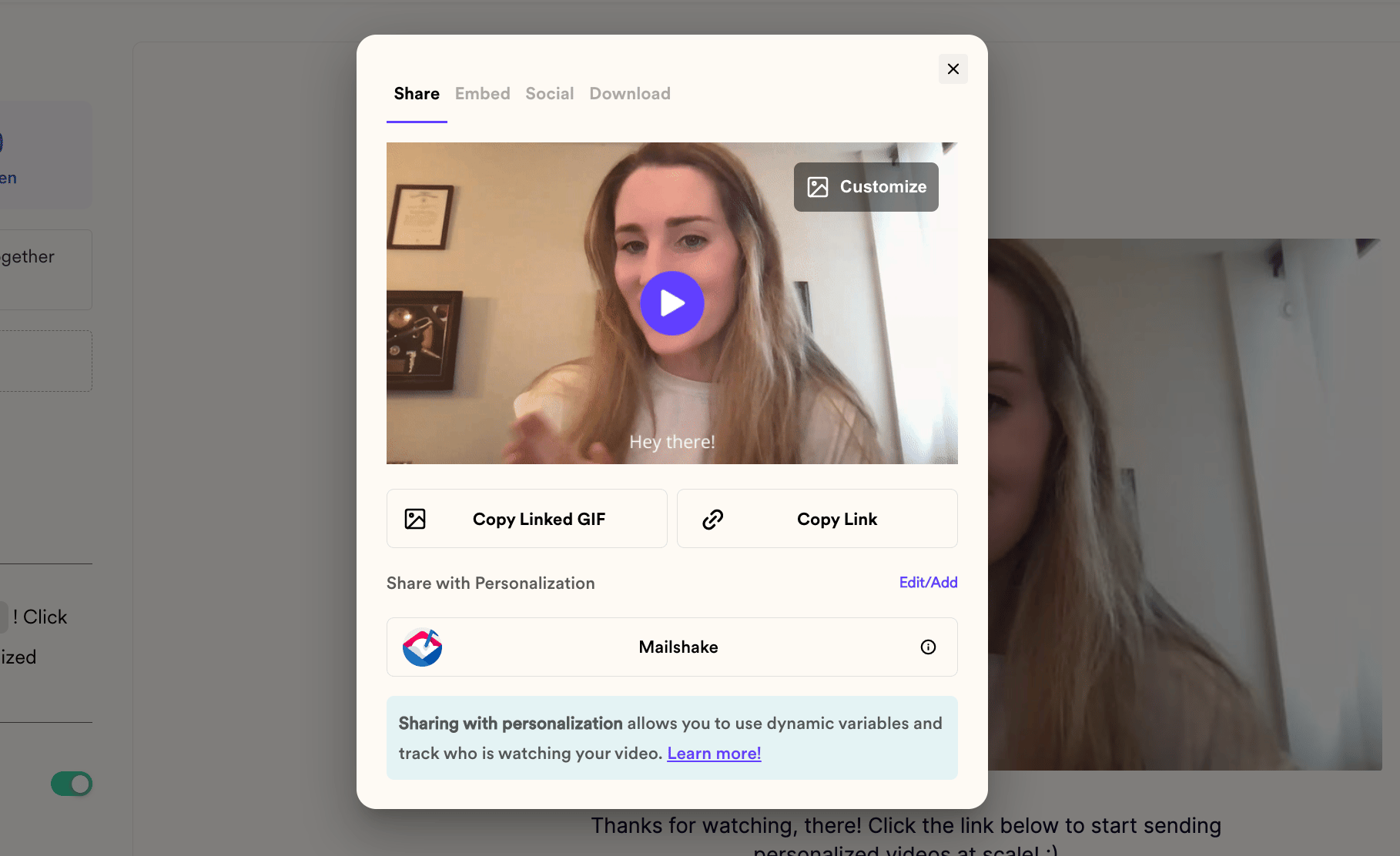 5. Paste into a Mailshake email draft
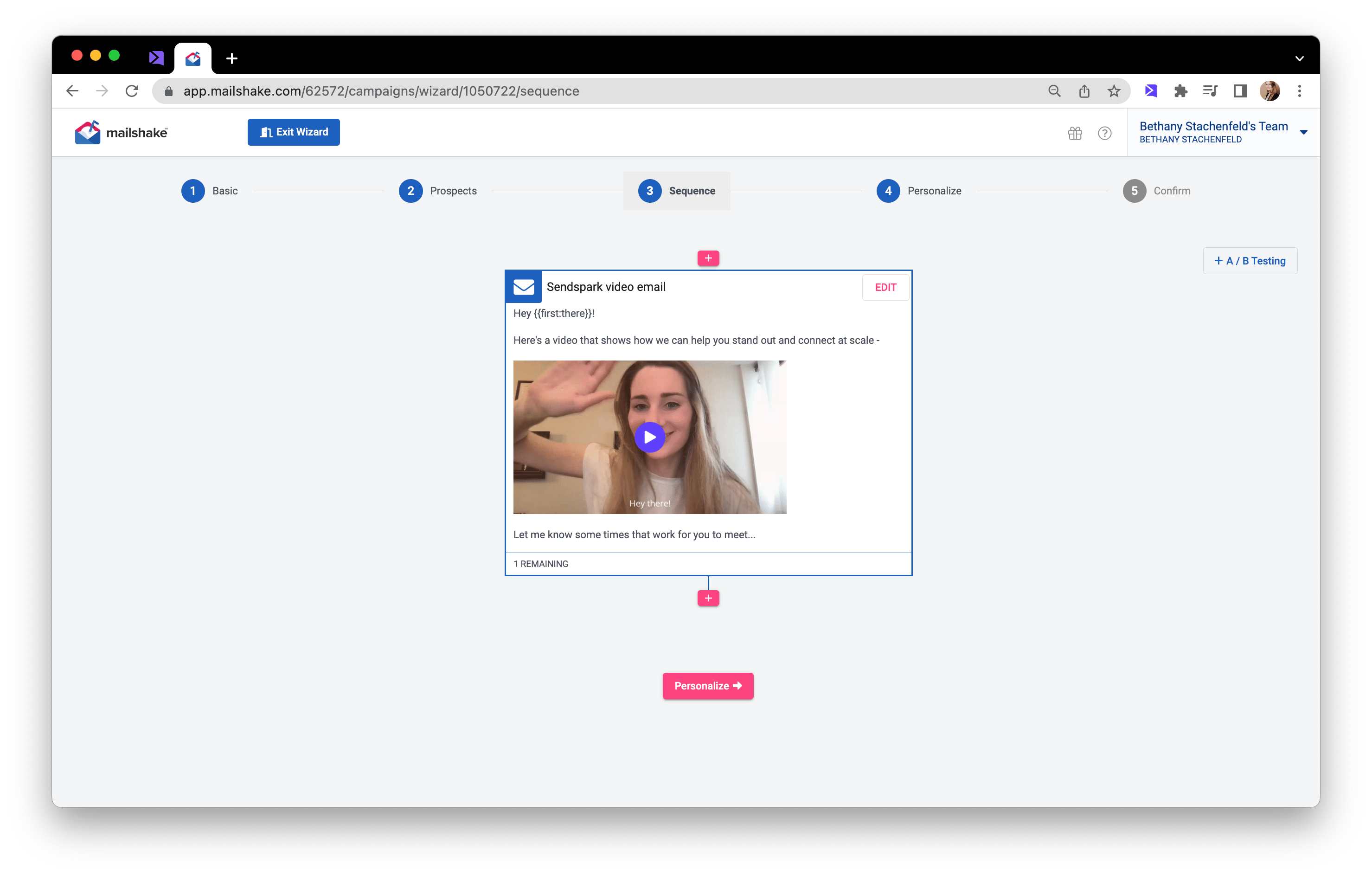 6. Preview and send!
## Frequently asked questions
6. Preview and send!
## Frequently asked questions