> ## Documentation Index
> Fetch the complete documentation index at: https://help.sendspark.com/llms.txt
> Use this file to discover all available pages before exploring further.
# Linked Helper - Send Dynamic Videos
> Learn how to send AI-personalized videos in LinkedIn Helper automation using Sendspark for dynamic video outreach campaigns.
Sendspark works with Linked Helper to send AI-personalized videos inside LinkedIn connection requests and messages. Create your dynamic videos in Sendspark using the LinkedInUrl field, export the CSV, and upload it to Linked Helper. Add the Sendspark Video Link as a custom variable, and the link unfurls into a video preview once you're connected to your prospect.
## Key takeaways
* Use the **"LinkedInUrl" field** in Sendspark when adding contacts so the right person receives the right video.
* **Export the CSV** of generated videos from Sendspark and upload that list to Linked Helper.
* Add the Sendspark **"Video Link"** as a custom variable in Linked Helper. This requires the custom template variables plugin.
* Although the video sends as a link, it unfurls into a preview once you're connected to your prospect.
## How to Send AI-Personalized Videos in LinkedIn Helper Automation
1. Create your [AI personalized videos](/dynamic-videos-make-videos-with-ai-introductions) in Sendspark
2. When you add contacts into Sendspark, make sure to use the\*\*"LinkedInUrl" field\*\*in Sendspark for their LinkedIn Profile URLs. You'll need this to make sure the right person gets the right video later! 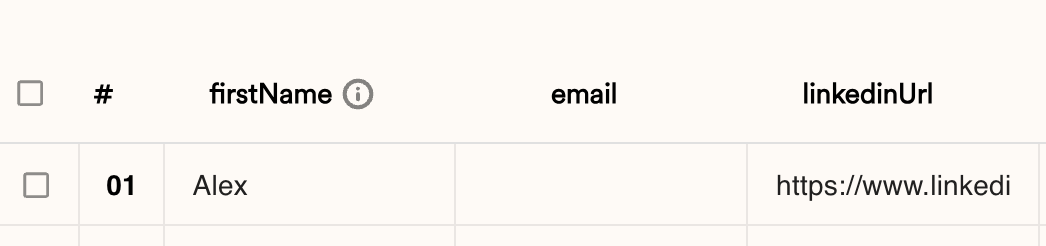 3. **Export CSV**of generated videos in Sendspark.
 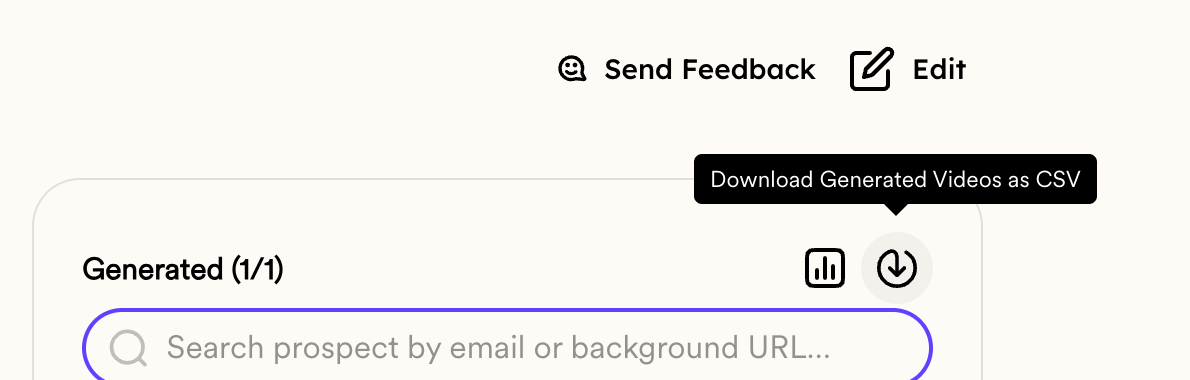 4. Upload this list to LinkedIn Helper, and use the Sendspark "Video Link" variable as a **custom variable in Linked Helper**
5. Note: you will need to use a plugin to use [custom variables in Linked Helper](https://support.linkedhelper.com/hc/en-us/articles/9035773558034-Custom-template-variables-plug-in)
6. Use the Sendspark video link variable in Linked Helper where you want your video to appear in your LinkedIn connection requests and LinkedIn messages.
7. Although you're sending the Sendspark video as a link, the link will unfurl and show a nice preview when you're connected to your prospect.
4. Upload this list to LinkedIn Helper, and use the Sendspark "Video Link" variable as a **custom variable in Linked Helper**
5. Note: you will need to use a plugin to use [custom variables in Linked Helper](https://support.linkedhelper.com/hc/en-us/articles/9035773558034-Custom-template-variables-plug-in)
6. Use the Sendspark video link variable in Linked Helper where you want your video to appear in your LinkedIn connection requests and LinkedIn messages.
7. Although you're sending the Sendspark video as a link, the link will unfurl and show a nice preview when you're connected to your prospect. 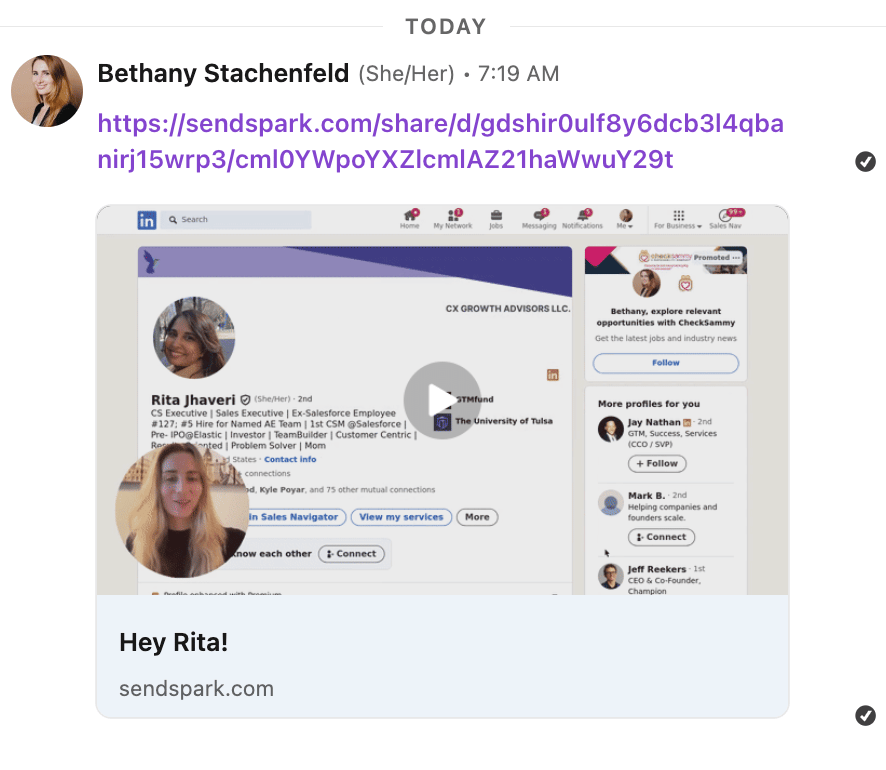 ***
## Frequently asked questions
The LinkedInUrl field stores each contact's LinkedIn Profile URL, which is how Sendspark and Linked Helper make sure the right person gets the right personalized video later in your campaign.
Yes. To use the Sendspark "Video Link" as a custom variable, you'll need the [custom template variables plug-in](https://support.linkedhelper.com/hc/en-us/articles/9035773558034-Custom-template-variables-plug-in) for Linked Helper.
Although the video is sent as a link, the link unfurls to show a nice video preview once you're connected to your prospect.
Use the Sendspark video link variable wherever you want the video to appear in your LinkedIn connection requests and LinkedIn messages.
*Updated July 2026.*
***
## Frequently asked questions
The LinkedInUrl field stores each contact's LinkedIn Profile URL, which is how Sendspark and Linked Helper make sure the right person gets the right personalized video later in your campaign.
Yes. To use the Sendspark "Video Link" as a custom variable, you'll need the [custom template variables plug-in](https://support.linkedhelper.com/hc/en-us/articles/9035773558034-Custom-template-variables-plug-in) for Linked Helper.
Although the video is sent as a link, the link unfurls to show a nice video preview once you're connected to your prospect.
Use the Sendspark video link variable wherever you want the video to appear in your LinkedIn connection requests and LinkedIn messages.
*Updated July 2026.*