> ## Documentation Index
> Fetch the complete documentation index at: https://help.sendspark.com/llms.txt
> Use this file to discover all available pages before exploring further.
# Klaviyo — Send Personalized Videos at Scale
> Learn how to send personalized Sendspark videos through Klaviyo. Integrate Sendspark with Klaviyo for video email outreach at scale.
To send personalized videos at scale in Klaviyo, create your video in Sendspark and add merge tags that update for each recipient, then click Share Video and select Klaviyo to copy the snippet. In a Klaviyo email text block, click Source, paste the snippet into the HTML, and save to embed the video in-line.
## Key takeaways
* Merge tags automatically personalize the video for each recipient, and a fallback is shown when a recipient's information is unknown.
* Create your video by recording, uploading, or requesting it, then add a title, message, or call-to-action, or edit the thumbnail.
* Click Share Video, then Klaviyo, to copy the share snippet to your clipboard; modify your shortcuts if Klaviyo isn't listed.
* In a Klaviyo email text block, click Source to edit the HTML, paste the snippet, and save to embed the video in-line.
## Why Send Hyper-Personalized Videos in Klaviyo?
Sendspark makes it easy to record and [embed videos in Klaviyo](/klaviyo-send-video-emails). With our hyper-personalization feature, you can automatically personalize viewers for each viewer to add a special touch and increase engagement.
## How to Send Personalized Videos at Scale in Klaviyo
Watch the video or follow the steps below!
## 1. Create your video in Sendspark
You can record, upload, or request a video.
## 2. Personalize your video
Feel free to add a title, message, or call-to-action on your video page or [edit the video thumbnail](/how-to-edit-video-thumbnails).
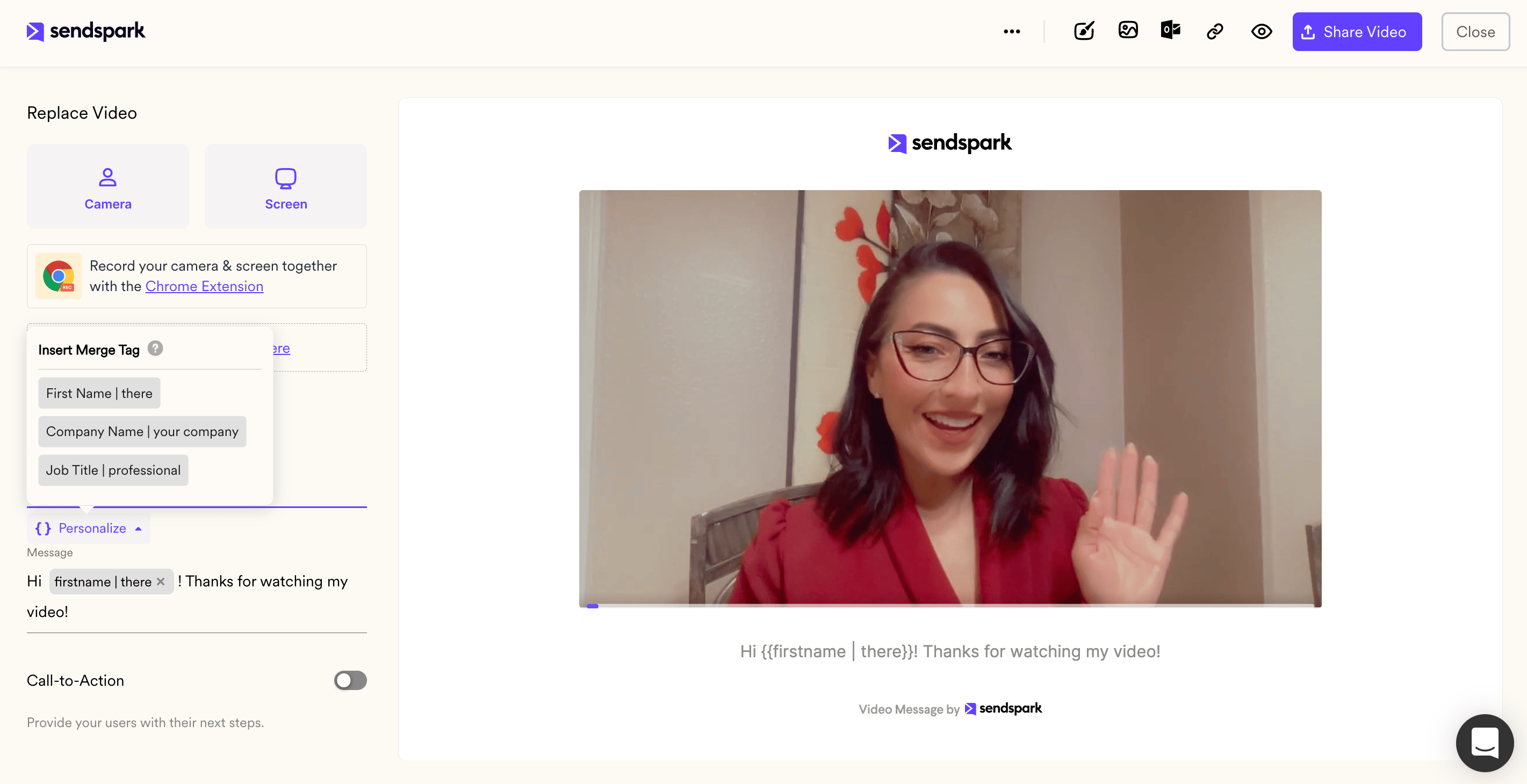
You can also use merge tags to automatically personalize videos for viewers. These merge tags will automatically update for each recipient. If the recipient's information is unknown, they will see a [fallback](/how-merge-tag-fallbacks-work).
## 3. Click "Share Video"
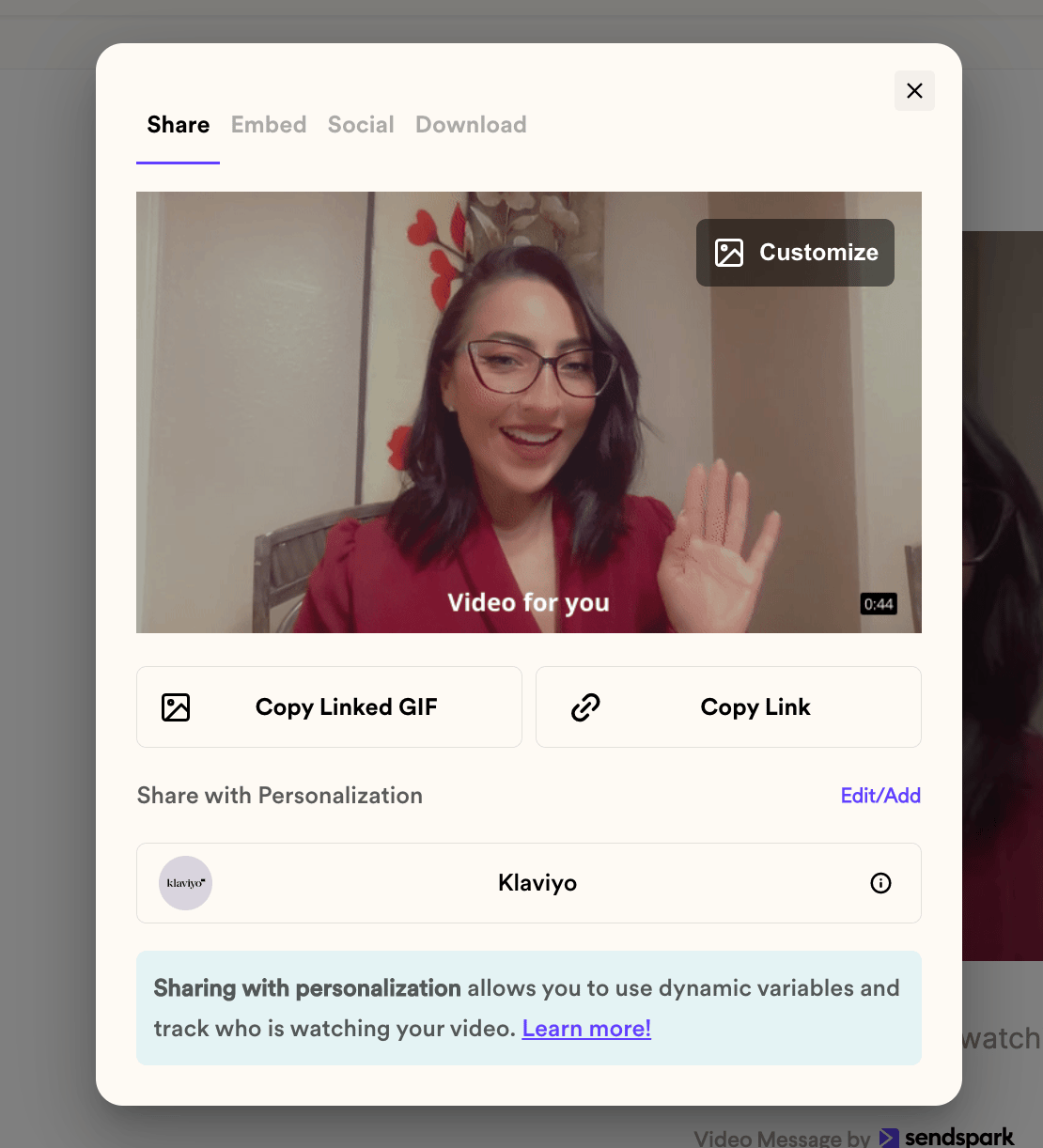
## 4. From the Sendspark share modal, click "Klaviyo"
By clicking "Klaviyo," you will copy your video share snippet to your clipboard.
Note, if you don't see Klaviyo on the share modal, you can [modify your shortcuts](/how-to-modify-shortcuts-on-share-modal)
## 5. Paste into your Klaviyo email
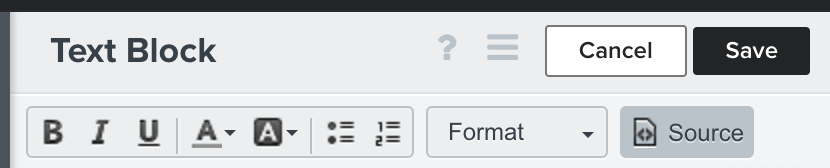
Go to any Klaviyo email. From a text block, click **"source."** This will let you edit the HTML of your email.
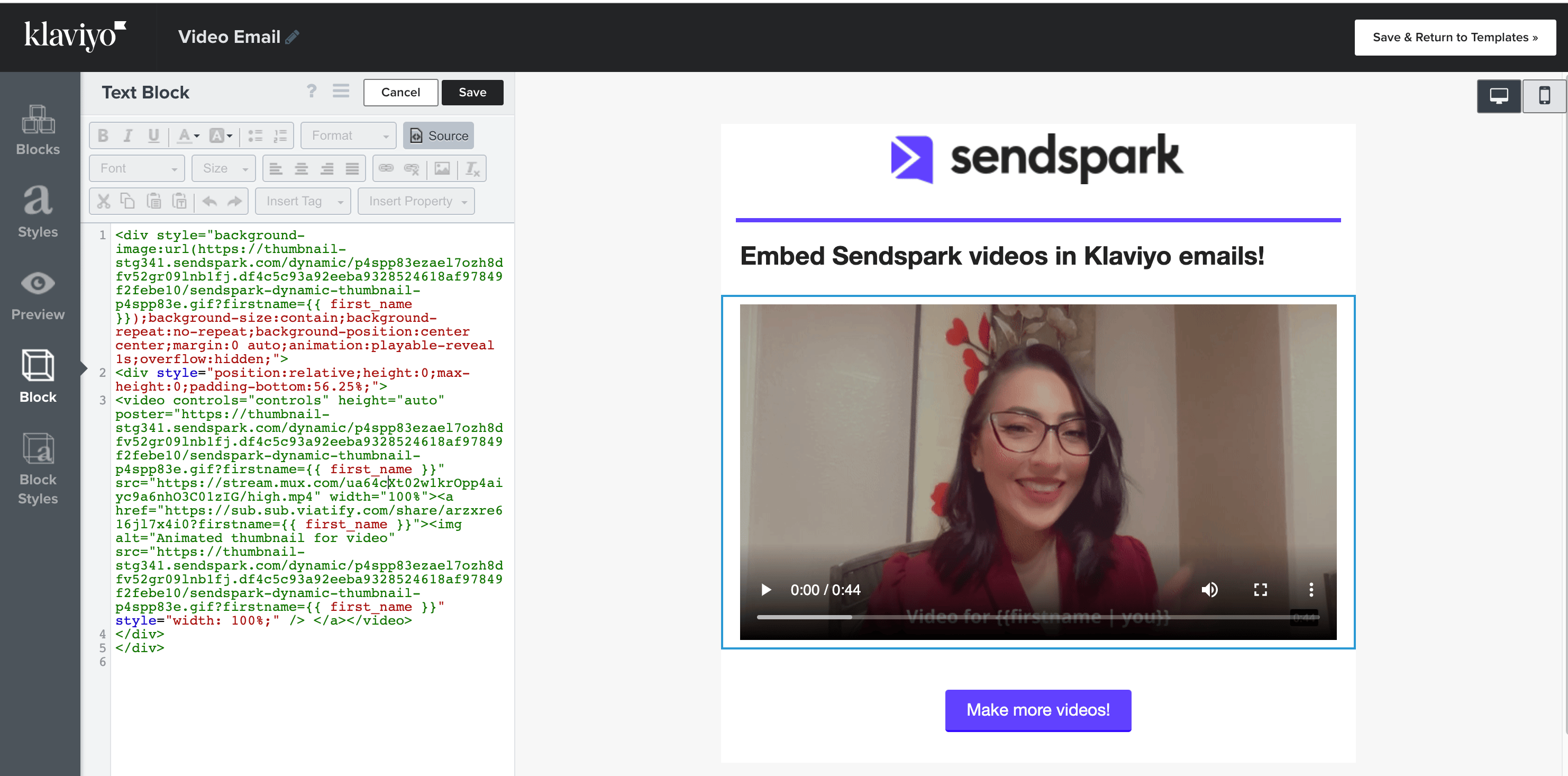
Now, paste your Sendspark video snippet directly into the source code. Click \*\*"save,"\*\*and you will see your hyper-personalized video embedded in-line in your Klaviyo email!
That's it, you're ready to send your video!
## Frequently asked questions
Use merge tags on your video page. They update automatically for each recipient, so the video is personalized per viewer. If a recipient's information is unknown, they'll see a fallback instead.
In a Klaviyo email text block, click Source to edit the HTML, paste your Sendspark video snippet directly into the source code, and click Save. You'll then see your video embedded in-line in the email.
If Klaviyo isn't listed on the Sendspark share modal, you can modify your shortcuts to add it as a share option.
If the recipient's information is unknown, the merge tag will display a fallback so the viewer still has a good experience.
*Updated July 2026.*
 ## 3. Click "Share Video"
 ## 4. From the Sendspark share modal, click "Klaviyo"
By clicking "Klaviyo," you will copy your video share snippet to your clipboard.
Note, if you don't see Klaviyo on the share modal, you can [modify your shortcuts](/how-to-modify-shortcuts-on-share-modal)
## 4. From the Sendspark share modal, click "Klaviyo"
By clicking "Klaviyo," you will copy your video share snippet to your clipboard.
Note, if you don't see Klaviyo on the share modal, you can [modify your shortcuts](/how-to-modify-shortcuts-on-share-modal)
 ## 5. Paste into your Klaviyo email
Go to any Klaviyo email. From a text block, click **"source."** This will let you edit the HTML of your email.
## 5. Paste into your Klaviyo email
Go to any Klaviyo email. From a text block, click **"source."** This will let you edit the HTML of your email.
 Now, paste your Sendspark video snippet directly into the source code. Click \*\*"save,"\*\*and you will see your hyper-personalized video embedded in-line in your Klaviyo email!
 That's it, you're ready to send your video!
## Frequently asked questions
That's it, you're ready to send your video!
## Frequently asked questions