> ## Documentation Index
> Fetch the complete documentation index at: https://help.sendspark.com/llms.txt
> Use this file to discover all available pages before exploring further.
# HubSpot: Static Videos (Sales Hub)
> Learn how to send personalized videos at scale using Sendspark's HubSpot Sales Hub integration to boost email engagement by 16x.
Sendspark's HubSpot Sales Hub integration lets you send hyper-personalized video emails at scale. Create one video in Sendspark using personalization tokens, share it as a HubSpot Sales Hub snippet, and paste it into a HubSpot template. From there you can use the template in direct emails, Gmail/Outlook, and sequences, and the tokens populate for each viewer automatically.
## Key takeaways
* Adding personalization can increase email engagement by up to 16x, and this integration lets you personalize videos at scale.
* Record one video in Sendspark with personalization tokens like first name, job title, and company name; they populate with each viewer's information when sent through HubSpot.
* If a contact's information is unknown, Sendspark displays [fallback variables](/how-merge-tag-fallbacks-work) so the message still looks complete.
* Use **Share with Personalization → HubSpot Sales Hub** to copy the snippet, paste it into a new HubSpot template, and save. The template then works from direct emails, Gmail/Outlook (with the HubSpot Chrome Extension), and sequences.
With [Sendspark's + Hubspot Sales Hub Integration,](https://www.sendspark.com/integrations/hubspot) you are able to send hyper-personalized video emails in Hubspot.
## Why Send Personalized Videos in Hubspot Sales Hub?
Adding a bit of personalization can increase email engagement by up to 16x. Sendspark's Hubspot Sales Hub integration provides a simple way to personalize videos at scale.
To get started, read the article or watch the video:
## How to Send Personalized Videos at Scale in Hubspot Sales Hub
## 1. Create your video in Sendspark
When you create your video message in Sendspark, you can use personalization tokens, like ###\{\{first name}}, ###\{\{job title}}, and ###\{\{company name}}.
When you send your videos in Hubspot, these variables will automatically populate with the correct viewer's information.
If the contact information is unknown, Sendspark will display [fallback variables](/how-merge-tag-fallbacks-work).
## 2. Add to a Hubspot template
Under **"Share with Personalization"**click**Hubspot Sales Hub**.
Note, if you don't see Hubspot Sales Hub on the share modal, you can [follow these steps to modify your shortcuts](/how-to-modify-shortcuts-on-share-modal).
This will copy the Hubspot video snippet to your clipboard. Now, you can go over to Hubspot and **create a new template**.
**Paste** your Hubspot video snippet right into your template.
**Save** your new template!
## 3. Share your video email
Now, you can use your personalized video template from anywhere in Hubspot Sales Hub, including:
* Direct emails to customers in Hubspot
* Direct emails in Gmail / Outlook, as long as you have the Hubspot Chrome Extension installed
* Sequences
When you select your video template, the personalization tokens for your viewers will populate, so you can send one video to many people, and still deliver a personalized experience.
## Additional Resources for Integrating Sendspark and Hubspot
As a Sendspark + Hubspot user, you might want to take advantage of these additional features!
* [Record and share videos](/hubspot-instant-integration-chrome-extension) right from Hubspot emails
* [Embed videos in Hubspot Marketing Hub emails](/hubspot-static-videos-marketing-hub)
* [Embed videos in Hubspot blog posts](/how-to-embed-a-video-on-a-hubspot-blog-post)
* [Add your Hubspot tracking code](/how-to-set-up-sendspark-for-hubspot-crm-integration) to Sendspark to see Sendspark views right in your contacts' timelines.
## Frequently asked questions
Adding a bit of personalization can increase email engagement by up to 16x. Sendspark's HubSpot Sales Hub integration is designed to let you personalize videos at scale, so you record once and reach many contacts.
If the contact information is unknown, Sendspark displays [fallback variables](/how-merge-tag-fallbacks-work) in place of the missing tokens, so the video and message still look complete.
If HubSpot Sales Hub isn't listed on the share modal, you can [follow these steps to modify your shortcuts](/how-to-modify-shortcuts-on-share-modal) and add it.
Once saved, you can use your personalized video template from anywhere in HubSpot Sales Hub, including direct emails to customers in HubSpot, direct emails in Gmail or Outlook (as long as you have the HubSpot Chrome Extension installed), and sequences.
*Updated July 2026.*
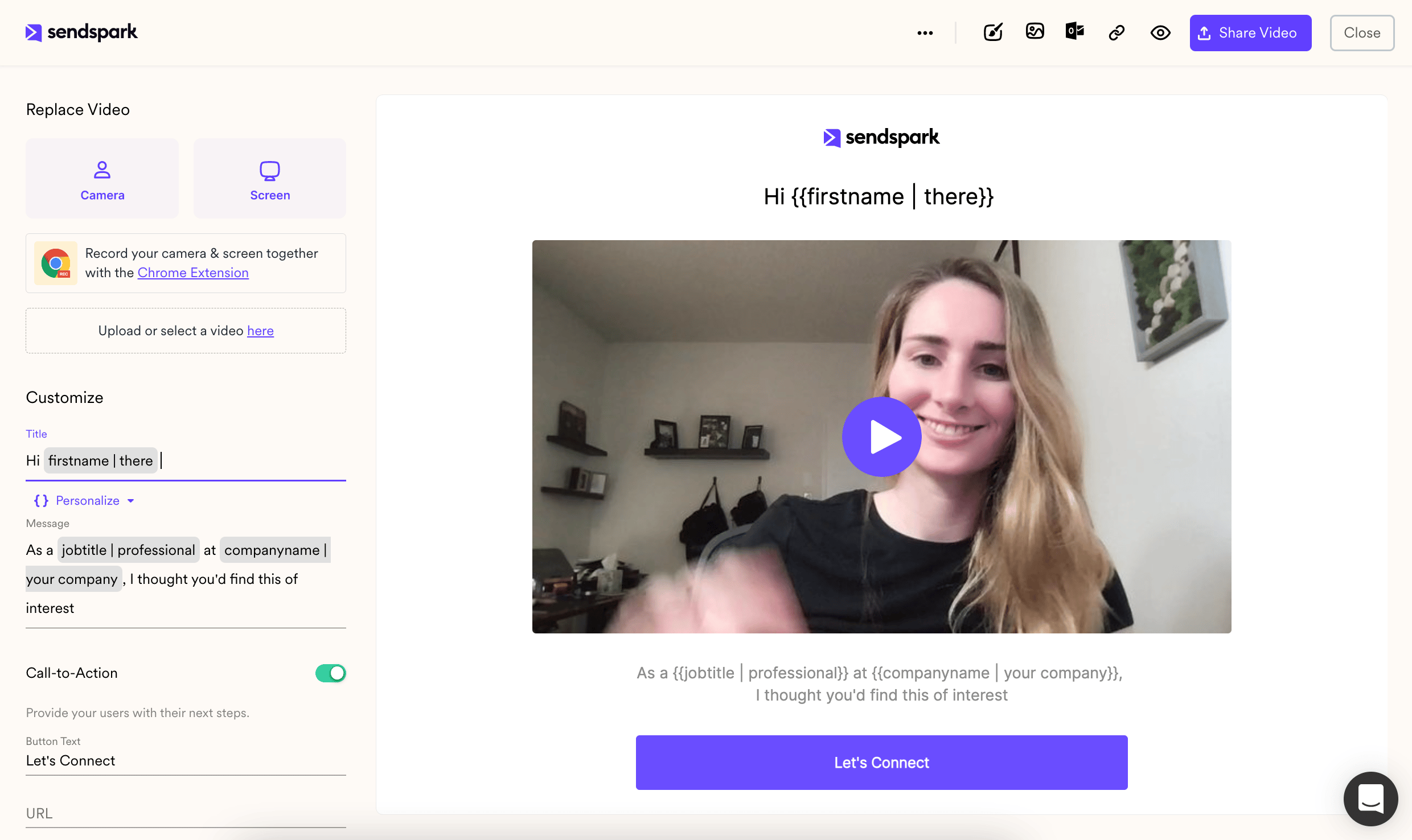 When you send your videos in Hubspot, these variables will automatically populate with the correct viewer's information.
If the contact information is unknown, Sendspark will display [fallback variables](/how-merge-tag-fallbacks-work).
## 2. Add to a Hubspot template
Under **"Share with Personalization"**click**Hubspot Sales Hub**.
Note, if you don't see Hubspot Sales Hub on the share modal, you can [follow these steps to modify your shortcuts](/how-to-modify-shortcuts-on-share-modal).
When you send your videos in Hubspot, these variables will automatically populate with the correct viewer's information.
If the contact information is unknown, Sendspark will display [fallback variables](/how-merge-tag-fallbacks-work).
## 2. Add to a Hubspot template
Under **"Share with Personalization"**click**Hubspot Sales Hub**.
Note, if you don't see Hubspot Sales Hub on the share modal, you can [follow these steps to modify your shortcuts](/how-to-modify-shortcuts-on-share-modal).
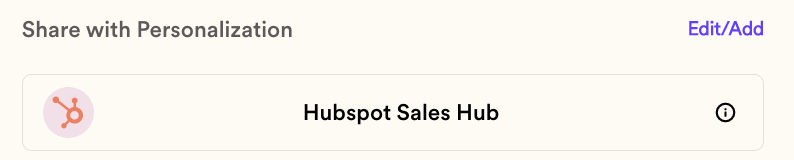 This will copy the Hubspot video snippet to your clipboard. Now, you can go over to Hubspot and **create a new template**.
**Paste** your Hubspot video snippet right into your template.
This will copy the Hubspot video snippet to your clipboard. Now, you can go over to Hubspot and **create a new template**.
**Paste** your Hubspot video snippet right into your template.
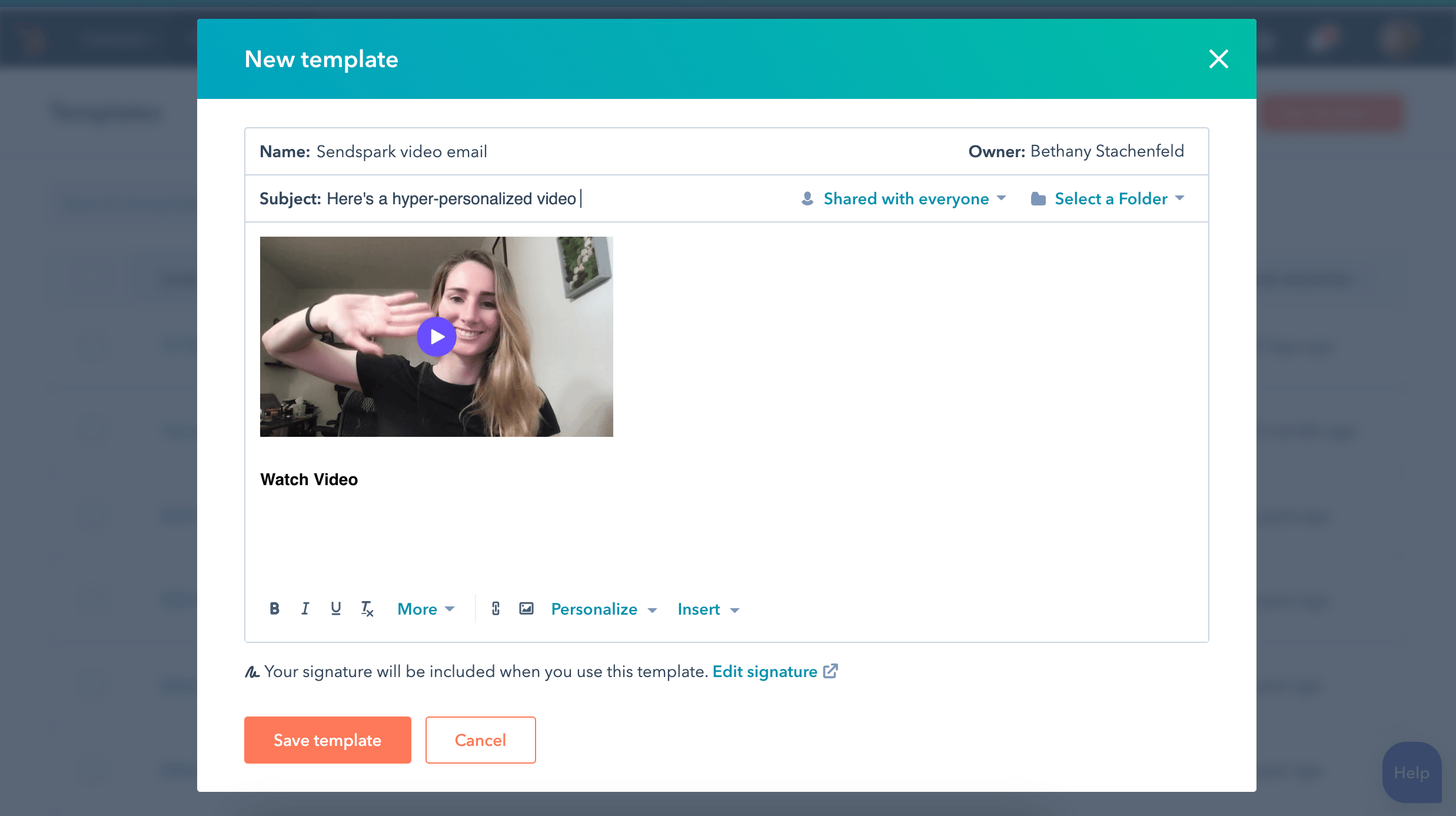 **Save** your new template!
## 3. Share your video email
Now, you can use your personalized video template from anywhere in Hubspot Sales Hub, including:
* Direct emails to customers in Hubspot
* Direct emails in Gmail / Outlook, as long as you have the Hubspot Chrome Extension installed
* Sequences
When you select your video template, the personalization tokens for your viewers will populate, so you can send one video to many people, and still deliver a personalized experience.
## Additional Resources for Integrating Sendspark and Hubspot
As a Sendspark + Hubspot user, you might want to take advantage of these additional features!
* [Record and share videos](/hubspot-instant-integration-chrome-extension) right from Hubspot emails
* [Embed videos in Hubspot Marketing Hub emails](/hubspot-static-videos-marketing-hub)
* [Embed videos in Hubspot blog posts](/how-to-embed-a-video-on-a-hubspot-blog-post)
* [Add your Hubspot tracking code](/how-to-set-up-sendspark-for-hubspot-crm-integration) to Sendspark to see Sendspark views right in your contacts' timelines.
## Frequently asked questions
**Save** your new template!
## 3. Share your video email
Now, you can use your personalized video template from anywhere in Hubspot Sales Hub, including:
* Direct emails to customers in Hubspot
* Direct emails in Gmail / Outlook, as long as you have the Hubspot Chrome Extension installed
* Sequences
When you select your video template, the personalization tokens for your viewers will populate, so you can send one video to many people, and still deliver a personalized experience.
## Additional Resources for Integrating Sendspark and Hubspot
As a Sendspark + Hubspot user, you might want to take advantage of these additional features!
* [Record and share videos](/hubspot-instant-integration-chrome-extension) right from Hubspot emails
* [Embed videos in Hubspot Marketing Hub emails](/hubspot-static-videos-marketing-hub)
* [Embed videos in Hubspot blog posts](/how-to-embed-a-video-on-a-hubspot-blog-post)
* [Add your Hubspot tracking code](/how-to-set-up-sendspark-for-hubspot-crm-integration) to Sendspark to see Sendspark views right in your contacts' timelines.
## Frequently asked questions