> ## Documentation Index
> Fetch the complete documentation index at: https://help.sendspark.com/llms.txt
> Use this file to discover all available pages before exploring further.
# How to set up Sendspark for PipeDrive
> Set up Sendspark for PipeDrive integration to track video engagement, measure business impact, and visualize data in dashboards.
To connect Sendspark with PipeDrive, open PipeDrive's Web Visitors under Leads and copy the tracker ID shown in brackets (for example, DzLR5a5WNoY7BoQ2). Then paste it into the PipeDrive ID field on your [Sendspark integrations page](https://sendspark.com/settings/integrations). This sends Sendspark page visits to PipeDrive so you can track engagement and visualize it in dashboards.
## Key takeaways
* The integration sends Sendspark video-page visits to PipeDrive so you can track contact engagement and visualize the data in dashboards.
* You connect the two tools by copying your PipeDrive Web Visitors tracker ID into the PipeDrive ID field in Sendspark's integration settings.
* The tracker ID lives under **Leads → Web Visitors** in PipeDrive. Copy only the code between the brackets marked in red, and nothing else.
* Setup is done in Sendspark's [Integrations settings](https://sendspark.com/settings/integrations); no coding is required.
The Sendspark for PipeDrive integration allows you to easily measure the impact video is having on your business.
This integration will allow you to send Sendspark page visits to PipeDrive to track engagement with contacts and visualize video engagement data in dashboards.
***
1. Access your PipeDrive website
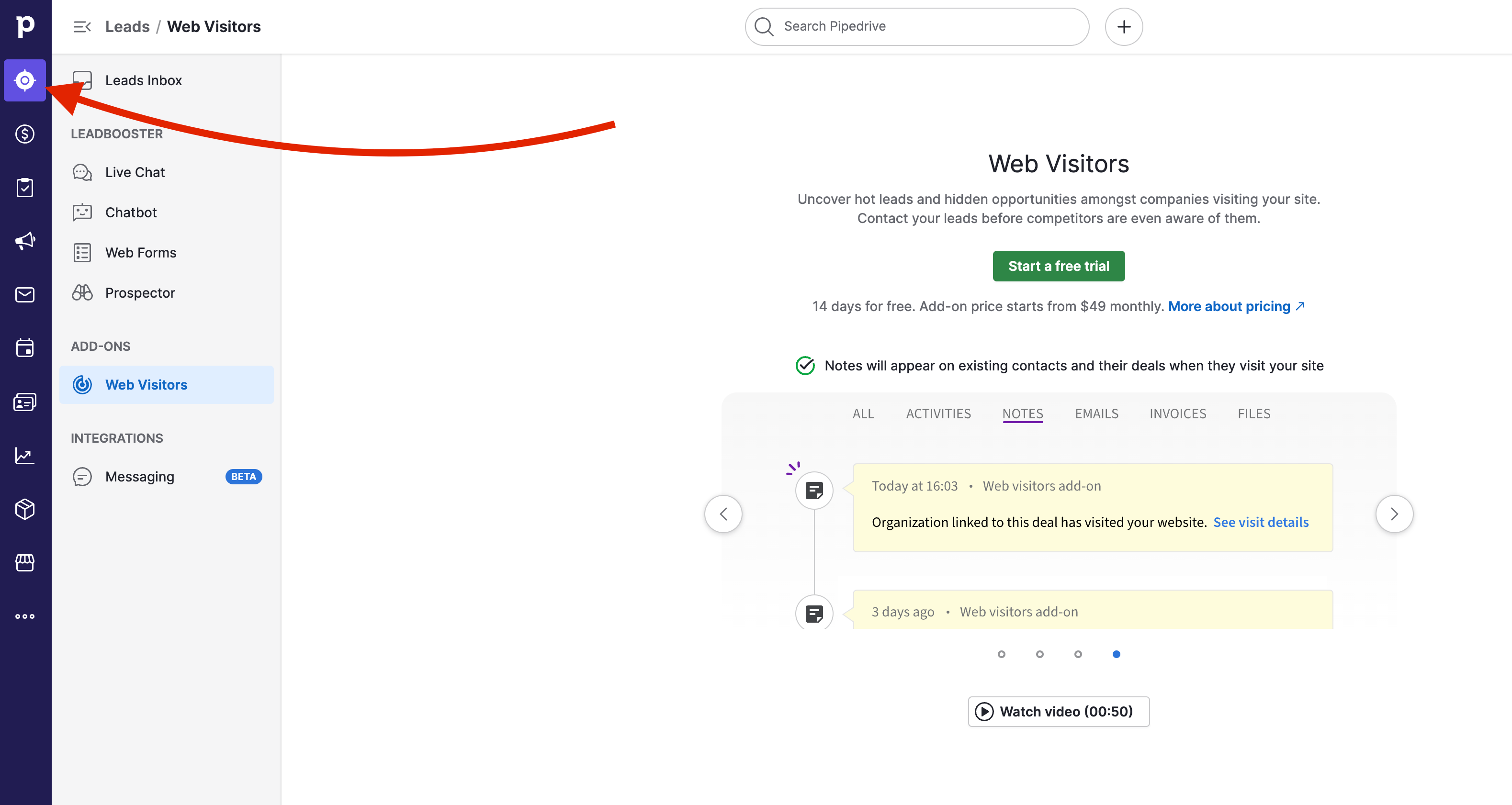
2. Head to "Leads" on the left hand side corner:
3. If you are new to PipeDrive, click on "Start a free trial", otherwise access Web Visitors.
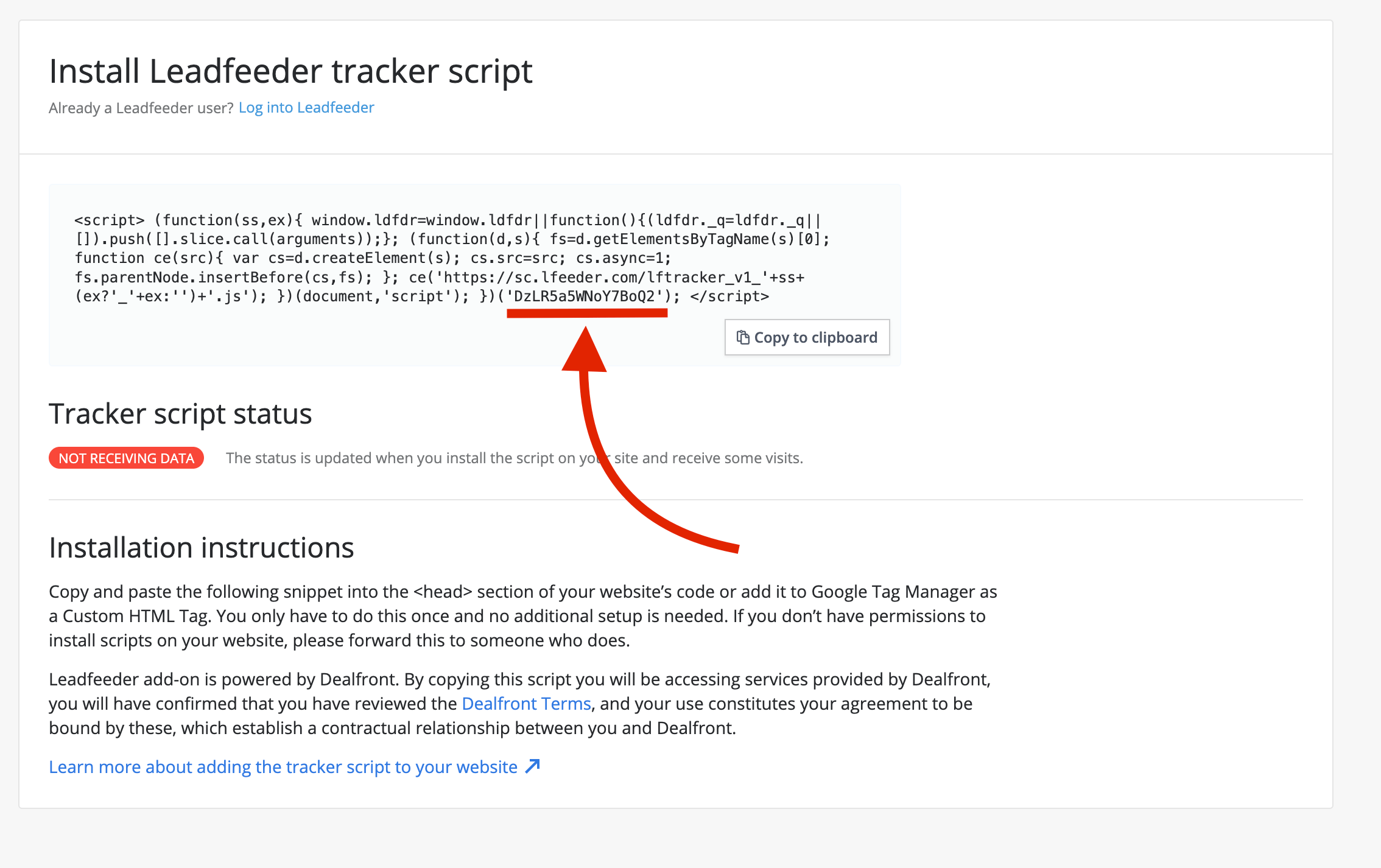
4. You should now be able to see the following page. Simply COPY the last section you see between brackets and marked in red, and nothing else.
In this example: DzLR5a5WNoY7BoQ2
5. Go back to Sendspark integrations section: [https://sendspark.com/settings/integrations](https://sendspark.com/settings/integrations)
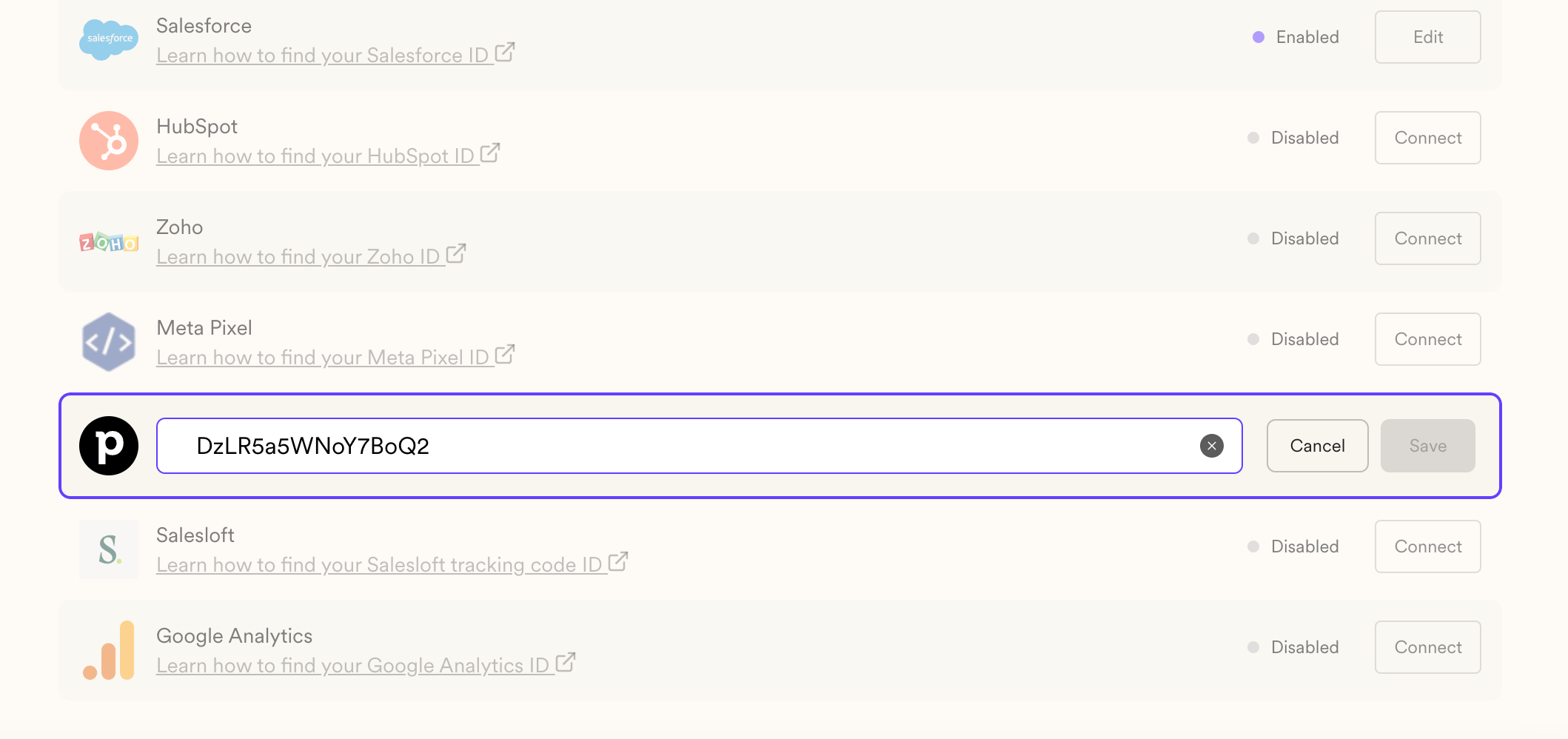
6. Paste it in the PipeDrive ID:
7. You are all set!
***
Here's the video version to the tutorial:
## Frequently asked questions
It sends your Sendspark video-page visits to PipeDrive, so you can track engagement with contacts and visualize video engagement data in PipeDrive dashboards.
In PipeDrive, go to **Leads** and open **Web Visitors**. If you are new to PipeDrive, start the free trial first. Copy only the last section shown between the brackets and marked in red (for example, DzLR5a5WNoY7BoQ2), and nothing else.
Go to your Sendspark integrations section at [https://sendspark.com/settings/integrations](https://sendspark.com/settings/integrations) and paste the ID into the PipeDrive ID field. Once saved, you're all set.
Yes. You need access to PipeDrive's Web Visitors feature to get a tracker ID. If you don't have an account yet, you can start a free trial from the Leads page.
*Updated July 2026.*
 3. If you are new to PipeDrive, click on "Start a free trial", otherwise access Web Visitors.
4. You should now be able to see the following page. Simply COPY the last section you see between brackets and marked in red, and nothing else.
In this example: DzLR5a5WNoY7BoQ2
3. If you are new to PipeDrive, click on "Start a free trial", otherwise access Web Visitors.
4. You should now be able to see the following page. Simply COPY the last section you see between brackets and marked in red, and nothing else.
In this example: DzLR5a5WNoY7BoQ2
 5. Go back to Sendspark integrations section: [https://sendspark.com/settings/integrations](https://sendspark.com/settings/integrations)
6. Paste it in the PipeDrive ID:
5. Go back to Sendspark integrations section: [https://sendspark.com/settings/integrations](https://sendspark.com/settings/integrations)
6. Paste it in the PipeDrive ID:
 7. You are all set!
***
Here's the video version to the tutorial:
## Frequently asked questions
7. You are all set!
***
Here's the video version to the tutorial:
## Frequently asked questions