> ## Documentation Index
> Fetch the complete documentation index at: https://help.sendspark.com/llms.txt
> Use this file to discover all available pages before exploring further.
# How to Review and Pay our Invoices
> Learn how to access, review, and pay invoices through your billing account menu with step-by-step instructions for online payments.
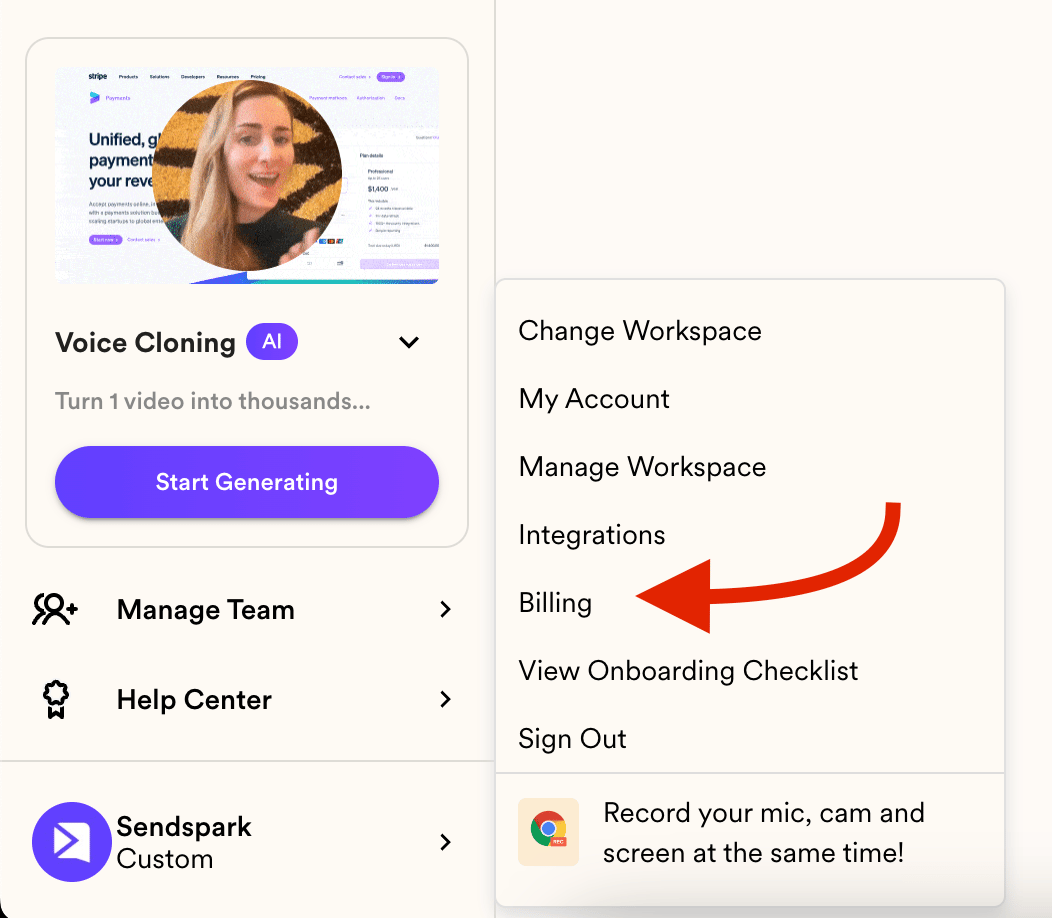
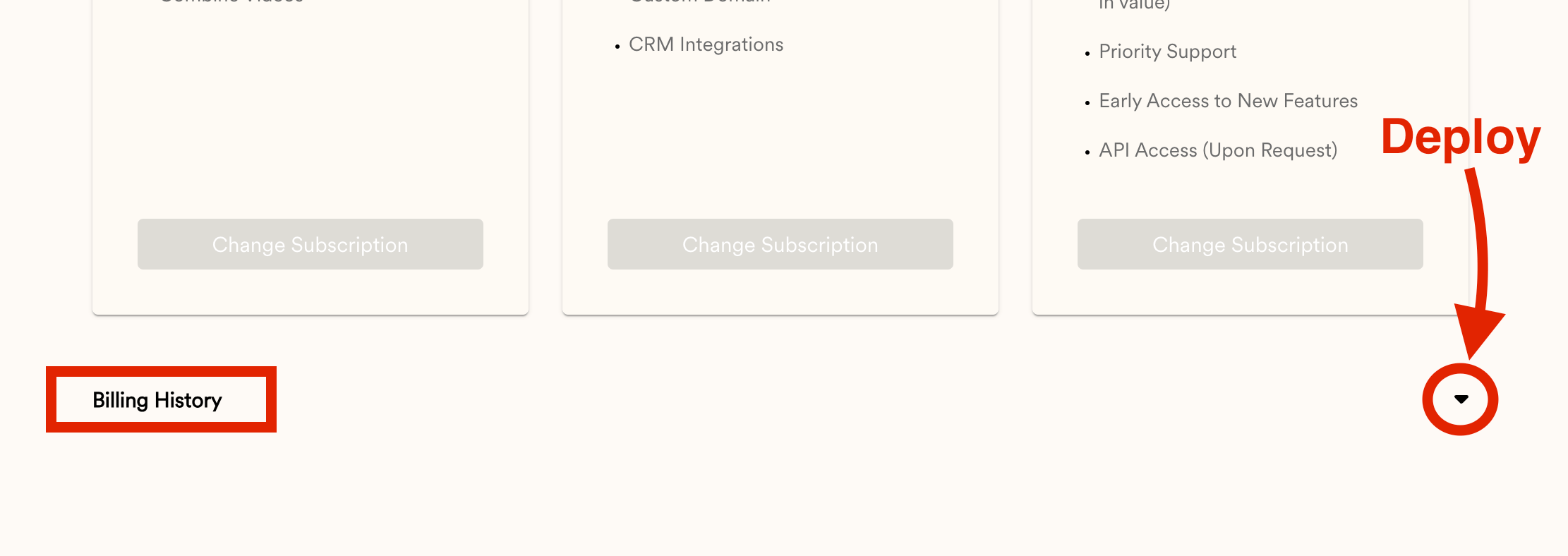
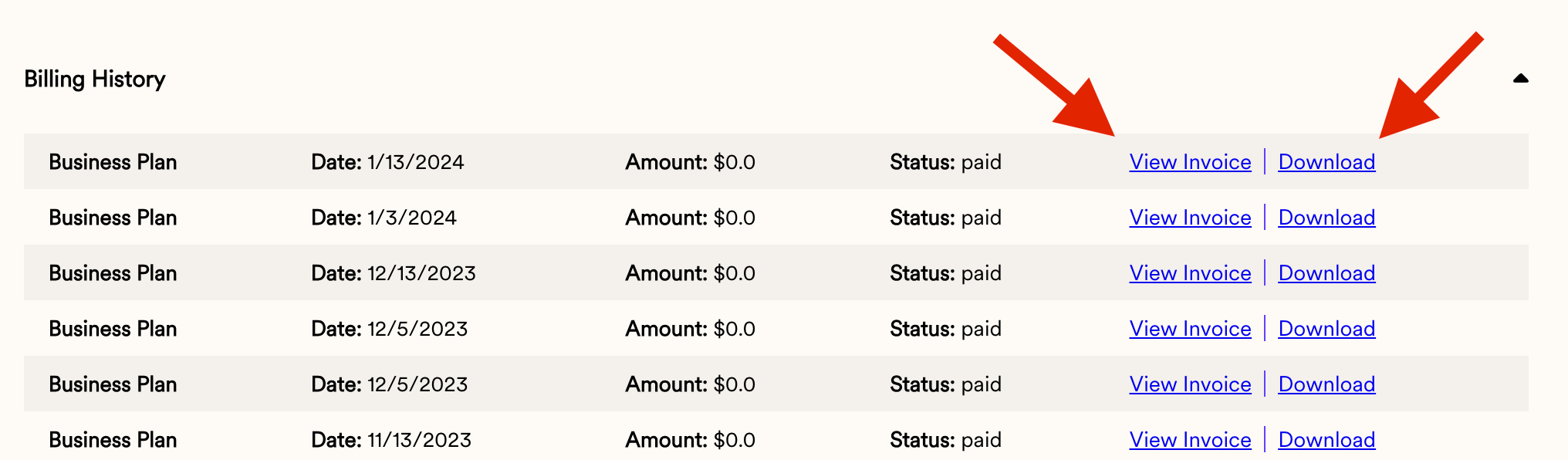
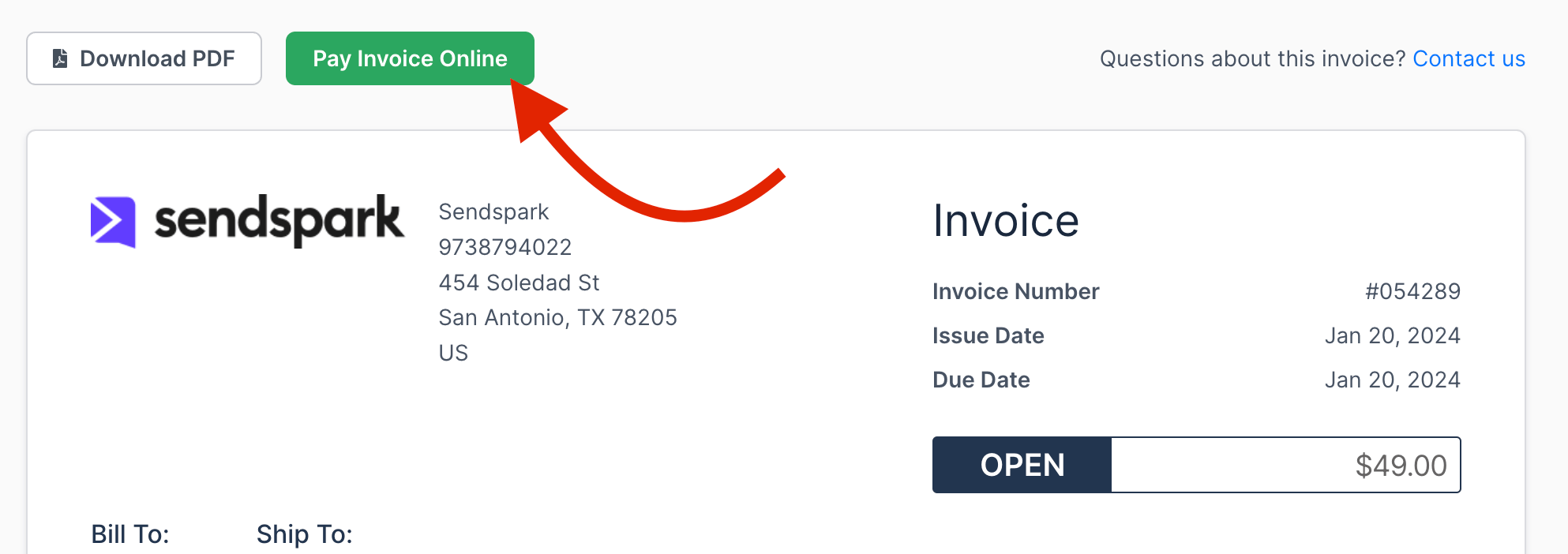
To review your invoices, open your account **Menu**, click **BILLING**, then scroll down and click the arrow on the right to expand your billing history. From there you can view an invoice online or download it. To pay manually, click **View Invoice** and then **Pay Invoice Online**.
## Key takeaways
* Invoices live under your account **Menu → BILLING**. Scroll to the bottom and click the arrow on the right to expand your billing history.
* Each invoice can be viewed online or downloaded.
* To pay an invoice manually, click **View Invoice**, then head to **Pay Invoice Online**.
In this article, you will learn how to access your invoices
1. Head to your account Menu and click on BILLING:
 2. Scroll all the way down and click on the arrow to the right to deploy the invoices:
 3. You can then View the Invoice online or download the invoice:
 4. If you need to pay an Invoice manually, click on VIEW INVOICE and then head to Pay Invoice Online.
 ## Frequently asked questions
Head to your account **Menu** and click **BILLING**. Scroll all the way down and click the arrow on the right to expand your billing history.
Yes. From your billing history you can either view the invoice online or download it.
Click **View Invoice**, then go to **Pay Invoice Online** to pay it.
*Updated July 2026.*
## Frequently asked questions
Head to your account **Menu** and click **BILLING**. Scroll all the way down and click the arrow on the right to expand your billing history.
Yes. From your billing history you can either view the invoice online or download it.
Click **View Invoice**, then go to **Pay Invoice Online** to pay it.
*Updated July 2026.*