> ## Documentation Index
> Fetch the complete documentation index at: https://help.sendspark.com/llms.txt
> Use this file to discover all available pages before exploring further.
# How to Recover Videos - Desktop App
> Learn how to recover deleted or lost recordings in the Sendspark desktop app. Follow these steps to find and restore your videos quickly.
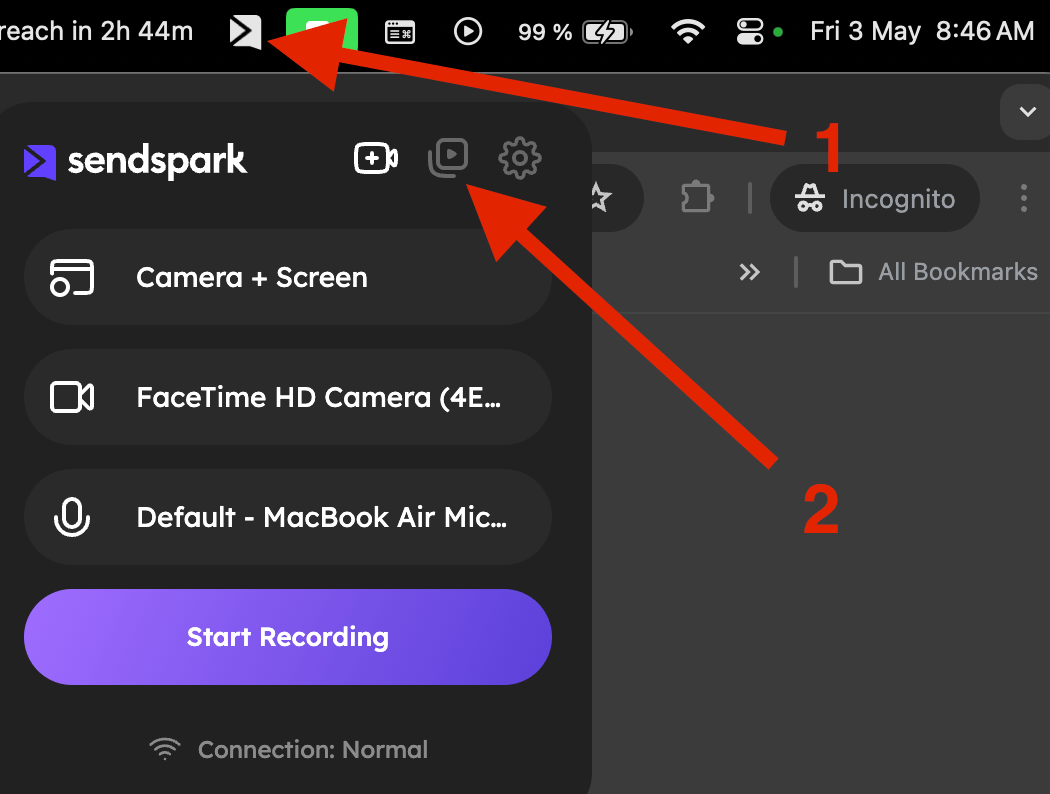
If a recording failed to upload in the Sendspark Desktop App, you can often recover it. Open the Desktop App, go to the middle play icon button, click the thumbnail of the video you need, click the three dots for Options, then download the video to re-upload it. This only works if you haven't closed the Desktop App since recording.
## Key takeaways
* Use this to recover a video after a lost internet connection or a problem during upload.
* It only works if you have not closed the Desktop App since you last recorded the video; if the app was fully closed or your computer restarted, the option won't be available.
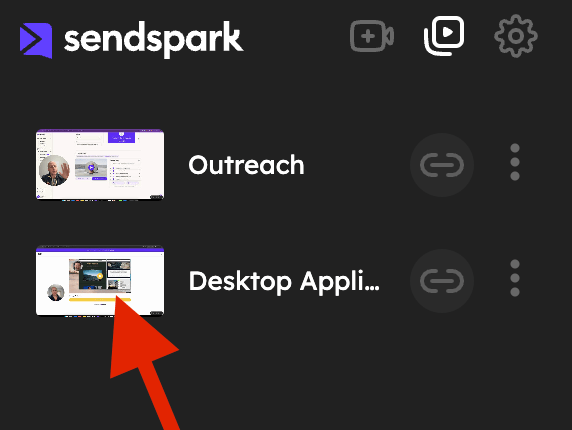
* Open the Desktop App and head to the middle play icon button, then click the thumbnail of the video you need.
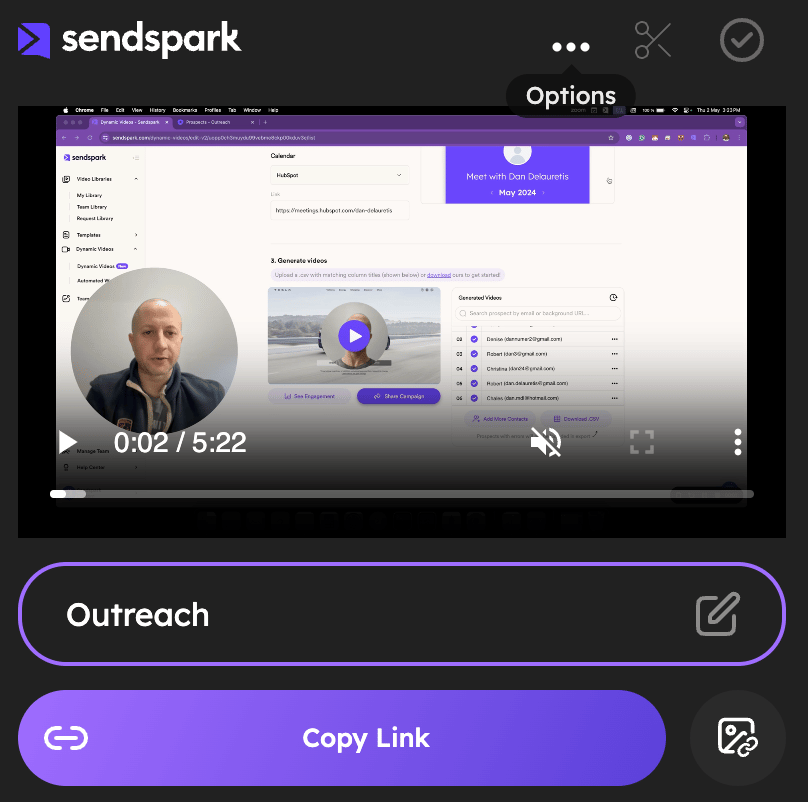
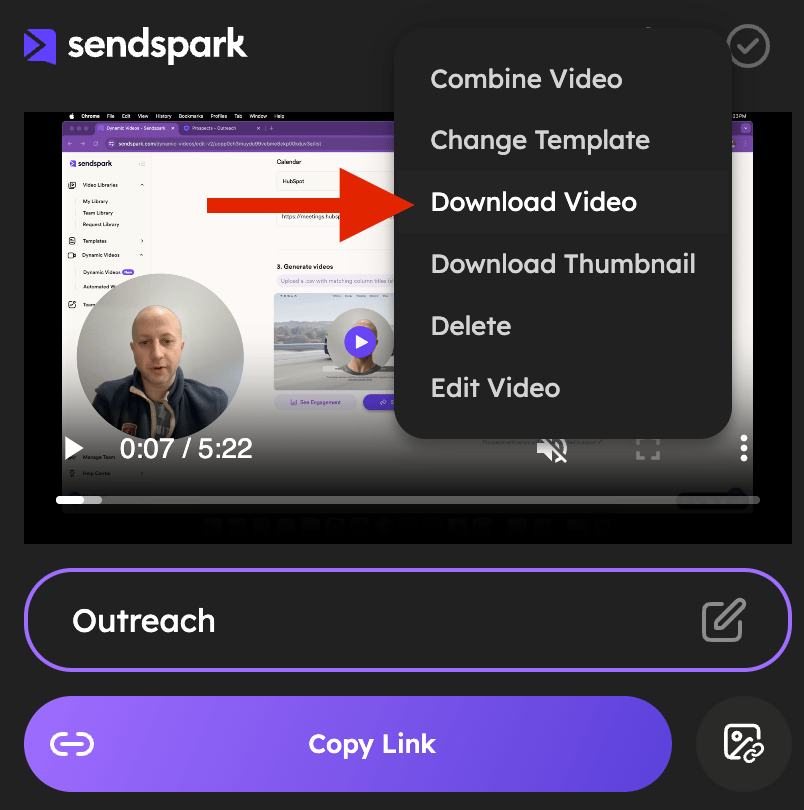
* Click the three dots for Options, where you'll be able to download your video and attempt a re-upload.
## Have you lost your internet connection? Did something go wrong during your video upload?
In this quick tutorial, you'll learn how to find and retrieve your video to attempt a re-upload afterward.
Note: this only works if you have not closed your Desktop App since you last recorded the video you want to retrieve. If the App has been completely closed and or your computer has been restarted since then, this option won't be available
**1)** Click on your Desktop App icon to open it and head to the middle play icon button:
 **2)** Once there, click on the thumbnail of the video you need to retrieve:
 \*\*3)\*\*Now click on the three dots for OPTIONS:
 **4)** You are now able to download your video:
 ## Frequently asked questions
Use this when you've lost your internet connection or something went wrong during your video upload, so you can find and retrieve the video to attempt a re-upload.
No. This only works if you have not closed your Desktop App since you last recorded the video. If the app has been completely closed, or your computer has been restarted since then, this option won't be available.
Open the Desktop App and head to the middle play icon button. Then click the thumbnail of the video you need to retrieve.
Click the three dots for Options on the video thumbnail, and you'll be able to download your video and re-upload it.
*Updated July 2026.*
## Frequently asked questions
Use this when you've lost your internet connection or something went wrong during your video upload, so you can find and retrieve the video to attempt a re-upload.
No. This only works if you have not closed your Desktop App since you last recorded the video. If the app has been completely closed, or your computer has been restarted since then, this option won't be available.
Open the Desktop App and head to the middle play icon button. Then click the thumbnail of the video you need to retrieve.
Click the three dots for Options on the video thumbnail, and you'll be able to download your video and re-upload it.
*Updated July 2026.*