> ## Documentation Index
> Fetch the complete documentation index at: https://help.sendspark.com/llms.txt
> Use this file to discover all available pages before exploring further.
# How to Move Videos Between Folders
> Learn how to move videos between folders in Sendspark to organize your video library and switch between My Videos and Team Videos.
To move a video into another folder in Sendspark, hover over the video and select the **Move** option, choose the destination folder (you can also switch between "My Videos" and "Team Videos" using the dropdown), then click **Move** to confirm.
## Key takeaways
* Hover over a video, select **Move**, pick the destination folder, and click **Move** to confirm.
* Use the dropdown at the top of the Move modal to switch the destination between "My Videos" and "Team Videos."
* Moving a video into the Team Library lets other team members view or edit it, while videos in My Library are only accessible to you.
Sendspark makes it easy to organize your videos into folders.
## How to Move Videos Between Folders
1. **Hover** over the video you would like to move
2. Select the **Move** option 3. Select the \*\*Destination Folder.\*\*Note, you can also change the video library (between "My Videos" and "Team Videos") using the dropdown at the top of the modal.
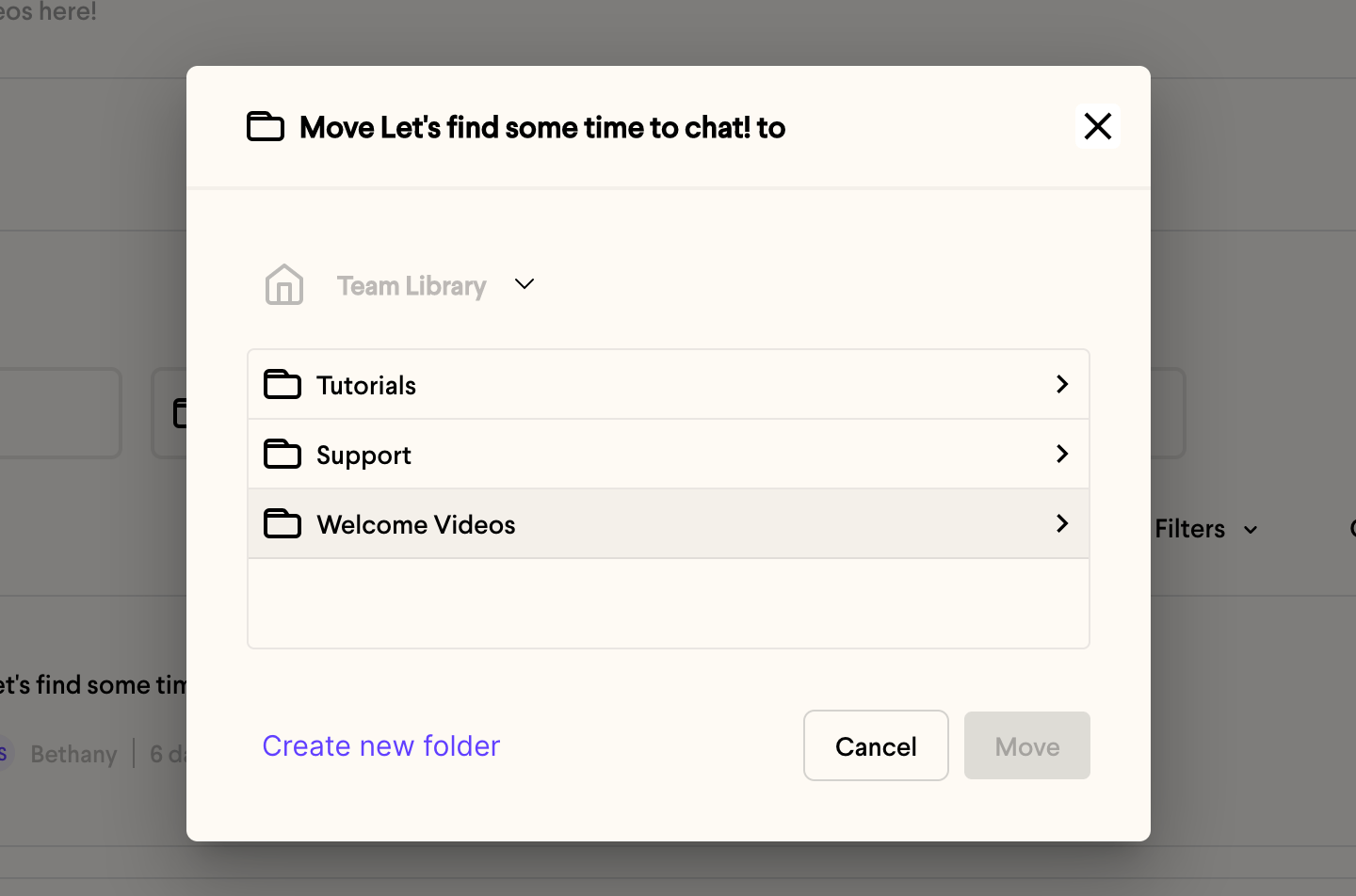 4. Select **Move** to confirm
 5. That's it!
***
## Frequently asked questions
Yes. In the Move modal, use the dropdown at the top to change the video library between "My Videos" and "Team Videos," then choose the destination folder.
Every team member on your Sendspark account can access and manage videos in the Team Library, whereas videos in My Library are only accessible to you. See [Move Videos Between Personal and Team Libraries](/move-videos-between-personal-and-team-libraries).
*Updated July 2026.*
5. That's it!
***
## Frequently asked questions
Yes. In the Move modal, use the dropdown at the top to change the video library between "My Videos" and "Team Videos," then choose the destination folder.
Every team member on your Sendspark account can access and manage videos in the Team Library, whereas videos in My Library are only accessible to you. See [Move Videos Between Personal and Team Libraries](/move-videos-between-personal-and-team-libraries).
*Updated July 2026.*