> ## Documentation Index
> Fetch the complete documentation index at: https://help.sendspark.com/llms.txt
> Use this file to discover all available pages before exploring further.
# How to Create a Folder in Sendspark
> Learn how to create folders in Sendspark to organize your videos with this simple 4-step guide for better video management.
To create a folder in Sendspark, open the library or folder where you want the new folder to live, click the **new folder icon** at the top of the page (next to **Start Recording**), give the folder a name, and click **Create**. Your new folder then appears in your dashboard.
## Key takeaways
* Folders help you organize your videos inside your Sendspark library.
* Create one by clicking the **new folder icon** at the top of the page, next to the **Start Recording** button.
* Name the folder, click **Create**, and it appears in your dashboard.
* You can [move a folder](/how-to-move-videos-between-folders) later, so its starting location isn't permanent.
Sendspark lets you create folders to organize your videos.
## How to create a folder
1. Go into the library or folder that you would like your new folder to live in. (Don't worry, you can always [move your folder](/how-to-move-videos-between-folders) later).
2. Click on the new **folder icon** at the top of the page (next to the **Start Recording** button) 3. Write a **name** for your folder
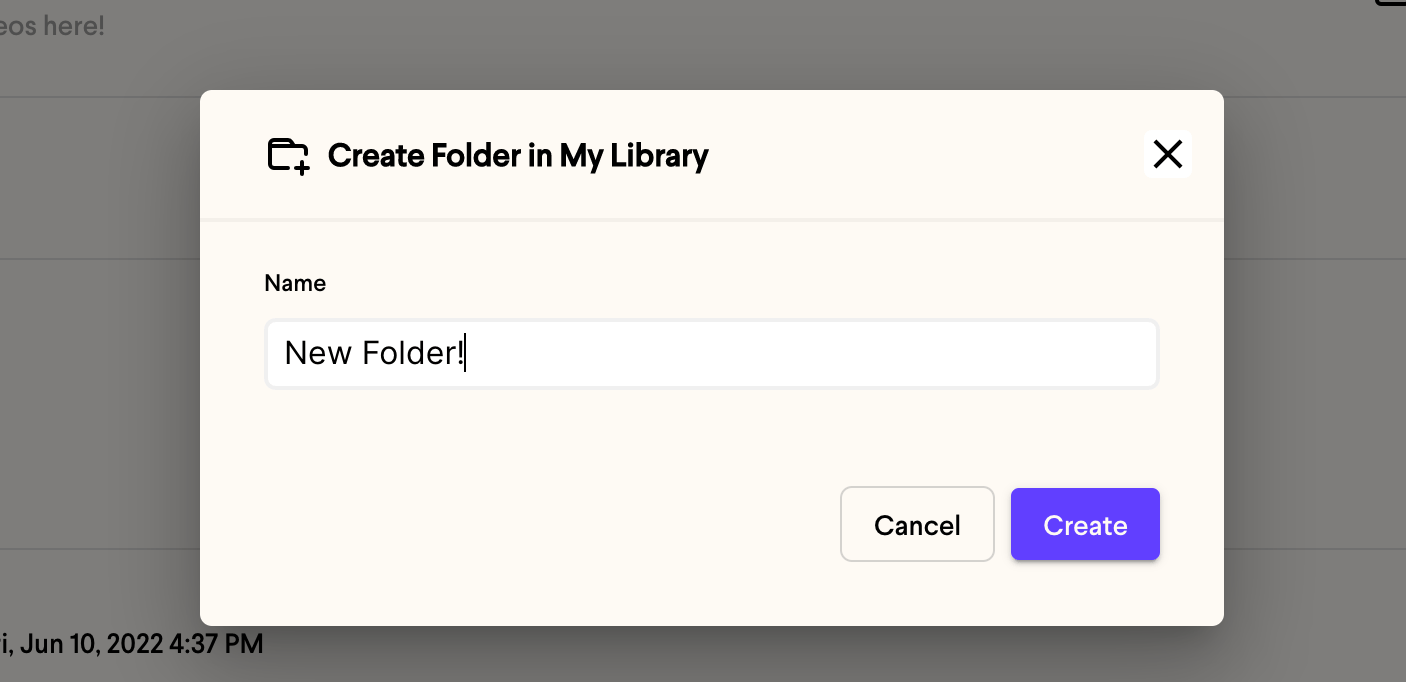 4. Click **Create**
5. That's it! You'll now see your new folder in your dashboard.
4. Click **Create**
5. That's it! You'll now see your new folder in your dashboard.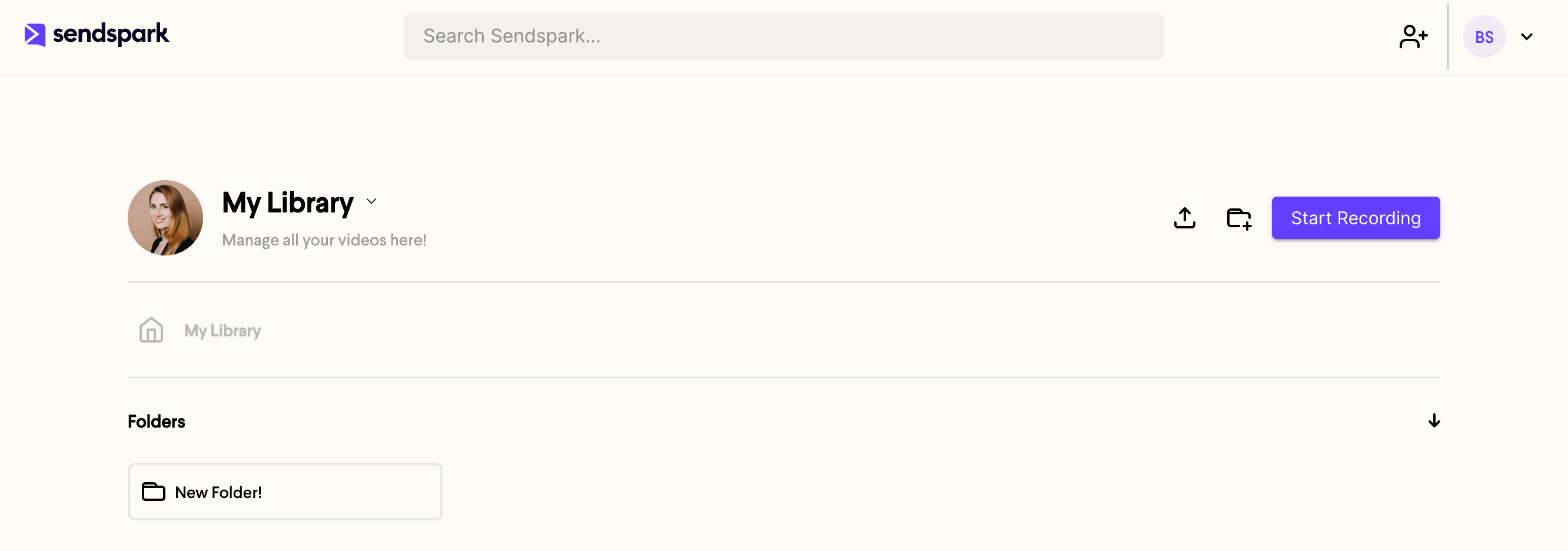 ## Frequently asked questions
A new folder is created inside whichever library or folder you're viewing when you click the new folder icon. Open the location you want it to live in first.
Click the **new folder icon** at the top of the page, right next to the **Start Recording** button.
Yes. You can [move your folder](/how-to-move-videos-between-folders) to another location later, so you don't have to get its placement perfect up front.
*Updated July 2026.*
## Frequently asked questions
A new folder is created inside whichever library or folder you're viewing when you click the new folder icon. Open the location you want it to live in first.
Click the **new folder icon** at the top of the page, right next to the **Start Recording** button.
Yes. You can [move your folder](/how-to-move-videos-between-folders) to another location later, so you don't have to get its placement perfect up front.
*Updated July 2026.*